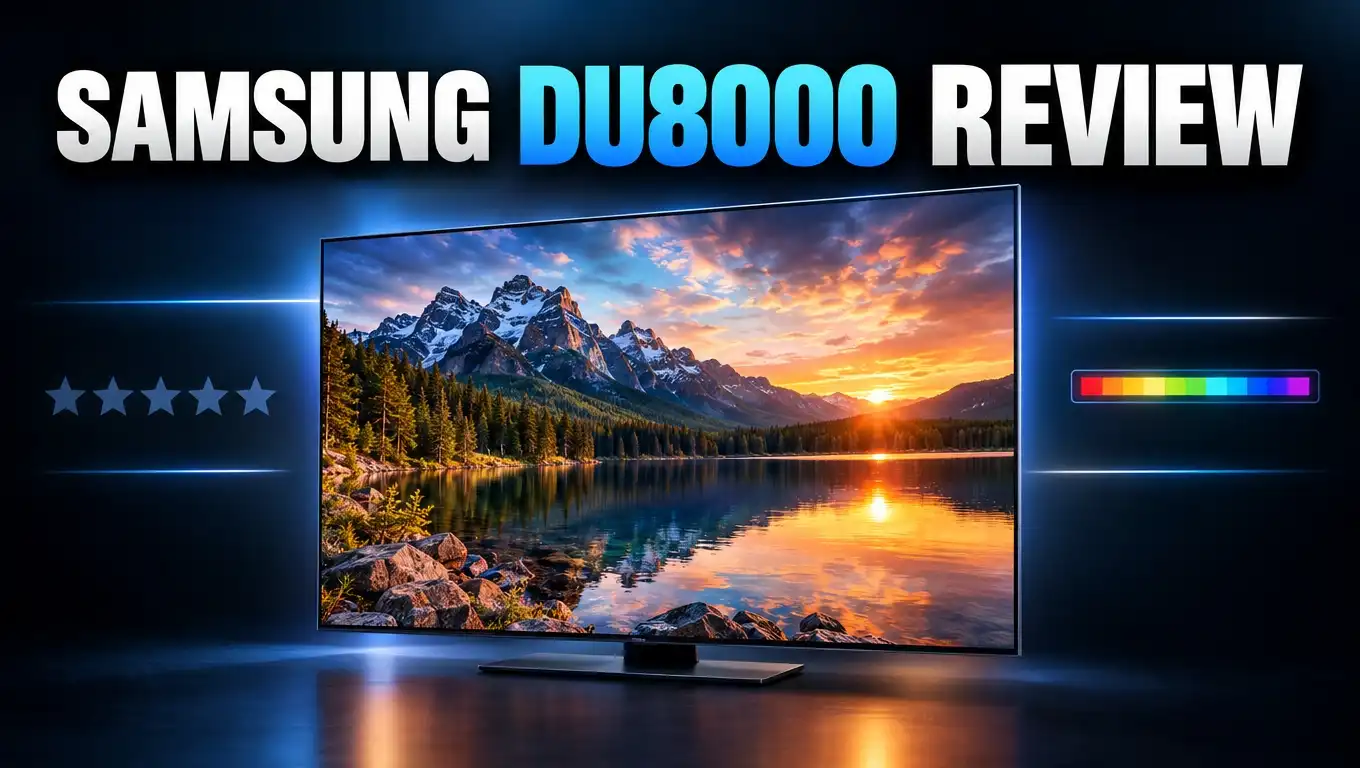
Samsung DU8000 Review: Budget 4K TV Still Worth Buying?
Do you want a big Samsung TV without spending a lot? The Samsung DU8000 is one of the lowest priced 4K TVs Samsung sells. It looks great on a shelf and has every popular streaming app.
But a low price always has a catch. Reviewers have tested this TV and found clear weak spots. Brightness, contrast, and gaming features are the big ones.
In this review, I cover the picture, the sound, gaming, the smart features, and who should buy it. I also share three alternatives that may fit you better. Let’s find out if the DU8000 belongs in your living room.
In a Nutshell
Here is a quick summary if you are short on time:
- The Samsung DU8000 is a basic 4K LED TV with a fair price. It uses an edge lit panel with no local dimming. It covers streaming, cable, and casual viewing well. It does not aim for premium picture quality, and it does not get it.
- Colors look accurate right out of the box. Tom’s Guide measured a Delta E of about 3.3 in Filmmaker Mode. Skin tones and everyday shows look natural without much tweaking.
- Brightness is the biggest weakness. Tests showed about 212 nits in SDR and around 324 nits in HDR. It works best in dim or dark rooms, and it struggles in sunny ones.
- Gaming is basic but responsive. Input lag measured about 9.4 ms, which feels fast. However, most sizes are only 60Hz with no VRR and no HDMI 2.1. The 85 inch model is the exception, with 120Hz.
- The design is slim and attractive. The panel is about one inch thick. The feet can go in two height positions, and the SolarCell remote charges itself from light.
- Good alternatives cost only a little more. The Hisense U7N and Samsung Q60D offer more brightness or better gaming features for a small price jump.
Samsung DU8000 Overview

- AIRSLIM: This TV blends right into your wall with a slim design; It brings clutter-free minimalism to the room without distracting you...
- 4K UPSCALING: Get a clearer picture for more of your shows and videos; 4K Upscaling transforms each pixel for improved content
Last update on 2026-10-17 / Affiliate links / Images from Amazon Product Advertising API
The Samsung DU8000 is part of Samsung’s 2024 Crystal UHD lineup. It sits above the DU7200 and below Samsung’s QLED models such as the Q60D. Think of it as Samsung’s “good enough” 4K TV for everyday homes.
The TV comes in many sizes: 43, 50, 55, 65, 75, and 85 inches. Picture quality stays very similar across sizes because they all use the same simple display technology. The 85 inch model stands apart because it has a 120Hz refresh rate. All other sizes run at 60Hz.
Inside, the TV uses Samsung’s Crystal Processor 4K. This chip upscales lower resolution content to 4K. It also manages color through a feature Samsung calls PurColor.
The DU8000 supports three HDR formats: HDR10, HDR10+, and HLG. It does not support Dolby Vision. That is normal for Samsung, as the brand skips Dolby Vision on all its TVs.
Here are the key specs for quick reference:
- Resolution: 3840 x 2160 (4K UHD)
- Refresh rate: 60Hz (120Hz on the 85 inch)
- HDR: HDR10, HDR10+, HLG
- Ports: 3 HDMI 2.0, 2 USB A, Ethernet, optical out
- Audio: 20W, 2 channel
- Smart platform: Tizen OS with Alexa built in
Launch prices ranged from roughly $380 for the 43 inch model to about $1,300 for the 85 inch model. Since then, the DU8000 has often sold for less, so check the current price before you buy.
Design and Build Quality
The design is one of the best parts of the DU8000. Samsung calls it an “Ultra Slim” design, and that name fits. The panel measures just over one inch thick from top to bottom.
Many budget TVs have a bulky bump on the back. The DU8000 stays slim all the way across. The back also has a brushed texture that looks clean, even if few people will see it.
The TV stands on two slim feet near the edges. You do not need a screwdriver to attach them. They simply slot into place, which makes setup fast and easy.
The feet have two height positions. The lower one keeps the TV close to the table. The higher one lifts the screen by about three inches. This extra space is perfect for a soundbar. That is a smart touch at this price.
Because the feet sit wide apart, you need a wide stand or table. Measure your furniture first, especially for the 65 inch and larger models. Wall mounting is also an option if your space is tight.
The thin bezels give the screen a modern look. When the TV is off, it blends into a room nicely. For many buyers, this clean look is a big reason to choose a Samsung over cheaper brands.
Overall, the build quality feels better than you might expect for the price. It looks like a more expensive TV than it is.
Picture Quality and Color Accuracy
Picture quality is where you see the budget roots of this TV. The good news is that colors look accurate out of the box. The bad news is that the picture lacks punch.
Tom’s Guide found a Delta E of about 3.3 in Filmmaker Mode. A lower number means more accurate color, and 3.3 is quite good for a budget set. The TV also covered about 97.8% of the Rec. 709 color space. That covers standard TV, cable, and most streaming in SDR.
You do not need to calibrate this TV to get a pleasing image. Just switch to Filmmaker Mode or Movie Mode. These modes give the most natural look for shows and films.
The 4K upscaling works well for everyday content. HD cable and older shows look sharp and clean. Text and faces stay crisp on all screen sizes.
The main limit is the panel type. The DU8000 is an edge lit LED TV. Its lights sit along the edges of the screen rather than behind it. It also has no local dimming, so it cannot darken one area while brightening another.
This hurts contrast. Dark scenes can look gray and flat, especially in a lit room. RTINGS also noted the lack of local dimming and a narrow viewing angle. Colors and brightness fade if you sit far to the side.
For daily shows, news, sports, and sitcoms, the picture is pleasant. For movie lovers who want deep blacks and bright highlights, this TV will feel limited.
Top 3 Alternative for Samsung DU8000
The DU8000 is fine for basic viewing. But reviewers often point out that better TVs cost only a little more. Here are three strong alternatives to consider.
1. Hisense U7N (65 inch)

- MINI-LED PRO WITH FULL ARRAY LOCAL DIMMING: Discover the latest in backlight technology with Mini-LED Pro that delivers an incredibly...
- QLED QUANTUM DOT COLOR: Dive into a world of color with QLED Quantum Dot Technology. This technology broadens your color perception by...
Last update on 2026-10-17 / Affiliate links / Images from Amazon Product Advertising API
The Hisense U7N is a big step up. It uses Mini LED backlighting with full array local dimming. Tom’s Guide measured about 1,346 nits in HDR, which is around four times brighter than the DU8000.
It also supports 144Hz gaming, VRR, Dolby Vision, and Dolby Atmos. It runs Google TV, which many people find faster and easier. For gamers and movie fans, this is the smarter pick.
2. Samsung Q60D (65 inch)

- DUAL LED: Get a natural, realistic picture and accurate contrast that adapts automatically to match your content with our innovative...
- 100% COLOR VOLUME w/ QUANTUM DOT: Take in breathtaking color that stays true at any level of brightness; Marvel as your TV transforms...
Last update on 2026-10-12 / Affiliate links / Images from Amazon Product Advertising API
Do you want to stay with Samsung? The Q60D is the next step up. It adds Quantum Dot color for richer, more vivid images.
It is also brighter than the DU8000. Tom’s Guide measured 468 nits in HDR versus 324 nits on the DU8000. It keeps the same Tizen OS, slim design, and Samsung features you know.
3. LG UT8000 (65 inch)

- Bring your favorite content to life in 4K resolution - Browse popular streaming apps Enjoy the film's original formatting with...
- Feel the on-screen action around you with AI-upgraded sound
Last update on 2026-10-17 / Affiliate links / Images from Amazon Product Advertising API
The LG UT8000 is a direct rival in the budget space. It runs LG’s webOS, which many users find simple and easy to learn.
It is a good choice if you prefer LG’s menus or Magic Remote. Like the DU8000, it targets basic viewing rather than high end performance. Compare prices and pick the one on the best sale.
Brightness and HDR Performance
Brightness is the biggest weakness of the Samsung DU8000. Every major review mentions it. If your room gets lots of sun, pay close attention to this section.
Tom’s Guide measured about 212 nits in SDR with a 10% window. In HDR, the TV reached about 324 nits. Peak highlights barely went past 370 nits. For comparison, the Hisense U7N reached over 1,300 nits in the same HDR test.
What does this mean in real life? The DU8000 struggles in bright rooms. Sunlight and lamps can wash out the image. Dark movie scenes become hard to follow when light hits the screen.
HDR also loses its impact. HDR is meant to show bright highlights, like sunlight or explosions, next to deep shadows. The DU8000 lacks both the brightness and the local dimming to do this well. HDR content looks only a little better than standard content.
The TV covered about 89.6% of the DCI P3 color space. That is decent, but HDR colors still lack the pop of QLED or Mini LED sets.
Here is the good part. In a dim room or at night, the DU8000 looks much better. Its contrast feels stronger, and colors look more natural.
Best rooms for the DU8000:
- Bedrooms
- Basements
- Living rooms with curtains or blinds
- Rooms used mostly in the evening
If you watch mostly at night, the brightness issue may not bother you much.
Motion Handling and Refresh Rate
Most DU8000 sizes use a 60Hz panel. Only the 85 inch model offers 120Hz. This matters for fast sports and action movies.
A 60Hz panel refreshes the image 60 times per second. That works fine for most TV shows and movies. Films are usually shot at 24 frames per second, so 60Hz handles them easily.
Fast sports are a different story. Quick camera pans in football or hockey can show slight blur. A 120Hz TV handles these moments with smoother motion.
Samsung includes a feature called Motion Xcelerator. It helps reduce blur and smooth out fast scenes. You can adjust it in the picture settings.
Be careful with these settings. When you set motion smoothing too high, movies can get the “soap opera effect.” Films start to look like cheap video instead of cinema. Tom’s Guide noted the motion settings can create a distracting look when cranked up.
My simple advice:
- Turn motion smoothing off for movies.
- Use a low setting for live sports.
- Try different levels and trust your own eyes.
Overall, the motion handling is acceptable for a budget TV. It is not as smooth as higher end models. But most casual viewers will not mind it during daily watching.
If you watch a lot of sports and want the best motion, consider a 120Hz TV instead. The Hisense U7N is a good example in a similar price range.
Gaming Performance
The DU8000 has one gaming strength and several weaknesses. Let’s start with the good news. Input lag is very low. Tom’s Guide measured about 9.4 ms in Game Mode.
Low input lag means the TV reacts fast to your controller. Button presses show up on screen almost instantly. This makes casual gaming feel responsive and fun.
The TV also supports Auto Low Latency Mode (ALLM). When you turn on a PS5 or Xbox, the TV switches to Game Mode by itself. That saves you a trip into the menus.
Now for the limits. The DU8000 has no HDMI 2.1 ports. All three HDMI ports are HDMI 2.0. This means gaming is limited to 4K at 60Hz.
It also lacks Variable Refresh Rate (VRR). VRR keeps games smooth when frame rates drop. Without it, you may see screen tearing or stutter in some games.
Gaming summary:
- Good: Low input lag, ALLM, Samsung Gaming Hub for cloud games
- Missing: 120Hz (except 85 inch), VRR, HDMI 2.1
Samsung Gaming Hub is a nice bonus. It lets you stream games from services like Xbox Cloud Gaming without a console. You just need a controller and a good internet connection.
Casual gamers will be happy with this TV. Serious gamers with a PS5 or Xbox Series X should look at the Hisense U7N. It supports 144Hz and VRR for only a little more money.
Sound Quality
The DU8000 has a 20W, 2 channel speaker system. It is fine for news, talk shows, and casual viewing. But it will not impress you during movies or music.
Samsung includes Object Tracking Sound Lite (OTS Lite). This feature makes sound seem to follow the action on screen. For example, a car moving left to right sounds like it moves across the TV.
It is a clever idea, but the effect is mild on this model. The speakers are small, so the sound lacks bass and depth. Tom’s Guide described the sound as tinny and sometimes distorted.
The TV also supports Adaptive Sound. It adjusts the audio based on what you watch. Speech becomes clearer during dialogue scenes. This helps if you often struggle to hear voices.
Q Symphony is another feature. It lets the TV speakers work together with a compatible Samsung soundbar. Both play at once for a fuller sound.
My honest advice: plan to buy a soundbar. Even a low cost soundbar will make a big difference. Movies, sports, and music will sound richer and fuller.
The good news is that setup is easy. The TV has an HDMI ARC port and an optical audio output. The raised foot position also leaves room for a soundbar under the screen.
Think of the soundbar as part of your total budget. It turns the DU8000 into a much better movie night setup.
Smart Features and Tizen OS
The DU8000 runs Samsung’s Tizen OS. This smart platform includes nearly every popular streaming app. You get Netflix, Prime Video, Disney+, YouTube, Hulu, Max, and many more.
You also get Samsung TV Plus for free. It offers hundreds of live channels with news, movies, sports, and shows. You do not need a subscription or sign up.
Voice control is built in. You can use Alexa or Bixby directly through the remote. Ask for a show, change the volume, or search for content with your voice.
The TV also connects with SmartThings. This app lets you control smart home devices from your TV. You can check cameras, lights, and other connected gadgets.
Now for the downside. The Tizen interface can feel slow and clunky on this TV. The processor is basic, so menus sometimes lag. Tom’s Guide called the smart platform sluggish.
Switching inputs can also be annoying. You often need to return to the home screen to change sources. That adds extra steps to simple tasks.
Tips to improve the experience:
- Keep the apps you use most at the front of the home screen.
- Remove apps you never use.
- Install software updates when they appear.
If the lag bothers you, try an external streaming device. An Apple TV 4K, Roku, or Fire TV Stick plugs into an HDMI port. These devices often feel faster and smoother than the built in system.
Remote Control and Ports
The DU8000 comes with Samsung’s SolarCell Remote. This remote charges itself using indoor light or sunlight. You can also charge it with a USB C cable if needed.
This is a great feature. You never need to buy AAA batteries again. Tom’s Guide tested the TV for several weeks and never had to charge the remote by cable.
The remote has a clean, minimal design with few buttons. It includes quick buttons for popular apps like Netflix and Prime Video. It also has a microphone button for voice control.
There is one small complaint. The remote has no dedicated input button. Switching between your cable box, console, and streaming stick takes more steps.
Now let’s look at the ports:
- 3 HDMI 2.0 ports (one supports eARC)
- 2 USB A ports
- 1 Ethernet port
- 1 Optical audio output
- RF input for an antenna or cable
Three HDMI ports is enough for most people. But if you own a console, a cable box, a streaming stick, and a soundbar, you may run short. Some rival TVs at this price offer four HDMI ports.
Port placement is also worth noting. Two HDMI ports face the side. One faces the back. If you wall mount the TV, the rear port may be harder to reach.
For wireless connections, the TV offers WiFi 5 and Bluetooth. Bluetooth lets you pair wireless headphones for late night viewing.
Setup and Everyday Use
Setting up the DU8000 is quick and simple. Most people can have it running in about 20 to 30 minutes.
First, attach the feet. They slot in without tools. Choose the lower or higher position based on your soundbar plans. Then place the TV on your stand.
Next, plug in the power cord and turn it on. The TV walks you through each step on screen. You connect to WiFi, sign in to a Samsung account, and pick your apps.
You can also use the SmartThings app on your phone to speed up setup. It transfers your WiFi details and account info automatically. This saves a lot of typing with the remote.
Quick settings to change after setup:
- Switch the picture mode to Filmmaker Mode or Movie Mode.
- Turn off or lower motion smoothing for movies.
- Enable Auto Game Mode if you play games.
- Turn on Adaptive Sound for clearer voices.
In daily use, the TV is easy to live with. It starts up fairly quickly. Apps open and play without major problems, even if menus feel a bit slow.
The TV also includes helpful eco and energy saving settings. These lower power use when you do not need full brightness.
Overall, the DU8000 is a friendly TV for beginners. Older family members or first time smart TV owners will find it easy to use.
Who Should Buy the Samsung DU8000?
The DU8000 is not for everyone. But for the right person, it is a solid and simple choice. Let’s break it down.
The DU8000 is a good fit if you:
- Want a low cost 4K TV from a trusted brand.
- Watch mostly in a dim room or at night.
- Need a TV for a bedroom, guest room, or kids’ room.
- Stream shows and watch cable more than movies.
- Play casual games and do not need 120Hz.
- Like a slim, modern design.
You should skip it if you:
- Have a bright, sunny living room.
- Love HDR movies and want deep blacks.
- Own a PS5 or Xbox Series X and want 120Hz with VRR.
- Want strong built in sound without a soundbar.
- Need four or more HDMI ports.
Brand trust plays a big role here. Many people prefer Samsung because they know the name. They also like Samsung’s service network and familiar menus. That peace of mind has real value.
The DU8000 also works well as a second TV. Families often buy one for a bedroom or playroom. In these spaces, top brightness and gaming features matter less.
However, for a main living room TV, think carefully. Spending a bit more on a Mini LED or QLED model can give you a much better experience. You will likely keep your TV for five years or more, so the upgrade may be worth it.
Samsung DU8000 Pros and Cons
Here is a clear look at what the DU8000 does well and where it falls short.
Pros
- Slim and stylish design. The one inch thick panel looks more expensive than it is.
- Accurate colors out of the box. Filmmaker Mode delivers natural colors with little tweaking.
- Very low input lag. About 9.4 ms makes casual gaming feel quick and responsive.
- SolarCell remote. It charges from light, so you never need to buy batteries.
- Flexible stand. The two height positions leave room for a soundbar.
- HDR10+ support. You get dynamic HDR on supported Prime Video content.
- Lots of sizes. Options range from 43 inches up to 85 inches.
- Free live TV. Samsung TV Plus offers hundreds of free channels.
Cons
- Low brightness. The TV struggles in bright rooms and with HDR content.
- No local dimming. Dark scenes look gray and lack contrast.
- 60Hz on most sizes. Only the 85 inch model offers 120Hz.
- No VRR or HDMI 2.1. Serious console gamers will miss these features.
- Weak speakers. The 20W audio sounds thin, so a soundbar helps a lot.
- Slow smart menus. Tizen can lag on this basic processor.
- Narrow viewing angles. Picture quality drops when you sit off to the side.
- No Dolby Vision. Samsung skips this HDR format on all its TVs.
The pros make it a decent budget pick. The cons explain why reviewers often suggest stepping up.
Final Verdict
So, is the Samsung DU8000 worth buying? The answer depends on your room, your habits, and your budget.
The DU8000 does the basics well. It shows sharp 4K images with accurate colors. It looks slim and modern. It has every major streaming app and a remote that never needs batteries.
But it also has clear limits. The low brightness is its biggest problem. It cannot fight glare in a sunny room. HDR movies lack impact because the TV has no local dimming.
Gamers will enjoy the low input lag. However, the lack of 120Hz and VRR holds it back for modern consoles. The speakers also need help from a soundbar.
Reviewers like Tom’s Guide and RTINGS agree on one key point. Better TVs often cost only a little more. The Hisense U7N offers far more brightness and gaming features. The Samsung Q60D adds Quantum Dot color and more brightness while keeping the Samsung experience.
My recommendation:
- Buy the DU8000 for a bedroom, guest room, or dim living room.
- Buy it when it is on a deep sale.
- Skip it if you want a main TV for movies or serious gaming.
At the right price, the DU8000 is a fair and friendly choice. Just go in knowing what you get. A smart buyer compares prices before checking out. Sales events often bring big discounts on both the DU8000 and its rivals.
Frequently Asked Questions
Is the Samsung DU8000 a QLED TV?
No, the DU8000 is not a QLED TV. It is a Crystal UHD LED TV. It does not use Quantum Dot technology. Samsung’s Q60D is the entry level QLED model if you want that feature.
Does the Samsung DU8000 support 120Hz?
Only the 85 inch model supports 120Hz. All other sizes, from 43 to 75 inches, use a 60Hz panel. This limits gaming to 4K at 60 frames per second.
Does the Samsung DU8000 have Dolby Vision?
No, it does not support Dolby Vision. It supports HDR10, HDR10+, and HLG instead. Samsung does not include Dolby Vision on any of its TVs.
Is the Samsung DU8000 good for PS5 and Xbox gaming?
It works well for casual gaming. Input lag is very low at about 9.4 ms, and ALLM switches to Game Mode automatically. However, it lacks VRR, HDMI 2.1, and 120Hz on most sizes.
Is the Samsung DU8000 bright enough for a sunny room?
Not really. Tests show about 212 nits in SDR and about 324 nits in HDR. It looks best in dim rooms or at night. A Mini LED TV is a better pick for bright spaces.
What is the difference between the DU8000 and the DU7200?
The DU8000 has a slimmer design, the SolarCell remote, and Object Tracking Sound Lite. The DU7200 is a simpler, lower priced model. Picture quality between the two is fairly similar.
Do I need a soundbar with the Samsung DU8000?
A soundbar is a good idea. The built in 20W speakers sound thin and lack bass. Even a low cost soundbar will improve movies, sports, and music a lot.
What sizes does the Samsung DU8000 come in?
The DU8000 comes in 43, 50, 55, 65, 75, and 85 inch sizes. Picture quality stays similar across sizes. The 85 inch model is the only one with a 120Hz refresh rate.
Does the Samsung DU8000 have Alexa?
Yes, Alexa is built in. You can also use Samsung’s Bixby. Both work through the microphone button on the SolarCell remote.

Dillip is the founder and editor of DillipWeb.com, where he simplifies the world of AI software, tech gadgets, and accessories through honest reviews, detailed comparisons, and easy-to-follow guides. With a deep passion for emerging technology, he helps everyday users make smarter, more informed tech decisions.