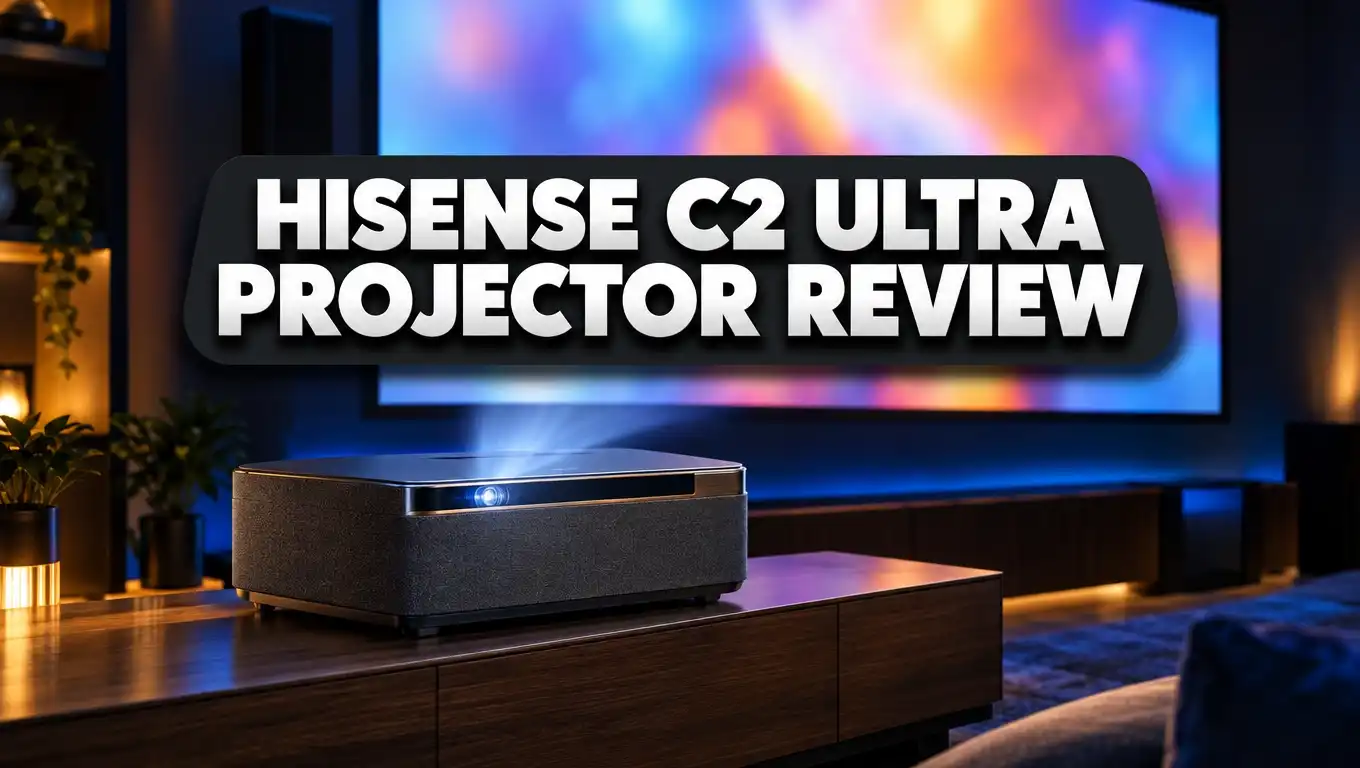
Hisense C2 Ultra Projector Review: 4K Triple Laser Projector Worth It?
Do you want a huge cinema screen at home without a big, messy setup? The Hisense C2 Ultra promises exactly that. It’s a compact 4K triple laser projector that throws an image up to 300 inches. It also has JBL sound with a built in subwoofer, Dolby Vision, and a 240Hz gaming mode.
Plenty of projectors make big claims. So we went through lab results, expert tests, and owner feedback to check this one. In this review you’ll find out what the C2 Ultra does well, where it falls short, and who should buy it. You’ll also see three solid alternatives if your budget or needs are different.
In a Nutshell
Short on time? Here are the main points before the full review.
- Excellent color performance: The pure RGB triple laser covered about 94% of BT.2020 in lab tests. Colors look rich and vivid, and skin tones stay natural.
- Bright enough for real rooms: Hisense rates it at 3,000 ANSI lumens. Testers measured up to 2,779 lumens, which is still very bright for a compact projector.
- Great built in sound: Two 10W JBL speakers and a 20W subwoofer in the stand give you full, punchy audio. Most people won’t need a soundbar right away.
- Flexible setup: It’s rare for a lifestyle projector to have optical zoom. That, plus the gimbal stand, auto focus, and auto keystone, makes placement easy.
- Fast gaming at 240Hz: Input lag drops to 9ms at 1080p 240Hz. Console players at 120Hz get a slower 21ms.
- Main weaknesses: Native contrast is low (about 1,600:1), some viewers will see a rainbow effect, and the big stand makes it less portable than its rivals.
Hisense C2 Ultra Projector

- 【65"-300" Super Wide Projection Size】C2 Ultra supports screen sizes from 65'' to 300''. Whether it’s a living room wall or an...
- 【Angle Adjuster】C2 Ultra offers 360° horizontal rotation, 90° upward, and 45° downward tilt, giving you 135° of vertical...
Last update on 2026-10-16 / Affiliate links / Images from Amazon Product Advertising API
The Hisense C2 Ultra is the top model in Hisense’s C2 family. The lineup also has the standard C2 and the C2 Pro. The Ultra came out in late 2024 with a launch price of $2,999.99.
Since then, Hisense has often sold it for around $2,499. Big retailers sometimes discount it further, so check current prices before you buy.
This is a lifestyle projector. It doesn’t need a ceiling mount, a long cable run, or a pro installer. You put it on a table or shelf, point it at a wall, and it handles most of the setup for you.
The projector uses Texas Instruments DLP technology with a 0.47 inch DMD chip. The chip has native 1080p resolution and uses four phase pixel shifting to reach full 3840 x 2160 4K on screen.
What sets it apart is the light source. Hisense uses a pure RGB triple laser engine with 28 laser chips. Separate red, green, and blue lasers give it a much wider color range than lamp or single laser projectors.
The C2 Ultra is also an official Designed for Xbox product. Xbox tested it for compatibility and gaming performance. That’s a nice extra if you plan to play games on a giant screen.
Projector Central gave the C2 Ultra its Highly Recommended Award. Other reviewers also praised its colors and sound. Still, no projector is perfect, and the sections below cover the good and the bad.
Key Specifications at a Glance
Before going further, here are the core specs. They help you compare the C2 Ultra with other projectors in the same price range.
| Feature | Hisense C2 Ultra |
|---|---|
| Resolution | 4K UHD (3840 x 2160) via pixel shifting |
| Light Source | RGB TriChroma triple laser |
| Rated Brightness | 3,000 ANSI lumens |
| Screen Size | 65 to 300 inches |
| Throw Ratio | 0.9 to 1.5:1 with optical zoom |
| HDR Formats | Dolby Vision, HDR10+, HDR10, HLG, IMAX Enhanced |
| Audio | 2 x 10W JBL speakers plus 20W subwoofer |
| Refresh Rate | Up to 240Hz at 1080p |
| Smart Platform | VIDAA |
| Laser Life | Over 25,000 hours |
| Weight | About 13.9 lbs |
A few numbers matter most. The 25,000 hour laser life means you’ll never buy a replacement lamp. Watching four hours a day, the laser lasts more than 17 years.
The 0.9 to 1.5:1 throw ratio gives you real freedom. You can get a 65 inch image from about 4.2 feet away. For a full 300 inch image, you’ll need about 32 feet.
The supported HDR formats are impressive. Many rival projectors skip Dolby Vision, and the C2 Ultra includes it along with HDR10+. That gives you the best possible picture from Netflix, Disney+, and Prime Video.
The contrast spec is listed as 2,000:1. That figure is modest, and real tests came in even lower. We cover this in the picture quality section.
Design and Build Quality
The C2 Ultra looks like a cube with a metal finish, sitting on a round stand. It’s a modern design that fits in a living room without looking like tech gear.
The headline design feature is the gimbal stand. You can tilt the projector up to 135 degrees vertically and turn it a full 360 degrees horizontally. That means you can aim it at a wall, a screen, or even the ceiling.
The projector measures about 9.7 x 11.3 x 9.7 inches. It weighs roughly 13.9 pounds. That’s heavier than many rivals in this class.
The extra weight comes from the stand, because Hisense built the 20W subwoofer into the base. That’s great for sound but adds bulk. Projector Central called the stand “bulky” in its review.
So is it portable? Yes, but only somewhat. You can carry it from the living room to the bedroom with no trouble. It isn’t really a grab and go projector for camping or backyard trips, though.
Build quality feels premium. The materials are solid, and the gimbal joint moves smoothly but holds its position firmly. Nothing feels cheap or wobbly.
The included backlit remote connects over Bluetooth. It has buttons for Netflix, YouTube, Prime Video, and Disney+. It also has dedicated keys for focus, laser brightness, and voice control, and the backlight helps a lot in a dark room.
Top 3 Alternative for Hisense C2 Ultra
The C2 Ultra is a great projector, but it may not fit every budget or room. Here are three strong alternatives worth a look.
Hisense C2 Laser Mini Projector

- 【65"-300" Super Wide Projection Size】C2 supports projection sizes from 65 to 300 inches. Whether it’s a living room wall or an...
- 【Gimbal Design】C2 features a gimbal mount with 360° horizontal rotation and 135° vertical tilt, making it easy to project on...

Last update on 2026-10-16 / Affiliate links / Images from Amazon Product Advertising API
The standard Hisense C2 is the budget pick from the same family. It keeps the triple laser light, the gimbal design, and Dolby Vision support. Brightness drops to 2,000 ANSI lumens, and you lose the subwoofer and optical zoom.
Pick this one if you watch mostly at night and want to save a lot of money. You still get the same colorful Hisense picture.
XGIMI Horizon 20 4K RGB Triple Laser Projector

- Powered by RGB Triple Laser: The X-Master RGB triple laser engine delivers 3200 ISO lumens and a 100,000:1 contrast ratio for vivid...
- Cinematic Certified: IMAX Enhanced, Dolby Vision, HDR10+, and Filmmaker Mode combine to deliver stunning visuals and true-to-intent...
Last update on 2026-10-16 / Affiliate links / Images from Amazon Product Advertising API
The XGIMI Horizon 20 is a newer rival with an X Master RGB triple laser engine. XGIMI rates it at 3,200 ISO lumens. It supports Dolby Vision and IMAX Enhanced and runs Google TV.
It’s a good choice if you prefer Google TV over VIDAA. It also offers flexible placement features for home theater use.
Dangbei DBOX02 Pro 4K Laser Projector

- 【True 4K L@ser Projector with HDR10+ & 2000 ISO Lumens】Experience stunning 4K UHD (3840x2160) clarity with Dangbei's l@ser...
- 【Google TV Streaming Hub】 Built-in Google TV certification offers 700,000+ movies/shows, Prime Video, Disney+, and 10,000+ apps...
Last update on 2026-10-16 / Affiliate links / Images from Amazon Product Advertising API
The Dangbei DBOX02 Pro is a true 4K laser projector with 2,000 ISO lumens. It runs Google TV with built in Netflix and supports HDR10+.
It usually costs less than the C2 Ultra. Pick it if you want a simple 4K laser home projector and plan to use a separate soundbar anyway.
Setup and Placement
Setting up the C2 Ultra is quick, even for beginners. Most people have it running in about 10 minutes.
When you turn it on, the projector runs auto focus and auto keystone correction. It reads the wall and straightens the image for you. You don’t need to measure angles or fiddle with dials.
The optical zoom is a big help. Most lifestyle projectors only offer digital zoom, which cuts resolution and brightness. Optical zoom changes image size with no loss of detail.
Tests showed only a 7.8% brightness loss when moving from wide to full telephoto zoom. That’s a small trade for so much flexibility.
The projector also has smart object avoidance. If a shelf or picture frame sits in the way, it shrinks the image to fit around it. The wall color adaptation feature adjusts colors when you project onto a tinted wall.
Safety is covered too. The laser eye protection feature dims the light if someone walks in front of the lens. That’s a must for homes with kids or pets.
One tip from the experts: use keystone correction only when you need it. Digital correction can soften fine detail a little. For the best picture, line the projector up straight with your screen and let the optical zoom handle sizing.
For a permanent setup, you can use Projector Central’s online throw calculator. It shows exactly where to place the C2 Ultra for your screen size.
Picture Quality
Picture quality is where the C2 Ultra really shines. The RGB laser produces some of the richest colors you can get at this price.
Lab tests measured 93.68% BT.2020 color coverage. It also hit 100% of Rec.709 and DCI P3. In plain terms, it can show every color in standard and cinema content.
Hisense advertises 110% BT.2020. The lab number is lower, but it’s still excellent for a home projector, and you’ll see the difference right away on colorful movies.
Out of the box, the picture is good. It runs slightly cool, or bluish. For the most accurate image, pick Filmmaker Mode or Cinema Night and set color temperature to Warm 1.
Sharpness is another strength. The 4K pixel shifting gives a crisp, detailed image. Reviewers said skin tones look natural and gradients in skies stay smooth, with no banding.
Laser speckle is minimal, which is impressive. RGB lasers can create a grainy sparkle on some screens, but the C2 Ultra controls this well.
Now for the weak points. Native contrast measured about 1,600:1, which is low. In dark scenes, blacks look more dark gray than deep black.
Some viewers will also notice a rainbow effect. This shows up as brief flashes of red, green, or blue around bright objects on dark backgrounds. Not everyone sees it, but sensitive viewers should keep it in mind.
Brightness Test Results
Hisense rates the C2 Ultra at 3,000 ANSI lumens. So how bright is it really? Projector Central measured it carefully.
The brightest result was 2,779 ANSI lumens. That came from Dynamic mode with the Brightness Enhancer on Ultra. It’s about 7% below the rated spec.
This mode has a strong green tint, though. It’s bright but not pleasant for movies. Without the Brightness Enhancer, Dynamic mode measured 2,466 lumens.
That’s about 17.7% under spec. It still falls inside the 20% tolerance allowed by the ISO 21118 standard, so Hisense’s claim is within accepted limits.
The more accurate picture modes are dimmer. Filmmaker Mode measured 1,528 lumens in SDR, while Cinema Day and Cinema Night reached about 2,244 lumens.
HDR modes stayed close to 2,200 lumens across the board. That’s plenty for a 100 to 120 inch screen in a dim room.
Brightness uniformity was strong at 90%. The center of the screen was brightest, with a tiny drop in the top corner. You won’t see this difference with your eyes.
What does all this mean for you? The C2 Ultra handles a living room with some ambient light very well. For daytime viewing, keep the screen size moderate, around 100 inches. In a dark room, you can go much bigger.
HDR Performance
The C2 Ultra supports nearly every major HDR format. You get Dolby Vision, HDR10+, HDR10, HLG, and IMAX Enhanced.
Having both Dolby Vision and HDR10+ is a big plus. Streaming apps use these formats to adjust brightness scene by scene, and many competing projectors support only one of them.
The projector also includes Dynamic Tone Mapping for HDR10 content. This feature studies each frame and adjusts brightness to fit the projector’s limits.
In tests with Kong: Skull Island, tone mapping made highlights brighter. Scenes had more pop and energy. Some bright skies showed minor clipping, which means fine cloud detail blended together.
Without tone mapping, the image looked more balanced and kept more detail, but lost some brightness. You can pick whichever look you like better.
Deadpool & Wolverine in HDR looked fantastic. Reviewers praised the sharp detail and rich costume colors. Skin tones stayed realistic in every scene.
Dark HDR scenes show the C2 Ultra’s limits. In Rings of Power, the low contrast stood out during night scenes. Torches and lanterns also showed the rainbow effect.
A tip for HDR: set Adaptive Contrast to Low. In testing, Medium crushed shadow detail, and High raised the black level too much. Low gives you the best balance.
Hisense provides 21 picture modes in total. There are seven SDR modes, eight HDR10 modes, three Dolby Vision modes, and three HDR10+ modes, so there’s plenty of room to fine tune.
Gaming Performance
Gamers have good reasons to look at the C2 Ultra. It carries official Designed for Xbox certification, and it supports refresh rates up to 240Hz.
Here are the input lag results from Projector Central’s tests. In High Refresh Rate mode with DLP Turbo on, lag measured 9ms at 1080p 240Hz. That feels fast and responsive.
At 120Hz, lag rose to 21ms at both 1080p and 4K. At 60Hz, it measured 33ms, which is fine for single player and casual games.
The catch is that consoles like the Xbox Series X and PS5 top out at 120Hz. So the 9ms speed is only available to PC gamers who can push 240Hz.
For console players, the C2 Ultra suits casual gaming best. Competitive shooters may feel a little slow at 21ms. Story games, racing games, and sports games feel great on a giant screen.
The projector has an HDMI 2.1 port with full 48Gbps bandwidth. It also supports ALLM, or Auto Low Latency Mode, which switches the projector to game mode as soon as you start playing.
Some owner reports online mention noticeable lag in certain multiplayer games. Your experience may vary depending on your settings, so always turn on Game Mode and DLP Turbo for the best results.
Overall, gaming on a 120 inch screen is a thrill. The vivid colors make games like Forza and Halo look stunning.
Sound Quality
Sound is one of the C2 Ultra’s best features. Most projectors have weak, tinny speakers, and this one doesn’t.
It uses a 2.1 channel system tuned by JBL, with two 10W speakers and a dedicated 20W subwoofer in the stand base. That’s 40W of total power.
The subwoofer makes a real difference. Explosions have weight, and music has warmth. Dialogue stays clear even at high volume.
Projector Central called the audio “full bodied” and said it’s more than enough for most situations. Australian site Player2 described the sound system as “simply astounding.”
Does it replace a real home theater? No. A good AV receiver or premium soundbar still sounds better. For bedrooms, small living rooms, and casual movie nights, though, you won’t feel the need to upgrade.
If you want better sound later, the C2 Ultra makes it easy. It supports eARC on the second HDMI port, which sends lossless audio like Dolby Atmos to a compatible soundbar or receiver.
There’s also an optical audio port and a 3.5mm headphone jack, plus Bluetooth for wireless speakers or headphones.
Fan noise stays low. Measurements showed about 35 dBA at three feet with the laser at full power. That’s barely above the room’s background noise, so loud fans won’t distract you during quiet movie scenes.
Smart Features and VIDAA Platform
The C2 Ultra runs VIDAA, Hisense’s own smart TV system. Most rivals use Google TV, so this is a different experience.
The good news is that VIDAA feels fast and smooth. Menus respond quickly, and reviewers called the interface modern and mature. Projector Central even said it was a welcome change from Google TV.
Popular apps come preinstalled. You get Netflix, Prime Video, YouTube, and Disney+ right out of the box. Netflix runs natively, which isn’t the case on many projectors.
The VIDAA App Store adds more apps, including Max and Crunchyroll. The app selection is smaller than Google TV’s, though. Some niche apps may be missing.
If an app you need isn’t available, you have options. You can plug in an Apple TV 4K, Roku, or Fire TV stick. Many owners do this for the widest app choice.
Screen mirroring is easy too. The C2 Ultra supports AirPlay 2 for iPhones, iPads, and Macs, and Miracast for Android phones and Windows laptops.
Voice control is built in. You can use Amazon Alexa or VIDAA Voice to open apps, search for shows, and change settings.
The projector correctly detects SDR and HDR content and switches modes for you. You can also set separate laser brightness levels for SDR and HDR, and it remembers each one.
Connectivity and Ports
The C2 Ultra has a good mix of ports for a compact projector. Here’s what you get on the back panel.
There are two HDMI ports. HDMI 1 is a full HDMI 2.1 port with 48Gbps bandwidth, ideal for an Xbox, PS5, or gaming PC. HDMI 2 is an HDMI 2.0 port with eARC for sound systems.
Two USB ports are included: one USB 3.0 and one USB 2.0. Both support media playback, so you can play movies straight from a flash drive. They can also power streaming sticks.
For wired internet, there’s an RJ45 Ethernet port. A wired connection gives the most stable 4K streaming, especially for large Dolby Vision files.
Wireless options are strong. The projector supports WiFi 6E, the latest WiFi standard, which gives fast, reliable streaming if you have a compatible router. Bluetooth is also built in.
Audio outputs include an optical SPDIF port and a 3.5mm headphone jack, along with the eARC HDMI connection.
The C2 Ultra also supports 3D playback. You’ll need DLP Link 3D glasses, sold separately. 3D fans will enjoy this, since few new projectors still offer it.
One downside is that the second HDMI port is only HDMI 2.0. If you have two gaming consoles, only one gets full HDMI 2.1 features. Most users won’t mind, but serious gamers should know.
Pros and Cons
Here’s a clear look at the main strengths and weaknesses of the Hisense C2 Ultra.
Pros
- Stunning colors from the pure RGB triple laser, with about 94% BT.2020 and full DCI P3 coverage in testing.
- Bright image that measured up to 2,779 ANSI lumens, which works well in rooms with some light.
- Optical zoom with a 0.9 to 1.5:1 throw ratio makes placement easy and keeps full image quality.
- Excellent 2.1 JBL sound with a built in 20W subwoofer that beats most projector speakers.
- Full HDR support including Dolby Vision, HDR10+, and IMAX Enhanced with Dynamic Tone Mapping.
- Fast 240Hz gaming with 9ms input lag at 1080p, plus a 48Gbps HDMI 2.1 port.
- Long laser life of over 25,000 hours with no lamp replacements ever.
- Quiet operation at around 35 dBA, even at full brightness.
- 3D support for fans of 3D movies.
Cons
- Low native contrast of about 1,600:1 means blacks look gray in dark scenes.
- Rainbow effect may bother sensitive viewers, especially around bright highlights.
- Bulky stand adds weight and makes it less portable than rivals.
- Brightness falls short of the 3,000 lumen claim in accurate picture modes.
- VIDAA app store is smaller than Google TV.
- Console lag at 120Hz is 21ms, which is fine for casual play but not ideal for competitive gaming.
Who Should Buy the Hisense C2 Ultra?
The C2 Ultra isn’t for everyone. Here’s who will love it most.
Movie lovers who want rich color will be very happy. The RGB laser makes animated films, nature documentaries, and superhero movies look vibrant. With Dolby Vision support, streaming content looks its best.
Families with flexible spaces will enjoy it too. You can use it in the living room one night and the bedroom the next. Auto setup makes moving it simple.
People who don’t want extra speakers get great value here. The built in JBL system with a subwoofer saves you from buying a soundbar right away, which can save a few hundred dollars.
PC gamers can take full advantage of the 240Hz mode. The 9ms input lag at 1080p feels very fast on a huge screen.
Now, who should skip it? Dedicated home theater fans who watch in pitch black rooms may want better contrast. Deep blacks matter a lot in those rooms, and the C2 Ultra struggles there.
People who see the rainbow effect should test a DLP projector first. If you’ve seen rainbows on other DLP projectors, you’ll likely see them here too.
Travelers and campers may find it too heavy. A smaller projector like the standard Hisense C2 or a battery model would suit them better.
Budget buyers should also look at the alternatives. Once your room is dark, the regular C2 gives you much of the same experience for less.
Final Verdict
The Hisense C2 Ultra is one of the best lifestyle projectors you can buy right now. It mixes bright, colorful 4K images with great built in sound and easy setup.
Its biggest strengths are hard to beat. The RGB triple laser gives stunning color, the optical zoom adds rare flexibility, and the JBL 2.1 sound with a subwoofer is top class for a projector.
Movie fans get Dolby Vision and HDR10+ in one box. Gamers get a 240Hz mode and an Xbox certification. Everyone gets a smooth VIDAA interface with Netflix built in.
It does have flaws. Contrast is weak, so dark scenes look a little flat. Some viewers will spot the rainbow effect, and the bulky stand cuts into portability.
For most people, the strengths clearly outweigh the weaknesses. Expert sites like Projector Central gave it high marks, and owners praise its colors and sound.
At a street price often around $2,499 or lower, it offers strong value. You’re getting a projector, a sound system, and a streaming device in one package.
Our advice is simple. If you want a bright, colorful, all in one projector for a living room or bedroom, the C2 Ultra is an excellent pick. If you need deep blacks for a dedicated dark theater room, look at other options first.
Overall, the Hisense C2 Ultra earns a strong recommendation from us. It turns any blank wall into a real home cinema.
Frequently Asked Questions
Is the Hisense C2 Ultra true 4K?
The C2 Ultra uses a 1080p DLP chip with four phase pixel shifting. This puts full 3840 x 2160 pixels on screen, and the image looks very sharp to the human eye.
How bright is the Hisense C2 Ultra in real use?
Hisense rates it at 3,000 ANSI lumens. Lab tests measured up to 2,779 lumens in its brightest mode. Accurate movie modes run between about 1,500 and 2,250 lumens.
Can the Hisense C2 Ultra work in a bright room?
It handles rooms with some ambient light well. For daytime use, keep the screen near 100 inches and close the curtains if you can. Pair it with an ambient light rejecting screen for the best results.
Does the Hisense C2 Ultra support Dolby Atmos?
The built in speakers don’t decode true Atmos surround. You can pass Dolby Atmos through the eARC HDMI port to a compatible soundbar or receiver.
Is the Hisense C2 Ultra good for PS5 and Xbox gaming?
Yes, for casual gaming. Consoles reach 120Hz, where input lag is about 21ms. PC players at 240Hz get a much faster 9ms.
What is the difference between the C2, C2 Pro, and C2 Ultra?
The C2 offers 2,000 lumens, the C2 Pro offers about 2,600 lumens, and the C2 Ultra offers 3,000 lumens. The Ultra also adds optical zoom and a built in 20W subwoofer.
How long does the laser last?
The laser lasts over 25,000 hours. At four hours a day, that’s more than 17 years of viewing.
Does the Hisense C2 Ultra have a rainbow effect?
Yes, a mild rainbow effect is present. Most people won’t notice it, but viewers sensitive to DLP rainbows may see color flashes around bright objects.
Can I mount the Hisense C2 Ultra on the ceiling?
The gimbal stand lets you aim it at the ceiling or tilt it steeply. For a permanent ceiling mount, check Hisense’s official accessories and the user manual for mounting options.
Does the Hisense C2 Ultra support 3D movies?
Yes, it supports 3D playback. You’ll need compatible DLP Link 3D glasses, which are sold separately.

Dillip is the founder and editor of DillipWeb.com, where he simplifies the world of AI software, tech gadgets, and accessories through honest reviews, detailed comparisons, and easy-to-follow guides. With a deep passion for emerging technology, he helps everyday users make smarter, more informed tech decisions.