Anker Nebula X1 Review: 4K Triple Laser Projector Worth It?
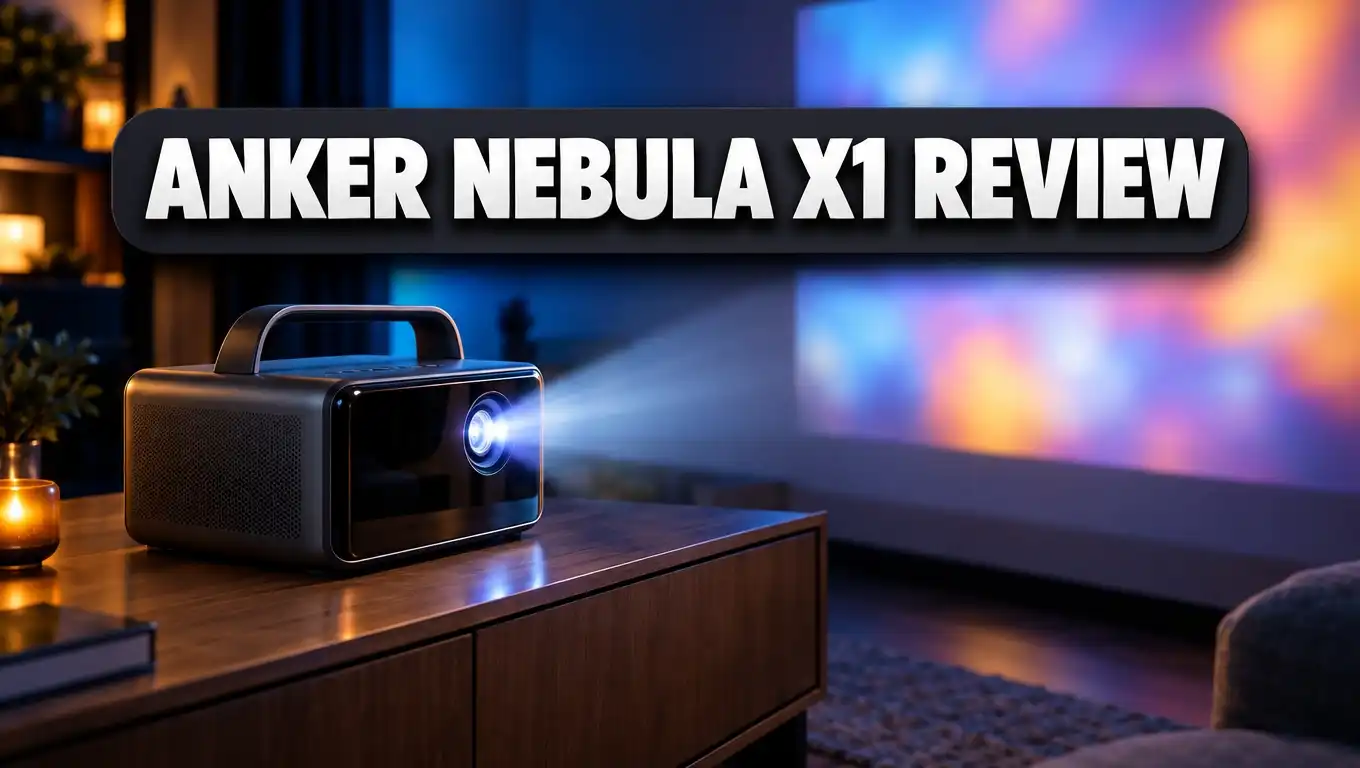
Do you want a cinema screen you can carry from room to room? The Anker Nebula X1 says it can give you one. It is a 4K triple laser projector with 3,500 ANSI lumens, Dolby Vision, and Google TV. It also has a handle, so you can take it anywhere.
That sounds great on paper. But does it hold up in a real living room or a backyard? We went through test results, lab numbers, and real user feedback to find out. This review covers picture quality, sound, gaming, setup, price, and alternatives. By the end, you will know if the Nebula X1 suits your home.
In a Nutshell
Here is the short version for busy readers:
- Very bright for a portable: Anker rates the X1 at 3,500 ANSI lumens. ProjectorCentral measured 3,187 lumens in its brightest mode and 2,588 lumens in its brightest mode with good color. That is enough for rooms with some lights on.
- Excellent 4K picture with Dolby Vision: The triple laser engine covers 110% of the BT.2020 color space. Dolby Vision content looks rich, sharp, and full of detail.
- Smart setup with a micro gimbal: The AI Spatial Adaptation feature scans your wall, finds the screen, and adjusts the image on its own. Spatial Recall saves settings for each room.
- Strong sound out of the box: The built in speakers deliver 40 watts. Add the optional WiFi satellite speakers and you get a 4.1.2 surround system.
- Good for casual gaming: Input lag measured 18.3 ms at both 1080p and 4K in Game Extreme mode.
- Premium price, no battery: It launched at $2,999 for the projector alone. It weighs 13.7 lbs and needs wall power.
Anker Nebula X1 Overview

- Certified Cinema-Grade Color: Dolby Vision brings the contrast and depth that streaming services encode but most displays discard...
- See Every Shade Of Darkness With Ultra-High Contrast: Experience deeper blacks and sharper shadow detail for more immersive viewing. A...
Last update on 2026-10-16 / Affiliate links / Images from Amazon Product Advertising API
The Anker Nebula X1 is the flagship of the Nebula lineup. Anker now sells Nebula products under its soundcore brand, so you may see both names. The X1 sits above the Cosmos 4K SE and Cosmos Laser 4K in price and power.
At its core, the X1 uses a Texas Instruments 0.47 inch DMD chip. This chip uses pixel shifting to show a 3840 x 2160 image. The light comes from a triple laser engine with separate red, green, and blue lasers. This design gives wider color than single laser or LED models.
Anker lists a dynamic contrast ratio of 56,000:1. Sound and Vision reports a native contrast figure of 5,000:1. The laser should last up to 30,000 hours. That is more than ten years of daily movie nights.
The X1 also uses NebulaMaster 2.0, Anker’s image processing engine. It includes AI HDR tone mapping, a dynamic contrast algorithm, and a tool that smooths color banding. These features help the picture look clean on many kinds of content.
The projector carries ISF and TÜV certifications. ISF certification means the ISF Day and ISF Night modes come calibrated for accurate color. TÜV certification covers eye comfort.
The big idea behind the X1 is simple. Anker wants to give you home theater quality in a portable body. Most portable projectors trade brightness for size. The X1 tries to skip that trade. ProjectorCentral gave it an Editor’s Choice Award, which says a lot about how well it delivers.
Design and Build Quality
The Nebula X1 looks like a bigger, tougher cousin of the Cosmos series. It has a solid chassis and a built in handle that folds down when not in use. The handle makes it easy to carry from the living room to the patio.
It measures 11.1 x 7.3 x 9.7 inches with the handle down. It weighs 13.7 lbs. That is heavy for a “portable” device. You can carry it with one hand, but you will not toss it in a backpack.
The front houses a 14 element all glass lens. It also has a six blade dynamic iris. The iris opens and closes based on the scene, which helps dark scenes look deeper.
The standout design feature is the auto micro gimbal. This small motor tilts the lens up and down on its own. The Cosmos 4K SE and Cosmos Laser 4K do not have it. It plays a key role in the smart setup tools we cover next.
You can control the X1 in four ways: the remote, touch buttons on top, the Nebula Connect app, or Google Assistant. The remote is a clean Google TV design. It has shortcut buttons for YouTube, Netflix, and Prime Video.
One thing to know: the X1 has no built in battery. You must plug it in. For outdoor movie nights, you will need an outlet or a power station nearby.
Anker also sells a padded carrying case for $199. It has slots for the projector, speakers, mics, and cables. If you plan to travel with the X1, the case is worth a look.
Setup and AI Spatial Adaptation
Setup is where the X1 really shines. Most projectors need you to fiddle with focus and angles. The X1 does most of the work for you.
The key feature is AI Spatial Adaptation. You find it under Settings, then Projector. The projector scans the room using its camera and the micro gimbal. Then it adjusts the lens to make the largest clean image for your spot.
With a screen, the X1 finds the edges and fits the image to it. Without a screen, it scans the wall and avoids objects like frames or light switches. That is handy if you project onto a bare wall at a friend’s house.
Spatial Recall saves these settings for each room. Move the X1 from the bedroom to the living room, and it remembers both setups. This saves a lot of time.
The throw ratio runs from 0.9:1 to 1.5:1. In plain words, you can place it fairly close to the wall or farther back and still get a big image. The X1 can project up to about 200 inches.
You also get autofocus and auto keystone correction. Keystone covers plus or minus 40 degrees vertically and 30 degrees horizontally. You can still set focus manually if you prefer.
One small quirk showed up in testing. Screen fit sometimes turned off between Blu-ray disc swaps. It recalibrated with the next disc, though. This is a minor issue, not a dealbreaker.
For most people, the setup takes just a few minutes. Press the Auto button on the remote and let the X1 handle the rest. Hold the same button to make manual tweaks.
Top 3 Alternative for Anker Nebula X1
The Nebula X1 is a premium pick, so it makes sense to look at other options. Here are three strong alternatives at different price points.

- 【65"-300" Super Wide Projection Size】C2 Ultra supports screen sizes from 65'' to 300''. Whether it’s a living room wall or an...
- 【Angle Adjuster】C2 Ultra offers 360° horizontal rotation, 90° upward, and 45° downward tilt, giving you 135° of vertical...
Last update on 2026-10-16 / Affiliate links / Images from Amazon Product Advertising API
The Hisense C2 Ultra is the closest rival. It also uses a triple laser engine and supports Dolby Vision. Hisense rates it at 3,000 lumens. It projects from 65 to 300 inches and has a gimbal stand built into its body.
The C2 Ultra also offers IMAX Enhanced certification and JBL sound. It is a great pick for gamers thanks to its very low input lag. It feels slightly more compact than the X1, but it lacks the satellite speaker option.

- 4K Dolby Vision, Huge 200″ Screen: Enjoy stunning 4K visuals, 40× higher brightness, 50× better contrast, and true-to-life colors...
- HybridBeam Technology for High Brightness: Our all-new HybridBeam technology combines LED and laser light sources to deliver 1,800 ANSI...
Last update on 2026-10-16 / Affiliate links / Images from Amazon Product Advertising API
The Nebula Cosmos 4K SE is the budget friendly sibling. It costs much less than the X1. It still offers 4K, Dolby Vision, and Google TV. Anker rates it at 1,800 ANSI lumens.
It works best in dark rooms. You also lose the triple laser and the micro gimbal. But if you watch at night and want to save money, the Cosmos 4K SE delivers great value.

- Ultra-Bright 4K Visuals: Experience stunning 4K laser projection up to 200” with 2450 ISO lumens and ALPD (Advanced Laser Phosphor...
- Ultimate Smart Integration with Google TV: Stream seamlessly with Google TV on the DBOX02 4K Laser Projector and access 10,000+ apps...
Last update on 2026-10-16 / Affiliate links / Images from Amazon Product Advertising API
The Dangbei DBOX02, also called the Mars Pro 2, is another solid choice. It uses laser ALPD technology and rates at 2,450 ISO lumens. It supports HDR10+, Google TV with native Netflix, and 3D.
The Dangbei is a fixed home theater projector, not a portable one. It also has eARC for sound systems. It is a smart pick for a dedicated movie room on a mid range budget.
Picture Quality and Brightness
Picture quality is the main reason to buy the X1. And it does not disappoint. Reviewers describe the image as exceptionally sharp with excellent color.
Let’s talk numbers first. Anker claims 3,500 ANSI lumens. ProjectorCentral measured 3,187 lumens in Conference mode. That is only 9% below the claim. Most brands miss their claims by more, so this is a good result.
Conference mode looks too green for movies, though. The brightest mode with good color is Standard, at 2,588 lumens. That is still very bright for a portable projector.
Brightness uniformity is also outstanding. It measured 95.6% in HDR and 90% in SDR. That means the edges look as bright as the center. Testers saw no hot spots and almost no laser speckle.
In real rooms, the X1 holds up well with lamps on or daylight through curtains. It can replace a TV for many people. Very dark scenes can wash out a bit when a light shines right on the screen, though.
The fix is simple. Pair the X1 with an ALR or CLR screen. These screens reject ambient light and keep contrast strong.
Older films look great too. Testers watched The Princess Bride and Holes and praised the natural skin tones. Modern shows like The Sandman looked stunning, with deep reds and strong black levels. Some shadow detail gets lost in the darkest scenes, but most viewers will not notice.
Outdoors, the X1 can work in the daytime if the screen sits in shade. At night, it truly shines. You get a bright, crisp picture on a big backyard screen.
HDR, Dolby Vision, and Color Modes
The X1 supports Dolby Vision, HDR10, and 3D. Dolby Vision is the star here. Many reviewers called its Dolby Vision playback the best they had seen on a portable projector.
On 4K Blu-ray, Jurassic World: Dominion showed accurate color with no clipped highlights, even on bright snow. Dark night scenes kept clear edges and good detail. Big Hero 6 in Dolby Vision Dark mode looked razor sharp, with Baymax’s white body showing no blown out areas.
You get three Dolby Vision modes: Bright, Dark, and Vivid. Dolby Vision Dark often gives the best dynamic range. Dolby Vision Bright suits rooms with more light but can look a bit flat on some films.
For regular content, the X1 offers nine picture modes. These are NebulaMaster, Standard, Vivid, Sport, Movie, Game, Conference, ISF Day, and ISF Night.
The clear winners are ISF Day and ISF Night. They come calibrated for accurate color. Use ISF Day for daytime viewing and ISF Night for dark rooms. Game mode with Extreme turned on is best for consoles.
You can also pick your color space: BT.709, Adobe RGB, BT.2020, or DCI. Most modes let you adjust black level, contrast, saturation, and sharpness.
The X1 includes MEMC motion smoothing. Many film fans avoid it. But on the Low or Middle setting, it helped smooth out choppy scenes without a heavy “soap opera” look.
For 3D, you need DLP Link glasses. Anker does not sell them, so you must buy them from another brand.
Sound Quality and Satellite Speakers
Most projectors have weak speakers. The X1 is a big exception. Its built in system delivers 40 watts using two 15 watt drivers and two 5 watt drivers.
Reviewers were impressed. Vocals came through clear, mids and treble sounded balanced, and bass felt surprisingly strong. It handled pop, rock, classical, and film scores well. For most rooms, you will not need a soundbar.
Anker also offers a pair of WiFi satellite speakers. With them, the system becomes a 4.1.2 surround setup. The main unit handles bass, while the satellites spread sound around the room. This gives you a true cinema feel.
The satellites have some nice features:
- They carry an IP54 rating, so they handle dust and light splashes outdoors.
- They last about eight hours per charge, and testers saw even more.
- They have 25 ms latency, so sound stays in sync with the picture.
The full bundle adds two wireless microphones. Why mics? For karaoke. Paired with the speakers, the X1 turns into a party machine. The mics last up to 40 hours.
The bundle launched at $3,998. You can also buy the satellite speakers alone for $699. The mics only come with the bundle.
If you already own a home theater system, use the HDMI eARC port. It passes high quality audio to your receiver or soundbar. There is also an optical audio out. You can connect Bluetooth speakers too.
Gaming Performance
The X1 is not a dedicated gaming projector. But it handles games better than most portables. Anker claims 19 ms input lag. Testers measured 18.3 ms at both 1080p and 4K at 60Hz in Game Extreme mode.
That is quick enough for casual and even many competitive players. Pro esports players may want a projector with 4 ms lag, though. Those models usually cost less but offer weaker picture quality.
Note that Extreme mode turns off keystone correction. So set up your image straight before you play. In standard Game mode, lag rises to 35.1 ms, which still feels fine for slower games.
Real gameplay looked great. Testers played Sea of Thieves on Xbox in 4K HDR. They described the visuals as crisp, detailed, and full of vibrant color. Even night scenes stayed easy to see.
Horizon Zero Dawn on PlayStation also looked rich and sharp, with smooth gameplay. Spyro Reignited showed bright colors, though the desert level had some highlight clipping.
The X1 handles gaming in rooms with some daylight too. Thin curtains are enough to keep the image strong. Bright warm lamps can wash it out a bit.
If you want one device for movies and console nights, the X1 makes a strong case. You get big screen 4K gaming with HDR and low lag. Just plug your console into one of the two HDMI ports and switch to Game mode.
Google TV and Smart Features
The X1 runs Google TV with official Netflix support. This matters a lot. Many cheap projectors lack official Netflix, which forces you to use a streaming stick.
With Google TV, you get access to thousands of apps. These include Prime Video, Disney+, Hulu, Max, Apple TV, YouTube, and Starz. Supported apps stream in 4K with Dolby Vision or HDR10.
The interface is clean and easy to use. It suggests shows based on what you watch. You can also use Google Assistant to search by voice or control playback.
Casting works through Google Cast for Android phones and Chrome. There is no native AirPlay. However, you can download the Nebula Cast app from the Google Play Store to cast from Apple devices.
A nice bonus: when you cast YouTube, videos show in proper 16:9 format. Some other casting apps show them in a vertical frame, which looks odd on a big screen.
You can install a web browser from the Play Store for light browsing. The Nebula Connect app on iOS and Android also works as a remote.
One small issue came up in testing. The Pluto TV app had some playback skips. This seems tied to the app, since other Google TV projectors showed the same thing. Major apps like Netflix and Disney+ ran smoothly.
Overall, the smart features feel complete and polished. You can unbox the X1, connect to WiFi, and start streaming in minutes. No extra devices needed.
Connectivity and Ports
The X1 offers a solid set of ports for a portable projector. Here is what you get on the back:
- Two HDMI ports, one with eARC support
- One USB Type A port
- One USB Type C port
- An optical audio output
- A DC power input
Two HDMI ports is a plus. You can connect a game console and a Blu-ray player at the same time. The eARC port also lets you send lossless audio to a soundbar or AV receiver.
The USB Type A port works for flash drives with movies or photos. It can also power a streaming stick if you prefer one. The USB Type C port adds more flexibility for modern devices.
The optical out is handy for older sound systems that lack HDMI ARC. Many people still own soundbars from a few years ago, so this port keeps them useful.
Wireless options include WiFi and Bluetooth. Bluetooth lets you pair headphones for late night viewing. You can also use the X1 as a Bluetooth speaker for music.
The power brick sits outside the unit. This keeps the projector cooler but adds one more thing to pack. Keep it in mind if you travel.
The X1 lacks a few things. There is no built in battery, as we noted. There is also no Ethernet port in the listed connections, so you rely on WiFi for streaming. A strong home WiFi signal will help with 4K streams.
For most homes, these ports cover every need. Gamers, movie fans, and audio lovers all get what they need.
Fan Noise and Laser Lifespan
A bright laser makes heat, and heat needs fans. So how loud is the X1? Anker claims 26 dB in lab conditions.
ProjectorCentral measured it in a real room with a 32.1 dBA noise floor. From three feet away, the X1 measured between 32.4 and 34.8 dBA at full brightness. The rear was the loudest spot. The left and right sides were the quietest.
What does that mean in plain words? The fan barely rises above room noise. You will not hear it during most movies. In quiet scenes, you may notice a soft hum if you sit right behind it.
Here is a simple tip. Place the X1 in front of you or beside you, not right behind your head. This keeps the fan noise out of your ears.
You can also lower the laser brightness from 0 to 100% in the Picture menu. Lower brightness means less heat and quieter fans. In a dark room, you may not need full power anyway.
Now for lifespan. The triple laser is rated for 30,000 hours. If you watch four hours a day, that lasts over 20 years. Lamp projectors need new bulbs every few thousand hours. With the X1, you skip that cost.
Lasers also keep their brightness longer than lamps. Your picture should look close to new for many years.
Anker backs the X1 with a one year warranty, lifetime customer support, and a 30 day money back guarantee. A longer warranty would be nice at this price, but the laser’s long life helps ease that worry.
Price and Value
Let’s be honest. The X1 is not cheap. It launched at $2,999 for the projector alone. The full bundle with satellite speakers, mics, and case launched at $3,998.
Prices have dropped since launch. Retailers have listed it around $1,799 to $2,199 during sales. Prices change often, so check current deals before you buy.
Accessories sold separately include:
- The satellite speaker pair at $699
- The carrying case at $199
- A 360 degree gimbal stand at $179
- A 100 inch Anker screen at $169
Is it worth the money? It depends on what you need. Cheaper Nebula models like the Cosmos 4K SE cost much less. But you lose brightness, the triple laser, and the micro gimbal.
A portable projector this bright is rare. Most portables top out under 2,000 lumens. The X1 gives you near home theater brightness in a body you can carry.
Think about what you would spend otherwise. A good 100 inch TV costs thousands. A fixed home theater projector plus a sound system costs about the same as the X1 bundle. The X1 gives you both in one carryable package.
Anker has also released the newer Nebula X1 Pro. It adds 7.1.4 Dolby Atmos sound and a mobile theater station design. If you want even more audio power, compare the two. For most buyers, the original X1 offers the better value now, especially at sale prices.
Pros and Cons
After all the testing and research, here is a clear look at what works and what does not. The X1 gets far more right than wrong. But a few weak spots are worth knowing before you spend this much.
Pros
- Very bright output. It measured 3,187 lumens, which handles rooms with some ambient light.
- Stunning Dolby Vision playback. Reviewers called it some of the best they had seen on any projector.
- Wide color range. The triple laser covers 110% of BT.2020 for rich, natural colors.
- Smart setup tools. AI Spatial Adaptation and the micro gimbal make setup fast and easy.
- Powerful built in sound. The 40 watt system fills a room, and satellites add true surround.
- Low input lag. At 18.3 ms, it works well for casual and many competitive games.
- Google TV with official Netflix. You get all major apps with no extra stick.
- Long laser life. The 30,000 hour rating means no bulb swaps.
- Quiet fans. Noise stays close to room level in real tests.
Cons
- High price. It costs much more than most portable projectors.
- No built in battery. You always need an outlet or a power station.
- Heavy for a portable. At 13.7 lbs, it is not a grab and go device.
- Dark scenes under direct light. Some shadow detail fades when a lamp hits the screen.
- No native AirPlay. Apple users need the Nebula Cast app.
- Short warranty. One year feels short at this price.
For most buyers, the pros clearly win. The cons are mostly about price and portability, not about picture or sound.
Who Should Buy the Anker Nebula X1?
The X1 is not for everyone. But for the right buyer, it is close to perfect. Here is who will love it most.
Movie fans who want a TV replacement. The X1 is bright enough to use as your main screen. Pair it with an ALR screen and you can watch in the day with curtains half open. Dolby Vision makes films look stunning.
People who move between rooms. Maybe you watch in the living room on weekdays and the bedroom on weekends. Spatial Recall saves each room’s setup. The handle makes moving it easy.
Backyard movie hosts. The X1 shines at night outdoors. The IP54 satellite speakers and karaoke mics make it a party hub. Just bring a power source.
Casual and mid level gamers. You get 4K HDR on a huge screen with 18.3 ms lag. That is a fun upgrade from a regular TV.
Renters. You cannot drill a ceiling mount in many rentals. The X1 sits on a table or stand and still gives a cinema image.
Now, who should skip it? If you only watch in a dark room at night, the Cosmos 4K SE may be enough and saves you money. If you need a projector for camping with no power, look for a model with a battery. And if you are a pro esports player, a dedicated gaming projector with lower lag fits better.
Think about your room, your budget, and how often you will move it. If those line up, the X1 is a smart buy.
Final Verdict
The Anker Nebula X1 is one of the most impressive portable projectors you can buy today. It blends home theater picture quality with true portability. Few devices pull that off.
The picture is the star. The triple laser delivers bright, sharp 4K images with rich color. Dolby Vision playback looks stunning, often better than what reviewers have seen from fixed projectors. ISF modes give you accurate color right out of the box.
The sound surprises too. The 40 watt built in system beats most projectors and many TVs. Add the satellite speakers and you get a real surround system you can take outside.
Setup feels almost magical. The micro gimbal and AI Spatial Adaptation do the hard work for you. Google TV with official Netflix means you can start streaming in minutes.
Yes, it is expensive. Yes, it is heavy for a portable. And yes, you need wall power. But these trade offs come with the territory of a projector this bright.
ProjectorCentral gave it an Editor’s Choice Award, and its reviewer said she would buy one herself. That kind of praise is rare.
Our take is simple. If you want a premium, portable 4K projector that can replace your TV, host backyard movie nights, and power game sessions, the Nebula X1 is worth every dollar. Watch for sales, since the price has dropped well below its launch price.
FAQs
How bright is the Anker Nebula X1?
Anker rates it at 3,500 ANSI lumens. In lab testing, it measured 3,187 lumens in its brightest mode. Its brightest mode with good color measured 2,588 lumens.
Does the Nebula X1 have a battery?
No. The X1 has no built in battery. You need to plug it into an outlet or a portable power station.
Does the Nebula X1 support Netflix?
Yes. It runs Google TV with official Netflix support. You can stream Netflix in 4K with Dolby Vision or HDR10 where available.
Is the Nebula X1 good for gaming?
Yes, for most gamers. Input lag measured 18.3 ms at 1080p and 4K in Game Extreme mode. That works well for casual and many competitive games.
Can I use the Nebula X1 outdoors?
Yes. It works best at night or with the screen in shade during the day. The optional satellite speakers are IP54 rated for outdoor use.
Does the Nebula X1 support AirPlay?
Not natively. Apple users can download the Nebula Cast app from the Google Play Store on the projector to cast from iPhones, iPads, and Macs.
How long does the laser last?
The triple laser is rated for up to 30,000 hours. That equals over 20 years at four hours of viewing per day.
What is the difference between the Nebula X1 and X1 Pro?
The X1 Pro is a newer model. It adds a mobile theater station design with 7.1.4 Dolby Atmos spatial sound. The standard X1 uses 40 watt built in speakers with optional satellites for 4.1.2 sound.
Does the Nebula X1 support 3D?
Yes. The X1 is 3D ready. You need DLP Link 3D glasses, which you must buy separately from another brand.
What warranty comes with the Nebula X1?
Anker offers a one year warranty, lifetime customer support, and a 30 day money back guarantee.

Dillip is the founder and editor of DillipWeb.com, where he simplifies the world of AI software, tech gadgets, and accessories through honest reviews, detailed comparisons, and easy-to-follow guides. With a deep passion for emerging technology, he helps everyday users make smarter, more informed tech decisions.