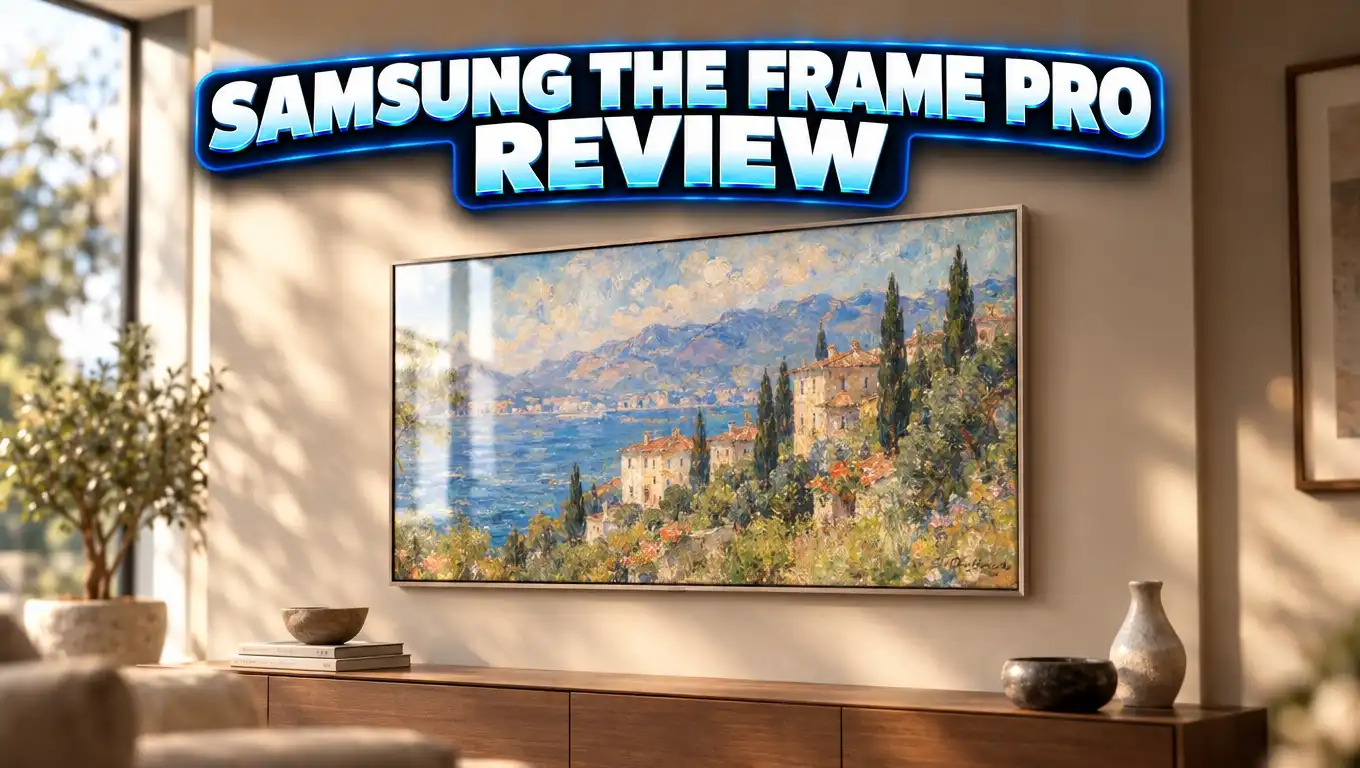
Samsung The Frame Pro Review: Art TV Has a Great Picture?
Do you want a TV that looks like a painting on your wall? Do you also want a picture that holds up on movie night? For years, buyers of art TVs had to pick one or the other.
The Samsung The Frame Pro tries to give you both. It has a brighter Neo QLED Mini LED screen, a wireless box for your cables, and the same gallery look people love.
I spent time with the specs, reviews, and owner feedback to see if it is worth the money. Keep reading. By the end, you will know if this TV belongs on your wall.
In a Nutshell
- Much better picture than the standard Frame: Samsung rates the Frame Pro at about 1,000 nits peak brightness, up from about 400 nits on the older Frame. HDR looks punchier, and dark scenes show more detail.
- Wireless One Connect box: All your HDMI devices plug into a small box. It sends video to the TV over WiFi 7 from up to 30 feet away, so only a power cord runs to the screen.
- Art Mode still looks great: The matte glare free screen makes paintings look like real prints. The Samsung Art Store costs $4.99 a month and gives you thousands of works.
- Good for gaming: The TV supports 4K at 144Hz. A Micro HDMI port on the back gives you a wired option for the lowest lag.
- Some weak points: Local dimming is limited, there is no Dolby Vision, and the built in speakers sound thin. The custom bezels cost extra.
- Price: The 2026 model starts at $1,999.99 for 65 inches before discounts. The 2025 model now often sells for less and offers nearly the same picture.
Samsung The Frame Pro Neo QLED 4K Art TV

- OPRAH'S FAVORITE THING 2025: Looks like art, works like a TV. We first picked the Frame TV in 2017, and the new Frame Pro is even...
- A PICTURE FRAME AESTHETIC WITH WIRELESS CONNECTION HUB**: Elevate any room with this stunning fusion of technology and artistry...
Last update on 2026-10-16 / Affiliate links / Images from Amazon Product Advertising API
The Samsung The Frame Pro is the top model in Samsung’s art TV lineup. It launched in 2025 as model LS03FW. In 2026, Samsung released an updated version called LS03HW.
The idea is simple. When you are not watching TV, the screen shows art. When you turn it on, you get a premium 4K picture. The Pro version fixes the biggest complaint people had about the original Frame, which was a weak picture.
The 2025 model comes in 65, 75, and 85 inch sizes. The 2026 lineup adds a 55 inch option. Smaller sizes like 43 and 50 inches stay with the standard Frame.
Here are the main specs you should know. The screen uses Neo QLED Mini LED backlighting. The processor is the NQ4 AI Gen 3, the same chip used in Samsung’s S95F OLED. Refresh rate goes up to 144Hz.
The screen is Pantone validated for color accuracy. It also has a motion sensor and a brightness sensor. These sensors let the TV dim art at night or turn off when you leave the room.
Samsung includes the Slim Fit Wall Mount in the box. The TV sits almost flat against your wall, about one inch deep. Stand feet come in the box too.
For 2026, Samsung lists the 65 inch Frame Pro at $1,999.99, the 75 inch at $2,799.99, and the 85 inch at $3,999.99. Sales often cut hundreds of dollars off these prices, so check before you buy.
Design and Build Quality
The Frame Pro looks almost the same as the regular Frame. That is a good thing. It has a slim black frame, a flat profile, and a matte screen that hides glare.
When you hang it on the wall, it looks like a framed print. Guests often do not notice it is a TV. That is the whole point of this product.
The Slim Fit Wall Mount makes this look possible. The TV hugs the wall with no big gap behind it. You do not see a thick back or a mess of wires.
You can add magnetic bezels to change the look. Samsung and its partners sell them in colors like white, teak, brown, and sand gold. WIRED’s reviewer found they snap on in seconds with no screws.
There is one catch. The bezels for the 65 inch model cost about $199. They are not cheap. Also, the 2025 Frame Pro has a new light sensor and control panel on the bottom edge, so older Frame bezels may not fit. Check the model number before you order.
The included feet are easy to attach too. You can set the TV on a cabinet if you do not want to drill holes. Most owners still choose the wall mount for the art effect.
The build feels solid. The frame is thin but sturdy. The remote is a solar powered SolarCell remote, so you rarely need to think about batteries.
Overall, the design wins. If you care about how your room looks, few TVs blend in this well.
Wireless One Connect: No More Messy Cables
This is the biggest new feature on the Frame Pro. Older Frame models used a One Connect box with a thin clear cable. It worked, but you could still see that cable on your wall.
The Frame Pro drops that cable. The Wireless One Connect box sends audio and video to the TV over WiFi 7. The only wire going to the TV is the power cord.
You can place the box up to 30 feet away (about 10 meters). Samsung says it works even through walls. You can hide it in a cabinet, a closet, or beside your couch.
The box holds your main ports. You get four HDMI ports, USB ports, Ethernet, and optical audio. Plug your game console, streaming stick, and soundbar into the box. Then hide it.
This is a big win for wall mounting. You do not need to cut holes or run cables inside your wall. You just need one outlet behind the TV.
There are some limits. If your wireless link has trouble, there is no backup cable option for the box. The TV does have a Micro HDMI port on the back for a direct wired connection.
WIRED’s tester had a small glitch with an AV receiver. The TV kept turning the receiver off. Samsung’s advice was to connect all HDMI devices to the box and run only eARC to the receiver. After that change, Dolby Atmos worked with no problems.
In normal use, owners report that streaming and gaming through the box work smoothly. For most homes, this feature is a real upgrade.
Picture Quality in Real Life
Picture quality is where the Frame Pro beats the old Frame by a wide margin. The Mini LED backlight gets much brighter. Whites look cleaner, and colors look richer.
Smart Home Sounds tested it side by side with the standard Frame. They said the brightness jump was obvious right away, even on simple menus. HDR scenes looked brighter and more alive.
Dark scenes improved too. You can see more detail in shadows. Textures in the background stand out more than they did on the old model.
The matte screen is a strong point. It kills reflections from lamps and windows. WIRED said films looked cinematic, almost like a movie theater, on the matte display.
Color accuracy is good, especially for skin tones. The Pantone validation helps here. Filmmaker Mode gives you a clean picture with no extra processing.
There is also Smart Calibration. You hold your phone near the screen, and it adjusts the picture for your room. It is a handy feature that most people will never need a pro for.
Motion handling is solid. Sports looked smooth in tests, with little blur. Scoreboards and text stayed clear during fast action.
Upscaling is also strong. The NQ4 AI Gen 3 chip makes HD content look sharp on the 4K screen. Older shows and cable TV look better than you might expect.
Still, this is not an OLED. Blacks are not as deep as on the Samsung S95F or LG OLED models. The matte layer can also make the darkest scenes look a bit flat. For a bright living room, though, the picture is excellent.
Top 3 Alternative for Samsung The Frame Pro
The Frame Pro is not the only art TV out there. Some rivals cost less and offer features Samsung skips, like Dolby Vision. Here are three strong options.
Hisense S7 CanvasTV

- Art Gallery: The CanvasTV transforms any room into a curated gallery experience, displaying stunning artwork and photography when...
- Hi-Matte Display: Every detail the director intended — every shadow, every texture, every expression—comes through exactly as it...

Last update on 2026-10-16 / Affiliate links / Images from Amazon Product Advertising API
The Hisense CanvasTV is the closest rival to Samsung’s Frame. It has a matte anti glare screen, a frame included in the box, and an art mode with a free art library.
Its big advantage is price. It often costs far less than the Frame Pro. It also supports Dolby Vision, which Samsung TVs do not.
It runs Google TV, which some people prefer over Samsung’s Tizen. The picture is close to the standard Frame, but it does not match the Frame Pro’s Mini LED brightness.
TCL NXTVISION A300W

- Art Library & AI Art: The TCL NXTVISION Series art TV transforms an ordinary room into a gallery filled with art, memories, and...
- Ultra-Slim, Seamless Wall Design: Bring home the refined look of framed art with an all-in-one design that is just 1.1 inches thin. The...
Last update on 2026-10-16 / Affiliate links / Images from Amazon Product Advertising API
The TCL NXTVISION is a budget friendly art TV. It is only 1.1 inches deep and comes with a frame and flush wall mount.
It supports up to 144Hz VRR and Dolby Vision. It also gives you a free art library and AI art tools. Business Insider noted it is a bit dimmer than the Samsung Frame and Hisense CanvasTV.
There is no breakout box, so cables plug straight into the TV. This makes it simpler but less clean on the wall.
Samsung The Frame LS03F

- DESIGNED TO LOOK LIKE A PICTURE FRAME: Looks like real art with a slim design that mounts flush to the wall, customizable bezels* to...
- YOUR PERSONAL ART GALLERY ON YOUR TV: When you're not watching TV, the Frame transforms into art**. Access a curated collection from...
Last update on 2026-10-16 / Affiliate links / Images from Amazon Product Advertising API
The standard Samsung Frame is the best pick if you want Samsung’s art experience for less money. It shares the same Art Store, matte screen, and slim wall mount.
It comes in smaller sizes like 43, 50, and 55 inches. It uses regular QLED, so it is dimmer than the Pro. If you mostly show art, it may be all you need.
Art Mode and the Samsung Art Store
Art Mode is the reason most people buy this TV. When you turn the TV off, it shows a painting or photo instead of a black screen.
You get a small set of free artwork. It rotates over time. For more choice, the Samsung Art Store costs $4.99 a month. It gives you thousands of works from famous museums and artists.
WIRED’s reviewer found classics like Andrew Wyeth’s Christina’s World and several Van Gogh pieces. These look striking on the matte screen. They really do look like prints in a gallery.
You can also upload your own photos. Use the SmartThings app on your phone to send pictures in batches. Family photos and travel shots look great on a big framed screen.
Samsung also includes a free AI art generator. You type a few words, and it creates a new image just for you. Reviewers called it surprisingly good.
The Frame Pro’s extra brightness helps Art Mode. Art keeps its color even in sunny rooms. WIRED tested it in a basement with strong sunlight, and the art still looked clear.
The sensors matter here too. The brightness sensor adjusts the art to match your room light. The motion sensor turns the screen off when no one is around. This saves power and makes the art look natural.
One small note. Some owners say art mode settings need some tweaking at first. Once you set it up, it just works every day.
Gaming on The Frame Pro
Gamers get a lot to like here. The Frame Pro supports 4K at up to 144Hz. That is great for PC gaming and smooth for consoles too.
All HDMI ports on the Wireless One Connect box support 4K 144Hz input. You can connect a PS5, Xbox Series X, or a gaming PC to the box.
Some gamers worry about lag over a wireless link. That is fair. Samsung added a Micro HDMI port on the TV itself for a direct wired connection. Use it if you want the lowest possible input lag.
WIRED tested games like Forza Horizon 5 and Crimson Desert. They called the motion ultra smooth and the visuals stunning at 144Hz.
The TV also has built in cloud gaming. You can play through the Xbox app and other services with no console at all. Just pair a controller and start playing.
Samsung’s Game Bar lets you check frame rate and change settings fast. VRR support helps cut screen tearing in fast games.
There are a few small quirks. One reviewer had to re-pair an Xbox controller after using it with the TV. A Sony DualSense controller worked with no issues.
If you want a stylish TV that can also game, the Frame Pro is a solid choice. It is not a dedicated gaming TV, but it gets close.
Sound Quality
The Frame Pro has a 2.0.2 channel speaker system with 40W of power. It supports Dolby Atmos and Samsung’s Object Tracking Sound.
For daily use, the sound is fine. Dialogue is clear, and the sound fills a normal living room. News, talk shows, and casual TV sound good.
For movies, the speakers fall short. Bass is light, and big action scenes lack punch. The Atmos effect adds a little height but does not feel like a real home theater.
This is common with thin TVs. There is just not much room for big speakers in a one inch body. Most owners will want a soundbar.
Samsung makes slim soundbars that match the Frame look. Models like the HW S801D and HW S701D sit close to the wall and keep the clean style. They also support Q Symphony, which lets the TV speakers and soundbar work together.
You can also connect an AV receiver. Use the eARC port on the One Connect box for the best results. Dolby Atmos passes through with no trouble once set up correctly.
My advice is simple. Budget for a soundbar from the start. Great sound makes a great picture feel even better.
Smart Features and Everyday Use
The Frame Pro runs Samsung Tizen, now part of Samsung Vision AI. It has all the major apps. Netflix, Disney+, Prime Video, YouTube, and Max are all here.
The remote has quick buttons for Netflix, YouTube, Prime Video, and Samsung TV Plus. Samsung TV Plus gives you free live channels with no subscription.
You can use voice control with Alexa or Samsung’s Bixby. Ask for a show, change the volume, or control smart lights in your home.
The TV works with SmartThings. You can see your smart devices on screen and control them. This is handy if your home already uses Samsung or other smart gear.
There is a downside. Some owners on Reddit call out the amount of bloatware and ads on the home screen. You may spend time turning off settings you do not want.
One Reddit owner gave the setup ease a 7 out of 10 but the printed instructions a 1 out of 10. Plan to watch a setup video if you are installing it yourself.
Streaming performance is good. The TV handled Netflix 4K and Dolby Atmos with no issues in tests. You can use Ethernet on the One Connect box if your WiFi is weak.
Overall, the smart features are full and fast. Just set aside an hour to clean up the menus and settings the first time.
Frame Pro vs Standard Frame vs 2026 Model
Choosing between Samsung’s art TVs can be confusing. Here is a simple breakdown.
The standard Frame uses a regular QLED screen. It is dimmer, around 400 nits. It has no Wireless One Connect box. It comes in many sizes, from 32 to 85 inches depending on the year.
The Frame Pro 2025 (LS03FW) adds the Mini LED screen, the brighter picture, the wireless box, and 144Hz. It is still sold in 2026, often at a nice discount.
The Frame Pro 2026 (LS03HW) is the latest model. It keeps the Mini LED screen and wireless box. Samsung adds a newer glare free panel and a 55 inch size. Retailers describe the changes from 2025 as small steps, not big leaps.
So which one should you pick? If art is your main use and you want to save money, get the standard Frame. If you want the best picture at good value, the 2025 Frame Pro is the smart buy.
If you want the newest model and the latest features, choose the 2026 Frame Pro. Just know that the picture gap between 2025 and 2026 is small.
All three share the same slim wall mount and Art Store. From across the room, they look almost identical. The real difference shows up when you watch movies and HDR content.
Pros and Cons
Here is a quick look at what works and what does not on the Samsung The Frame Pro.
Pros
- Much brighter picture than the standard Frame, with richer colors and better HDR.
- Wireless One Connect box removes visible cables and can sit up to 30 feet away.
- Matte glare free screen makes art look like real prints and kills reflections.
- 4K 144Hz support makes gaming smooth, with a Micro HDMI port for wired play.
- Slim Fit Wall Mount included, so the TV sits nearly flush with your wall.
- Pantone validated colors and Smart Calibration help with accurate picture.
- Large Art Store with thousands of works, plus a free AI art generator.
Cons
- No Dolby Vision, only HDR10 and HDR10+.
- Limited local dimming compared to full array Mini LED TVs, so some blooming appears.
- Blacks are not as deep as OLED TVs.
- Weak bass from the built in speakers, so you will likely need a soundbar.
- Bezels cost extra, around $199 for the 65 inch size.
- Art Store needs a subscription for the full collection.
- Lots of bloatware and settings to adjust at first.
Who Should Buy the Samsung The Frame Pro
This TV is not for everyone. But for some people, it is the perfect fit.
Buy it if you care about your room’s style. If a big black screen bothers you, the Frame Pro solves that. It turns your TV into wall art.
Buy it if you want clean wall mounting. The wireless box makes a cable free look easy. You do not need to run wires inside your walls.
Buy it if you watch in a bright room. The matte screen and high brightness handle sunlight well. Daytime viewing is a strength.
Buy it if you game casually or seriously. The 144Hz support and cloud gaming make it a fun all round TV.
Now, who should skip it? If you watch movies in a dark room most nights, an OLED TV gives you deeper blacks for similar money. The Samsung S95F or an LG OLED will look better in the dark.
If you rely on Dolby Vision, look at Hisense, TCL, LG, or Sony. Samsung does not support it.
If your budget is tight, the standard Frame, Hisense CanvasTV, or TCL NXTVISION cost less. They give you most of the art look for less money.
Final Verdict
The Samsung The Frame Pro is the best version of the Frame yet. It finally gives you a picture that matches its good looks.
The Mini LED screen is brighter and more vivid. The Wireless One Connect box makes setup clean and simple. The matte screen makes art look stunning, and gaming at 144Hz is smooth.
It is not perfect. Local dimming is limited, there is no Dolby Vision, and the speakers need help. The bezels and Art Store also add to the cost.
Still, no other art TV balances style and picture this well. WIRED gave it an 8 out of 10 and called it the first truly impressive art TV they had seen. Smart Home Sounds called it the most complete version of Samsung’s lifestyle TV.
My advice: If you want the best value, grab the 2025 Frame Pro while it is discounted. If you want the newest model, the 2026 version is a safe pick too. Either way, your wall will thank you.
Frequently Asked Questions
Is the Samsung The Frame Pro worth the extra money over the standard Frame?
Yes, if picture quality matters to you. The Frame Pro is much brighter and handles HDR better. It also adds the Wireless One Connect box and 144Hz support. If you only want art, the standard Frame may be enough.
Does the Samsung The Frame Pro support Dolby Vision?
No. Samsung TVs support HDR10 and HDR10+ but not Dolby Vision. If you need Dolby Vision, look at the Hisense CanvasTV or TCL NXTVISION.
How far can the Wireless One Connect box be from the TV?
Samsung says it works up to about 30 feet, or 10 meters, away. It uses WiFi 7 and can work through walls in most homes.
Can I game on the Frame Pro without lag?
Yes. The TV supports 4K at 144Hz with VRR. For the lowest lag, connect your console or PC to the Micro HDMI port on the back of the TV.
Do I need to pay for the Samsung Art Store?
You get a small set of free art. The full Art Store costs $4.99 a month and includes thousands of works. You can also upload your own photos for free.
Do old Frame bezels fit the Frame Pro?
Not always. The 2025 Frame Pro has a new sensor and control panel on the bottom, so it uses different bezels. Check the bezel model before you buy.
What sizes does the Samsung The Frame Pro come in?
The 2025 model comes in 65, 75, and 85 inches. The 2026 model adds a 55 inch size.
Does the Frame Pro come with a wall mount?
Yes. The Slim Fit Wall Mount is in the box. It lets the TV sit nearly flush against your wall. Stand feet are included too.

Dillip is the founder and editor of DillipWeb.com, where he simplifies the world of AI software, tech gadgets, and accessories through honest reviews, detailed comparisons, and easy-to-follow guides. With a deep passion for emerging technology, he helps everyday users make smarter, more informed tech decisions.