XGIMI Horizon 20 Review: Triple Laser 4K Projector Worth Buying?
Picture a 150 inch screen in your living room. The colors are rich, the image is sharp, and you set it all up in a few minutes. That is what the XGIMI Horizon 20 promises.
The projector sells for about $1,699, and it is often on sale for around $1,559. It sits at the entry point of XGIMI’s new Horizon 20 series. Is it the smart buy, or should you pay more for the Pro or Max?
I went through the specs, the lab results, and real owner feedback to answer that question. Keep reading to see where this projector does well and where it falls short.
In a Nutshell
- Pure RGB triple laser engine: The Horizon 20 uses a new X Master laser engine with 20 laser diodes. XGIMI rates it at 3,200 ISO lumens. Colors look deep and vivid, and the image has very little laser speckle.
- Cinema formats included: You get Dolby Vision, HDR10+, IMAX Enhanced, and Filmmaker Mode. XGIMI also claims 110% BT.2020 color coverage and factory color accuracy under Delta E 0.8.
- Flexible setup: Optical zoom, motorized lens shift, and an integrated gimbal stand make placement easy. You don’t need to drill holes in your ceiling.
- Strong gaming specs: The projector supports 1080p at 240Hz, a claimed 1ms response time, VRR, and ALLM. Consoles and PCs feel quick and smooth.
- Smart and loud enough: Google TV comes built in with licensed Netflix. Two 12W Harman Kardon speakers fill a medium room without a soundbar.
- One honest catch: The 3,200 lumen figure comes from the brightest performance mode. Calibrated movie modes are dimmer, so manage your expectations.
XGIMI Horizon 20 Overview and First Impressions

- Powered by RGB Triple Laser: The X-Master RGB triple laser engine delivers 3200 ISO lumens and a 100,000:1 contrast ratio for vivid...
- Cinematic Certified: IMAX Enhanced, Dolby Vision, HDR10+, and Filmmaker Mode combine to deliver stunning visuals and true-to-intent...
Last update on 2026-10-16 / Affiliate links / Images from Amazon Product Advertising API
The XGIMI Horizon 20 is a long throw 4K home projector. It launched in late 2025 next to the Horizon 20 Pro and Horizon 20 Max. All three models share the same design and most of the same features.
The main difference is the laser engine. The base Horizon 20 uses 20 laser diodes. The Pro uses 30, and the Max uses 40. More diodes mean more light and a higher price.
XGIMI built the series from scratch. Earlier Horizon models used a hybrid laser and LED light source. The Horizon 20 series switches to a pure RGB triple laser design, and that is a big step forward.
The projector uses a 0.47 inch DLP chip from Texas Instruments. It shifts pixels to create a 4K image on screen. The series also uses TI’s newest DLPC8445 controller, which cuts input lag compared to older DLP projectors.
The specs on paper look great:
- Brightness: 3,200 ISO lumens
- Image size: Up to 300 inches, with 60 to 150 inches recommended
- Refresh rate: Up to 240Hz at 1080p
- Audio: Dual 12W Harman Kardon speakers
- Smart system: Google TV with licensed Netflix
- Connectivity: WiFi 6, Bluetooth, HDMI with eARC, USB 3.0
My first impression is simple. This is a premium projector at a price normal people can reach. It gives you most of what makes the Max special for much less money.
Design and Build Quality
The Horizon 20 looks like a piece of modern furniture. It has a soft, leather style finish on the outer shell that feels good in your hands. The colors are muted, so it fits into most living rooms.
The best design feature is the integrated gimbal stand. The projector body tilts on its base, and the base plate rotates. You can aim the picture at a wall or screen in seconds.
You won’t need a separate mount or a stack of books under the front edge. That small detail saves a lot of frustration on movie night.
The projector is larger than a portable model like the XGIMI MoGo or Halo. It is a home unit meant to stay in one spot. Still, you can move it from the living room to the bedroom when you need to.
The Horizon 20 series ships with a premium backlit remote. Reviewers of the Max liked its metal feel and its motion sensor that lights up the buttons. It also has programmable shortcut keys, so you can launch your favorite app with one press.
The ports sit on the back in a clean layout. You get HDMI inputs, one of which supports eARC, along with USB ports and an optical audio output.
Overall, build quality feels solid and premium. Nothing creaks or wobbles. It looks like it costs more than it does, and that matters for a device that sits in plain view every day.
Picture Quality and Brightness
Picture quality is the main reason to buy any projector. The Horizon 20 does very well here.
The RGB triple laser engine creates rich colors that cheaper LED projectors can’t match. Reds look deep, greens look natural, and skin tones stay realistic. RTINGS praised its excellent brightness, great contrast, and outstanding color volume.
Sharpness is another strong point. XGIMI designed a new lens for the series called the X Master Red Ring Lens. Reviewers of the Max noted excellent edge to edge clarity and almost no color fringing. The base model uses the same lens design.
XGIMI also earned SGS A+ certifications for low laser speckle and low color fringing. Speckle is that shimmering grain you sometimes see on laser projectors. The Horizon 20 keeps it very low.
Now let’s talk about brightness honestly. XGIMI rates the projector at 3,200 ISO lumens. The company’s own fine print says that number comes from Performance Mode, which can shift colors and increase fan noise.
ProjectorJunkies tested the Max and found a big gap between the claim and calibrated output. The Max is rated at 5,700 lumens but measured about 3,242 lumens in its accurate D65 mode. Expect a similar gap on the base Horizon 20.
That still leaves plenty of light for a dark or dim room. On a 100 to 120 inch screen at night, the picture looks punchy and bright. In a sunny room, though, you will want an ambient light rejecting screen.
Top 3 Alternatives for XGIMI Horizon 20
The Horizon 20 is a great projector, but it isn’t the only choice. Here are three strong alternatives at different prices.
1. Hisense C2 Ultra

- 【65"-300" Super Wide Projection Size】C2 Ultra supports screen sizes from 65'' to 300''. Whether it’s a living room wall or an...
- 【Angle Adjuster】C2 Ultra offers 360° horizontal rotation, 90° upward, and 45° downward tilt, giving you 135° of vertical...
Last update on 2026-10-16 / Affiliate links / Images from Amazon Product Advertising API
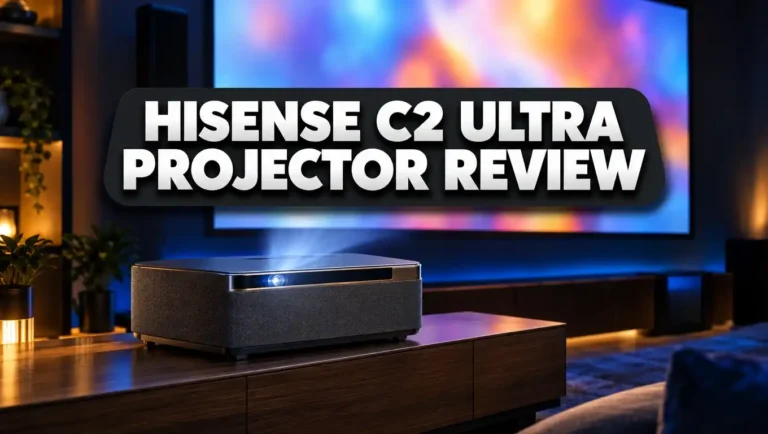
The Hisense C2 Ultra is the closest rival. It also uses a triple laser light source, so color performance is strong. It offers Dolby Vision, IMAX Enhanced, and JBL sound.
Its biggest strength is its compact, portable design with a built in gimbal. It can throw an image from 65 to 300 inches. One Reddit owner who tested both preferred the Horizon 20 Pro for sharpness and input lag. Still, the C2 Ultra is a fine pick if you want a smaller unit.
2. XGIMI Horizon 20 Max

- Lossless Optics: Flexible lens shift and optical zoom give you more freedom in setup—without sacrificing clarity. Enjoy crisp...
- Daylight Ready, Triple Laser Powered: Our advanced X-Master RGB triple laser engine delivers 5700 ISO lumens of peak brightness...
Last update on 2026-10-16 / Affiliate links / Images from Amazon Product Advertising API
The Horizon 20 Max is the flagship of the series. It uses 40 laser diodes and claims 5,700 ISO lumens. It costs about $2,999 at full price, though sales often bring it closer to $2,249.
Pick the Max if your room gets a lot of daylight. It is the brightest home projector XGIMI has made. For dark rooms, the extra cost is harder to justify.
3. Dangbei DBOX02 Pro

- 【True 4K L@ser Projector with HDR10+ & 2000 ISO Lumens】Experience stunning 4K UHD (3840x2160) clarity with Dangbei's l@ser...
- 【Google TV Streaming Hub】 Built-in Google TV certification offers 700,000+ movies/shows, Prime Video, Disney+, and 10,000+ apps...
Last update on 2026-10-16 / Affiliate links / Images from Amazon Product Advertising API
The Dangbei DBOX02 Pro is the budget friendly option. It offers 4K resolution, Google TV, and about 2,000 ISO lumens. It costs much less than the Horizon 20.
You give up some color volume and gaming features. But for casual movie fans, it gives you great value for the money.
Color Accuracy and HDR Performance
Color accuracy is where the Horizon 20 really stands out. XGIMI claims the projector covers 110% of the BT.2020 color space. That is a very wide range, and it shows in HDR movies.
Every unit gets factory calibration before it ships. XGIMI says the typical color error sits below Delta E 0.8 in the high accuracy mode. Anything under 3 is hard for most eyes to notice. SGS also certified this result.
Independent testers back this up. ProjectorJunkies found the Max to be exceptionally well calibrated out of the box. In D65 mode, the grayscale reached a Delta E of just 0.8 after small tweaks. The base Horizon 20 shares the same software and color tuning.
HDR support covers every major format:
- Dolby Vision for most streaming movies and shows
- HDR10+ for Prime Video content
- HDR10 and HLG for discs and broadcasts
- IMAX Enhanced for select films on Disney+
The projector also uses dynamic tone mapping. This feature adjusts HDR scenes in real time to match the projector’s brightness. Bright highlights keep their detail instead of washing out.
Filmmaker Mode turns off extra processing. You see the movie the way the director intended. For purists, this is the mode to use most nights.
There is also a Wall Color Adaptation feature. It adjusts the picture when you project onto a colored wall. It works best in a dim room, but a proper screen still gives better results.
Setup, Lens Shift, and Optical Zoom
Setup is one of the Horizon 20’s best features. Most projectors at this price rely on digital keystone, which softens the image. The Horizon 20 uses real optical tools instead.
First, you get optical zoom. You can change the image size without moving the projector, and you don’t lose any resolution. Digital zoom crops pixels, but optical zoom does not.
Second, you get motorized vertical lens shift. XGIMI lists a range of plus or minus 120%. You can move the image up or down from your couch with the remote. The picture stays sharp and perfectly square.
One note matters here. When you turn on lens shift, the smart features switch off. These include auto keystone, auto focus, wall color adaptation, and eye protection. You choose either optical precision or smart automation.
If you prefer automation, the projector does a lot for you:
- Auto keystone fixes angled projection.
- Auto focus sharpens the image in a fraction of a second.
- Intelligent Screen Alignment fits the picture to your screen frame.
- Obstacle Avoidance shrinks the image around objects on your wall.
XGIMI notes the side throw angle should stay under 40 degrees for accurate correction.
A Max reviewer found that auto focus needs a one time calibration from about 1.8 to 2.1 meters away. After that, it worked every time. Plan five minutes for this step during your first setup.
For best results, place the projector directly in front of your screen. Then fine tune with zoom and lens shift.
Gaming Performance
Gamers have good reasons to look at the Horizon 20. It is one of the most gaming friendly projectors XGIMI has ever made.
The projector supports 1080p at 240Hz for very smooth motion. It also handles 4K at 60Hz for console games. XGIMI claims a 1ms response time, though that number applies to 1080p at the highest refresh rate.
The key upgrade is TI’s new DLPC8445 controller. Older DLP projectors buffered a full frame before showing it, which added about 16.7ms of delay. The new chip sends the image to the screen line by line. The result is a much quicker feel when you press a button.
The Horizon 20 also supports:
- VRR (Variable Refresh Rate) to stop screen tearing
- ALLM (Auto Low Latency Mode) to switch to game mode on its own
- HDMI 2.1 features for modern consoles
RTINGS rated the Horizon 20’s gaming responsiveness as very good. DLP imaging keeps pixel transitions crisp, so fast motion looks clean. The tester noted that input lag rises in some settings, so stick with the dedicated game mode.
One Reddit owner measured the series at about 15 to 25ms of lag in various modes. They called it perfectly playable on an Xbox Series X, Switch 2, and PC.
Imagine playing a racing game on a 120 inch screen. Bright colors, smooth frames, and low lag make the experience feel huge. Casual and serious gamers will both be happy here.
Google TV and Smart Features
The Horizon 20 runs Google TV right out of the box. You don’t need a streaming stick, and that saves money and clutter.
Most importantly, you get licensed Netflix. Many projectors make you use workarounds to watch Netflix. Here, it just works, and it streams in full quality.
Google TV also brings thousands of apps. You can use YouTube, Prime Video, Disney+, Max, Hulu, and Apple TV. The home screen suggests shows based on what you watch.
Performance feels fast. The Max reviewer called its Google TV setup one of the quickest and smoothest he had seen on a lifestyle projector. Apps opened instantly, and menus never lagged.
Other smart features include:
- Google Assistant voice control through the remote
- Chromecast support for casting from your phone
- WiFi 6 for stable 4K streaming
- Bluetooth for headphones or external speakers
- Ambient light sensing that adjusts brightness to your room
There is also an Eye Protection feature. It dims the laser when someone walks in front of the lens. This is great for homes with curious kids or pets.
The projector wakes up from standby in about five seconds. A full cold boot takes longer, so most people leave it in standby mode.
Overall, the smart experience feels polished and complete. You plug it in, sign in, and start watching.
Sound Quality With Harman Kardon Speakers
Built in projector speakers are usually weak. The Horizon 20 is a pleasant exception.
XGIMI teamed up with Harman Kardon again for this series. The Horizon 20 includes two 12W speakers tuned for movies and music. It supports Dolby Audio and DTS formats.
The sound is clear and well balanced. Dialogue comes through cleanly, even at lower volumes. Music has decent depth, and action scenes have some punch.
For a bedroom or small living room, you may never need a soundbar. That saves you a few hundred dollars and keeps your setup simple.
There are limits, of course. Two 12W drivers can’t produce deep cinema bass. Explosions won’t rumble your couch. In a large room, the sound can feel thin at high volume.
The good news is that upgrading is easy. The projector offers:
- HDMI eARC for soundbars and AV receivers
- Optical audio output for older sound systems
- Bluetooth audio for wireless speakers or headphones
You can also use the projector as a Bluetooth speaker on its own. Stream music from your phone when you are not watching anything.
Reviewers of the Max praised how well tuned the Harman Kardon system sounds straight from the box. The base model follows the same approach with its 12W pair.
My advice is simple. Start with the built in speakers. If you want more bass later, add a soundbar through eARC.
XGIMI Horizon 20 vs Horizon 20 Pro vs Horizon 20 Max
Choosing within the series can feel confusing. Let’s make it simple.
All three models share the same design, lens, smart system, and gaming features. They all support Dolby Vision, IMAX Enhanced, and Google TV. The main difference is brightness.
Here is how they compare:
- Horizon 20: 20 laser diodes, 3,200 ISO lumens, about $1,559 to $1,699
- Horizon 20 Pro: 30 laser diodes, 4,100 ISO lumens, priced in the middle
- Horizon 20 Max: 40 laser diodes, 5,700 ISO lumens, about $2,249 to $2,999
One Reddit guide summed it up well. The Pro and Max are better, but you need sharp eyes to see the difference in a dark room. The base model already looks excellent at night.
The extra brightness matters most in bright rooms. If you watch sports in the afternoon with sunlight coming in, the Max makes a real difference. If you watch movies at night, the base model is plenty.
One more interesting point came from an owner’s tests. Measurements showed the Pro with lower dynamic contrast than the base Horizon 20. More lumens don’t always mean deeper blacks.
There is also a size factor. Bigger screens need more light. For a 150 inch screen or larger, the Pro or Max keeps the image punchy. For 100 to 120 inches, the base model shines.
My recommendation is easy. Buy the Horizon 20 for dark rooms and value. Buy the Max for bright rooms and huge screens. The Pro sits in between for people who want a bit more headroom.
Fan Noise, Heat, and Power Use
Every laser projector needs cooling. The question is how loud the fans get.
In normal viewing modes, the Horizon 20 stays quiet enough for movie night. You may hear a soft hum during silent scenes, but the sound fades once dialogue starts. RTINGS noted that the Horizon 20 is not as loud under load as the older Horizon S Max.
Things change in Performance Mode. XGIMI’s own fine print warns that fan speed may increase in this mode. The Max reviewer described its high power mode fans as very loud. The base model has fewer lasers, so it produces less heat, but noise still rises.
My tip is to avoid Performance Mode for movies. Use Movie, Standard, or Filmmaker Mode instead. You get better colors and a quieter room.
Power efficiency is a strong point of the new laser engine. The Max measured almost 20 lumens per watt at its top accurate setting. That is excellent for a projector this bright. The base Horizon 20 draws even less power.
Standby power use stays under 1 watt. You can leave the projector in standby without worrying about your electric bill.
Laser light sources also last a long time. You won’t need to replace a lamp every few thousand hours. That saves money and hassle over the life of the projector.
The operating range runs from 32°F to 104°F. Keep the vents clear and give the projector some breathing room on a shelf or table.
Pros and Cons of the XGIMI Horizon 20
After looking at every part of this projector, here is the clear summary.
Pros
- Excellent color performance from the pure RGB triple laser engine, with 110% BT.2020 coverage.
- Factory calibrated accuracy under Delta E 0.8, so movies look right straight out of the box.
- Very sharp lens with almost no color fringing or laser speckle.
- Optical zoom and motorized lens shift make placement flexible without blurring the image.
- Full HDR support, including Dolby Vision, HDR10+, and IMAX Enhanced.
- Gaming ready with 240Hz at 1080p, VRR, ALLM, and low input lag.
- Google TV with licensed Netflix means you don’t need a separate streaming device.
- Harman Kardon speakers sound better than most built in projector audio.
- Integrated gimbal stand makes aiming the picture fast and easy.
Cons
- Brightness claims are optimistic, because the 3,200 lumen figure comes from Performance Mode.
- Native contrast is average for a DLP projector, so blacks look gray in a dark room.
- Smart features switch off when you use lens shift.
- Bass is limited from the built in speakers.
- Fan noise rises in the brightest mode.
- Not ideal for bright rooms without an ambient light rejecting screen.
The pros clearly outweigh the cons for most home viewers. Just go in with realistic expectations about brightness and black levels.
Who Should Buy the XGIMI Horizon 20?
The Horizon 20 is not for everyone. Let’s see if it fits your needs.
Buy it if you watch mostly at night. In a dark or dim room, this projector delivers a stunning big screen experience. Colors pop, and the image stays sharp up to 150 inches.
Buy it if you want a TV replacement. Google TV, licensed Netflix, and decent speakers make it a complete package. You can skip the 85 inch TV and get a 120 inch picture instead.
Buy it if you game. The 240Hz support, VRR, and low lag make it one of the best gaming projectors at this price. Console and PC players will both feel at home.
Buy it if you care about color accuracy. Movie fans will love the factory calibration and Filmmaker Mode.
Skip it if your room is very bright. Daytime viewing with sunlight needs more lumens. The Horizon 20 Max or a TV is a better fit.
Skip it if you need deep blacks. Native contrast is the weak spot of most DLP projectors. Serious home theater fans may want a dedicated cinema projector instead.
Skip it if your budget is tight. The Dangbei DBOX02 Pro gives you 4K and Google TV for much less money.
For most families, the Horizon 20 hits the sweet spot. It offers flagship features without the flagship price.
Final Verdict on the XGIMI Horizon 20
The XGIMI Horizon 20 is one of the best value 4K projectors you can buy in 2026. It brings a pure RGB triple laser engine, an excellent lens, and real optical controls at a reasonable price.
Its strengths are clear. Colors are rich and accurate, the image is very sharp, and setup takes minutes. Gamers get high refresh rates and low lag. Streamers get Google TV with real Netflix support.
Its weaknesses are fair to mention. The brightness rating is optimistic, and native contrast is only average. Those two points keep it from being perfect.
Still, compare it to its siblings. The base model shares nearly every feature with the Max for hundreds of dollars less. In a dark room, most people won’t notice a big difference.
Compared to the Hisense C2 Ultra, the Horizon 20 offers a sharper picture and better gaming response. Compared to budget models, it delivers far better color and features.
My rating: 4.5 out of 5.
If you want a big, beautiful picture for movies, sports at night, and gaming, this projector is easy to recommend. Grab it during a sale, and you get even better value.
Frequently Asked Questions
How bright is the XGIMI Horizon 20?
XGIMI rates the Horizon 20 at 3,200 ISO lumens. That number comes from Performance Mode. Calibrated movie modes are dimmer but still bright enough for dark and dim rooms.
Does the XGIMI Horizon 20 support Netflix?
Yes. It runs Google TV with licensed Netflix built in. You don’t need a streaming stick or any workaround.
Is the XGIMI Horizon 20 good for gaming?
Yes. It supports 1080p at 240Hz, 4K at 60Hz, VRR, and ALLM. RTINGS rated its gaming responsiveness as very good.
What is the difference between the Horizon 20 and Horizon 20 Max?
The main difference is brightness. The Horizon 20 uses 20 laser diodes and 3,200 lumens. The Max uses 40 laser diodes and claims 5,700 lumens. Most other features are the same.
Does the XGIMI Horizon 20 have optical zoom and lens shift?
Yes. It offers optical zoom and motorized vertical lens shift of plus or minus 120%. Note that smart correction features turn off while lens shift is active.
What screen size works best with the Horizon 20?
XGIMI recommends 60 to 150 inches for the best picture. It can project up to 300 inches, but image quality drops at larger sizes.
Does the Horizon 20 support Dolby Vision?
Yes. It supports Dolby Vision, HDR10+, HDR10, HLG, and IMAX Enhanced. It also uses dynamic tone mapping for HDR content.
Do I need a soundbar with the XGIMI Horizon 20?
Not for small or medium rooms. The dual 12W Harman Kardon speakers sound clear. For deeper bass, connect a soundbar through HDMI eARC.
How much does the XGIMI Horizon 20 cost?
The list price is about $1,699. It often goes on sale for around $1,559. Check current prices, because deals change often.

Dillip is the founder and editor of DillipWeb.com, where he simplifies the world of AI software, tech gadgets, and accessories through honest reviews, detailed comparisons, and easy-to-follow guides. With a deep passion for emerging technology, he helps everyday users make smarter, more informed tech decisions.