TP-Link Deco BE25 Review: Wi-Fi 7 Mesh Performance, Range and Verdict
Is your Wi-Fi struggling to reach every room? Many homes have dead spots that make streaming, video calls, and gaming frustrating. A mesh system can fix that problem fast.
The TP-Link Deco BE25 brings Wi-Fi 7 speed to a mesh system. It offers up to 5 Gbps and two 2.5G ports on each node. That means faster wired connections for your devices.
This review takes a close look at what the Deco BE25 does well. We also cover where it falls short. You will see real test results, key features, and comparisons with rival systems.
Let’s dive in. By the end, you will know if this mesh kit fits your home network needs.
In a Nutshell
- Fast Wi-Fi 7 speeds: The Deco BE25 uses four streams across two bands. It reaches up to 5 Gbps in the right conditions. Many households will notice the difference during busy evenings.
- Wired backhaul option: Each node has two 2.5G ports. You can connect nodes by cable for steadier links between floors. Wired setups often feel faster than wireless hops.
- Built in protection: Network security and parental controls come included. Families can manage screen time and block sites with ease. Kids stay safer online.
- Outdoor model available: An outdoor version covers patios, yards, and garages. It helps when your home needs coverage beyond the walls.
- Real world limits: Signal strength dropped sharply at 25 feet in testing. Some users report slow local transfers on three node setups. Check your layout first.
- No 6 GHz band: This model skips tri band support. The ASUS ZenWiFi BD5 offers better range and more settings, including VPN. Compare options if you need extra headroom.
Performance and Range

Last update on 2026-11-26 / Affiliate links / Images from Amazon Product Advertising API
Speed means little if the signal never reaches your bedroom. That is where range comes into play. The Deco BE25 aims to fill those gaps with a mesh design.
Each node relays data to the next one. This creates a path that carries the signal farther. Adding a third node can help larger homes.
Wireless backhaul works well in open rooms. Walls and floors cut into the link, though. For the best results, place nodes where they keep a clear path between them.
A wired link helps a lot in larger homes. Running an Ethernet cable between nodes keeps speeds steady. Wireless links can slow down as distance grows.
Transfer speeds between devices can feel slow on three node setups. Some owners report this issue. Moving files across the network may take longer than expected.
Local file transfers deserve a closer look. Ethernet from your PC to the node gives the fastest path. Wi-Fi to a distant node will not match that speed.
Compare this with rival systems before you buy. RTINGS found that the ASUS ZenWiFi BD5 offers better range. It also includes more settings, such as VPN support.
Need more bandwidth in a crowded home? The TP-Link Deco BE65 adds a tri band design. That extra band can ease congestion.
Placement makes a big difference. Put the first node near your modem. Keep the second node halfway between the main node and the dead spot. Avoid placing nodes inside cabinets or behind metal objects.
Test your signal after setup. Walk through each room with a phone. Note where the speed drops, then move a node if needed. Keep notes so you can compare results later.
Good range depends on your home layout. The Deco BE25 works well for many families. Pair it with smart placement for the best results.
Key Features and Security
Strong security starts with good habits at the network level. A mesh system sits at the center of your home. Every phone, laptop, and smart plug connects through it. Smart choices now prevent most common problems later.
Parental controls can do more than block sites. You can schedule bedtime pauses for kids’ devices. This keeps homework time focused and nights quiet.
A guest network keeps visitors off your private devices. Smart cameras and doorbells also belong in a separate space. If one gadget gets hacked, the rest of your home stays safer.
Smart habits make the system safer. Change the default admin password as soon as setup ends. Choose a long password with mixed characters. Update firmware when the app asks, because updates patch known weak spots.
Check the connected device list often. Remove any device you do not recognize. This short routine catches problems early and takes only minutes.
Privacy also depends on app permissions. Review what your phone app can access. Turn off features you never use. Less exposure means fewer chances for trouble.
Security works best as a layered plan. The mesh guards the network edge, while passwords and updates protect each device. Together, these steps give your home a steadier defense.
Set a monthly reminder on your calendar. Pick the same day each month. Open the app, review devices, and check for updates. The whole process fits into a coffee break.
Consider how you share the network, too. Give guests a temporary password instead of your main one. You can change it later without touching your personal devices.
Security does not need to feel complicated. Small steps add up over time. Your family can enjoy fast Wi-Fi 7 speeds with more peace of mind.
Design and Build
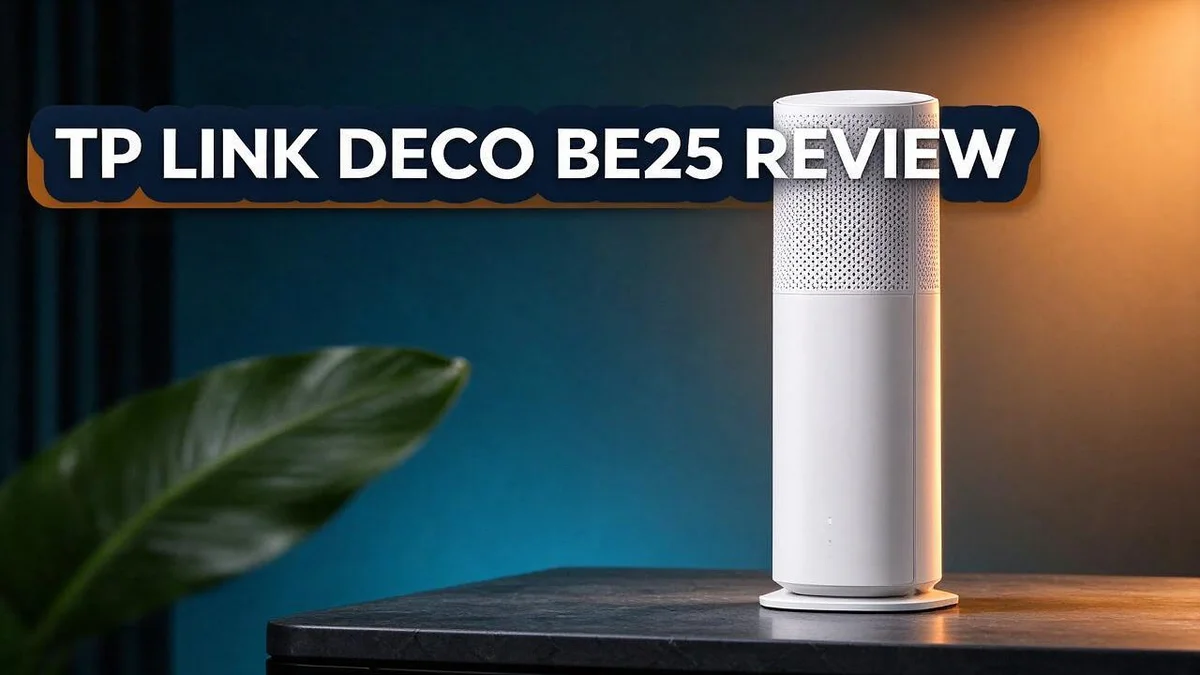
The Deco BE25 keeps its design simple and practical. Each node has a clean shape that fits into most rooms. Most people place it on a shelf or a desk.
Small size matters here. A compact node is easy to hide behind a TV or a bookcase. Cable clutter stays low because the unit needs only a few connections.
Build quality feels solid in the hand. The shell appears sturdy, and the unit stays steady on a flat surface.
Indicator lights help you check the node. A small light shows the status, so you can glance at it without opening the app.
Ventilation deserves a quick look too. Warm air needs room to leave the case. Leave space around each node so heat does not build up over time.
Think about cable routes before you place anything. Keep the back panel clear so plugs can reach the wall outlet.
A stable spot also keeps the node safe from bumps. Pets, kids, and busy hallways can knock a light object off a shelf.
The outdoor version needs a different approach. Choose a shaded spot with good airflow, and keep the unit off wet ground.
Mounting options add flexibility. Check the box for included mounting parts before you start setup.
Easy access helps with upkeep. Reset buttons and ports should stay within reach. You may need to press a button during a fresh install.
Dust can build up on vents over months. A soft brush keeps airflow clear and the node running cool.
Overall, the Deco BE25 looks neat and fits into everyday homes. Its simple form blends with most decor, so it rarely feels out of place. Simple shapes age well. A neutral look rarely goes out of style, so the nodes stay useful as your home changes.
Top 3 Alternatives
If you want a different mesh system, these three options are worth a look. Each one can cover a home well, so the right pick depends on your space and daily needs.
eero Pro 7

- WIFI AT THE SPEED OF LIFE - eero Pro 7 brings next-generation speed and reliability to home and business...
- RELIABLE CONNECTIVITY - eero Pro 7 helps eliminate dead spots, so you stay connected across different floors...

Last update on 2026-11-26 / Affiliate links / Images from Amazon Product Advertising API
The eero Pro 7 is a simple choice for busy households. It uses Wi-Fi 7 to keep video calls and streaming smooth. Setup takes only a few minutes with the eero app.
Netgear Orbi 970

- ...
- ...
Last update on 2026-11-26 / Affiliate links / Images from Amazon Product Advertising API
The Netgear Orbi 970 suits large homes with thick walls. It uses a dedicated connection between its units, so each satellite stays strong. Many people like its wide range for gaming and working from home.
ASUS ZenWiFi BQ16

- Powerful WiFi 7 mesh future-proofs your smart home with blazing-fast quad-band connectivity up to 30000 Mbps...
- Ultimate AiMesh powered by AI delivers robust backhaul connections and seamless connectivity for all devices...
Last update on 2026-11-26 / Affiliate links / Images from Amazon Product Advertising API
The ASUS ZenWiFi BQ16 works well for families with many devices. Its clean design fits easily on a shelf or desk. You can also manage network settings and security features right from the app.
Choose the system that matches your home size and internet habits. Each option gives you reliable mesh coverage and helps every room stay connected.
Connectivity and Ports
Each Deco BE25 node comes with two 2.5G ports. Both ports can act as WAN or LAN connections. That flexibility helps you match the setup to your home.
Fast internet plans need fast cables too. A 2.5G port only performs well with Cat 5e or better cable. Older cables may cap your speed without any warning.
Limited ports can become a real problem. Two ports per node sounds fine at first. Yet a desktop, a game console, and a smart TV can fill both ports fast.
A wired backhaul uses one port. When you link nodes with Ethernet, one port on each node goes to that job. Only one port remains for your devices. Plan this before you run cables.
A small switch can solve the shortage. Plug a network switch into a node port to add more wired slots. Choose a switch that supports 2.5G speeds, or your gains disappear. This works well for media rooms and home offices.
Access point mode can free up a port. If your modem already handles routing, you can switch a node into access point mode. This keeps the ports available for your devices and avoids double routing problems.
Prioritize the port for your fastest device. Give the 2.5G port to a PC, a gaming console, or a network storage drive. Slower gadgets can use wireless links instead.
Label every cable from the start. Clear labels save time when you troubleshoot later. Write the room name on each end of the cable.
Check the ports on each node after setup. Look for loose plugs or bent clips. A snug connection keeps your wired devices stable over time.
The Deco BE25 suits homes that need a few wired devices. Heavy wired setups may need more ports. Think about your daily devices before you decide.
Setup and Ease of Use
Setting up the Deco BE25 takes little time. You download the Deco app on your phone, create an account, and follow the steps shown in the app. Most people finish the job in one sitting.
The app guides you from start to finish. It asks you to power on the first node, then adds each extra node one by one. Each step uses plain words and clear pictures.
Good news for beginners: the process does not require technical skills. You never need to type complicated IP addresses. You simply tap, wait, and move to the next prompt.
Firmware updates can happen in the background. The app can check for new versions and install them for you. This keeps the system current without extra work from you.
Compared with some rivals, the setup feels lighter. The ASUS ZenWiFi BD5 offers more settings, including VPN, according to RTINGS. The Deco BE25 hides most of that complexity, which many households prefer.
Less choice can mean less confusion. Fewer menus mean fewer places to get lost. You find the main options on the home screen. Advanced users may still want more control, though.
Adding a node later is also simple. Open the app, choose the add option, and let the system find the new unit. The nodes then join the same network under one name.
Your network keeps one name. Every node shares the same network name and password. Devices move between nodes without a fresh login. You rarely need to think about which node you use.
If the app stalls, restart your phone and try again. Keep the phone near the node during pairing. Most early hiccups clear up within a few minutes.
Overall, the Deco BE25 suits people who want a quick start. Setup feels friendly, clear, and direct from the first screen to the last. It also suits families who prefer fewer decisions.
Pros and Cons
Pros
- Wi-Fi 7 speeds for a mesh system
- Built-in network protection and parental controls
- An outdoor model covers patios and yards
- Strong reviewer scores for performance and features
- Two 2.5G ports on every node
Cons
- Only two ports per node can fill up fast
- No 6 GHz band in this model
- Signal strength drops quickly at longer distances
- Some users report slow local transfers on three node setups
Who Should Buy It
The Deco BE25 suits homes with many phones, tablets, and laptops. Busy households often notice slowdowns during evening hours. This mesh system helps spread a steady connection across the home.
Renters make a great match too. A mesh kit can move with you. You can set it up again in a new place without much fuss.
Remote workers should also take a close look. Video calls and large file uploads need steady speeds. This system keeps those tasks running from different rooms, as long as the signal stays strong.
Gamers may want to think twice. Online play rewards quick response times. This kit delivers strong speeds, but it lacks a 6 GHz band. Wired connections for consoles and PCs often work better than wireless links. Casual players may not notice much difference at all.
Smart home fans should count their devices first. Cameras, plugs, speakers, and sensors all join the same network. The Deco BE25 handles common setups well. Very crowded networks may need some planning.
Some buyers should look at other options. Large homes with thick walls and several floors may need a stronger system. Owners of big properties often compare models like the ASUS ZenWiFi BD5 before deciding. People who want more advanced settings may prefer that route.
Here is a simple way to decide. Think about your daily habits. If your home runs a moderate number of devices, you want a modern standard, and you prefer a smooth start, this system deserves a spot on your list.
Final Verdict
The TP-Link Deco BE25 earns a solid spot on any shortlist. It brings Wi-Fi 7 speeds to a simple mesh kit. Most households will notice the upgrade right away.
Our final take focuses on balance. The Deco BE25 does not try to win every category. Instead, it aims to cover common needs well.
The Deco BE25 sits in a practical middle ground. Power users may want more ports, more settings, or a 6 GHz band. Those extras add more steps and more gear.
Compare it with the Deco BE65 before deciding. The tri-band model adds a dedicated lane for busy networks. It also suits people planning future upgrades.
ASUS deserves a look too. Reviewers at RTINGS found its range and settings stronger. Its VPN support may also appeal to households that care about privacy.
The NETGEAR Orbi 370 series also deserves attention.
Choose the Deco BE25 when simplicity matters most. Families and new mesh owners will like the simple layout.
Skip it if you want deep control over every setting. Advanced users will find the options limited.
Future needs matter as well. Smart devices, new phones, and extra laptops can crowd any network over time. Choose a system that grows with those changes.
Test the setup in your own space. Place one node near the router and another where you need signal. Watch the speeds in each room before settling in.
Return windows matter too. Keep the packaging until you confirm the results.
Our final verdict is clear. The TP-Link Deco BE25 suits most homes that want fast Wi-Fi 7 without fuss. It is a sensible pick for everyday internet use.
In short, the Deco BE25 earns a recommendation for the right buyer. It shines in simple, modern homes with moderate needs. Pick it with clear expectations, and it will serve you well.
Your daily routine should guide the final choice.
Frequently Asked Questions
Is the TP Link Deco BE25 good for large homes?
Not always. Large homes with thick walls and several floors may need a stronger system. Signal strength drops quickly at longer distances, so test coverage in the rooms you use most.
Does the Deco BE25 support a 6 GHz band?
No, it does not. It uses only the 2.4 GHz and 5 GHz bands. Power users who want a dedicated lane for busy networks should compare it with the Deco BE65 tri band model.
How many ports does each node have?
Each node has two 2.5G ports. You can use them for wired backhaul or for a desktop or game console. Ports can fill up fast, so plan your wired setup first.
Can I use it for online gaming?
It can work, but gamers may want to think twice. Online play rewards quick response times. Test the nodes in the room where you game before you commit.
Is it good for smart home devices?
Yes, cameras, plugs, speakers, and sensors all join the same network. Count your devices first, because new phones and extra laptops can crowd any network over time.

Dillip is the founder and editor of DillipWeb.com, where he simplifies the world of AI software, tech gadgets, and accessories through honest reviews, detailed comparisons, and easy-to-follow guides. With a deep passion for emerging technology, he helps everyday users make smarter, more informed tech decisions.