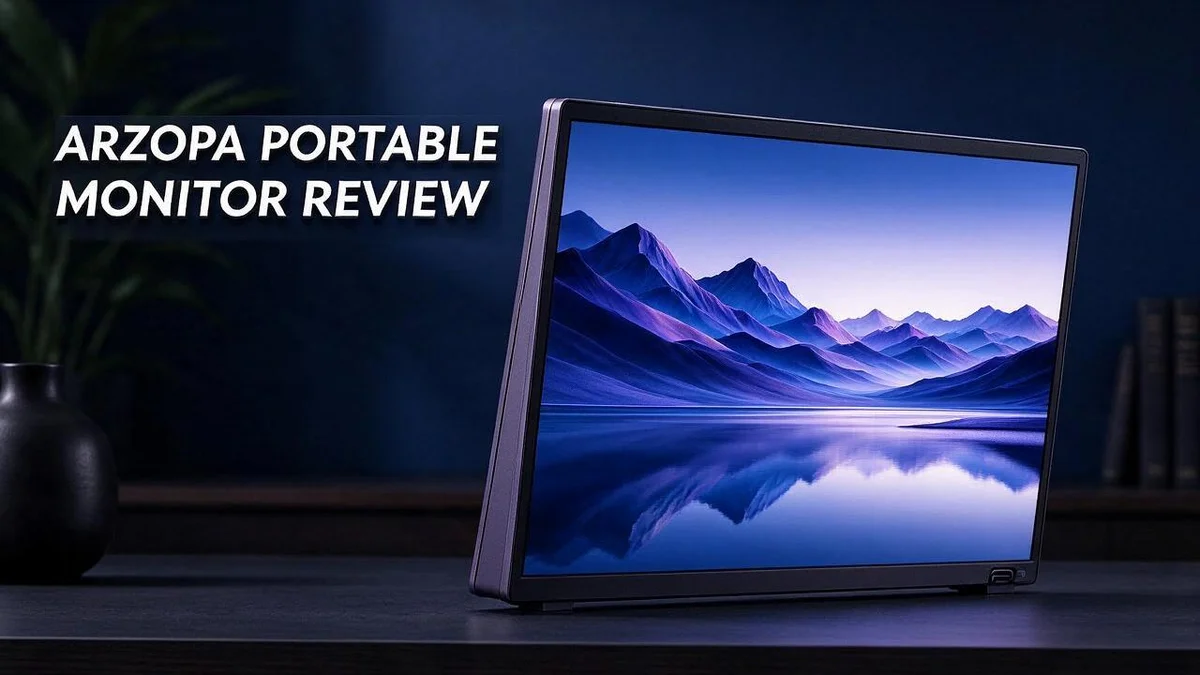
Arzopa Portable Monitor Review: Specs, Display Quality, and Who It’s Best For
Need more screen space on the go? A portable monitor can change how you work, study, and play. Arzopa offers a lineup that fits many daily routines.
From a slim 15.6 inch panel to a sharp 16 inch QHD display, there is a model for most users. Some models even offer a 144Hz refresh rate or a dual screen setup.
Reviewers often praise the metal build and the built in kickstand. They also say the image looks clear and surprisingly accurate for a portable screen.
In this review, we look at the key specs, the pros, and how Arzopa compares to rivals like ASUS. Keep reading to find the right fit for your setup.
In a Nutshell
-
Fast refresh for gamers: The Z1FC pairs a 144Hz refresh rate with an IPS panel. Fast action looks smooth on screen.
-
Accurate colors for creative work: The Z1C covers 100% sRGB. Photo edits and videos look true to life.
-
Easy connections: The Z1RC offers USB C and Mini HDMI inputs. Laptops, phones, and game consoles connect with less fuss.
-
Dual screen options: Arzopa also sells dual screen models. Multitaskers can spread email, documents, and video across two panels.
-
Great for daily tasks: The S1 Table IPS display suits office work, browsing, and streaming. Reviewers call it a great choice for everyday use.
-
How it compares: ASUS is the main rival, with models like the ZenScreen MB16AC. Buyers comparing both brands will find strong picture quality in a portable size.
Key Features

- Brilliant 2.5K QHD Display: Experience vibrant colors, deep blacks, and detailed images with our...
- 16:10 Premium Display: Get more screen real estate with the 16:10 aspect ratio. Read more text, have more...
Last update on 2026-11-27 / Affiliate links / Images from Amazon Product Advertising API
Arzopa packs a lot into a small frame. The lineup covers several sizes, shapes, and display types. This section looks at the features that stand out most.
The thin frame slides into most bags. The Z1C measures 366 by 228 mm and only 9.3 mm thick. That slim profile makes it easy to carry to class, a client meeting, or a coffee shop.
Panel size changes how much you can see. Arzopa offers screens from 15.6 inches to 16.1 inches. A larger panel shows more rows of text and more open windows at once.
Resolution keeps text and images sharp. Most models run at 1920 by 1080 pixels. The Z1RC steps up to QHD, which gives text and photos extra crispness.
Reviewers say the picture looks clear. Many users note that the image stays clean and easy to read. The Z1RC also earns praise for colors that look surprisingly accurate for a portable screen.
Panel type affects how colors look from the side. Several models use IPS panels. These panels keep colors steady when you view the screen from an angle, which helps when two people share the display.
Aspect ratio options add flexibility. Arzopa also offers 16:10 screens and 2.5K models. A taller screen suits spreadsheets, documents, and code, because you see more lines without scrolling.
Setup stays simple. Most users can connect the monitor and start working within minutes. Clear ports and easy cable choices reduce the time spent on setup.
Start with your main task. Think about what you do most. Then choose the size, resolution, and panel type that match your daily work.
Design and Build
Design plays a big role in a portable screen. You will carry it in bags, on trains, and in cafes. A good build keeps the display safe and easy to use every day.
The body feels solid when you hold it. Many people like the clean and simple look. Smooth edges also make it comfortable to grip during setup.
The stand deserves a closer look. It lets you prop the screen up on any flat surface. You can use it on a desk, a hotel table, or a train tray.
Good port placement keeps cables out of your way. Tidy cables make your workspace look neat. Less clutter also helps you focus.
Thin edges help the picture look bigger. Less frame means more attention on your work or movie. Small bezels also suit side by side setups with a laptop.
Weight matters when you travel. A light body is easier to carry between meetings. It also fits in a backpack with a laptop.
Heat and airflow matter too. A thin body can warm up after long sessions. Give the back some space and let air move freely.
Gamers and designers care about stability. A wobbly stand can ruin a fast game or a detailed edit. A firm base keeps the image steady.
Mounting options can add more flexibility. Check the back of the screen to see what your model supports.
Finish and touch matter too. The surface feels smooth under your fingers. Fingerprints can show on some surfaces, so keep a soft cloth nearby.
Daily use brings bumps and scratches. A soft sleeve or cover adds protection. Many travelers choose one for extra safety.
Final thoughts on the build. The design feels sturdy, clean, and ready for travel. For most users, the build suits both work and play.
Display Performance
Display performance decides how a portable monitor feels in daily use. Arzopa offers several screens, so you can match the panel to your work.
The Z1RC stands out for picture accuracy. Reviewers describe its image as surprisingly accurate for a portable screen. This matters when you edit photos or check layouts on the road.
Resolution changes how much you can fit on screen. The 16-inch QHD model shows more detail than Full HD models do. Small text in spreadsheets and thin lines in drawings look sharper.
Aspect ratio changes the feel of the screen. Arzopa also sells 16:10 panels. Taller screens give you extra vertical room for documents, code, and web pages. You scroll less and see more of each page at once.
The 2.5K options add even more pixels. Choose them when fine detail matters most to you. Your laptop must also handle the higher resolution without slowing down.
Brightness depends on where you work. Bright cafes and sunny windows can wash out any screen. Test the monitor in the places you plan to use it.
Run a quick check before you commit to a setup. Open a page with a white background and dark text. Look for even lighting across the edges. Then adjust the brightness on both your laptop and the monitor so they match.
Your screen settings matter as much as the hardware. Take a few minutes to tune them, and the display will feel much better in every session.
Top 3 Alternatives
ASUS ZenScreen MB16AC

- 15.6" FHD IPS USB Type-C Portable Monitor: Features hybrid signal solution for compatibility with USB Type-C...
- Ultra-Portable Award-Winning Design: Weighs only 1.7 pounds and measures 0.3 inches slim to pair perfectly...
Last update on 2026-11-27 / Affiliate links / Images from Amazon Product Advertising API
The ASUS ZenScreen MB16AC is a strong choice for people who want a clean and simple setup. It has a 15.6-inch Full HD display with a slim body. One USB-C cable can handle both power and video for many laptops. This makes your desk look neat and easy to manage.
Lepow Z1-15

- New Kickstand Design: KYY's new 2026 portable monitor designed with an upgraded integrated kickstand, this...
- One-Button Control: KYY portable screen features a single circular control button that manages all functions...

Last update on 2026-11-27 / Affiliate links / Images from Amazon Product Advertising API
The Lepow Z1-15 gives you a lightweight screen for work on the go. It also uses a 15.6-inch Full HD panel that shows sharp text and clear images. Many users like its thin frame and simple connection options. It fits well in a laptop bag without adding much weight.
GeChic On-Lap 1502

- USB Type-C Cable for GeChic On-Lap Series
- 2m long cable longer than standard included
Last update on 2026-11-27 / Affiliate links / Images from Amazon Product Advertising API
The GeChic On-Lap 1502 works well for travelers who need a portable second display. It offers a 15.6-inch Full HD screen in a compact body. Its easy setup lets you start working right away. Many people use it for coding, video calls, and side-by-side documents.
Each option gives you extra screen space for less effort. Think about your laptop ports, your travel habits, and your daily tasks. The right pick will feel comfortable and practical for you.
Connectivity and Ports
Connectivity decides how well your portable monitor fits your daily setup. Your laptop, phone, or game console needs a clear path to the screen. Arzopa offers several inputs, so match them to the devices you use most.
The Z1RC stands out in this area. It includes a USB C input and a Mini HDMI input. These two options give you flexibility when your laptop has fewer ports than you expect.
Start by checking the side edges of your laptop. Look for a USB C port or an HDMI port. Many newer laptops send video through USB C, so one cable can carry the picture to the screen.
Mini HDMI needs its own cable. A standard HDMI cable will not fit this port. Pack a Mini HDMI cable in your bag, so you can connect quickly in a cafe or hotel room.
Cable length matters more than most people think. A short cable keeps the monitor close to your laptop. A longer cable lets you place the screen on a table or a train seat.
Think about how you work each day. If you only need the screen for slideshows, one cable covers your needs. If you switch between a console and a laptop, keep two cable types ready.
Test each connection once at home. This step shows which cable works with which device. It also saves you from surprises during a long trip.
Adapters can fill small gaps. A USB C to HDMI adapter lets you connect devices with a different port. Choose a simple adapter from a known brand, and check that it supports video output.
Keep your cables organized in a small pouch. Tangled cables waste time at the airport or in a meeting room. A tidy setup helps you pack faster every time you travel.
Ease of Use and Setup
Setup is only half the story. Daily ease depends on how you arrange your screens after the first connection.
Open your display settings on your computer. You can choose extend mode to treat the Arzopa screen as extra space. You can also pick mirror mode to copy your main display, which helps during presentations.
Position matters for comfort. Place the monitor to the left or right of your laptop. Set it at eye level so your neck stays relaxed.
Many portable screens include a small menu for brightness and input changes. Check the side or back edge for these controls.
Power planning prevents surprises. Keep your laptop charger nearby on long trips. Some setups draw power from the laptop, so a full battery helps during travel.
Run a workflow test at your desk. Switch between apps and drag windows across both screens. Note any moments that feel slow or awkward.
Most people adapt within a few days. Early habits feel strange at first. Soon, moving windows between screens feels natural.
Keep your workspace tidy. Clear space around the screen makes setup feel quicker. Remove loose items that block the edges or the stand area.
Use a saved layout for repeat days. Many operating systems can remember window positions. Open your usual apps once, then save the arrangement. Each new session then starts with less effort.
Plan for slower moments. Some apps need a moment to adjust to a new screen. Give them a few seconds before you decide something is wrong.
Keep the monitor clean. Wipe the panel with a soft, dry cloth. Dust and fingerprints can make text look dim.
Ask for help when needed. The user guide and support pages can answer common questions. Save them in your notes for quick access later.
A simple routine makes daily use smooth. Set your layout once. Keep the controls in mind. Your work then flows with much less effort.
Pros and Cons
Pros
– The metal build feels sturdy in your bag and on your desk.
– The built in kickstand holds the screen up without extra gear.
– Reviewers say the image looks clear across the lineup.
– The S1 Table suits everyday work and casual tasks.
– Several sizes and resolutions help you match your needs.
Cons
– Smaller screens can feel cramped when you open many windows.
– Model names like Z1C and Z1FC can confuse first time buyers.
– Current research does not include long term durability feedback.
– Some features only appear on certain models, so check specs first.
Who Should Buy It
Not everyone needs a second screen on the go. Arzopa fits people who split their time between home, the office, and other places.
Students often benefit most. They can keep notes open on one side and a lecture on the other. Lab reports and research tasks feel easier with more room.
Freelancers and remote workers who hop between cafes or shared workspaces can carry a compact setup. A portable screen keeps their projects visible without a bulky desk.
Writers, designers, and coders often want a reference window next to their main work. Scripts, drafts, or sketches stay visible while they type or edit.
Sales teams and field staff also gain from this. They can show clients slides, quotes, or product pages on a second screen during a meeting.
Frequent travelers may find this helpful too. Slim designs can slip into a bag with other gear, and extra space makes hotel desks feel more productive.
Buyers who want more space should look at the 2.5K, 16:10, or dual screen options. These models suit spreadsheets, timelines, and long documents.
Gamers and video watchers can also enjoy the extra screen. Chat windows, guides, or streams can sit beside the main action without blocking it.
Parents helping kids with homework may like this setup too. The screen can show lessons while a child works on a laptop, so both views stay clear.
Shoppers who prefer a widely known name can compare Arzopa with ASUS. The ZenScreen MB16AC is a common point of comparison in this category.
Who may want to wait? People who need a full desktop replacement may feel limited. A portable screen works best as a helpful companion, not a main display.
Final Verdict
So, is this portable monitor the right pick? For many people, the answer is yes. It gives you a second screen that fits in a bag and works with most laptops.
The lineup is wide, so the best choice depends on your daily routine. Start with your main task and work backward from there.
Pick the model that matches your work. A simple office setup may only need a standard full HD panel. Creative work or heavy multitasking may call for a larger QHD model with more input options.
Check the specs before you click buy. Look at resolution, refresh rate, and input ports. These details vary from model to model, so a quick check saves regret later.
Test the screen at home before a big trip. Confirm that your cables and ports work with your laptop. This quick test prevents surprises when you are on the move.
Think about where you will use the screen most. A desk setup at home has different needs than a train seat or a shared café table.
This model may not suit everyone. If you only work at one fixed desk, a larger standard monitor could give you more room and fewer compromises.
Compare with a well known brand. ASUS offers strong options such as the ZenScreen MB16AC. If you want a familiar name, put both side by side and compare sizes, ports, and features.
Our final take: Arzopa fits people who want a simple, travel ready second screen. It also works well for anyone who needs extra room without a bulky setup.
Next steps are simple. Read a few recent reviews, decide on your must have features, and choose the size that fits your bag. You will likely enjoy the extra room on your desk.
Keep your purchase details handy in case you need support later.
Frequently Asked Questions
Which model gives the sharpest text?
The Z1RC offers a 16 inch QHD panel. Its extra pixels make text look crisp. This helps when you read long documents or review code.
Which model feels smoothest for fast motion?
The Z1FC has a 144Hz refresh rate. Scrolling and moving images look smoother. This suits video, fast browsing, and casual gaming.
Which model handles color best?
The Z1C covers 100% sRGB. Colors look true for everyday design work. Reviewers also say the Z1RC looks surprisingly accurate for a portable screen.
Which model fits a small desk?
The S1 Table uses a 15.6 inch 1080p IPS panel. It fits well in tight spaces. It suits email, writing, and other everyday tasks.
Can a portable screen replace my main monitor?
Probably not for most people. It works best as a second screen. Place it beside your main display for notes, chat windows, or reference pages.

Dillip is the founder and editor of DillipWeb.com, where he simplifies the world of AI software, tech gadgets, and accessories through honest reviews, detailed comparisons, and easy-to-follow guides. With a deep passion for emerging technology, he helps everyday users make smarter, more informed tech decisions.