How to Choose the Best 4K TV for Your Living Room?
Picture this. You walk into your living room and turn on your new TV for the first time. The picture looks so real, you feel like you can reach out and touch it.
That is the magic of a good 4K TV. But with so many options out there, choosing the right one can feel tricky.
You might wonder about screen size. Or maybe you are confused about OLED versus QLED. These questions are common, and you are not alone.
A 4K TV gives you four times more pixels than a regular Full HD screen. This means sharper images and richer colors on your wall.
But picking the best one involves more than just resolution. You need to think about room size, viewing distance, and display technology too.
This guide walks you through every step. We will cover screen size selection, resolution basics, and the differences between LED, OLED, and QLED panels.
We will also look at backlighting and quantum dot technology. By the end, you will know exactly what to look for.
Get ready to find the perfect screen for your space. Your ideal movie night starts here.
In a Nutshell
Here is a quick summary to help you shop smart.
-
Measure your room first. A 55 inch screen works well for most living rooms. But your final size depends on how far you sit from the screen.
-
Always choose 4K resolution. It gives sharper images and better detail than older Full HD screens. This is the standard for a modern TV.
-
Learn the display types. OLED offers deep blacks and rich colors. QLED gives brighter images and works well in sunny rooms.
-
Check backlighting quality. Features like Mini LED improve brightness control. This makes dark scenes look more realistic.
-
Look at quantum dot technology. It boosts color accuracy and brightness. This feature often appears in higher end models.
-
Avoid common size mistakes. A screen that is too small ruins the viewing experience. Bigger screens usually feel more immersive in open living spaces.
-
Match your budget to your needs. Prices vary a lot based on technology and size. Set a budget before you start comparing screens.
Understanding 4K Resolution and Why It Matters
Four thousand pixels horizontally and two thousand two hundred fifty vertically make up 4K resolution. This standard delivers four times more pixels than Full HD screens. More pixels mean sharper images, finer details, and smoother text on your display.
Why does this matter for your living room? Higher pixel density creates a clearer picture when you sit at normal viewing distances. You’ll notice the difference most in larger screens, where Full HD can look blurry or pixelated.
The real world benefit shows up in everyday content. Streaming services, sports broadcasts, and movies all look noticeably crisper on 4K. Even regular TV shows benefit from the extra detail and clarity.
Understanding pixel density helps you choose wisely. A 55 inch 4K TV shows more detail than a 55 inch Full HD model. The pixels are packed tighter, creating a smoother image overall.
Color and contrast improve too with 4K technology. The extra pixels allow display systems to show more gradations between colors. This creates more natural looking images and reduces color banding.
Brightness levels also benefit from 4K panels. Modern 4K displays handle bright rooms better than older Full HD screens. You get better visibility even with sunlight streaming through windows.
Motion handling improves with 4K as well. Sports and action scenes appear smoother and more fluid. Fast panning shots don’t create the blurring you’d see on lower resolution screens.
For your living room, 4K resolution is no longer a luxury. It’s become the standard for good viewing experiences. This makes it the smart choice when you’re ready to upgrade your TV.
Exploring Display Technologies: LED, OLED, QLED, and Mini LED
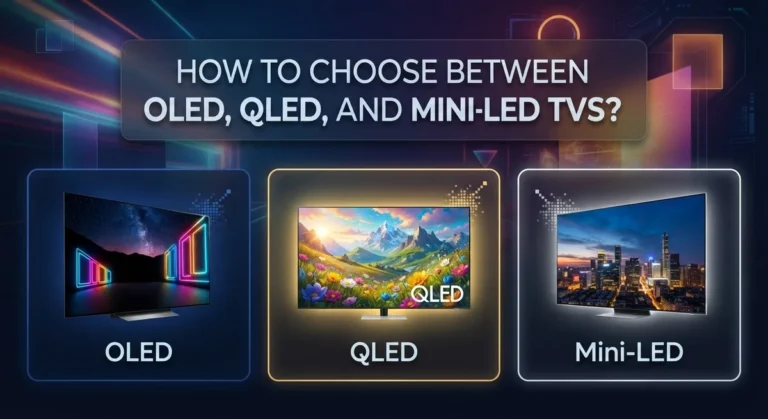
LED stands for Light Emitting Diode. This is the most common and affordable display technology you will find. LED TVs use a backlight behind the screen to create images. The backlight shines through liquid crystals to produce colors and brightness.
OLED means Organic Light Emitting Diode. Each pixel in an OLED TV produces its own light. This gives you perfect blacks because pixels turn completely off when needed. OLED TVs deliver superior contrast and color accuracy compared to LED models.
QLED refers to Quantum Dot LED technology. These TVs combine LED backlighting with quantum dots. Quantum dots are tiny particles that enhance color brightness and accuracy. QLED TVs offer vibrant colors and better brightness than standard LED screens.
Mini LED is an advanced backlighting system. Instead of one large backlight, Mini LED uses thousands of small backlights. This allows precise brightness control in different screen areas. You get better contrast and deeper blacks without sacrificing brightness. Mini LED performs better than regular LED but costs more.
Here is what matters for your living room. LED TVs work well if you have a tight budget. QLED TVs provide excellent color and brightness for the price. OLED TVs give you the best picture quality but cost significantly more. Mini LED sits between QLED and OLED in terms of performance and price.
Your room lighting affects which technology works best. Bright rooms benefit from QLED or Mini LED brightness. Darker rooms make OLED’s perfect blacks shine. Consider your typical viewing conditions when comparing these options. Each technology has real strengths for different situations and budgets.
How to Determine the Right TV Size for Your Living Room
The right TV size depends on your room layout and how far you sit from the screen. Start by measuring the distance between your couch and where the TV will hang or stand. This measurement guides everything else.
A common rule is to sit about 1.5 times the TV’s diagonal screen size away from it. So if you sit 8 feet from your wall, a 55 inch TV works well. If you sit 10 feet away, consider 65 inches or larger. Closer viewing distances need smaller screens to avoid neck strain and discomfort.
Room size matters too. A small bedroom needs a smaller TV than a spacious living room. Measure your wall width and height to see what fits physically. Leave space on both sides for a balanced look, and make sure nothing blocks the view from your usual seating spot.
Consider your room’s layout carefully. Windows, doors, and furniture placement all affect viewing quality. Glare from sunlight can wash out the picture, so think about which direction your windows face.
Most living rooms benefit from starting at 55 inches. This size gives you enough detail without overwhelming the space. Larger rooms with greater viewing distances often feel better with 65 to 75 inch screens.
Don’t overthink it. Visit a showroom if possible and stand at distances that match your home setup. This shows you exactly how the picture looks from your couch. Your eyes will tell you if the size feels right. Trust your comfort level, and remember that larger screens generally provide a more immersive experience for movies and sports.
Calculating Optimal Viewing Distance and Placement
Viewing distance and TV placement work together to determine your best experience. The distance between your couch and screen affects how well you see the picture quality that 4K offers.
A practical starting point is the 1.5x rule. Multiply your TV’s diagonal screen size by 1.5. This gives you the ideal distance to sit from your screen. For example, a 65 inch TV works best when you sit about 97 inches (roughly 8 feet) away.
Why does this matter? At the right distance, your eyes catch all the detail that 4K resolution provides. Sit too close and you see individual pixels. Sit too far and you lose the sharpness advantage.
Your room layout determines where you place the TV. Mount it on a wall, use a TV stand, or place it on furniture. The placement should keep the screen at eye level when you sit on your couch. Your neck shouldn’t strain up or down to watch comfortably.
Measure your living room before you buy. Pace off the distance from your main seating area to the wall where the TV will go. This measurement guides your size choice.
Consider viewing angles too. If people watch from different spots in your room, position the TV where most viewers see it straight on. Some seating positions will have side angles, which is normal.
Lighting in your room also affects placement. Avoid putting the TV where sunlight creates glare on the screen. Windows and light sources behind the TV cause reflections that reduce picture quality.
Take time to visualize the setup. This simple step prevents buyer’s remorse and ensures you enjoy your 4K TV for years.
Backlighting Explained: Direct-Lit vs. Edge-Lit vs. Mini LED
Backlighting is the system behind your TV screen that makes the image visible. Understanding how it works helps you pick the right TV for your space. Different backlighting methods create different picture qualities, so let’s break down the main types.
Direct lit backlighting places small lights directly behind the entire screen. These lights sit in a grid pattern across the panel. This setup gives you better contrast because the TV can dim specific areas independently. Dark scenes look deeper and blacks appear richer. The downside is that direct lit TVs tend to cost more money.
Edge lit backlighting puts lights only around the edges of the screen. The light spreads across the panel from the sides. This method is cheaper to manufacture, which keeps prices lower. However, edge lit TVs struggle with contrast in dark rooms. You might notice uneven brightness, especially at the screen’s center. Edge lit technology works best in brighter living rooms.
Mini LED backlighting represents a major step forward. It uses thousands of tiny lights instead of just a few dozen. These miniature lights sit behind the screen in a dense grid pattern. The TV can control each light zone separately, delivering exceptional contrast. Mini LED combines the affordability advantage of edge lit with the picture quality of direct lit. This technology has become increasingly popular for mid range and premium TVs.
The practical choice depends on your room and budget. Bright living rooms work fine with edge lit models. Dark rooms benefit greatly from direct lit or Mini LED systems. Consider how much control you want over picture quality versus keeping costs reasonable.
What Are Quantum Dots and How Do They Improve Picture Quality
Quantum dots are tiny particles that sit between your TV’s backlight and the screen. They work like color filters that make your picture brighter and more vibrant. When light passes through them, they emit pure, precise colors that standard LEDs cannot produce.
Here’s how they improve your viewing experience. Quantum dots absorb light energy and then release it as specific wavelengths. This process creates more accurate reds, greens, and blues than traditional backlighting systems. Your colors look cleaner and more lifelike as a result.
The brightness advantage matters in well lit rooms. Quantum dot TVs deliver higher peak brightness levels compared to standard LED panels. This means your picture stays clear and colorful even when sunlight streams through your windows. You won’t experience the washed out appearance that happens on some older TVs.
Color volume is another key benefit. This term describes how bright colors stay while maintaining their accuracy. With quantum dots, a bright red stays red instead of fading to pink. Greens remain vibrant. Blues pop without looking artificial.
The technology also extends your viewing angles slightly. You can sit off to the side and still see good color performance. This matters if your living room has multiple seating positions.
Quantum dots don’t produce their own light. They need a backlight source behind them to function. This is why you’ll see them paired with LED or Mini LED backlighting systems. The combination of quantum dots plus advanced backlighting creates the superior picture quality that makes 4K TVs so impressive in modern living rooms. Your investment in this technology pays off through years of better image quality and color accuracy.
Common Mistakes to Avoid When Choosing a 4K TV
Choosing a 4K TV involves more than just picking the biggest screen. Many people make decisions that leave them disappointed with their purchase. Understanding these common mistakes helps you avoid wasting money and getting a TV that truly fits your needs.
Not checking your room’s actual viewing distance is a major error. Some buyers purchase TVs without measuring how far they sit from the screen. A TV that looks perfect in a store feels wrong at home. The distance between you and the screen determines whether you’ll see all that 4K detail or just a blurry image.
Ignoring display technology differences causes regret later. LED, OLED, and QLED each perform differently depending on your room’s lighting. A technology perfect for a dark room might disappoint in bright spaces. You need to match the display type to your actual living conditions.
Buying based on price alone often backfires. The cheapest 4K TV might have poor color accuracy or weak brightness. You’ll notice these issues every time you watch. Spending slightly more gets you better picture quality that lasts for years.
Overlooking refresh rate and motion handling affects your viewing experience. If you watch sports or play games, a TV with poor motion processing creates blurry action scenes. Check this feature before buying.
Not considering future content is another mistake. Make sure your TV handles the streaming services and content types you actually use. Some TVs struggle with certain apps or formats.
Skipping the return policy review leaves you stuck with a poor choice. Always check whether you can return the TV if it doesn’t work in your space. This safety net matters when making such a large purchase.
Troubleshooting Common 4K TV Setup and Viewing Issues
When your 4K TV arrives, setup problems often happen. The good news is that most issues have simple fixes you can try yourself.
Picture quality looks dull or washed out Check your TV’s picture settings first. Many TVs ship with settings that don’t match your room’s lighting. Adjust brightness and contrast based on your room’s natural light levels. If your room gets bright sunlight, increase brightness. For darker rooms, lower it slightly. Also verify that your TV’s color temperature setting matches your preference.
The image appears blurry or lacks sharpness This usually means your content source isn’t actually 4K. Confirm you’re watching from a 4K compatible streaming service or player. Older content won’t magically become sharper on a 4K TV. Check your cable connections too. Loose HDMI cables cause signal problems and reduced picture quality.
Colors look strange or oversaturated Your TV might be in a vivid or dynamic picture mode. Switch to standard or cinema mode instead. These modes show colors more accurately. You can also manually adjust color saturation in the settings menu.
The TV won’t connect to your network Restart your router and TV. Move your router closer to the TV if possible. Some older routers struggle with newer TVs. Check that you’re using the correct WiFi password.
Sound isn’t working properly Verify the volume isn’t muted. Check that audio cables connect securely. If using a soundbar, confirm it’s powered on and set as your primary audio output. Sometimes your TV’s internal speakers need enabling in audio settings.
Motion looks choppy during sports or action scenes Enable motion smoothing features if available. This technology reduces blur during fast movement. Different TV brands call this feature different names, so check your manual.
Final Thoughts
Choosing the best 4K TV for your living room comes down to a few simple truths. Your room size and viewing distance matter more than fancy specs. A huge screen in a small room causes discomfort, not enjoyment.
Display technology shapes your daily viewing experience. OLED gives you deep blacks and vivid colors. QLED and Mini LED offer great brightness for well lit rooms. Pick the one that fits your space and habits.
Think about how you actually use your living room. Do you watch sports often? Motion handling matters then. Do you stream movies at night? Contrast and black levels become important.
Budget guides your final decision, but smart shopping beats expensive shopping. A mid range 4K TV with the right size and placement often beats an overpriced model in the wrong spot.
Don’t rush your choice. Measure your room first. Check your lighting conditions. Think about where you’ll place the TV and how far you’ll sit from it.
Remember that quantum dots and backlighting only matter after you’ve nailed the basics. Size and resolution come first. Technology preferences come second.
Test before you commit if possible. Visit a store and watch different TVs side by side. Notice how each screen handles bright scenes and dark scenes.
Your living room deserves a TV that fits its unique setup. There’s no single “best” TV for everyone. The best 4K TV is the one that matches your room, your budget, and your viewing habits.
Take your time, do your research, and trust your own eyes. A well chosen 4K TV will serve your living room for years to come.
Frequently Asked Questions
What size 4K TV should I buy for my living room?
Start by measuring the distance from your couch to where the TV will hang. A common rule is to sit about 1.5 times the TV’s diagonal width away. For most living rooms, a 55 inch TV works as a solid starting point. If you sit farther back, consider 65 inches or larger. Closer seating distances work well with smaller screens.
The room itself matters too. A spacious living room can handle a bigger TV without feeling overwhelming. Smaller rooms need proportionally smaller screens to avoid neck strain.
What’s the difference between OLED, QLED, and LED TVs?
LED TVs use a backlight behind the screen to create the picture. They cost less but can’t produce pure blacks since the backlight stays on.
QLED TVs are LED TVs with quantum dots added. Quantum dots are tiny particles that make colors brighter and more accurate. They still need a backlight, so blacks aren’t as deep as OLED.
OLED TVs produce their own light for each pixel. This means blacks are truly black since pixels turn completely off. OLED offers superior contrast and viewing angles. The tradeoff is higher cost and potential burn in risk with static images.
Do I really need 4K resolution?
Yes, for a 4K TV purchase. 4K delivers four times more pixels than Full HD, which means sharper images and finer details. The difference becomes obvious on larger screens, especially when sitting at normal viewing distances.
Most streaming services, movies, and gaming content now support 4K. You’ll notice the improvement immediately when watching quality 4K content.
What’s the ideal refresh rate for my living room TV?
For general watching of movies and shows, 60Hz is perfectly fine. This matches most broadcast content and streaming services.
If you watch sports or play video games, consider 120Hz. Higher refresh rates make motion smoother and reduce blur during fast action scenes. Gaming consoles and some streaming apps support 120Hz output.

Dillip is the founder and editor of DillipWeb.com, where he simplifies the world of AI software, tech gadgets, and accessories through honest reviews, detailed comparisons, and easy-to-follow guides. With a deep passion for emerging technology, he helps everyday users make smarter, more informed tech decisions.