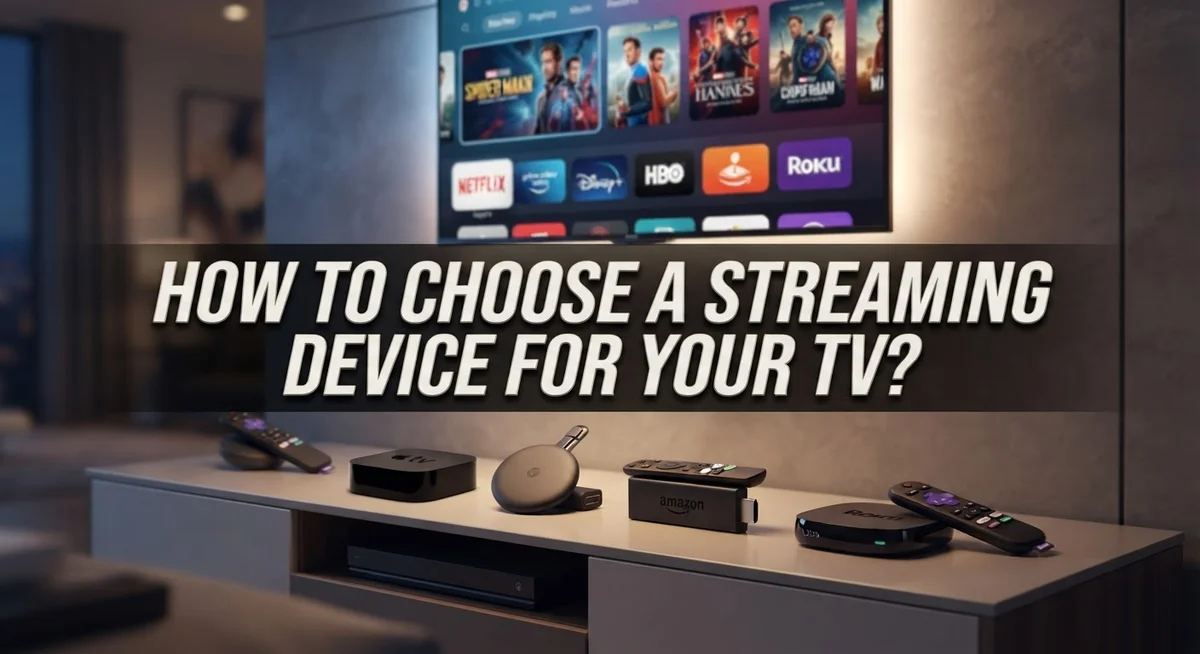
How to Choose a Streaming Device for Your TV?
Do you want to turn any TV into a smart entertainment hub? A good streaming device makes that happen fast. It connects you to your favorite shows, movies, and apps in seconds.
Picking the right one can feel confusing at first. There are many platforms and options out there. Each one offers something different for your viewing needs.
This guide will help you understand your choices clearly. We will look at smart TVs versus standalone streaming devices. You will learn which option fits your setup best.
We will also compare popular platforms like Roku, Fire TV, and Google TV. Each platform has its own strengths and quirks. Knowing these details helps you make a smart choice.
Room lighting and internet speed also matter a lot. These factors affect your final streaming experience. We will cover these important details too.
By the end, you will feel confident about your decision. You will know exactly what to look for. Let’s find the perfect streaming device for your home.
In a Nutshell
Here’s a quick recap to help you decide fast:
-
Check your TV first. See if it already connects to the internet on its own. This tells you if you truly need a separate device.
-
Pick smart TV or streaming box. A smart TV works fine for most people. But a standalone device often gives you faster updates and more app choices.
-
Compare platforms carefully. Roku, Fire TV, Google TV, and Apple TV each offer different menus and features. Try to match one with what you already use daily.
-
Think about your room. Bright rooms need screens with strong glare resistance. Dark rooms allow more flexibility with display types.
-
Test your internet speed. Streaming in 4K needs a stable, fast connection. Slow internet leads to buffering and frustration.
-
Read real reviews. Look for devices that reviewers have actually tested at home. This helps you avoid guesswork and wasted money.
Following these simple points will make your final choice much easier. You will feel confident picking a device that fits your space and habits perfectly.
What Is a Streaming Device and How Does It Work?
A streaming device is a small box or stick that connects to your TV and the internet. It lets you watch movies, shows, and live content from various apps and services. Think of it as a bridge between your television and the online world.
Here’s how it works in simple terms. Your streaming device receives data from the internet through your WiFi connection. It then processes that information and sends video and audio to your TV screen. Most devices connect to your TV using an HDMI port, which is a standard cable slot found on nearly all televisions.
The main difference between devices and smart TVs matters here. A smart TV has streaming software built in already. A standalone streaming device adds this capability to any regular TV. Both approaches accomplish the same goal, but they work differently.
Streaming devices use apps to deliver content. You download apps like Netflix, YouTube, or Hulu onto your device. When you open an app, it streams content directly to your screen. The device handles all the heavy lifting while your TV simply displays what it sends.
Internet speed is crucial for smooth streaming. Most devices need at least 5 Mbps for standard quality and 25 Mbps for 4K quality. Your WiFi connection should be strong and stable for the best experience.
These devices typically include a remote control for easy navigation. Some remotes have voice search features that let you speak your requests instead of typing. This makes finding content faster and more convenient.
Understanding these basics helps you make a smart choice about which device fits your needs best.
Smart TV vs. Standalone Streaming Device: Understanding the Difference
A smart TV has streaming apps built directly into the television itself. You turn on the TV, connect to WiFi, and start watching immediately. The operating system runs on the TV’s processor, so everything feels integrated and simple.
A standalone streaming device is a separate box or stick you connect to any TV through an HDMI port. This device handles all the streaming work. Your TV becomes a display while the streaming device does the heavy lifting.
The key difference is convenience versus flexibility. Smart TVs offer simplicity because everything is already there. You don’t need extra hardware sitting around. However, smart TVs can become outdated faster since you can’t easily upgrade the software or processor.
Standalone devices give you more control and flexibility. If your TV is older or basic, a streaming device transforms it into a smart entertainment hub. You can also upgrade to a newer device without replacing your entire TV. This saves money over time.
Consider your current situation carefully. Do you have an older TV that works perfectly fine? A standalone device makes sense. Are you buying a new TV anyway? A smart TV might be the better choice since it’s all built in.
Both options access the same streaming services like Netflix, Hulu, and Disney Plus. The content you watch remains identical. What changes is how you access it and manage your setup.
Your decision depends on your budget, existing equipment, and how often you want to upgrade. Neither option is universally better. What matters most is matching the device to your actual needs and living space.
Key Factors to Consider Before Choosing a Device
Before you pick a streaming device, you need to check a few important things. These factors will help you find the right fit for your setup and lifestyle.
First, look at your current TV. Does it already have internet built in? Smart TVs connect to the web without extra equipment. Older TVs need a standalone device to access streaming apps. This basic check saves you money and time.
Next, think about your budget. Streaming devices range from basic to premium options. Standalone boxes cost less than replacing an entire TV. If your TV is old but works fine, adding a device makes sense. If you’re buying a new TV anyway, a smart model might be better.
Internet speed matters a lot. Check your home’s connection before buying anything. Most devices need at least 5 Mbps for regular viewing. For 4K content, you’ll want 25 Mbps or higher. Slow internet ruins your experience, so test your speed first.
Consider the apps you actually use. Different platforms offer different services. Some people only watch Netflix and YouTube. Others use many apps daily. Make sure your chosen device supports the services you love.
Room setup is practical too. Where will you place the device? How far is it from your router? Some devices work better with strong WiFi signals. Others handle weak connections better.
Finally, check what remote control you prefer. Some remotes have voice buttons. Others keep things simple. Pick what feels comfortable for your daily use.
These factors guide you toward the best choice for your home.
Comparing Major Streaming Platforms and Their Features
Each major streaming platform offers distinct features and strengths. Understanding these differences helps you choose the right fit for your viewing habits.
Roku devices focus on simplicity and broad app support. They offer an easy to navigate interface that works well for beginners. Roku supports thousands of apps and channels, giving you plenty of content options. The platform emphasizes user choice without pushing specific services.
Amazon Fire TV integrates tightly with Amazon’s ecosystem. If you use Prime Video frequently, this platform rewards that loyalty. Fire TV includes voice search through Alexa, making it faster to find shows. The interface prioritizes Amazon content, which some users appreciate and others find limiting.
Google TV emphasizes personalization and recommendations. It learns your viewing habits and suggests content across all your apps. Google TV works smoothly if you already use Google services. The platform aggregates shows from multiple services in one place, reducing search time.
Apple TV caters to Apple device owners. It syncs seamlessly with iPhones, iPads, and Macs. Apple TV offers exclusive content and integrates with Apple’s subscription services. This platform works best in households already committed to Apple products.
Chromecast functions differently from other options. Instead of a full streaming interface, it lets you cast content from your phone or computer to your TV. This approach suits people who prefer controlling playback from their mobile devices.
Consider which apps matter most to you. Check if your preferred services are available on each platform. Some platforms excel at sports, others focus on movies or international content. Your daily viewing needs should guide your selection between these distinct approaches.
Step-by-Step Process for Selecting the Right Device
Start by checking your internet connection speed. Most streaming devices need at least 25 Mbps for 4K content and 5 Mbps for standard definition. Run a speed test on your phone or computer to see what you have available.
Next, measure the distance from your TV to your router. Wireless streaming works best when devices stay within 30 feet of your router. If your setup is farther away, consider a device with strong WiFi capability or plan to use an ethernet adapter.
Look at the apps you watch most. Not every platform carries every service. Make a list of your favorite streaming apps and check which devices support them. This prevents disappointment after you buy.
Think about your TV’s current age and condition. A TV that works well can use a standalone device for many more years. Newer TVs might already have built in streaming capabilities that work fine.
Consider your room’s lighting conditions. Some devices display better in bright rooms than others. If you have lots of windows or bright overhead lights, this matters for picture quality.
Check your storage situation. Some devices need HDMI ports that might be blocked by other equipment. Measure your entertainment center space to ensure your new device fits comfortably.
Finally, read user reviews from people with similar setups. They share real world experiences about performance, ease of use, and reliability. Look for reviews that mention your specific room type or internet situation.
Taking time for these checks helps you pick a device that works smoothly in your actual home.
Internet and Connectivity Requirements Explained
Your internet connection is the foundation for smooth streaming. Without adequate speed and stability, even the best device will struggle to deliver quality video.
Minimum speed requirements vary by quality level. For standard definition, you need about 3 megabits per second. High definition requires 5 to 8 megabits per second. 4K streaming demands 15 to 25 megabits per second or higher.
Check your actual internet speed before purchasing any device. Use a speed test tool on your computer or phone. Run the test multiple times throughout the day. Internet speed fluctuates depending on time and network traffic.
WiFi versus wired connection makes a real difference. WiFi is convenient but signal strength drops with distance and obstacles. Walls, furniture, and other devices interfere with WiFi signals. A wired ethernet connection provides stable, consistent speed.
Most streaming devices support both WiFi and wired options. If your device is far from your router, consider a wired connection. This prevents buffering and quality drops during peak usage times.
Bandwidth sharing affects your experience too. If multiple people use your internet simultaneously, speeds drop for everyone. Streaming video, gaming, video calls, and downloads all compete for bandwidth. A household with heavy internet use needs faster speeds overall.
Your router’s age matters as well. Older routers cannot deliver maximum speeds that newer devices support. Modern routers handle multiple devices better than older models.
Test your setup before committing to a device. Borrow a streaming device from a friend and try it in your home. This reveals whether your internet and WiFi work reliably for streaming. You’ll discover any dead zones or connection issues beforehand.
Common Mistakes to Avoid When Choosing a Streaming Device
Choosing a streaming device involves several pitfalls that can lead to buyer’s remorse. Understanding these mistakes helps you make a smarter decision.
Ignoring your actual viewing habits is a major error. Many people buy devices based on general popularity rather than checking which apps they truly use. One platform might excel at sports streaming while another dominates movies. You need to match the device to your specific needs, not generic features.
Assuming all devices work identically is another common mistake. Each platform has different interfaces, remote designs, and performance speeds. What works smoothly for your neighbor might frustrate you. Testing a device before buying (if possible) prevents costly errors.
Overlooking the importance of your existing setup causes problems too. People forget to consider their TV model, remote compatibility, or whether their current furniture arrangement blocks signals. A device that works beautifully in a store demo might perform poorly in your actual room configuration.
Buying based purely on price often backfires. The cheapest option might lack features you need or have a clunky interface that annoys you daily. Conversely, the most expensive device doesn’t guarantee the best experience for your situation.
Forgetting to check return policies leaves you stuck with unsuitable purchases. Some retailers offer generous return windows while others don’t. Know your options before money changes hands.
Not reading reviews from similar users misses valuable insights. Look for feedback from people with comparable internet speeds, TV types, and app preferences. Their real world experiences matter more than marketing claims.
Taking time to avoid these mistakes means you’ll select a device that actually fits your life rather than regretting your purchase later.
Troubleshooting Common Setup and Compatibility Issues
When you set up a new streaming device, problems sometimes occur. The good news is that most issues have simple fixes.
HDMI connection problems rank among the most common setup challenges. Your TV may not recognize the device if the HDMI cable is loose or damaged. Try unplugging both ends and reconnecting firmly. If your TV has multiple HDMI ports, test a different one. Some older TVs need you to manually select the correct input source using your remote.
WiFi connectivity issues often cause streaming frustration. Your device may struggle to connect if it’s too far from your router. Move the router closer to your TV or remove physical obstacles between them. If your WiFi network appears but won’t connect, restart both your router and streaming device. This simple step resolves most connection problems.
Compatibility concerns emerge when your TV is older or uses uncommon features. Check your TV’s specifications to confirm it supports HDMI connections. Some vintage models may lack the necessary ports entirely. In these cases, you’ll need an adapter or a different device altogether.
App loading delays happen when your internet speed is insufficient. Restart your device to clear temporary files. Check if other devices are using your WiFi bandwidth heavily. Streaming requires consistent speeds, so running multiple downloads simultaneously causes problems.
Audio and video sync issues occasionally appear after setup. Restart the streaming app first. If problems persist, check your TV’s audio settings and ensure they match your device’s output format.
Account and login errors prevent you from accessing content. Verify your password is correct. Clear your device’s cache if login screens freeze. Contact your account provider if problems continue.
Final Thoughts
Choosing a streaming device does not need to feel overwhelming. Focus on what matters most to you. Your daily habits should guide your final decision.
Think about your TV first. A smart TV already connects to the internet. Older TVs need a standalone device to access streaming apps.
Consider which platform fits your lifestyle. Roku, Fire TV, Google TV, and Apple TV each offer different strengths. Some people prefer simple interfaces, while others want deeper app integration.
Your internet speed plays a huge role too. Slow connections cause buffering and poor picture quality. Always check your speed before buying anything.
Room lighting affects your viewing experience as well. Bright rooms need different display technology than dark rooms. This detail gets overlooked often, but it truly matters.
Budget matters, but it should not be your only factor. A cheaper device might lack features you actually need. Spending a bit more sometimes saves frustration later.
Take time to read real reviews from actual users. People with similar setups can offer honest insights. Their experiences often reveal problems you would not expect.
Testing your current internet connection helps you avoid disappointment. Compatibility issues often trace back to weak WiFi or old routers. Fixing these problems first makes setup much smoother.
Every household has different needs. Some homes want simple functionality, while others prefer more advanced features. There is no single perfect device for everyone.
The best choice depends on your habits, your TV, and your home setup. Take your time, compare options, and pick a device that truly fits how you watch television. This small effort now leads to years of smooth streaming ahead.
Frequently Asked Questions
Do I need a smart TV or can I use a standalone streaming device?
Both options work. A smart TV has internet built in, so you stream apps directly from the television. A standalone streaming device connects to any TV through HDMI, adding streaming capability to older models.
Smart TVs suit you if you want everything in one package. Standalone devices work better if your current TV is fine but just isn’t internet-connected. Standalone options also let you upgrade your streaming platform without replacing your entire TV.
What internet speed do I need for smooth streaming?
Most streaming services need at least 5 Mbps for standard definition and 25 Mbps for 4K content. Check your current internet speed before buying any device.
Faster speeds reduce buffering and let multiple people stream at once. If your internet is slower than 5 Mbps, upgrading your connection matters more than buying an expensive device.
Which platform should I choose: Roku, Fire TV, Google TV, or Apple TV?
Each platform has different strengths. Roku offers simple navigation and works with many TV brands. Fire TV integrates well with Amazon services. Google TV connects smoothly with Google products. Apple TV works best if you use Apple devices.
Pick the platform your household already uses most. If you use Amazon Prime frequently, Fire TV makes sense. If you prefer Google services, Google TV fits better.
What if my TV is very old?
Older TVs work fine with standalone devices. Simply plug the device into your HDMI port. Verify your TV has at least one HDMI input before purchasing anything.
Very old TVs without HDMI ports need special adapters, which adds complexity and cost.

Dillip is the founder and editor of DillipWeb.com, where he simplifies the world of AI software, tech gadgets, and accessories through honest reviews, detailed comparisons, and easy-to-follow guides. With a deep passion for emerging technology, he helps everyday users make smarter, more informed tech decisions.