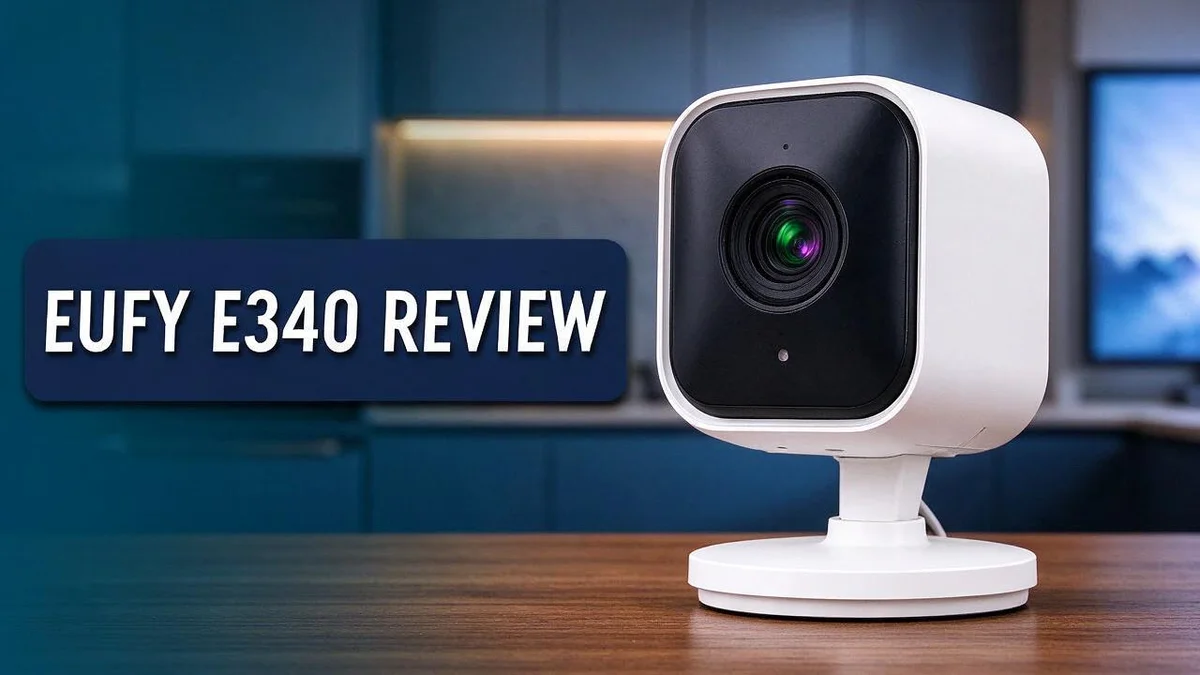
Eufy E340 Video Doorbell Review: 2K Dual-Camera Performance, AI Detection and Local Storage
Your front door is the first thing visitors see. So why not make it smarter? The Eufy E340 video doorbell aims to do just that.
Many people want a doorbell that sees clearly day and night. This model brings sharp 2K video from two cameras. It also offers a 166° ultra wide view that covers your porch from edge to edge.
Smart alerts matter too. The E340 uses AI to spot humans and packages. You can talk to visitors with two way audio. It works with Alexa and Google Assistant.
Local storage keeps your recordings on the device. Still, you should know one catch before you buy. The doorbell goes offline when WiFi drops.
In this review, we break down the design, setup, video quality, and daily performance. Keep reading to see if this doorbell fits your home.
In a Nutshell
-
Two cameras work as one. The dual lenses deliver sharp 2K video across a wide 166 degree view. Your porch, steps, and walkway all fit in the frame.
-
Edges look natural. Little barrel distortion means straight lines stay straight on screen. Visitors look normal, not stretched or bent, which makes faces easier to recognize.
-
Smart detection sorts the noise. The AI tells people and packages apart from passing cars or pets. You get fewer confusing clips to review, so checking your feed takes less time.
-
Talk from anywhere. Two way talk lets you chat with guests or delivery drivers, even when you are away from home. Quick replies can keep packages safe.
-
Runs on a battery. You can mount it without running new wires, which suits renters and older homes. Charging it on a regular schedule keeps it ready for visitors.
-
Your WiFi matters. If the connection drops, the doorbell goes offline and stops recording. A strong signal near the door is a must for steady protection.
Camera Quality and Field of View

Last update on 2026-11-26 / Affiliate links / Images from Amazon Product Advertising API
Night views matter more than most people think. Many package thefts and unexpected visitors happen after dark. The E340 switches to color night vision, so you can spot clothing, vehicle colors, and faces without guessing.
A bright light near the door helps the camera produce clearer images. Good lighting makes a big difference. Even a simple porch lamp adds useful detail to the picture.
Mounting height changes what the camera sees. Install the doorbell about four to five feet from the ground. This height gives you a clear look at faces, not just the tops of heads.
Angle matters just as much as height. Tilt the lens slightly downward so the camera catches the doorstep and the walkway. Avoid aiming it straight at a bright window, because the glare can wash out the scene.
Sunlight can cause trouble. A doorbell that faces west may struggle with harsh late afternoon light. If possible, choose a spot shaded by an overhang or a small roof.
Field of view also reaches the sidewalk. You can see people approaching from the street before they reach your steps. This early view helps you decide whether a visitor is a neighbor, a courier, or someone you do not know.
Clear footage also helps when you review past events. You can zoom into a recording and check details like a jacket color or a vehicle shape. Sharp detail saves time.
Trim any branches or bushes that sway in front of the lens. Moving plants can create extra motion clips that fill your history with noise.
Take a few test recordings at different times of day before you settle on a final spot. Compare the morning, afternoon, and night views. This simple check helps you find the best position for your home.
Overall, the E340 handles most lighting conditions well. Smart placement and a little extra light bring out the best results. With careful setup, the camera gives you a clear view of your front door every day.
Night Vision and Two-Way Talk
Color night vision changes how you read the scene after dark. Many doorbells switch to gray images when the sun goes down. The Eufy E340 offers color night vision, so you can see details more clearly.
Colors make people and objects easier to identify. A red jacket, a white van, or a brown box stands out in your alerts. You can judge a situation in seconds, even when you check your phone from another room.
Two way talk works best when you plan a short greeting. Guests feel calmer when they hear a clear and friendly voice. Keep your first sentence simple, such as “Please leave the box by the mat.”
Audio quality matters just as much as video. Street noise, wind, and barking dogs can drown out your voice. Stand in a quiet spot and speak close to your phone microphone for better clarity.
Test the volume before you need it. Ask a friend or family member to visit the doorbell while you talk. This quick trial shows whether your voice carries well and whether the visitor can hear you.
Two way talk also helps at home. A parent can tell a child to wait by the door. A dog walker can confirm a pickup time without opening the door. These small moments save time and reduce stress.
Privacy deserves a little thought too. Tell family members and roommates how the system works. Some visitors may feel uneasy when they know a camera records the entrance, so a polite tone builds trust. Remind everyone that recordings may include voices, and treat those clips with care.
Finally, practice makes the feature feel natural. Try a few greetings and a few quick replies. Soon, talking through your doorbell will feel as easy as answering a phone call.
AI Detection and Alerts
Alerts can make or break your daily routine. Nobody wants a phone that buzzes every few minutes. The E340 gives you control over which events deserve your attention.
Start with the detection types you care about. If deliveries matter most, keep package alerts turned on. Open the app and review each option. Sort the choices by what matters to your home.
Think about the timing of alerts. Many households only need a ping during the workday or late at night. Set quiet hours so your phone stays calm during dinner or bedtime. You can still check the event list during those hours.
Everyone in the house should know the alert plan. A partner may want every human alert, while a teenager may prefer only package notices. Talk through the settings together so nobody feels surprised by a sudden buzz.
Review your event history often. Alerts show single moments, but the event list reveals patterns. You might spot a neighbor’s dog passing every morning or a delivery window that repeats each week. Use those patterns to fine tune your settings.
Remember that AI can miss things. Detection may skip a person who stands very still or a box hidden behind a plant. Treat alerts as helpful clues, not guarantees. Check the live view when something feels unclear.
Finally, review your alert setup after big changes at home. A new fence, a fresh coat of paint, or a moved planter can shift what the camera sees. A quick check keeps your alerts accurate and useful over time.
Pick sounds on your phone that fit your day. A soft chime works well in a quiet office. A louder tone may help you hear alerts while you cook or do chores. Test each sound once so you know what to expect.
Small tweaks make a big difference. Good alert settings protect your time and keep you informed. Spend ten minutes now, and your home will feel safer every day.
Top 3 Alternatives
If you want a different doorbell camera than the Eufy E340, these three options are worth a look. Each one offers clear video, simple setup, and instant app alerts.
Ring Video Doorbell

- Capture it all with Retinal 2K video — From wide views to tighter focus, it’s easy to see your home or...
- Zoom in up to 6x — Catch details at a distance, inspect faces, and more with up to 6x Enhanced Zoom.

Last update on 2026-11-26 / Affiliate links / Images from Amazon Product Advertising API
The Ring Video Doorbell gives you sharp HD video and clear two-way audio. You can talk to visitors right from your phone. Motion alerts arrive quickly, so you never miss a package delivery.
It also connects well with many smart home devices. Setup usually takes only a few minutes with the app. This model suits households that want a well-known brand and a large device library.
Blink Video Doorbell

- 2K video, battery-powered convenience — Get the precision of 2K resolution with the flexibility of battery...
- See who's there in 2K clarity — With Head-to-Toe 2K View, capture it all from friendly faces up top to...
Last update on 2026-11-26 / Affiliate links / Images from Amazon Product Advertising API
The Blink Video Doorbell focuses on easy, everyday home security. It runs on long-lasting batteries, so you can mount it almost anywhere without running new wires. The camera records 1080p video and sends motion alerts to your phone.
Installation feels simple, even for beginners. This option works well for renters or anyone who wants a quick setup.
Wyze Video Doorbell

- See More with 1:1 Head-to-Toe View: Sees everything with 150°×150° ultra-wide field of view. Captures...
- Wire-Free or Wired: Up to 6 months battery life or continuous power via AC hardwiring. Built-in USB-C...
Last update on 2026-11-26 / Affiliate links / Images from Amazon Product Advertising API
The Wyze Video Doorbell packs useful features into a clean design. It offers person detection, which helps reduce alerts caused by passing cars or moving leaves. You also get night vision that keeps your porch visible after dark.
Many users like how easily they can adjust settings in the app. This choice fits people who enjoy customizing their home setup.
Installation and Power Setup
The Eufy E340 runs on a battery, so you skip the wiring. This makes setup easy for renters and homes without an existing doorbell circuit. You can mount it in less time than you might expect.
Start by charging the battery fully before you mount the unit. A full charge gives you a good head start on testing. Keep the charging cable nearby during setup.
Check your WiFi signal at the door first. The E340 uses 2.4G WiFi, and it goes offline when the connection drops. Open the app while you stand at the door spot. If the signal bars look weak, move your router or add a mesh extender before you drill.
Download the Eufy app and create your account. Follow the prompts to add the device by scanning the code. Give the doorbell a clear name, such as Front Door, so alerts make sense later.
Keep the mounting bracket level. Use the bubble on the bracket or a small level app on your phone. A tilted bracket can cause uneven framing, even when the angle looks right on screen.
Mark the drill holes with a pencil before you drill. Use the template that comes in the box. Drill slowly so the bit does not crack the trim around the frame.
Insert wall anchors if your wall is brick or stucco. Anchors hold the bracket firmly and keep the unit steady in wind.
Plan for the battery to come out. Slide the battery out for charging, then snap it back in until it clicks. Set a reminder every few months to recharge it, so the doorbell never goes dark.
If you bought the chime or entry sensor bundle, pair those devices next. Keep them within range of the doorbell during pairing. Pairing gives you a second way to hear when someone rings.
Test each device from the app before you close out setup. A quick check now saves you from surprises later.
Offline Recording and Local Storage
Local storage changes how you think about your video history. Your clips live on the device itself, so you control where they stay.
The catch is that the E340 stops recording when the WiFi connection drops. Your doorbell goes offline, and no new events get saved during that gap.
Think of it as a short blind spot rather than a full failure. Plan for outages before they happen. Ask yourself how often your internet drops during busy hours. If the answer is often, you may need to improve coverage.
Router placement matters more than most people expect. Walls, metal doors, and long distances can weaken the signal at the porch. Moving the router or adding a mesh node can close that gap.
Decide what you actually need to keep. Some households want every visitor on file. Others only want proof of a package delivery. Make that choice before you adjust any settings so the storage stays useful.
Local storage also means you should save key clips yourself. If a theft or a neighbor dispute happens, download the video right away. Fresh footage is easier to share with police or insurance.
Check the storage space once a month. A full drive or a failed save can leave gaps you never notice. Set a calendar reminder so this step becomes a simple habit. Look for gaps in the timeline after any outage. That quick glance tells you whether the system recorded everything.
Keep your privacy in mind. Anyone with access to your phone can view saved clips. Protect the app with a strong passcode and turn on a second login step if the app offers one.
Offline recording works best as a backup plan, not a promise of perfect coverage. Pair the E340 with a steady connection and smart habits. You get reliable records most of the time, and you know what to do when the connection fails.
Pros and Cons
Pros
– Clear footage from two cameras shows fine details.
– Edges stay less warped than on many wide angle doorbells.
– No subscription is needed for basic use.
– Night visitors remain easy to recognize after dark.
– Voice assistant support lets you check the door without touching your phone.
Cons
– Some online users share negative views about the brand.
– Other brands may offer sharper image quality.
– Some reviews lack specific details about problems.
Who Should Buy It
The Eufy E340 suits people who want a simple doorbell. It works well for anyone who wants clear video without adding a recurring plan to their routine.
Busy families often gain the most from this device. Parents can check who arrives after school, and teens can answer the door from their room.
Online shoppers should also take a look. AI package detection sends you a heads up when a parcel lands. You can then see who picked it up.
Anyone with a wide front porch may appreciate the 166 degree view. It captures more of the walkway, so fewer visitors slip past unseen.
People who live alone may feel more secure with two way talk. You can speak to a visitor without opening the door, which keeps you in control.
Apartment dwellers with a shared entry may find the bundle options useful. A chime or entry sensor can be added to the setup for a fuller system.
Renters often like this choice because the setup stays flexible and the unit can move with them. It fits a short lease well.
Shoppers who care most about top image quality should compare Lorex. Research lists it as the strongest option for image quality, so check its features side by side with the E340.
Reolink and Tapo also appear as common alternatives. Compare their storage options, camera setup, and smart home support before you decide.
Those with weak WiFi near the front door may face frequent gaps. A short walk from the router to the door often makes a big difference, so test your signal first.
If you want clear video, simple use, and no subscription, the E340 deserves a close look. Think about your WiFi strength and your privacy needs, then decide with confidence.
Final Verdict
The Eufy E340 earns a solid place on the shortlist. It gives you sharp video, a wide view, and smart alerts. Yet it is not the perfect pick for every home.
Our final take is simple. If your main goal is clear footage with no subscription, this doorbell delivers. If your internet is shaky, think twice before you buy.
Think about your daily routine first. Ask yourself how often you answer the door. Ask whether your WiFi reaches the porch with a strong signal.
The biggest question is connection quality. The device needs a steady link to keep recording. Without it, you lose coverage during outages.
Negative chatter about the brand deserves a fair look. Some people share complaints online.
Yet the research does not show clear details behind them. Read recent reviews from owners with a similar setup before you decide.
Compare it with other options too. Lorex may suit buyers who want top image quality.
Wyze may suit people who want a simpler feature set. Ring and Arlo also deserve a look if you prefer a larger ecosystem.
Our bottom line: the E340 is a strong choice for clear video and easy setup. It fits best where WiFi is reliable and you want to skip subscriptions. Check your network first, then decide with confidence.
Skip this model if your home has weak coverage at the front door. A mesh extender or a closer router may solve the problem. Test the signal before you mount anything on the wall.
Plan for the offline gap. Keep a backup method for important visitors and deliveries. Your phone alerts may pause during outages, so stay aware.
One last tip. Place your router close enough to the door for a strong signal. A little planning goes a long way.
Ask yourself one final question. Do you want a doorbell that you can set up in an afternoon? If yes, the E340 deserves your attention.
Frequently Asked Questions
Does the Eufy E340 need a monthly plan?
No monthly plan is needed for basic use. The E340 stores recordings locally, so you keep control of your footage.
Can I install the E340 without existing doorbell wiring?
Yes. The battery powered design means you do not need old doorbell wires. You can place it near your door and start using it.
Which WiFi band does the E340 use?
The E340 connects on 2.4G WiFi. Check that your router broadcasts this band before you set up the device.
Will the E340 alert me about people and packages?
Yes. Its AI human and package detection helps you focus on what matters. You get fewer alerts about passing cars or shadows.
Do I need the chime or entry sensor bundle?
No. You can start with the doorbell alone. The optional chime and entry sensor add extra alerts when you want them.

Dillip is the founder and editor of DillipWeb.com, where he simplifies the world of AI software, tech gadgets, and accessories through honest reviews, detailed comparisons, and easy-to-follow guides. With a deep passion for emerging technology, he helps everyday users make smarter, more informed tech decisions.