
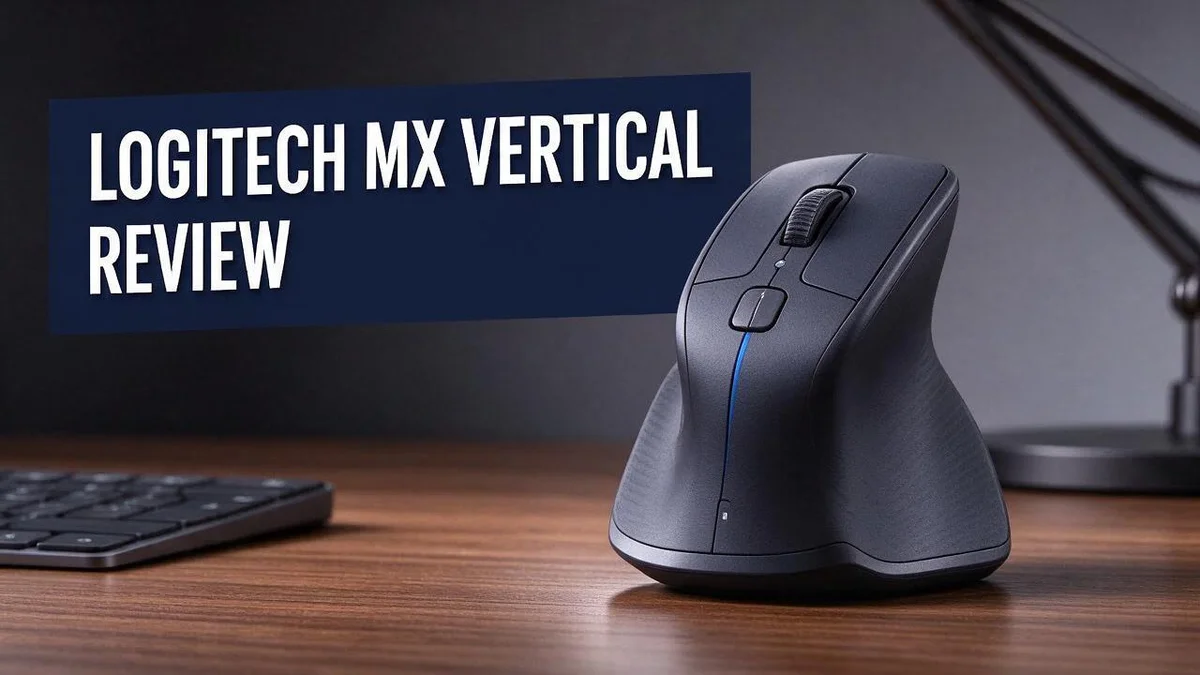
Logitech MX Vertical Review: Is This Ergonomic Mouse Worth It?
Sore wrists can make a long workday feel even longer. Many people search for a mouse that feels easier on the hand. The Logitech MX Vertical is one of the most talked about options.
Its tilted design keeps your forearm in a more natural position. Logitech claims it cuts muscle strain by 10% and reduces wrist pressure. Reviewers have mixed opinions, so let’s look at what real users say.
One reviewer calls it “the most comfortable mouse I’ve ever used.” Another user reports eight years of use with no thumb pain. Still, others report wrist discomfort within minutes.
This guide covers the good, the bad, and who should buy it. Keep reading to see if this vertical mouse fits your hand.
In a Nutshell
-
Right hand design only: The shape suits right handed users best. Left handed users cannot use this mouse at all, so they should look for a different option.
-
Company claims less strain: Logitech says the mouse reduces muscle strain by about 10 percent. Claims like this are helpful, but real comfort depends on your hand size and grip.
-
Lighter build than expected: Some owners say the mouse feels lighter than they expected. The shape also feels different from a standard mouse, so it may take a few days to adjust.
-
Loud clicks: Several people report that the buttons click loudly. This matters if you work in a quiet office or share a room with others.
-
Button wear concern: One owner says the left side volume up button stopped pressing properly after about two years. Check the warranty terms before you buy if durability matters to you.
-
Strong competition: Kensington, Razer, HP, and Logitech Lift all sell vertical mice. Comparing these rivals will help you find the best fit for your hand and budget needs.
Ergonomic Design and Grip

- NATURAL HANDSHAKE POSITION - MX Vertical’s natural handshake position reduces muscular activity by...
- 57° VERTICAL ANGLE FOR IMPROVED WRIST POSTURE - MX Vertical’s unique 57° vertical angle reduces the...
Last update on 2026-11-26 / Affiliate links / Images from Amazon Product Advertising API
Grip style matters more than most people expect. A vertical mouse asks your hand to rest in a handshake position. The way you hold it changes everything.
Hand size plays a big role too. A small hand may feel swallowed by the shape. A large hand might reach too far for the buttons, so measure your hand before you decide. Your hand length matters as well.
The thumb rest deserves attention. Your thumb sits on a raised ledge, so it stays relaxed. That helps many users avoid a tight pinch during long sessions.
Think about your usual grip style. Fingertip users may need time to adjust. Palm users who slide the whole hand across the desk often adapt faster.
Claw grip users may like the shape at first. They should still watch for finger cramps. Stop and shake out your hand if tension builds.
Finger reach also matters. Buttons should sit under your fingertips without stretching. If they feel far away, the grip may tire faster.
Desk setup changes the feel as well. Place the mouse close to your keyboard so your elbow stays near your side. Keep your shoulder relaxed instead of lifting it to reach the pointer.
A soft mouse pad can also reduce friction. It helps your hand glide without extra effort. Check the palm support too. A firm, even surface keeps pressure spread out instead of focused on one spot.
Adjustment takes a few days. Many people feel awkward during the first week because the hand works in a new angle. Short practice sessions help your muscles learn the position.
Take a break every hour. Stretch your fingers, wrist, and forearm before you return to work.
Bottom line: the grip is the real test. Try the mouse for several days, and notice how your hand feels by evening.
Performance and Tracking
Tracking feels different at first. Most people move a vertical mouse with their whole forearm. This change takes practice, but the motion can feel smoother over time. Your forearm does the steering.
Large screens show the difference most.
Your arm does more of the work when you cross the display.
Small, precise moves may feel slow at first, so give your hand time. Wide monitors can feel less accurate at the start too.
Try this simple test. Open a spreadsheet or photo editor and click tiny targets like cells or icons.
If you miss often, slow your movements and lean on your elbow rather than your fingers. Repeat it for five minutes and note your misses.
Fast gaming is a different story.
Vertical designs usually suit office work, browsing, and long writing sessions better.
Your hand stays in a fixed pose, so quick flicks can feel awkward for some players.
Gamers who need sharp aim may want to test a different style first. Try a few quick swipes during the test.
Scrolling also changes. The wheel sits under your thumb and fingers in a new spot.
Spend a few minutes scrolling through a long document before you decide if it feels natural.
Desk surface matters for tracking too.
Shiny or uneven desks can make the cursor jump, so test on your usual surface.
Check your setup before blaming the mouse itself.
Cursor speed also needs a fresh look.
Many people raise or lower the pointer speed early on.
Small tweaks can make big changes to how the mouse feels.
Since the mouse is wireless, keep the receiver close for steady tracking.
In short, tracking feels steady for daily tasks. Precision and speed needs vary from person to person. Test it in your own work before you decide.
Battery Life and Connectivity
Battery life shapes your daily comfort with any wireless mouse. A mouse that dies mid task can break your focus fast. The Logitech MX Vertical is a wireless design, so both power and connection matter.
Our research does not list exact battery hours for this model. Check the official product page for current figures before you decide. Look for clear details on charging time and how long a full charge lasts.
Charging habits decide how much you will notice the battery. Some people plug in overnight. Others top up during lunch breaks. Pick the routine that fits your week.
Keep a charging cable within easy reach. A short cable on your desk saves time when the battery runs low.
Connectivity controls how smoothly the cursor moves. A stable link keeps every click on time. Wireless mice usually connect through a small receiver or a Bluetooth pairing.
Check your computer ports before you buy. Laptops with few open ports may struggle to fit a receiver. Desktop users often have more room.
Test the connection at home. Move the mouse across your desk and watch for stutter or delay. Try it near other wireless devices too, since interference can cause drops.
Distance matters as well. Sit within a comfortable range of your computer. Thick walls and metal objects can weaken the signal.
A mouse that connects quickly saves time after you wake your computer. Fast reconnection helps when you return from a break.
Ask yourself a few simple questions. How often do you work away from a power outlet? Do you switch between two computers? Your answers reveal which features matter most.
In short, check battery and connection details before you buy. Your daily routine should guide the final choice.
Top 3 Alternatives
Logitech Lift

- Lift yourself up: When the desk life gets you down, lift yourself up with Logitech Lift Vertical Ergonomic...
- Raise your hand into comfort: Rest on Lift upright mouse throughout the day, with a softly textured grip and...

Last update on 2026-11-26 / Affiliate links / Images from Amazon Product Advertising API
If you want a smaller vertical mouse, the Logitech Lift fits the job. It suits smaller hands well and feels light in use. Its quiet clicks make it a good pick for shared offices or late-night work.
It connects over Bluetooth or a small USB receiver. You can pair it with several devices and switch between them easily.
Anker Vertical Mouse

- Experience enhanced comfort and productivity with the Anker 2.4G Wireless Vertical Ergonomic Optical Mouse...
- Enjoy superior sensitivity and precision with this wireless mouse. It boasts 800/1200/1600 DPI Resolution...
Last update on 2026-11-26 / Affiliate links / Images from Amazon Product Advertising API
The Anker Vertical Mouse offers a simple upright grip. It keeps your wrist in a more natural position during long workdays. Many users like its clear button layout and smooth scroll wheel.
It runs on a rechargeable battery and supports adjustable DPI settings. You can change pointer speed for detailed tasks or quick browsing.
Evoluent VerticalMouse 4

- Ergonomic Design for Wrist Comfort – The Evoluent VM4RW Vertical Mouse 4 gently supports your hand in an...
- Programmable Buttons for Personalized Use – Easily customize button functions using the included Evoluent...
Last update on 2026-11-26 / Affiliate links / Images from Amazon Product Advertising API
The Evoluent VerticalMouse 4 takes the upright idea further. Its steep tilt holds your forearm in a handshake position. Many people with wrist discomfort find this shape especially helpful.
It fits larger hands comfortably. Its buttons sit where your thumb and fingers naturally rest, so you rarely need to reach. Choose it if comfort matters more than a compact size.
Build Quality and Click Feel
Build quality shows how a mouse holds up over time. The MX Vertical gets mixed signs here. One user reports eight years of steady use, which says a lot about its durability.
Weight is the first thing to notice. Some users find the body lighter than they expect. A light mouse can feel less grounded during quick moves. If you prefer a heavier feel, hold it before you decide.
The side buttons need a close look. One user says the left side volume up button stopped pressing properly after about two years. Side buttons get pressed many times each day, so wear can show up early. Test every button during the first few weeks.
Click feel changes how the mouse sounds at your desk. Some reviewers describe the clicks as loud. In a quiet office, that noise can pull attention from coworkers. Quieter clicks suit shared spaces better.
Our research does not list exact click force or switch type. That means you must test the feel yourself. Press the left and right buttons several times. Listen for a sharp, even sound. Feel for any mushy spot or delay after each press.
The scroll wheel deserves the same care. Roll it slowly, then fast. A wheel that skips or feels rough will annoy you every day.
Quality control matters as much as design. Buy from a seller with easy returns. Keep your receipt and warranty papers. If a button fails early, you can get a fix without stress.
Click quality also affects long sessions. Harsh clicks can feel tiring after hours of writing. Soft, even clicks let your finger rest lightly. Notice how your index finger feels after twenty minutes of work.
A simple daily check keeps things smooth. Wipe the buttons and sides with a dry cloth each week. Dust and oil can make clicks feel sticky over time. Clean gear lasts longer and feels better.
Compatibility and Setup
Setup begins with fit. Your hand must match the curve of the shell. A mouse that feels right in a store can feel different after an hour at your desk.
Handedness matters more than most buyers expect. The arch suits the right hand only. Left handed users cannot use this model well, so they should look at a symmetrical design instead.
Your desk layout shapes the result. Leave enough room for your forearm to move freely. Many people rest their elbow on the desk while they work.
Set your forearm angle first. Sit with your elbow near your side. Let your forearm rest at a slight slope, and keep your wrist loose.
Pairing takes only a few minutes. Turn the mouse on, then follow your computer prompts to connect it. Once paired, open your system settings and adjust the pointer speed to suit your screen size.
Software tweaks can help. Your operating system lets you change the double click speed and scroll behavior. Start with small changes, and test each one for a day.
Compatibility needs a quick check. Our research does not list supported operating systems for this model. Read the product listing carefully, and confirm that your computer meets the stated requirements.
Think about your daily work. Writers, designers, and office staff often sit still for long hours. A mouse that suits steady work will serve you better than one built for fast gaming.
Check how the mouse sits on your surface. Laptop users often place the device on a small pad. A wider mat gives the arch more space to rest.
Plan a short adjustment period. Most people need a few days to feel at home with a new shape. Use the mouse for simple tasks first, then move to longer projects.
Keep your old mouse nearby for now. Switching back and forth helps you judge comfort fairly. Pick the one that feels better after a week.
Record your first week of use. Note any pain, numbness, or sore spots. Those notes will help you decide whether the fit truly works for you.
Pros and Cons
Pros
- The vertical shape keeps your hand in a natural handshake position.
- The company claims it reduces muscle strain by 10 percent.
- RTINGS calls it a decent mouse overall.
- One long term user reports no thumb pain after 8 years.
- Some users feel relief from wrist numbness.
- One reviewer calls it the most comfortable mouse they have used.
Cons
- Some users feel wrist discomfort within minutes.
- Left handed shoppers cannot use it at all.
- Comfort varies a lot, so reviews do not agree on the fit.
Who Should Buy It
This mouse suits a certain type of buyer. It works best for people who spend long days at a computer.
Right handed users get the most from it. The shape rewards a relaxed grip, so your hand rests much like it does during a handshake.
Desk workers, writers, and analysts often sit for hours at a time. A vertical design may help them keep a more neutral wrist position.
Shoppers with wrist strain should look at this first. If a standard mouse leaves your forearm sore, a vertical shape may feel like a clear step up.
Think about your daily routine too. Count how many hours you spend clicking, scrolling, and dragging files. Heavy users feel the difference most.
Small office teams can also benefit. Staff who complain about wrist fatigue may welcome a change.
Trackpad users may need extra time. Your hand has to learn a new grip. Give it a full week of daily use before you judge it.
Households that share one computer need a different plan. Anyone who switches hands often should choose a symmetrical design instead.
Fast gamers may prefer a different shape for quick flicks. Designers should compare options carefully. Our notes do not include precise tracking figures, so check those details yourself before you commit.
Ask yourself one question before you order. Does your current mouse leave your hand tired by noon? If yes, this model deserves a look.
A good rule is simple. If you sit for most of your workday and use your right hand, this mouse deserves a serious look.
Final Verdict
Here is our final take on the Logitech MX Vertical. It is a strong pick for many people, but it has clear downsides. Think of it as a good match for certain daily users.
Build quality deserves a close look. Some owners describe a lighter feel than they expected. One user also saw a side button stop pressing properly after about two years. If you plan to use this mouse every day for years, check the buttons after a few weeks and keep that in mind.
Noise is another factor. The clicks are loud enough to bother coworkers in a shared office. Quiet home setups and libraries may find them distracting, too.
Rival options deserve a look before you buy. Several vertical mice compete in this space, including the Logitech Lift Vertical, the Kensington Vertical Ergonomic, and the HP 920 Ergonomic Vertical. Each one offers a similar upright shape, so compare build, noise, and feel side by side.
Our verdict is simple. This mouse fits people who sit at a desk for long hours and want a relaxed grip. It suits those who value comfort more than a light feel.
Who should buy it:
– Desk workers who spend most of the day on a computer
– Writers and analysts who need steady, all-day comfort
– People who feel strain from a flat mouse
Who should look elsewhere: People who want a very light mouse or a nearly silent click may prefer a different model. Shoppers who need a quiet workspace should also test the sound first.
Our final tip is simple. Buy from a seller with an easy return policy. Then use the mouse for a full week on your own desk. That way you can judge the fit and sound with real, everyday use.
Frequently Asked Questions
Will a vertical mouse fix my wrist pain on its own?
No mouse fixes pain alone. Pair it with good habits. Take short breaks every hour, keep your elbows close to your sides, and set your screen at eye level. These steps often help more than the mouse shape alone.
Which side buttons should I check first?
Press each side button several times right after you unbox the mouse. One owner noticed that the volume-up button stopped clicking properly after about two years. Test every button early so you know how it feels.
Which rivals should I compare it with?
Many shoppers compare it with the Kensington Vertical Ergonomic, the Logitech Lift Vertical, and the ProtoArc EM11. Each model has a slightly different grip size and shape. Pick the one that sits naturally in your palm.
How can I tell if my hand fits the grip?
Rest your hand on a table in a relaxed handshake shape. If your thumb or fingers feel bent or stretched, the grip may not suit you. Use the mouse for a full workday if you can. Notice any tension in your forearm or shoulder during that time.

Dillip is the founder and editor of DillipWeb.com, where he simplifies the world of AI software, tech gadgets, and accessories through honest reviews, detailed comparisons, and easy-to-follow guides. With a deep passion for emerging technology, he helps everyday users make smarter, more informed tech decisions.


