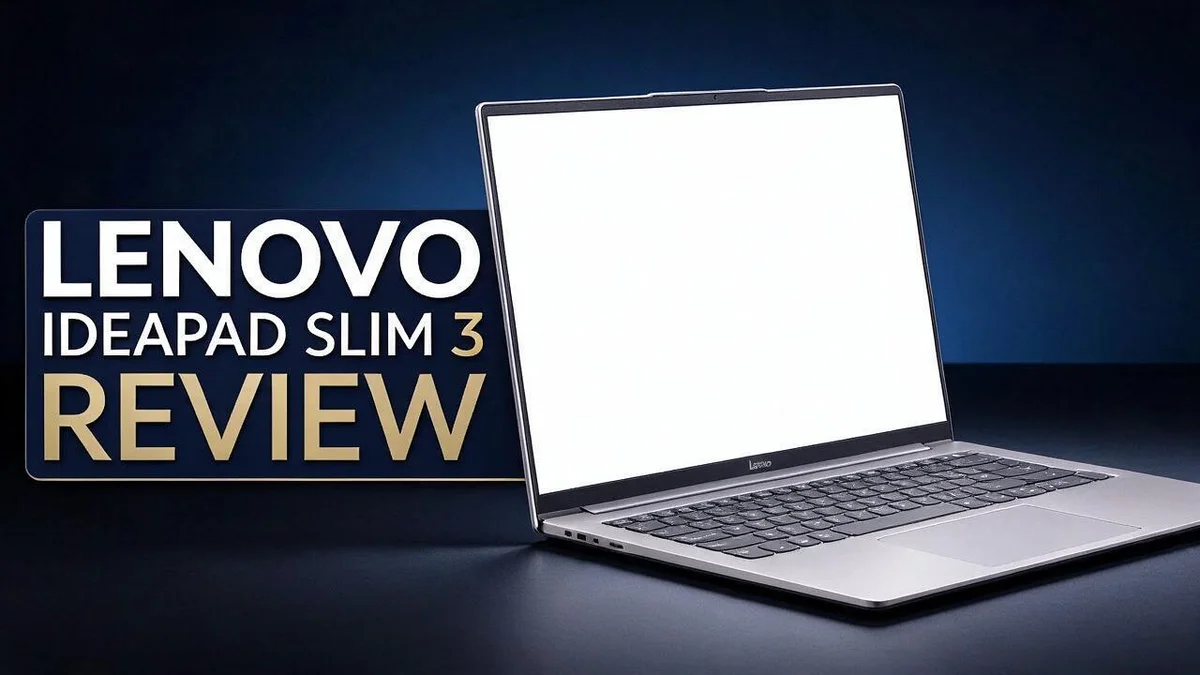
Lenovo IdeaPad Slim 3 Review: Performance, Display, Battery Life and Verdict
Are you looking for a laptop that handles daily work and fun? The Lenovo IdeaPad Slim 3 deserves a closer look.
This model comes in several configurations. You can pick a 15 inch Intel Core 5 chip with 16GB of DDR5 memory. Another version uses an AMD Ryzen 7 processor with a 2TB SSD and a bright touch screen.
Many users praise the strong battery life and quick charging. The speakers get loud, and the webcam works well for video calls.
In this review, we cover the design, performance, and key strengths. We also share where this laptop falls short. Read on to see if it fits your needs.
In a Nutshell
- Sturdy build: The chassis feels solid and handles daily travel well. It can take the bumps of a busy school or office bag.
- Loud speakers: Music and videos sound full and clear. You can enjoy movies without extra gear, and the decent webcam helps with video calls.
- Bright, matte display: The screen stays easy to see in bright rooms. It also skips PWM flicker, which helps your eyes feel more relaxed during long sessions.
- Strong battery life: Many users say it lasts through a full workday. Fast charging gets you back up to speed quickly when you are short on time.
- Multiple configurations: You can choose a 15 inch model with an Intel Core 5 chip or an AMD Ryzen 7 with 16GB RAM. Some versions also offer a 14 inch Zen4 model with two SSD slots and next gen wireless.
- Things to check: The DDR5 memory runs a bit slow, and the older 10 nm chip process trails newer rivals. Pick at least 16GB RAM because the 8GB setup often feels limited for multitasking.
Design and Build
Your laptop goes almost everywhere with you. It sits on a desk, rides in a bag, and rests on your lap.
That daily use makes the design matter just as much as the specs.
Expansion gives this model a real edge. The 14 inch Zen4 version offers two SSD slots and expandable RAM.
You can add storage or memory later. You do not need to replace the whole machine.
Upgrade options differ by version, so check the exact model before you buy.
The matte screen helps your eyes. This panel avoids PWM flicker.
Long sessions feel easier on the eyes, especially late in the day.
One listed version adds a touch screen. Touch input helps with quick scrolling and simple navigation.
Memory size affects daily comfort. The 8GB setup with 256GB storage leaves little room for multitasking.
Browser tabs, video calls, and documents can fill that memory fast. If you plan to keep the laptop for years, choose 16GB.
Portability deserves a closer look too. A slim frame slides into a backpack without much fuss.
Frequent travelers will appreciate how easily it fits into a crowded bag.
Ports and connectivity need a check. Confirm which ports your model includes before you buy an accessory.
Many people use a hub or dock for monitors and external drives. Think about your desk setup before you commit.
Heat and noise also matter. Long work sessions show how a chassis handles warmth under load.
A good design balances looks and function. The clean lines suit classrooms, offices, and home workspaces alike.
Design choices shape daily use more than many people expect. Pick the version that fits your routine, and the build will serve you well. If you can, test the feel in person first.
Performance Across Configurations
Performance depends on the version you pick. Your daily tasks should guide that choice.
Light users can start with the Ryzen 3 model. It has 8GB RAM and 256GB storage. Simple jobs like email, web browsing, and document editing run without trouble.
Heavy tabs or large files will slow it down, though. Many open windows can feel crowded fast.
Students and office workers often prefer the 16GB models. Extra memory keeps several apps running at once. Switching between tasks feels smoother during a busy day.
Creative users may like the Ryzen 7 version. Its 2TB SSD holds plenty of photos, music, and project files. Storage space rarely becomes a problem with this setup.
The Intel Core 5 model sits in the middle. It suits mixed work and play. Office apps and streaming feel steady.
Video calls work well on every version. The speakers and webcam help during meetings, so you can focus on the conversation.
The 14 inch Zen4 model brings a speedy processor into the mix. Quick app launches and fast file transfers keep your workflow lively. Fans of efficient performance will enjoy this option.
Gamers should set realistic expectations. This laptop focuses on productivity and media. Casual games and simple titles fit best.
Before you decide, list your top three apps. Compare those needs with the memory and storage in each version. This simple step leads to a happier long term experience.
Display and Audio
Your screen shapes almost every task you do. Choose a size that fits your habits. The 15 inch models give you more room for side by side windows, which helps when you compare notes or edit documents.
Think about where you will use it. A desk setup lets the speakers reach your ears clearly. On a bed or couch, soft surfaces can muffle the sound, so place the laptop on a hard table when you want the fullest audio.
Headphones still matter for focus. Speakers work well for shared movies or quick videos. For long study sessions or late night shows, however, a pair of headphones keeps the room quiet for others.
Calls sound better with a headset. The built in webcam handles simple video chats with ease. Busy cafes and open offices add background noise, so a headset with a microphone keeps your voice clear for the other person.
Sound settings can help. Many laptops offer audio presets or equalizer options in the software. Try a voice focused setting for calls and a music setting for songs. Small changes can make the sound feel fuller without any extra hardware.
Touch input is worth a closer look. Only one listed version adds a touch screen. If you like tapping photos or flicking through notes, check that exact model before you choose. Ask yourself how often you would use it each day.
Brightness helps in more places. The panel handles bright rooms well. Near a window with direct sun, you may still need to tilt the screen or lower the glare. Test the screen in your usual spot, if possible, before you decide.
Try a quick media test. Play a song you know well and a short video you enjoy. Listen for thin bass, harsh highs, or muffled voices. Play it at half volume and again at full volume. Your own ears tell you more than any spec sheet can.
Top 3 Alternatives
Acer Aspire 5

- 【Unleash Powerful Performance】Elevate your experience with the Acer Aspire 5 Laptop featuring an Intel...
- 【15.6" Touchscreen FHD IPS Display】 15.6" FHD IPS (1920x1080) Anti Glare Display with 85% screen-to-body...
Last update on 2026-11-14 / Affiliate links / Images from Amazon Product Advertising API
The Acer Aspire 5 is a solid pick for students and everyday users. It offers a clear display and quick performance for web browsing, documents, and streaming. It also has a sturdy build that feels good in daily use. Its keyboard feels comfortable for long notes or emails. Battery life suits a full day of light work for many people.
ASUS Vivobook 15

- Stunning Full HD Display: 15.6" Full HD screen with an 84% screen-to-body ratio brings your videos, games, and...
- Power to Get Things Done: Intel Processor N150, 4GB RAM, and 128GB storage let you breeze through...

Last update on 2026-11-26 / Affiliate links / Images from Amazon Product Advertising API
The ASUS Vivobook 15 is a slim laptop with a sharp look. Its large screen gives you plenty of room for multitasking. You can also expect a comfortable keyboard for long typing sessions. The laptop keeps its weight low, so carrying it to class feels easy. It works well for school, home office tasks, and casual gaming on lighter titles.
HP Pavilion 15

- Efficient Performance for Everyday Computing Powered by Intel N150 processor (4-core, 4-thread, up to 3.6GHz...
- Portable 14-Inch HD Display with Micro-Edge Design Work and learn comfortably on the 14-inch diagonal HD...
Last update on 2026-11-26 / Affiliate links / Images from Amazon Product Advertising API
The HP Pavilion 15 brings a balanced mix of style and function. It handles email, video calls, and spreadsheets with ease. Its backlit keyboard helps when you work in dim rooms. Its thin frame fits well in a backpack. Many users like its clean design, and setup takes only a few minutes so you can start working fast.
Battery Life and Charging
Battery life often decides how you use a laptop each day. Many reviewers call the IdeaPad Slim 3 strong in this area. You can keep working through a long morning or a full class day without hunting for an outlet.
Fast charging helps when time is short. A quick top up during a coffee break can give you enough power for an hour or two of light tasks. This feature suits people who move between meetings, classes, and home desks.
Your daily habits shape how long the battery lasts. Video streaming, heavy browsing, and bright screens use more power. Simple changes help. Lower the brightness when you can. Close apps you do not need.
Windows power modes give you more control. Balanced mode suits most days. Battery saver mode stretches your time away from a charger when you need it. Check these settings before a long trip.
Keep your charger close. Carry the original power adapter in your bag. The right charger keeps charging steady and protects the battery over time. Store the laptop in a cool spot, since heat wears down batteries faster.
Plug in when you can during long projects. Many people let the battery drop to nearly empty, but partial charges are gentler on the battery. Try to recharge once the level falls to about twenty percent.
Battery life can drop as the laptop ages. Plan for this change by noting how long a full charge lasts after a year of use. A simple check like this keeps you ready for your next trip.
Connectivity and Upgradability
Connectivity matters more than many buyers expect. Your work often depends on cables, wireless links, and small accessories. Let’s look at what this laptop offers and where upgrades fit in.
Wireless links keep you online. The 14 inch Zen4 model supports the latest wireless standard, which helps with fast downloads and steady video calls. Other versions still connect well for email and everyday browsing.
Ports make accessories easy. Most people plug in a mouse, a second monitor, or a flash drive each day. Check that the ports on your chosen model match your gear. A small hub can fill any gaps.
Memory upgrades depend on the model. Only the 14 inch Zen4 version lists expandable RAM. The other versions do not mention this option, so choose the memory size you need from the start.
Storage leaves room to grow. The 14 inch model includes two SSD slots, so you can add a second drive later. This helps when photos, videos, and project files fill up the first one.
Plan for simple maintenance. Always read the manual before you open the case. A rushed upgrade can damage parts or affect your warranty. Work on a clean desk and use gentle hands.
Bluetooth helps with everyday gear. Pair wireless earbuds, a keyboard, or a mouse in seconds. Keep your drivers updated so pairing stays smooth and reliable.
External drives fill the gaps. A portable drive gives you extra space for backups and large files. Pick one that connects through the ports you already have.
Wireless accessories keep your desk tidy. Wireless mice and keyboards reduce cable clutter. They also free up ports for other devices you use often.
Choose the setup that fits your desk. Good connections make daily work feel easy. Think about the cables and gadgets you use most, then pick the model that supports them.
Pros and Cons
Pros
- Sturdy build feels solid for everyday travel and daily use.
- The matte screen has no PWM flicker, which can feel easier on the eyes.
- The Zen4 processor delivers speedy performance for everyday tasks.
- Many users notice quick app launches and smooth browsing.
Cons
- The DDR5 memory runs slower than many buyers expect.
- The 10 nm chip process is older than some newer rivals.
- The 8GB version feels limited for heavy multitasking.
Who Should Buy It
Students on a daily schedule will find this laptop easy to live with. Notes, essays, and online lectures all run smoothly. It fits neatly into a backpack between classes.
Home office workers who handle email, video calls, and spreadsheets should feel at home here. A 15 inch screen gives extra room for spreadsheets and split windows.
Families sharing one computer get a practical option. Kids can browse, study, and stream while parents keep their own files separate.
Remote learners who attend video classes at home may enjoy the speakers. Clear sound helps during group calls and recorded lessons.
First time laptop buyers often feel unsure about specs. This model keeps the choice simple for everyday tasks like email, photos, and web research.
Teachers and tutors who prepare lessons on the go can use it for slides and grading. The screen handles document work with ease.
Hobbyists and casual photo editors can handle light edits here. Large files may slow the system down, so keep projects small.
Anyone on a relaxed schedule will find this laptop enjoyable. Daily tasks feel calm and steady, which makes everyday use less stressful.
Who should look elsewhere? Video editors and serious gamers need more power than this model offers. Heavy creative work can push the processor over long sessions.
Buyers who want a desktop replacement may outgrow this model quickly. A laptop this size suits portable work better than a full desk setup.
Business professionals with strict work needs may prefer the ThinkPad T14 Gen 6 instead. Compare the models side by side before you decide.
Shoppers comparing options can also look at the Lenovo ThinkPad E16, Acer Aspire 14 AI, and Asus Vivobook. Each one serves a similar everyday user well.
Read the listing carefully. Check the processor, memory, and storage before checkout so the setup matches your daily needs.
Final Verdict
The Lenovo IdeaPad Slim 3 earns a spot on the shortlist. It handles browsing, documents, and video calls with ease.
The right configuration makes the biggest difference. Look closely at memory and processor before you choose. A 16GB model feels far smoother than the 8GB version for multitasking.
The bright display and fast charging help during a busy day. You can work near a window and top up the battery quickly between classes or meetings.
The 15 inch screen gives spreadsheets and documents more room. Side by side windows feel less cramped than on smaller screens.
The decent webcam keeps video calls clear. Colleagues and teachers can see and hear you without fuss.
Competitors offer strong alternatives. The Lenovo ThinkPad E16 and Acer Aspire 14 AI target similar users. Compare keyboard feel, port layout, and upgrade options before you commit.
The Asus Zenbook A14 and Vivobook models are also worth a look. Shoppers who value portability should compare them side by side. Compare screen size, weight, and keyboard comfort in person.
Business users may also look at the Lenovo ThinkPad T14 Gen 6. It suits people who want a more professional feel.
If you need serious processing power for creative work, consider a higher tier model.
Every buyer weighs these points differently, so match the specs to daily tasks. Take your time and compare two or three options before you decide. A clear list of must have features makes the choice simpler.
Final tip: Read reviews of the exact variant you plan to buy. Model names and specs vary across stores, so double check the listing.
Ultimately, the IdeaPad Slim 3 delivers reliable performance for school, office, and home use. It rewards buyers who pick the right specs from the start.
Frequently Asked Questions
Which version should I pick first?
Start with the memory and processor. A 16GB model with a Ryzen 7 chip gives you more room for everyday work. Check the spec label before you choose.
Can I upgrade the memory later?
Some versions allow it. The 14 inch AMD Zen4 model has expandable RAM and two SSD slots. Check the spec sheet for your exact model.
Does one version include a touch screen?
Yes. The 15.6 inch AMD model offers a touch display with Full HD resolution. Touch makes quick scrolling and tapping easy.
Can I play games on this laptop?
Light games, such as puzzles and older titles, should run well. Newer and heavier games will likely struggle. If gaming matters most, look at a higher tier model.
How long does the battery last?
Many owners report strong battery life for a full school or work day. When power runs low, fast charging gets you back up quickly.

Dillip is the founder and editor of DillipWeb.com, where he simplifies the world of AI software, tech gadgets, and accessories through honest reviews, detailed comparisons, and easy-to-follow guides. With a deep passion for emerging technology, he helps everyday users make smarter, more informed tech decisions.