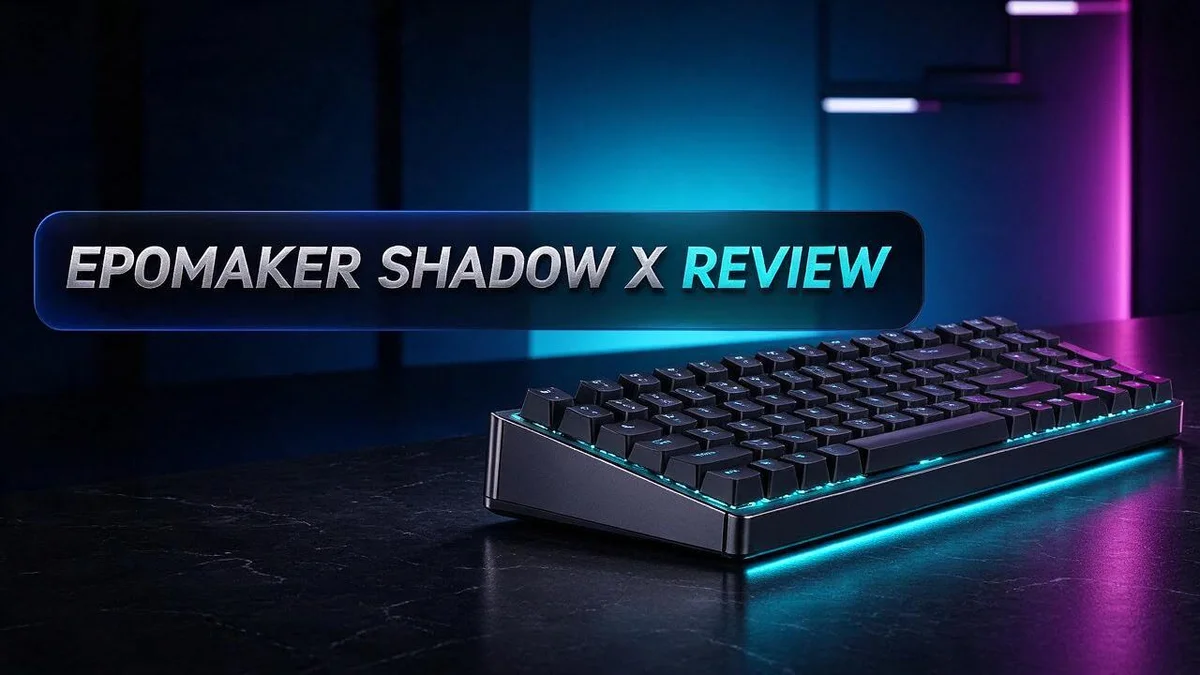
Epomaker Shadow X Review: Gasket-Mounted 70% Mechanical Keyboard Tested
Looking for a compact keyboard that fits almost anywhere? The Epomaker Shadow X could be your next pick. It uses a 70% layout, so you keep the arrow keys without the bulky number pad.
Sound matters too. This board offers a rich tone that rivals custom keyboards. Its gasket-mounted build helps create a quiet, reassuring click.
Here is what this review covers. We look at the design, the switches, the battery, and the connection options. We also share where the keyboard shines and where it falls short.
Whether you type for work or play, this guide helps you decide.
In a Nutshell
- Small footprint: The Shadow X uses a 70 percent layout with a US ANSI arrangement. It fits tight desks and still keeps arrow keys close by for quick movement.
- Smooth typing feel: A gasket mounted frame and a quiet, reassuring click make typing calm. Many users say the sound rivals custom keyboards, which is a strong win for typing lovers.
- Flexible connections: Pair it through 2.4GHz, Bluetooth, or USB C wired mode. This suits office work, daily tasks, and casual gaming sessions.
- Solid battery life: The 3000mAh battery lasts about 7 to 8 hours with LEDs on. Turning off the lights stretches that time for longer days away from a charger.
- Limited light show: Fans of bright RGB effects may feel let down. The south facing LEDs suit a simpler look better than a full party of colors.
- Software and switches: The software feels clunky at times. Stock switches are plain, so MX Red style switches are the closest comparison point for buyers who want a feel they know.
Design and Build

- Compact Size, Function Core: With 80 programmable keys and a customizable screen, the F75 Max upgrades from...
- Stylish and Ergonomic: Say goodbye to wrist strain and finger fatigue, as this Cherry-profile keyboard becomes...

Last update on 2026-11-26 / Affiliate links / Images from Amazon Product Advertising API
Design is where the Epomaker Shadow X makes its first impression. The shape feels neat and clean on the desk. Many people will appreciate that simple, focused look.
Good design also supports daily comfort. A compact frame keeps your wrists closer to a natural position. Your mouse also gets more room during long work sessions. A tidy frame also keeps the desk looking organized.
Desk space matters too. A smaller board leaves room for notebooks, mugs, and a notepad.
The small display stands out right away. You can set it to show what matters to you. Many users enjoy that personal touch on a home or office desk.
Hot swap sockets make this board a joy for tinkerers. You can pull out a switch and push in a new one without soldering. Testing different feels takes only a few minutes. Many beginners find this feature exciting.
Sound also comes from smart build choices. Poron foam sits inside the case and softens the noise. This helps the keys feel dense and controlled instead of hollow.
The knob adds another physical control to the board. Turning it feels natural, and it saves you from digging through menus.
Think about your daily routine before you choose a board like this. If you travel often, the compact body fits into most bags. If you work at a fixed desk, the screen and knob may matter more.
Repairs also feel less stressful with this design. A worn switch can be swapped in minutes instead of sending the board away. That freedom keeps your setup useful over time.
Cleaning and upkeep feel simple too. Dust can slip under keys, so a soft brush helps. Regular care keeps the board looking sharp on your desk.
Overall, the design suits people who value clean looks and hands on tweaks. It may not match every taste, but it covers many needs well.
Switches and Typing Sound
Stock switches shape how every key feels. Many users find them plain. The research describes them as “nothing to write home about,” which makes them a fair starting point.
A good sound makes typing more enjoyable. Some people like a deep, even tone. Others want a lighter, airy clatter. Your ears decide what feels right.
Think of MX Reds as the closest comparison. Reds are linear switches. They press down smoothly with no bump in between.
Fans of a light, quick touch often enjoy that feel. Someone who wants a crisp tap may look elsewhere.
Sound changes with every switch choice. A linear switch gives a steady, softer tone. A tactile or clicky switch adds a bump and a sharper sound.
Shared spaces raise the stakes. A loud keyboard can bother coworkers or family members nearby. A quieter switch may keep the peace in an open office.
If you work alone, you can pick whatever sounds best to you. Your comfort matters most.
Long typing sessions bring another factor. Some switches feel tiring after hours of use. A smooth press may reduce finger strain.
A heavy or sharp bump may slow you down over time. Notice how your hands feel after a long writing session.
Test before you decide. Type a paragraph or two and listen closely. Notice whether the sound feels pleasant or harsh.
Typing sound also affects focus. Some people write better with a soft, steady rhythm in the background. Others prefer a crisp sound that feels energetic.
Neither choice is wrong. The right pick depends on your habits and surroundings.
Overall, the stock switches work as a solid base. You can keep them for everyday tasks or swap them later. Either way, the typing sound will shape how you feel at your desk each day.
Connectivity and Battery Life
Wireless freedom sounds great until the battery runs low. Smart habits help you plan your day with less stress.
The Shadow X gives you simple tools for managing power. The knob and FN shortcuts let you dim or switch off the backlight quickly.
Lowering the brightness during long work blocks saves energy. A dimmer board keeps the charge steady while you write emails or code.
Charging fits easily into a calm routine. Plug in the USB C cable overnight or during lunch so the board stays ready.
Short charging breaks also fit neatly into busy days. Plug in while you eat or take a quick call.
Wired mode works as a reliable backup. If the charge runs out during a meeting, a cable keeps you typing with no pairing delay.
Office workers often switch between a laptop and a desktop. Keep one wireless link for daily tasks and use the cable when you need a steady connection.
Stable signals start with good placement. Keep the wireless receiver close to the board and away from crowded wireless zones.
Metal desks and thick walls can weaken a signal. Move the receiver to a clear spot if your typing feels delayed.
Travel adds another layer to your routine. Pack the cable in your bag so you can keep working if the charge drops in a café or on a train.
Good habits protect both your connection and your charge. Turn the board off when you step away for a long break, and you preserve power for the next session.
Battery checks fit into your weekly routine. Note how the charge holds on busy days and adjust your lighting to match.
Overall, the Shadow X handles connections and power with a practical mindset. You can switch modes, dim the lights, and keep a cable nearby for peace of mind.
Top 3 Alternatives
Looking for a different keyboard? These three options make strong alternatives to the Epomaker Shadow X.
Keychron K2
Keychron K2 is a compact wireless keyboard with a 75 percent layout. It fits well on small desks and travels easily in a bag. It works with both Mac and Windows, so you can switch between devices with ease. Many people also like its sturdy frame and smooth typing feel.
Redragon K552

Last update on 2026-11-26 / Affiliate links / Images from Amazon Product Advertising API
The Redragon K552 uses a tenkeyless layout, which means it skips the number pad. This gives you extra room for your mouse, which helps during long gaming sessions. It connects with a wired cable, so you never worry about battery life. Its backlit keys add a fun touch to any setup.
Royal Kludge RK61

- 60% Compact, Portable Size — The ultra-minimalist 61-key layout reclaims precious desk space, providing more...
- Versatile 3-Mode Connectivity — Seamlessly toggle between Bluetooth 5.0, 2.4GHz wireless, and USB-C wired...
Last update on 2026-11-26 / Affiliate links / Images from Amazon Product Advertising API
The Royal Kludge RK61 is a 60 percent keyboard that stays very small and light. It offers both Bluetooth and wired modes, so it works well at home or on the go. Its compact size suits people who want a clean, minimal desk. Some versions also support hot swappable switches, which lets you customize your typing feel.
Each of these keyboards offers a solid typing experience. Think about your desk space, your daily tasks, and your connection needs. Then choose the option that fits you best.
Lighting and Display Features
Lighting on the Shadow X sets a calm mood for your desk. The board uses south facing RGB LEDs, so you can switch between many colors. Each light sits beneath its key, which helps the glow stay even.
The top of the board also includes a customizable display screen. This small screen shows you key details at a glance. You can adjust what it shows to match your own style and workflow.
Backlight control comes through FN shortcuts. You can change brightness or effects without digging through menus. This setup keeps the most common lighting changes within easy reach while you type.
The lights also draw power from the battery. Battery life drops to about 7 to 8 hours when the LEDs stay on. Keep this in mind if you plan long days away from a charger.
Some buyers want a bold light show, and this board may not meet that goal. The lighting feels more subtle than flashy. Anyone who wants dramatic effects may feel let down.
The software that controls the display can feel clunky. Expect a short learning curve before you feel comfortable. Take your time with the settings, and the process gets easier.
A soft glow also suits shared spaces. Bright flashes can distract coworkers nearby during calls or meetings. Gentle lighting keeps the desk feeling calm and focused.
Overall, the lighting suits people who value clarity over spectacle. If you want a quiet, clean look, this feature set works well. If you crave a loud light display, you may want to look elsewhere.
Software Experience
Software often decides how smooth a keyboard feels day to day. The Shadow X asks for a little more patience during its first setup. Expect some time spent in menus before everything feels natural.
The first step usually involves getting the right software on your computer. Look for the official download on the maker’s website. Avoid random links from unknown sites.
New users may find the layout of options a bit crowded. Labels can feel small or unclear at first. Taking a few minutes to explore each tab helps a lot.
Remapping keys is where the software really matters. Assigning a new function to a key takes a few clicks, but the steps may not feel intuitive. Write down your changes so you can repeat them later.
After you finish a setup, save the profile to your computer if the software allows it. This way, you can restore your settings after a reset or a system update.
Firmware updates bring another layer to the experience. Updates can fix bugs and improve how the board responds. Check for new versions every few months, and read the notes before you install anything.
Driver conflicts sometimes appear on certain systems. If the board does not respond in the software, restart your computer and reconnect the cable. A quick reboot solves many small problems.
Some users prefer to skip the software completely. The board still works with its default settings right out of the box. This gives you a simple option when you want to avoid the menus.
Patience pays off over time. Once you learn the menu paths, changes take only seconds. Most people find a comfortable routine after a few sessions. Start with one small change, then build from there.
Pros and Cons
Pros
- The sound profile rivals pricier custom keyboards.
- The compact 70 percent layout frees up desk space.
- Connectivity covers 2.4GHz, Bluetooth, and USB C wired modes.
- The quiet feel comes with a reassuring click.
- Hot swap switches let you change switches without soldering.
Cons
- The stock switches feel plain, so many users want to swap them.
- Battery life drops to about 7 to 8 hours with the LEDs on.
- The compact size means fewer dedicated keys for some users.
Who Should Buy It
Writers, coders, and students often type for hours each day. This board suits people who want a comfortable typing rhythm during long sessions.
People who already know mechanical keyboards will feel at home here. They can skip the basics and move straight to tweaking the setup.
Shared spaces also fit well. A quiet typing sound helps when roommates sleep nearby or coworkers sit close by.
Students in dorms face tight desks and thin walls. A compact board helps them fit a full typing setup on a small surface.
Anyone who needs arrow keys but not a number pad will appreciate this layout. A 70 percent board keeps the arrows and most function keys in place.
Teachers and presenters can use the compact frame to save room on a lectern. A small board leaves space for notes, a tablet, or a cup of tea.
Remote workers who join many video calls can rely on wired mode. A cable gives a steady link when the battery needs a break.
Night owls who draft emails or stories after midnight will appreciate the calm sound. Late night work feels more relaxed with a keyboard that stays quiet.
Hobbyists who enjoy building boards get a clean base for future projects. They can experiment without a big commitment.
This board may not suit everyone. Buyers who need a full number pad for spreadsheet work should look at other models.
Shoppers who want a plug and play setup with no tinkering may feel stretched. The keyboard rewards people who enjoy learning their gear.
Anyone who wants one keyboard for work, school, and home can use this board in each place.
In short, this board fits typists who value sound, comfort, and room to customize. Think about your daily routine before you decide.
Final Verdict
The Shadow X earns a place on many desks. It suits people who want a clean, quiet keyboard without flashy extras. It does not try to be everything at once, and that focus helps it shine.
Think of this board as a lasting companion rather than a quick fling. Hot swap sockets mean your typing feel can change as your tastes grow. You can start with the stock setup and rework it later.
Light lovers should look elsewhere. The lighting stays subtle, so anyone chasing a dazzling glow may feel let down. This board rewards those who prefer function over fireworks.
Travel fans may also appreciate the design. The compact frame slides into a backpack with ease. Turning the lights off helps the battery last longer.
Typing comfort stands out over long sessions. A gasket mounted build keeps the feel steady and calm. Many people find their fingers feel less tired after a long writing session.
Buyers who want a plug and play experience with zero tinkering may feel stretched. Those who enjoy customizing will feel right at home. Matching the board to your habits makes the decision simple.
Gift shoppers may also find this board a thoughtful pick. It arrives with a clean look and a customizable screen that adds personality.
Before buying, list your top three needs. Ask whether you need wireless freedom, quiet keys, or a playful glow. If the answers point to calm function, this board fits well.
A quick test helps too. Try typing on a friend’s board or a store model if you can. Feel the keys and listen to the sound before you commit.
Final thoughts point to a thoughtful, capable keyboard. It serves people who value calm typing and room to grow. For the right person, it becomes the board they reach for every single day.
Frequently Asked Questions
Is the software hard to use?
The software feels clunky at first. *Plan a few extra minutes for setup. Map your keys before you start typing, and the board becomes easier to live with.
How long does one charge last?
With the LEDs on, the battery lasts about 7 to 8 hours. Dim or turn off the backlight to stretch each charge. Wired USB C mode also works when the battery runs low.
Can I switch between devices?
Yes, the board supports 2.4GHz and Bluetooth connections. Use 2.4GHz for steady typing on a desktop. Bluetooth suits tablets and phones, so you can move between devices with ease.
Does the screen add real value to daily use?
The customizable screen lets you show the details you need most. Use the knob and FN shortcuts to adjust the backlight quickly. Small touches like these make the board feel personal.
Who should skip this keyboard?
Skip it if you want a bright light show, since the lighting stays subtle. Skip it also if you dislike adjusting settings. Shoppers who want a perfect feel right out of the box should test the switches first.

Dillip is the founder and editor of DillipWeb.com, where he simplifies the world of AI software, tech gadgets, and accessories through honest reviews, detailed comparisons, and easy-to-follow guides. With a deep passion for emerging technology, he helps everyday users make smarter, more informed tech decisions.