Royal Kludge RK84 Review: Tri-Mode Hot-Swappable Mechanical Keyboard Test
If you want a keyboard that feels great and works everywhere, the Royal Kludge RK84 deserves a look. It packs a lot into a compact body. Many people choose it as their first mechanical keyboard.
Connect it your way. The RK84 supports Bluetooth 5.0, a 2.4GHz wireless link, and a USB C wired mode. You can switch between your laptop, tablet, and desktop with ease.
Its hot swap sockets let you change switches without soldering. The double shot ABS keycaps stay crisp, and the RGB backlight adds a fun glow to your desk.
In this review, we break down the design, typing feel, and everyday performance. We also compare it with rivals like the Keychron K6 Pro. By the end, you will know if this board fits your setup.
In a Nutshell
-
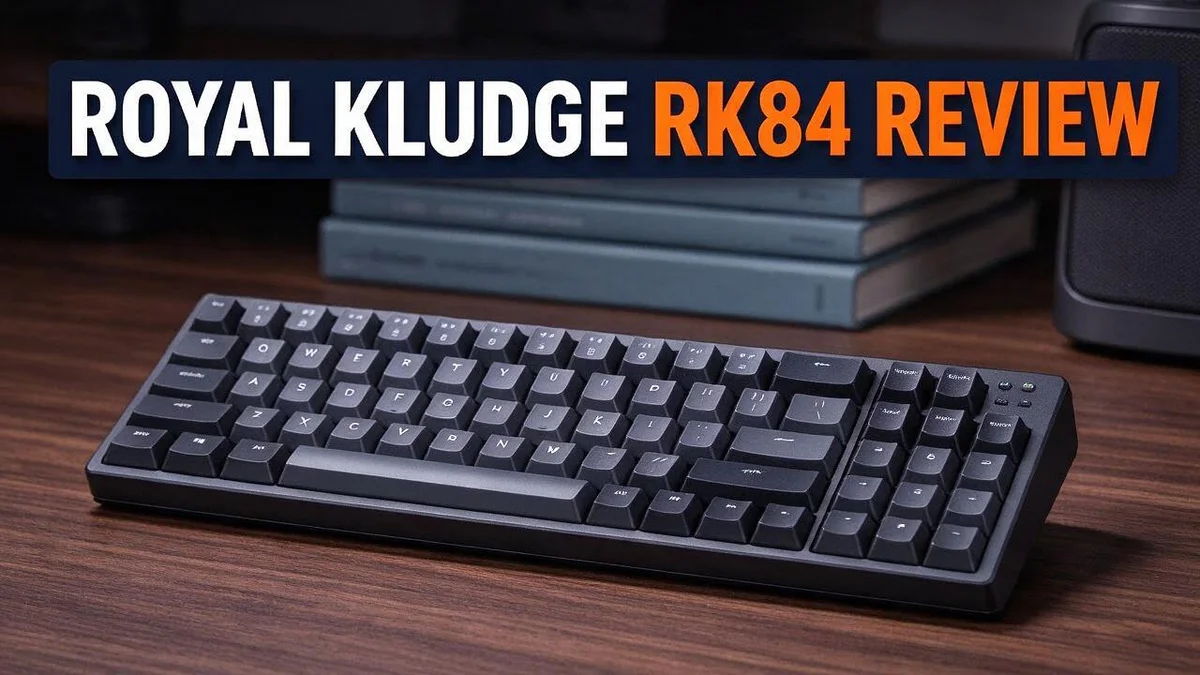
Compact layout: The RK84 uses a 75% or 80% layout. This saves desk space while keeping arrow keys and a function row. Check the listing to confirm your exact version.
-
Sturdy build: Many users describe the frame as solid. Double shot ABS keycaps keep their printed labels clear over time.
-
Easy to read: The shine through legends stand out clearly. The RGB backlight makes the keys easy to see in dim rooms.
-
Friendly starter pick: Many people recommend it as a first mechanical keyboard. It offers a simple way to try tactile switches.
-
Mixed use fit: It handles gaming, programming, and everyday office work. The tactile brown switches give a clear bump that helps with steady typing.
-
Clear drawbacks: The 2.4GHz range is short, so keep the receiver close. Pro driver support only runs on Windows, and the software could be better.
Design and Build Quality

- That is THREE MODES: Believe it or not, this is the first generation of RGB three-mode wireless keyboards...
- 84 Keys, Redefine TKL - The innovative 75% unique layout differs from traditional TKL keyboards, which cuts...
Last update on 2026-11-27 / Affiliate links / Images from Amazon Product Advertising API
The RK84 has a clean, simple look that suits most desks. Its shape stays neat and low, so it sits well in front of you without taking over your workspace.
Weight matters more than many buyers expect. A keyboard with some heft tends to stay put when you type with energy. That stability helps during long writing sessions or fast gaming rounds.
The layout feels consistent from one edge to the other. Keys sit at a similar height, so your fingers can move with less guesswork. This even spacing helps new typists build a steady rhythm.
When you check the build yourself, try a few simple tests. Press firmly on the top corners and watch for flex. Then press keys near the edges to see if they feel loose or uneven. Listen for rattling or creaks as well.
Keycap texture also shapes comfort. Smooth surfaces feel different from textured ones after an hour of typing. Some people prefer a softer feel over a crisp one, so spend a few minutes with the board before you decide.
Typing angle deserves attention too. Find a slope that keeps your wrists relaxed and your shoulders loose. Small changes in height can make long sessions feel much lighter.
The design leans practical rather than flashy. It fits into daily routines with little fuss, which many people value most.
If you can, test it in person before you commit. That moment tells you more than any spec sheet. Trust your own feel above all else.
Desk space matters as well. A compact footprint leaves room for a mouse and a notepad. That extra space can make a big difference during busy workdays or late night projects. A tidy setup also helps you focus.
Switches and Typing Feel
The RK84 comes with tactile brown switches. Each press gives a small bump before the key bottoms out. You feel that bump without pressing hard.
That bump tells you when a keypress registers. Fast typists often like this clear feedback. It keeps your rhythm steady during long writing sessions.
Brown switches also sound softer than clicky options. The noise stays moderate, so the board suits shared rooms. Quiet typing still feels satisfying.
Gaming feel is a different story. Some players want linear switches for quick, repeated taps. Brown switches sit in the middle. They offer a clear bump but still feel smooth for most games.
Coding and writing suit this switch well. Many people type for hours at a desk. The steady feedback can make long sessions feel more comfortable.
Force matters too. Brown switches need a moderate push. Lighter presses can cause missed letters for some users. Heavier presses can tire your fingers over time.
Brown switches work well for mixed use. You get a clear bump for typing and enough smoothness for casual play. That balance explains why many beginners pick them. They also suit people who want a keyboard that feels balanced.
If you want a different switch brand, look at the Royal Kludge K8 Pro. It uses Gateron switches, so your choice of feel grows. Compare the options before you decide.
Try this simple test. Type a short paragraph at your normal speed. Notice whether the bump feels helpful or distracting. Your answer tells you if brown switches fit your habits.
Keep your wrists relaxed while you type. A calm hand posture helps the switches feel natural. Good posture also reduces strain during busy workdays.
Your typing habits matter more than any label. Heavy typists and casual users may feel different things. Trust your own fingers.
Wireless Connectivity and Battery Life
Switching between modes takes only a moment. Use the mode control to move between Bluetooth, 2.4GHz, and wired use. Try each one once so you know how it feels.
Bluetooth works well for tablets and phones. It also keeps your USB port free. This makes it handy for travel days when you carry light gear. If the link drops, pair it again in a few seconds.
Wireless setups often suffer from interference. Crowded Wi Fi networks and nearby devices can add lag. Move the receiver to a front USB port, and keep it away from metal cases or thick walls.
Wired mode gives the most steady connection. Plug in the USB C cable when you play games or do fast edits. A cable removes battery worries during long sessions.
Battery life depends on your habits. RGB lighting draws more power than a dimmed or switched off backlight. Turning the lights down or off can stretch each charge.
Bluetooth idle time matters too. Many boards sleep after a short pause to save energy. Check how quickly the board sleeps when you step away from your desk.
Charge the board when your desk is quiet. Plug it in overnight or during lunch breaks. Short top ups fit well into a busy week.
Charging with the included cable works best. Weak cables can charge slowly and make results feel inconsistent. Keep the cable neat so it does not pull on the board.
Watch for signs that the battery runs low. Typing lag or a dim backlight can warn you. Plug in before the board stops working during an important task.
Test battery life yourself for the best answer. Note the battery level on day one, then track it over a normal work week. Your results show what the stated figures mean for your typing style.
A simple rule keeps things smooth. Pick one main mode for daily work. Use the others only when you need them, so your setup stays predictable.
Top 3 Alternatives
The Keychron K2 is a 75 percent layout wireless mechanical keyboard. It keeps the arrow keys and function row, but it takes up less desk space. You can connect it to up to three devices over Bluetooth, or use the USB cable for a wired setup. It works with both Mac and Windows computers.
Keychron K8
No products found.
Want a bigger layout without the number pad? The Keychron K8 is a tenkeyless wireless keyboard. It gives you a full typing area with a little more room on your desk. It supports Bluetooth and USB connections. Many users like its hot swap sockets, which let you change switches without soldering.
Redragon K552

- Brilliant Color Illumination- With 11 unique backlights, choose the perfect ambiance for any mood. Adjust...
- Support Macro Editing: The K671 Mechanical Gaming Keyboard can be macro editing, you can remap the keys...
Last update on 2026-11-26 / Affiliate links / Images from Amazon Product Advertising API
Need a wired option? The Redragon K552 is a tenkeyless mechanical keyboard that connects through a USB cable. It has a sturdy build and a colorful backlight. Gamers often choose it because it needs no battery and avoids wireless connection issues.
Each option fits a different desk and typing style. Choose the one that matches how you work and play.
No products found.
Customization, Hot-Swapping and Software
Hot swapping makes upgrades simple. The RK84 uses 5 pin sockets, so switches push straight into place. No soldering skills are needed.
You can use a switch puller to remove a switch. Keep the pins straight when you press a new switch into the socket. Gentle pressure works better than force.
Keycap pullers help too. Pull each cap straight up, not at an angle. Store the caps in a small box so none get lost.
Try different switches before you settle. Buy a few sample switches first. Test each one with your normal typing style. Then pick the feel you like most.
Remap keys with the driver software. The RK84 works with its companion driver. You can assign new functions to any key. Set up shortcuts for apps you open daily.
Software still has room to grow. The menu feels basic, and some options hide behind layers. Spend a few minutes learning the Fn combinations first.
Windows users get the full experience. The pro driver runs only on Windows. Mac users can still use the board, but with fewer tools. Check the official site before you download anything.
Save your favorite layout after each change. Write down the key combinations in a note. This habit saves time if you reset the board later.
Want deeper control? The Royal Kludge K8 Pro supports QMK and VIA. Those tools let you edit layers directly in a browser. The RK84 suits people who prefer simple setups.
Hot swapping also helps when a switch fails. Replace only the faulty switch instead of the whole board. This keeps repairs quick and easy.
Keycap swaps can change the look too. Many standard keycaps fit the layout, but check the layout size first. A quick measurement prevents disappointment later.
Good habits make customizing easier. Label each switch type, keep spare switches in a case, and test changes slowly. Small steps prevent big mistakes.
A clear plan keeps your setup fun. Enjoy the process, and your RK84 will feel like your own.
Price and Value
Build quality stands out first. The case feels solid on the desk. It shows little flex when you press keys firmly.
The double shot keycaps add a nice touch. Their legends stay sharp, and that matters because keycaps often show wear first.
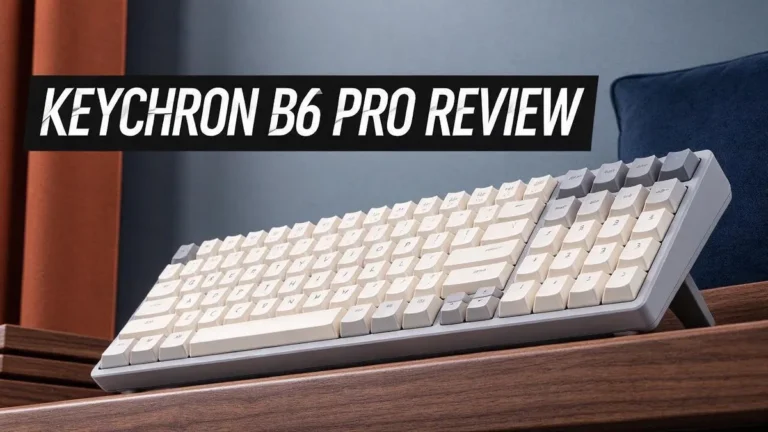
Compare it with the Keychron K6 Pro. The Keychron offers more polish and a few extra connection choices. The RK84 focuses on hands on features like hot swapping and an RGB backlight.
Check your layout before you order. Sources list either a 75 percent or an 80 percent layout. Read the product page closely so you know which keys you get. Arrow keys and the function row matter a lot for daily work.
Plan for the long run. A good keyboard can last for years with simple care. Dust and spilled drinks cause most problems. Wipe the board often and cover it when you step away.
Think about who this board suits. Beginners who want a first mechanical keyboard often feel at home here. Writers, students, and casual gamers can enjoy it too.
Consider your next step. Some people want deeper control later on. If you plan to explore advanced customization, you may want to compare other models first. Otherwise, the RK84 works well right out of the box.
Read recent user feedback. Real owner reviews reveal how the board performs over weeks, not just days. Look for comments on keycap feel, sound, and reliability. These details help you judge the board fairly.
Trust your own typing test. Your fingers will tell you more than any spec sheet. Spend a few minutes with the board in your hands. If it feels comfortable, it is likely a good fit for your daily routine.
Pros and Cons
Pros
– Shine-through keycap legends stay easy to read
– Sturdy build holds up to daily use
– Fits gaming, programming, and everyday typing
– Many beginners pick it as a first mechanical keyboard
Cons
– Wireless range is short
– The pro driver works only on Windows
– Fewer connection options than the Keychron K6 Pro
Who Should Buy It
The RK84 fits people who want a mechanical keyboard that feels real. Tactile switches give a small bump with each press. That clear feedback helps people who like to feel every keystroke.
Students often get a lot from this board. It handles note taking, essays, and online classes with ease. It also pairs with a laptop, a tablet, or a phone, so one keyboard can serve many devices.
Remote workers are another good match. The three connection modes let you move between a work laptop and a home desktop. You can switch devices without unplugging cables each time.
Casual gamers will also enjoy it. The backlight adds a bright look to any setup. The keys respond well for most everyday games and fun titles.
Writers and programmers who type for hours may feel right at home. The keys have a steady rhythm that many typists find comfortable. The compact size also leaves room on the desk for a mouse, which helps if your workspace is small.
Some buyers should look elsewhere. If you plan to type from across a room, the short 2.4GHz range may frustrate you. Competitive players who need the fastest wireless response may also want a different option.
Think about your daily routine first. Consider where you will type, which devices you use, and how often you need to switch between them. If those needs match the strengths above, the RK84 can be a smart choice for your desk.
Final Verdict
Our final verdict on the Royal Kludge RK84 is positive. It delivers a true mechanical typing feel in a compact package. Most readers will find it a dependable everyday board. Its layout feels familiar to most people.
The biggest win is flexibility. You can switch between Bluetooth, wireless, and wired modes with ease. That makes it simple to move between a laptop, a tablet, and a desktop computer.
Wireless freedom matters most on a busy desk. Cables stay out of sight, and the desk looks tidy.
Who should buy it? Beginners sit at the top of the list. Students, writers, and casual gamers also get plenty from this board. Anyone who wants a real mechanical feel will like it too.
The sockets let you swap switches later without any soldering. That gives you a simple upgrade path. The board stays fun for years.
Think about your typing habits. Long essays and code files both benefit from a comfortable layout. Short notes and quick chats need less effort.
Who should look elsewhere? Shoppers who want the most polished experience may prefer a more premium option. Those who need a number pad should look at a full size board.
Our simple advice. Growth matters more than the first week. Pick a board that still feels good after months of use.
Final thoughts. The RK84 keeps the mechanical keyboard hobby approachable. It offers real mechanical switches, wireless freedom, and a clean look in one package.
Bottom line: The RK84 is a dependable pick for newcomers and everyday users. Power users should compare it with the Royal Kludge K8 Pro before they decide.
Final call. The RK84 earns a recommendation for most people who want a real mechanical keyboard. Keep your plans in mind and you will likely be happy.
Frequently Asked Questions
Is the RK84 a 75% or 80% layout?
Sources disagree on this point. Check the product listing for the exact size before you decide. The layout matters if your desk is small or you need a number pad.
How much desk space does it need?
Measure your desk first. The compact frame saves room. The exact width depends on the layout you choose. A small desk can hold this board with space to spare.
Does the 2.4GHz connection work from across the room?
Not really. The 2.4GHz range is short, so keep the receiver close to the board. Bluetooth can work better when you move around with a laptop or tablet.
Is it quiet enough for a shared room?
Tactile switches make less noise than clicky switches. The keys still make a soft sound with each press. Try typing on one in person if noise matters to you.
Which alternative should I compare it with?
The Royal Kludge K8 Pro offers QMK and VIA support, PBT keycaps, and Gateron switches. Look at it if you want more control over your setup. The Keycool KC84 Pro and DK84 are other options worth a quick comparison.

Dillip is the founder and editor of DillipWeb.com, where he simplifies the world of AI software, tech gadgets, and accessories through honest reviews, detailed comparisons, and easy-to-follow guides. With a deep passion for emerging technology, he helps everyday users make smarter, more informed tech decisions.