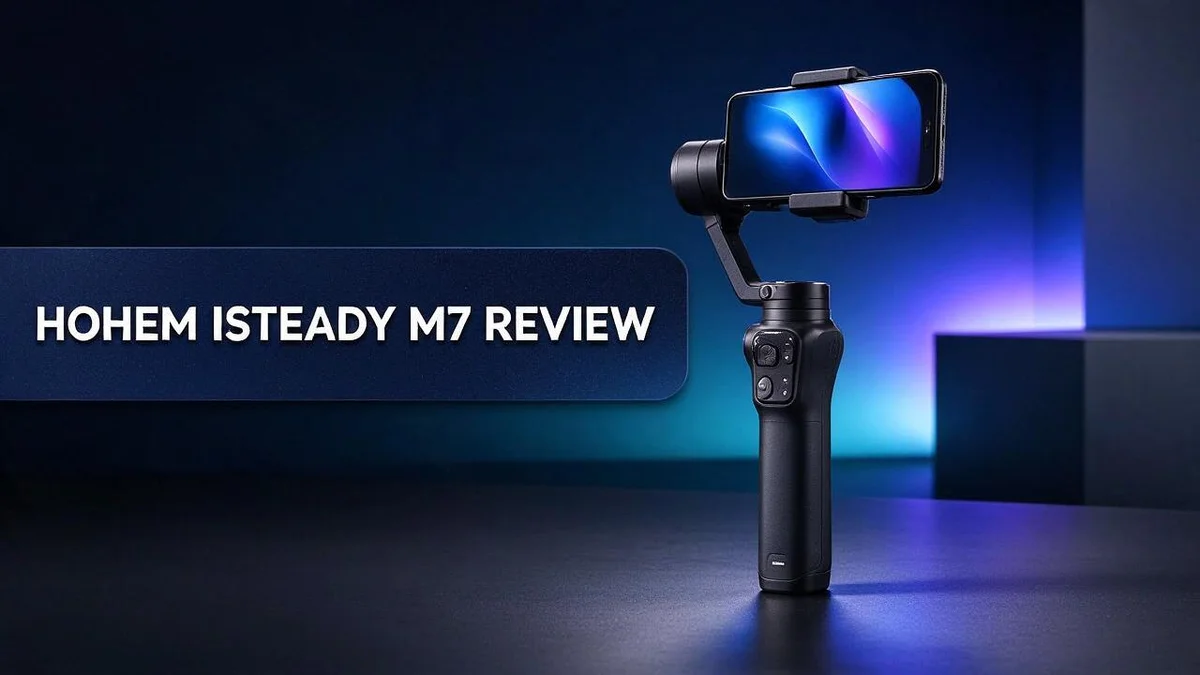
Hohem iSteady M7 Review: Foldable AI Smartphone Gimbal for Creators
Are you looking for a smooth way to film on your phone? The Hohem iSteady M7 might be the gimbal you need. It is a three axis smartphone gimbal that keeps your footage steady while you move.
This gimbal folds down small, so it fits easily into a bag. It also includes a wireless controller, an extension rod, and a detachable AI sensor. Creators who are just starting out will find the setup simple.
Many users praise its tracking performance and strong motor. Some reviewers, however, mention that the bulky design can be a drawback. In this review, we explore what the M7 does well and where it falls short.
In a Nutshell
-
Wireless control: The included wireless controller lets you monitor and adjust the gimbal from a short distance. You can change settings without touching the handle.
-
Built in extension rod: The extension rod gives you extra reach for wide angle shots. It also helps you film from higher or lower angles.
-
Live video sharing: Wireless video transmission sends your footage to a nearby screen. This helps you check framing while you move.
-
Smart extras: A detachable AI sensor and an RGBW LED light add fun options. You can use the light to brighten faces in dim spaces.
-
Creative modes: Moment Mode, filters, beauty effects, and creative templates help you shoot and edit with less effort. Beginners often enjoy these quick tools.
-
Stability and flexibility: PCMag reviewers praise the excellent stabilization and flexible controls. Some users, however, found the footage shakier than another gimbal they tried.
-
Alternatives: The iSteady M6 offers a direct comparison, while the MT3 Pro suits mirrorless camera setups.
Stabilization Performance

- 【Enhanced Magnetic Al Tracker】With hohem isteady m7 phone gimbal, you can now track any subject with phone...
- 【Detachable Touchscreen Remote】The hohem isteady m7 phone stabilizer now comes with a detachable 1.4" full...
Last update on 2026-11-27 / Affiliate links / Images from Amazon Product Advertising API
Smooth footage matters a lot when you film on a phone. Shaky clips can look amateur, even when the story is strong. This is where stabilization does its real work.
A gimbal uses motors to hold your phone level while you move. Your hands can wobble, walk, or turn, but the phone stays steady. The result feels calm and controlled.
Balance matters too. Once the phone sits centered, the motors can focus on canceling motion. Check the balance each time you attach a new case or mount.
Walking shots are where this gimbal shines most. Slow strolls, hallway tours, and street scenes look cleaner than handheld clips. Small bumps fade away before they reach the screen.
Running and quick turns are a different story. One user reported footage that looked shakier than expected. Compared with another gimbal they tried, the difference was noticeable during fast movement.
Short clips often look better than long, shaky takes. Try recording in bursts of ten to fifteen seconds. You can then choose the smoothest moments when you edit.
Tip one: Balance your phone before you power on. A well balanced phone lets the motors work less hard. This helps the stabilization feel smoother over time.
Tip two: Keep your movements slow and wide. Sudden jerks can overwhelm even a good gimbal. Gentle motion gives the best results.
Lighting also affects how steady your clips look. Bright scenes help your camera focus fast, which keeps the image clear. Dark rooms may cause focus hunting, so add light when you can.
Practice makes a big difference here. Spend a few minutes walking with the gimbal before a shoot. Your body learns the rhythm, and the footage improves quickly.
Bottom line: The M7 gives smooth results for everyday walking. Fast action needs more practice and careful handling. Plan your shots with that in mind.
Design and Portability
Design matters more than most people expect. You carry a gimbal almost everywhere, so comfort counts. The M7 feels light in your hand and rests well during a walk.
The phone clamp deserves a closer look. It holds your phone firmly, and the arms lock in place. Once they lock, your phone stays put even when you bump the bag.
Locking arms hold their position well. Users report that they are hard to dislodge by accident. That gives you peace of mind when you pack the gimbal in a crowded bag.
Portability also depends on how the parts stay together. The detachable AI sensor is small, so you may misplace it. Store it in a separate pocket or a small case.
Storage tips help you keep everything ready. Wrap the cable around the handle before you fold the gimbal. A neat setup saves time when you need to film fast.
Weight is another angle to consider. The gimbal works best when your phone stays under its weight limit. Heavy phone cases can push you over that limit and reduce smooth results.
Remove a thick case for the best balance. Balance changes when you add a case, a lens, or a clip on accessory. Check the balance each time you change your setup.
Handling the gimbal in daily life takes some practice. Hold the handle low and keep your elbow close to your side. This posture reduces arm fatigue and steadies your body.
Think about how often you switch between modes. Quick access to buttons keeps your workflow smooth. A simple layout means fewer mistakes when you film outdoors.
The M7 suits people who carry light kits. If you already carry a heavy camera rig, a larger gimbal may suit you better. For a phone focused setup, this design feels practical and easy to manage.
Smart Tracking and Controls
The M7 brings smart tracking into your everyday shoots. Tracking performance earns good marks from ProVideoCoalition.
The AI tracking feature follows your subject as you move. It works best when your subject stays near the center of the frame.
Smart tracking shines when you shoot alone. You set up the shot, then let the gimbal handle the follow work.
The wireless controller adds another layer of control. You can start, stop, and adjust the gimbal from a short distance.
This setup helps solo creators. You can step back from the frame and still manage each shot.
Quick access to modes keeps your flow smooth. You can switch settings without stopping your walk.
Open paths give the tracking system fewer distractions. Clear space helps it lock onto your subject more easily.
Crowds and busy backgrounds can confuse the tracking. Try to keep one main subject in view during each take.
Remote control also helps you check framing. A quick look at the screen shows whether your subject sits well in the shot.
Charge the controller before each outing. A low battery can end your remote plans early.
Practice the controls at home first. Run a few test walks to learn how the gimbal responds.
Tracking can lose its target during fast turns. Slow, steady steps give the system more time to follow.
Lighting also affects tracking accuracy. Bright, even light helps the sensor see your subject clearly.
Stop the take if your subject drifts out of frame. Then start again from a steady position.
Smart tracking and wireless control give you more freedom on set. Test each feature, then choose the settings that suit your style.
Your results will improve with each session. Keep notes on what works, and adjust your routine over time.
Tracking and control features reward patience. The more you practice, the more natural they feel in daily use.
Top 3 Alternatives
DJI Osmo Mobile 6

- High-quality material
- Flexible design

Last update on 2026-11-27 / Affiliate links / Images from Amazon Product Advertising API
The DJI Osmo Mobile 6 is a great pick for everyday creators. It folds small and slips into most bags. The built-in extension rod helps you film from new angles without extra gear.
Face tracking keeps people centered in the frame. Quick modes like ActiveTrack help you capture movement with ease. Battery life lasts through a full day of filming, so you can shoot longer without stopping. Many creators pick it for travel vlogs.
Zhiyun Smooth 5

- [Pro-Level Stability] With the same orthogonal 3-axis structure as pro camera stabilizers and advanced...
- [Make Every Moment Shine] Smooth 5S AI gimbal features a built-in high-power, you can easily adjust the...
Last update on 2026-11-27 / Affiliate links / Images from Amazon Product Advertising API
The Zhiyun Smooth 5 suits beginners and vloggers who want simple controls. Its clear screen shows your settings at a glance. Setup takes only a few minutes, so you can start filming fast.
The gimbal delivers smooth motion even when you walk. Several shooting modes let you try fresh styles. The grip feels comfortable during long recording sessions. It also works well for quick social clips.
Moza Mini-S

Last update on 2026-11-27 / Affiliate links / Images from Amazon Product Advertising API
The Moza Mini-S works well for lightweight phone setups. It is compact and easy to carry on trips. Its stabilizer keeps footage steady in busy spaces like markets and streets.
The companion app adds helpful controls for smoother shots. Quick mode switching saves time between scenes. This option fits creators who value portability above all else. It suits solo creators on the move.
Creative Modes and Effects
The Hohem iSteady M7 does more than keep your footage steady. Its creative modes let you add personality to your clips right from your phone screen.
Moment Mode helps you build short, polished sequences without long editing sessions. You can capture a quick story from start to finish. Each clip feels complete and intentional.
Filters change the mood of your footage in seconds. A warm filter makes a sunset scene feel cozy. A cool filter gives a city street a sleek, modern look.
Beauty effects smooth skin tones for selfies, vlogs, and quick talking clips. Use them lightly. Your viewers should still see you, not a plastic version of you.
Creative templates give beginners a helpful starting point. You choose a template, follow the simple prompts, and record. This takes the guesswork out of planning a shot.
The RGBW LED light adds color to your scenes. Use a soft glow to light your face in dim rooms. Try a bold accent color for night shots with a playful feel.
Test each effect before a real shoot. Record a short sample clip. Then watch it on a bigger screen to check colors and skin tones carefully.
Effects work best when they support your story. Pick one or two looks for each video. Too many effects can pull attention away from your subject.
Creative options also help you stand out on busy feeds. A unique look can make viewers pause and watch longer. Consistent color choices also help your channel feel recognizable.
Save your favorite settings once you find a look you love. Reusing the same effects across videos builds a consistent style. Viewers start to recognize your work at a glance.
Experiment often and have fun. Every new effect teaches you something about light and mood. Over time, you build a look that feels like your own.
Value and Price
Your shooting style decides the fit. The Hohem iSteady M7 suits people who film alone. It helps you move through a scene without a helper.
Time saved counts too. Many creators spend hours fixing shaky clips. This gimbal gives you steadier footage from the start. Less cleanup means more time for new ideas. Smooth clips also make sharing easier.
Compare it with its sibling models. The Hohem iSteady M6 offers a direct comparison. Place both specs side by side. Look closely at motor strength, battery life, and control options.
The MT3 Pro serves a different purpose. It targets mirrorless camera users. If you shoot with a phone, the M7 is the natural pick. If you use a mirrorless camera, look at the MT3 Pro instead.
Your learning curve matters. Expect some practice during the first few sessions. Shaky results at first do not mean the gimbal is wrong.
Adjust your walking pace and grip. Practice indoors before a big shoot.
Think about your future gear. Do you plan to add lights, microphones, or a second lens? Check how the mount handles extra accessories. A setup that grows with you keeps your options open.
Long term use shows the real picture. Regular outings test the build and battery habits. Track how often you charge the gimbal.
Note which features you use each week. Features you never touch may not fit your routine.
Plan for your next project. Gear works best when it fits your goals. Write down three shoots you want to film this year. Then test the M7 on each one.
Keep your kit simple. Fewer parts mean fewer headaches on location. Pack only what you need for each outing. A lighter bag also feels better on long days.
Ask one simple question before you decide. Will this gimbal help me finish more projects? If the answer is yes, the M7 deserves a spot in your kit.
Pros and Cons
Pros
- Tracking stays smooth when your subject moves.
- The motor feels strong, and the battery lasts well.
- Stabilization is excellent, and the controls feel flexible.
- The locking arms and AI light stay firmly in place.
- The foldable build makes it easy to carry.
Cons
- One user found their footage shakier than with another gimbal.
- The bulky body takes up extra room in a bag.
- Results can vary, so test it before a big shoot.
Who Should Buy It
Not every creator needs the same gimbal. The Hohem iSteady M7 suits some people better than others. Here is who should consider it first.
Phone first creators make up a large group of buyers. Your phone does the filming, and this gimbal holds it steady. Just confirm that your phone and case stay under the weight limit.
Weekly posters with tight schedules also benefit. Short clips need to look sharp the first time. This gimbal helps you capture usable footage on the go.
Parents who film school plays, games, or family trips will find it useful. Moving subjects stay in the frame. You can focus on the moment instead of chasing the action.
Travelers who prefer a phone over a heavy camera fit the profile too. You keep your kit light and your footage smooth. Pack the controller and charger together so nothing gets left behind.
Some people should look elsewhere. Filmmakers who run large camera rigs or heavy lenses need a sturdier base. This model targets phone users, so bigger setups may not fit.
Hobbyists who want full manual control over every setting may feel limited. The focus stays on simple, guided shooting. Think about your goals before you commit.
Households with several shooters can share one gimbal. Each person can practice a few short clips to get comfortable. Keep the controller charged so the next person can start right away.
Consider your usual shooting spot too. Indoor rooms, busy streets, and open fields challenge a gimbal in different ways. Match the gimbal to where you film most.
Your daily habits matter most. If you shoot often, record in different places, and want steady results with little setup, this gimbal fits well. Start with a short test shoot, then decide with confidence.
Final Verdict
The final verdict is positive for phone creators. The Hohem iSteady M7 gives steady, polished clips without a heavy setup. It earns a place in the bag of anyone who films every day.
It also changes how you shoot. With a stable frame, you can try walking shots, low angles, and quick moves. Many people skip these ideas when they hold a phone by hand. Confidence grows quickly once you see the results.
Steady movement also supports storytelling. A slow push into a subject builds tension, while a calm pan reveals a scene. These small choices make your videos feel more deliberate.
Smooth footage helps you keep viewers watching. Shaky openings often make people scroll away. Steady opening shots give your content a stronger chance on busy feeds.
The gimbal also supports a steady publishing routine. You can capture usable clips in one pass. That means less time spent rescuing wobbly footage before you post.
Keep in mind that it is not a cinema tool. Professional filmmakers may want larger rigs and deeper control. This gimbal fits quick content, family moments, and trips best.
Your creative goals will guide the final call. Some creators want fast, reliable clips from a phone. Others want to master every setting. The right choice depends on which group you join.
A simple trial makes the decision easy. Film for one week and keep a short log of the clips you love. If most of your favorite shots came from the gimbal, you have your answer.
In short, this gimbal suits creators who want steady results fast. It works well for people who value motion and ease over technical tweaking. Choose it when smooth video matters more than fine tuning.
Frequently Asked Questions
How is the Hohem iSteady M7 different from the M6?
The Hohem iSteady M6 is the direct comparison in most research. Both suit phone creators. Check the features you use most before you choose.
Can the M7 work with a mirrorless camera?
No, this gimbal is made for smartphones. For a mirrorless camera, look at the Hohem iSteady MT3 Pro instead.
What does the 500g weight limit mean for my setup?
A user report lists a 500g limit. Add up your phone, case, and mount accessories. Keep the total under that limit so the gimbal works as intended.
Can I control the gimbal from a distance?
Yes. The wireless controller lets you monitor and adjust the gimbal without touching it. This helps solo creators who film themselves.
Does the M7 offer creative tools for quick clips?
Yes. It includes Moment Mode, filters, beauty effects, and creative templates. These tools help you shoot clips that look polished right away.

Dillip is the founder and editor of DillipWeb.com, where he simplifies the world of AI software, tech gadgets, and accessories through honest reviews, detailed comparisons, and easy-to-follow guides. With a deep passion for emerging technology, he helps everyday users make smarter, more informed tech decisions.