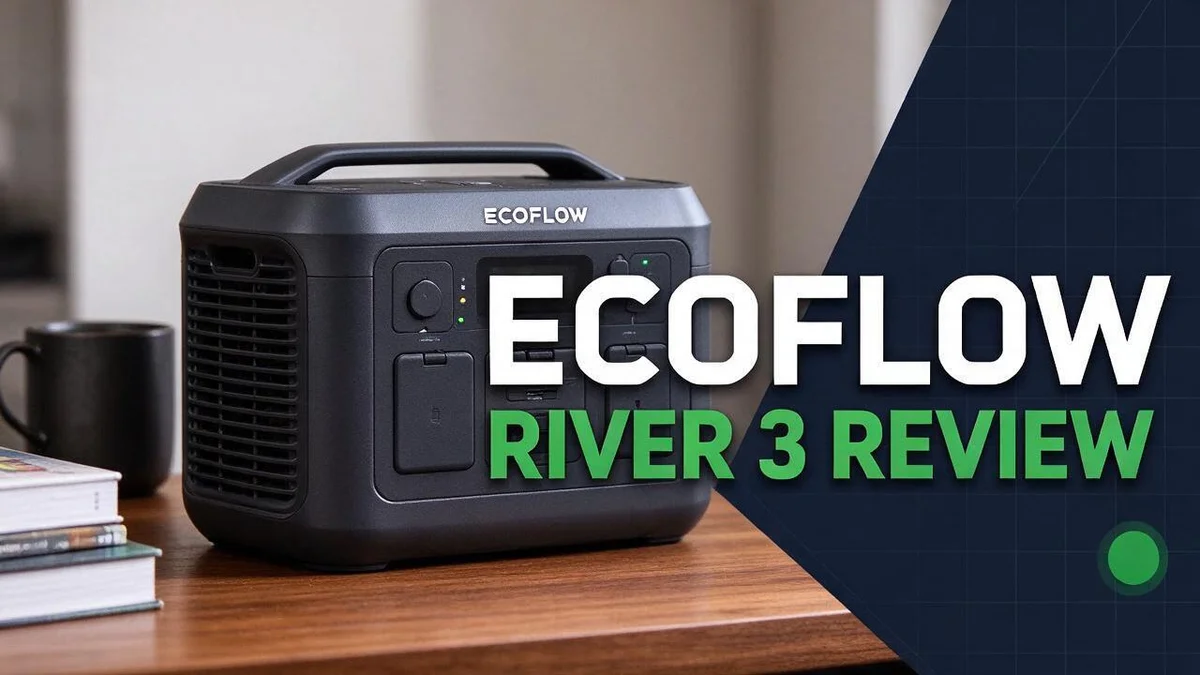
EcoFlow River 3 Review: Power Output, Solar Charging, Backup Performance and Verdict
Power outages happen when you least expect them. Your phone dies, your laptop goes quiet, and your fridge suddenly feels like a problem. That is where a portable power station can help.
The EcoFlow River 3 Plus aims to keep your gear running. It delivers 600W continuous output and handles 1200W surge power. That means many everyday devices can run without a fuss.
Looking for a compact power station for camping or home backup? This guide breaks down the River 3 Plus. You will see what it does well, how it compares with rivals, and whether it fits your needs.
The unit works as a hybrid power station and a switching UPS backup. It offers three AC outlets, plus USB C and USB A ports and a 12V DC port. One user said it worked well for devices during a power outage.
In a Nutshell
The EcoFlow River 3 Plus is a compact option for both outdoor trips and backup power at home.
- Output power: The River 3 Plus delivers 600W continuous output. It also handles a 1200W surge, which helps devices that need an extra burst of power at startup.
- Port mix: You get three AC outlets, plus USB-C, USB-A, and 12V DC ports. This mix lets you charge phones, laptops, and small devices at the same time.
- Solar extras: Three small solar panels come attached, according to one source. They offer a simple way to add charge outdoors.
- Field feedback: One user said it worked well for devices during a power outage. Real experiences like this matter when you need dependable backup.
- Closest rival: The River 2 Max is the model it gets compared to directly. Many shoppers weigh these two side by side.
- Other choices: The River 2 Pro offers 768Wh and 800W AC output with a 1600W surge. The Anker F3800 Plus and DELTA Pro 3 are larger units for bigger power needs.
- Check first: The research lists no cons, but it leaves the X Boost status unconfirmed. Verify that detail before you decide.
Power Output and Capacity

- [<10 MS UPS]-The RIVER 3 Plus power station ensures <10 ms switchover for premium UPS protection, securing...
- [Power up to 1200W]-RIVER 3 Plus portable power station delivers a steady 600W and surges to 1200W with...
Last update on 2026-11-26 / Affiliate links / Images from Amazon Product Advertising API
Power output decides which devices you can run at the same time. The River 3 Plus delivers a steady flow for everyday gear. Think laptops, lights, phone chargers, and small fans.
Surge power works in a different way. The unit also lists a 1200W surge rating. This extra headroom covers short bursts of demand. Some devices need that quick boost when they switch on.
Why does surge matter so much? Many appliances pull more power at startup than they need while running. A small fridge or a power tool can cause that spike. A higher surge rating helps these devices start without shutting down the unit.
Capacity tells a different story. The research does not list a battery capacity in watt hours for this model. That makes runtime harder to predict. Your run time depends on how much power each device pulls.
You can estimate runtime with a simple method. Add up the wattage of the devices you plan to use. Then divide the battery capacity by that total. The result gives a rough number of hours. Simple math beats guesswork every time.
Real results often differ from the math. Power conversion wastes some energy, so the actual time runs shorter. Plan for a buffer of at least twenty percent.
Keep your daily load well under the 600W continuous limit. Leave room for surges when you plug in gear with motors. This habit protects the unit and keeps power flowing.
Running several devices at once shares the load. Split heavy tasks across time instead. For example, charge your phone first, then run the lights. Staggering use keeps the output steady and stretches the battery.
Check the exact capacity before you buy. Look for watt hour details on the official spec sheet. Then compare those numbers with your typical power needs. That quick check prevents surprises during a long outage or a weekend trip.
Charging Options and Solar Input
Charging a power station is easy once you know your options. Each method suits a different situation. Let’s look at how to keep your River 3 Plus ready to go.
Wall charging is the simplest method. Plug the unit into a standard outlet at home. Leave it connected until the battery is full.
Wall charging also works well before a camping trip. Charge it the night before you leave. You head out with a full battery and fewer surprises.
Solar charging lets you collect power from the sun. The research notes that three small solar panels come attached to the setup. Those panels turn daylight into stored energy for your devices.
Sunny days outdoors give the best results. Place the panels where they catch direct light. Tilt them so they face the sun. Shade, clouds, or dust can slow down the process.
Small panels collect energy more slowly than a wall outlet. Plan for longer charging times when you rely on the sun. Start early in the day for the best chance of a full battery.
Always check the solar input limit in the manual. Stay within the listed maximum. Pushing past that number can harm the battery or the unit.
Charging from a vehicle is another option. Some users connect the unit through a 12V cable. Confirm the cable type and charge rate before you count on it.
Mixing charging methods saves time. Use wall power at home and solar when you travel. Combining sources keeps your devices running longer during an extended outage.
Charging before bad weather matters most. Keep the unit full before a storm arrives. That way you stay ready when the lights go out.
Keep a few spare charging cables in your bag. A lost cable can leave you stuck with an empty battery. Label each cable so you know which one fits your port.
Portability and Build Design
Portability decides how often you grab your power station. A unit that feels easy to lift gets used more. This section looks at how the River 3 Plus moves from the shelf to the trunk and back again.
Check the weight before you travel. Weight changes how you carry the unit. A lighter body suits hikes and tailgate trips.
A heavier unit often stays near the house. Look at the spec sheet for the exact figure, since it matters more than any guess.
Look at the handle and grip. A carry handle that sits high keeps your hand clear of the sides. Test the grip with the unit loaded with cables and bags.
Many people find that a comfortable handle makes the difference on long walks from parking lots.
Think about the shape. A compact box with flat sides stacks well in a car. Rounded corners can slide around on a trunk floor.
Place it in a bag or on a mat to keep it steady during bumpy drives.
Consider ventilation. Vents keep the internal parts cool during heavy use. Keep the vent openings clear of blankets, bags, and dust.
Blocking airflow can cause the unit to run warm and work less efficiently.
Protect the housing from weather. Outdoor trips bring rain, dust, and sand. Store the unit in a dry spot, and keep the ports covered when not in use.
A simple case or cover adds extra protection on rough trails.
Plan for cable storage. Compact power stations work best when cables stay organized. Wrap cords with velcro ties and keep them in a small pouch.
This habit saves time when you set up at a campsite or during a sudden outage.
Keep it at home too. A portable unit can live in a closet or garage between trips. Choose a spot near a wall outlet so charging stays simple.
Lifting it up and down stairs once a week adds up. Store it on the ground floor if you can.
In short, the River 3 Plus fits well in both trips and home storage when you plan ahead.
Top 3 Alternatives
Looking for a different power station? These three options also work well for camping, road trips, and backup power at home.
Jackery Explorer 300 Plus

- Ultra-Lightweight: At only 7.5 lbs, the Explorer 300 delivers a robust 292Wh capacity while remaining...
- Versatile Power for 6 Devices: Equipped with 2 AC outlets, a 100W USB-C PD port, 2 USB-A ports, and a 120W car...
Last update on 2026-11-26 / Affiliate links / Images from Amazon Product Advertising API
The Jackery Explorer 300 Plus is a strong pick for weekend campers who want simple setup.
It charges fast from a wall outlet or a solar panel. Its clear display shows battery level at a glance.
Many users like how light it feels when they carry it to a campsite. It suits phones, cameras, lights, and small fans.
Anker SOLIX C300

- ...
- 𝗠𝗮𝘀𝘀𝗶𝘃𝗲 𝗣𝗼𝘄𝗲𝗿 𝗼𝗻 𝘁𝗵𝗲 𝗚𝗼: Take portable power anywhere...
Last update on 2026-11-26 / Affiliate links / Images from Amazon Product Advertising API
The Anker SOLIX C300 suits people who want a clean, modern design. It offers useful ports for phones, laptops, and small appliances.
Fast recharging helps you get back on the road sooner. It works well for daily commuters who need backup power during work trips or emergencies.
Its slim body also fits neatly in a car trunk.
Bluetti EB3A

- [288Wh On-the-Go Power] - Only 9.4 lbs lightweight, carry it anywhere during storms! 288Wh capacity meets...
- [600W Continuous & 1500W Surge Power] - Get a full 600W output—twice as much as others. When you need...
Last update on 2026-11-26 / Affiliate links / Images from Amazon Product Advertising API
The Bluetti EB3A fits users who want quiet, dependable power indoors. It runs small devices without much noise.
Its handle makes moving it around the house easy. Keep it charged, and it stays ready for power cuts.
Families often use it during storms or late night movie nights at home.
Choosing the right model depends on how you plan to use it. Think about trips, daily tasks, and how much power you need. Compare each option, then pick the one that fits your life best.
Backup Power Performance
When the power cuts out, you need backup that responds fast. The River 3 Plus is a hybrid power station with switching UPS backup. This feature can help sensitive gear keep running during a brief outage.
Think about what you plan to power first. A router, a modem, and a few LED lights draw very little energy. These small items often make the best first test for an outage plan.
A mini fridge needs a steadier supply. It cycles on and off through the night. Test the fridge at home first and watch how often it kicks on.
Medical devices deserve extra care. A CPAP machine, for example, should never depend on a single backup plan. Speak with your doctor about your options before you rely on any power station.
Space heaters and hair dryers pull heavy loads. They rarely run well on a small station. Leave them off your outage list.
One user reported good results during a power outage. The unit kept their devices working when the grid went down. That kind of story helps, but it does not replace your own test.
Run a practice test before storm season. Plug in your key gear and let it run for an hour. Watch for beeps, warm spots, or sudden drops in output.
Note that the boosted output mode is still unconfirmed. Do not plan around a feature the research has not verified. Stick to the confirmed details when you build your list.
Store the unit near the outlets you plan to use. Short cords mean fewer tangles and less trip risk in the dark. Keep the unit upright on a stable surface.
Cords deserve attention too. Use the cables that came in the box or certified replacements. Weak or loose cords can cause trouble when the power returns and devices restart.
The research lists no documented cons for this model. That does not mean every outage will go smoothly. Plan for backup steps beyond one device, like flashlights and a fully charged phone.
Finally, keep a simple checklist near the unit. Write each device, its rough power need, and the order you plug them in. A written plan turns a stressful night into a calm routine.
Pros and Cons
Pros
- Three AC outlets let you power several devices at once.
- The 600W continuous output handles everyday appliances with ease.
- USB C and USB A ports charge phones, tablets, and laptops.
- The 12V DC port works well for car gadgets and small fans.
- It stands out against the EcoFlow River 2 Max in a direct comparison.
Cons
- The boosted output mode is still unconfirmed.
- Only one user report covers real outage use, so evidence is limited.
- The small attached solar panels charge more slowly than a wall outlet.
- The research lists no other documented cons, so test it yourself before relying on it.
Who Should Buy It
The EcoFlow River 3 suits people with modest power needs. Start by thinking about your daily routine. Ask which devices really need power away from a wall outlet.
Renters and apartment dwellers often like this kind of setup. Many leases limit big changes, so a portable unit makes sense. It needs no wiring or installation.
Weekend campers and van travelers can gain real benefits. They can charge phones, run lights, and power a small fan at the campsite. Everything stays in one box.
Parents with young children may also find it useful. Tablets, night lights, and small devices all need steady power. This keeps the household comfortable during short interruptions.
Remote workers can also stay productive. A laptop, a router, and a phone can keep running for a while. This helps a work day stay on track during brief outages.
Festival goers and tailgaters can benefit too. Phones, speakers, and portable lights stay charged all day. One unit can replace several small battery packs.
People new to power stations may like the simple setup. They do not need deep technical knowledge. Plug in the devices, switch on the outlets, and go.
Heavy home users should look elsewhere. Homes with air conditioners, electric stoves, or large refrigerators need more capacity. Larger models like the Anker F3800 Plus or the EcoFlow DELTA Pro 3 may suit those needs better.
Careful buyers may want to wait for more feedback. The research includes only one user report about outages. More real world experiences will help you judge the unit fairly.
Ask yourself one simple question before you decide. Will this unit cover the devices I use most often? If the answer is yes, this model could be a smart fit.
Final Verdict
The EcoFlow River 3 earns a spot on the shortlist for light, everyday power needs. It keeps phones, laptops, lights, and small fans running. The research supports these core strengths.
Think of this unit as a dependable companion, not a backup for the entire house. Its size suits small spaces and short trips. Ask yourself one question first: what do I need to power, and for how long?
Here is the simple verdict. Choose this model if your loads stay modest. Skip it if you plan to run heavy appliances every day.
Before you commit, compare it side by side with the EcoFlow River 2 Pro and the EcoFlow River 2 Max. Check the outlet count, the surge rating, and the battery size you need. A short checklist makes the choice easier.
Next, read the official specs page for the latest details. Manufacturers can update features, so fresh information matters. Trust the current listing over older reviews.
Charging time deserves attention too. Plan ahead so the unit is full before a trip or a storm. A full charge gives you the most room to work with.
The research shows strong promise but limited proof. Treat this model as a practical pick for light use, not a guaranteed lifeline. Your own testing will reveal the most useful answers.
A quick self check helps. List every device you want to power during a typical day. Add up their wattage and note how long each one runs. If the total stays under the rated output, you have a good match.
Take your time with this decision. A calm review of your needs pays off later.
Keep your expectations realistic and your plans flexible. That mindset helps you enjoy the River 3 for what it does best.
In short, the River 3 handles simple power needs well. It offers a friendly entry into portable power. Start small, test often, and upgrade only when your needs grow.
Frequently Asked Questions
Can the EcoFlow River 3 keep a computer running during a short outage?
Yes, it can help during brief power cuts. The research describes switching UPS backup, so the unit aims to take over quickly. Still, test your own setup first before you count on it for important work.
What does the 600W continuous rating mean in daily use?
The continuous rating shows how much power the unit can supply steadily. Devices that pull more than 600 watts at once may shut it down. Check the wattage label on each device before you plug it in.
How do I add up my devices’ power needs?
Look at the wattage listed on each gadget. Add the numbers for the devices you plan to run together. Leave some room below the limit so the unit does not work at its maximum all the time.
Do the attached solar panels help on cloudy days?
Sunlight strength, panel angle, and weather all change how much energy the panels collect. Cloudy days usually bring a very small charge. Use the panels for extra charge during sunny hours, and rely on a wall outlet when you need a full battery.

Dillip is the founder and editor of DillipWeb.com, where he simplifies the world of AI software, tech gadgets, and accessories through honest reviews, detailed comparisons, and easy-to-follow guides. With a deep passion for emerging technology, he helps everyday users make smarter, more informed tech decisions.