BenQ ScreenBar Halo Review: Is This Monitor Light Bar Worth It?
Long hours at a desk can tire your eyes fast. Many people feel that harsh glare and dark corners make the day harder. A good desk light can fix that problem.
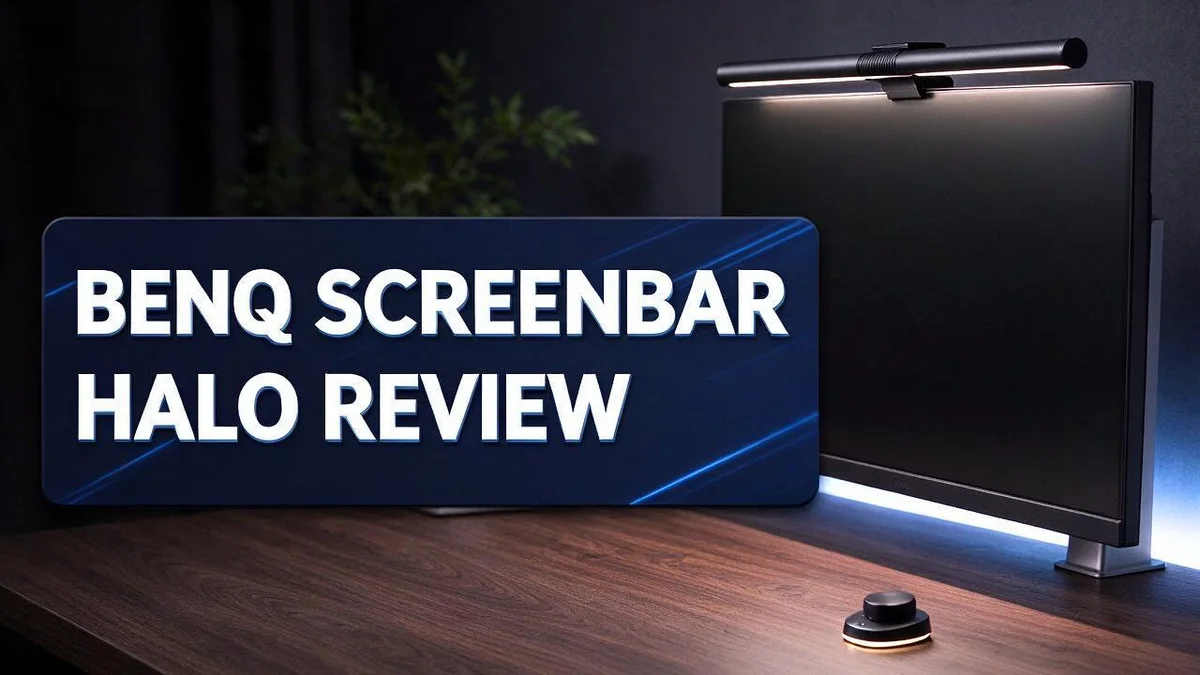
The BenQ ScreenBar Halo is a monitor light made for exactly this job. It clips onto the top of your screen and sends light down onto your desk. It also adds a soft glow behind the monitor. That back light helps reduce the bright contrast between your screen and the room.
In this review, you will learn how the Halo works. You will also see its key features, pros, and drawbacks. Let’s see if it earns a spot on your desk.
In a Nutshell
-
Light from two sides: The Halo lights your desk from the front and the back. The rear light helps soften the contrast between your screen and the room.
-
Three light modes: You can pick the mode that fits your work. One mode focuses on eye care, so you can switch when your eyes feel tired.
-
Easy fit: Setup stays simple from start to finish. The light fits a wide range of monitors, so you can use it with most desk setups.
-
Solid build and better control: Reviewers note strong light control and good build quality. The newer Halo 2 adds a control puck, which makes quick changes easy.
-
Real world results: BenQ claims that the light can reduce eye strain and headaches. One user barely noticed the backlight and was not impressed by the front light, so results may vary.
-
Good to know: If you want a simpler option, other light bars may suit you better. BenQ also offers the ScreenBar Pro, which is a close alternative from the same brand.
Light Quality and Glare Control
Good light makes a screen easier to read. Poor light does the opposite. The ScreenBar Halo focuses on the light that reaches your eyes, not just the light that lands on your desk.
The light sits on top of your monitor and shines down onto your workspace. Its asymmetric optical design aims the beam where you need it. The goal is to keep stray light off the glass. This matters most when the room is dim.
Glare is the main problem for many people. Bright reflections can wash out text and hide small details. A well placed light bar lights the desk without shining straight onto the display. Many people do not notice glare until they change the setup.
The rear light works on contrast. A bright screen in a dark room can feel harsh. The soft glow behind the monitor fills in the dark wall, so your eyes do not jump between bright and dark areas. This effect can feel calmer during evening work.
Lower screen brightness is often easier. Many people turn their display up too high at night. With the Halo, you can light the workspace and keep the screen at a gentler level.
Not every user feels the same effect. One reviewer barely noticed the rear glow and was not impressed by the front light. Your room, your seating position, and your monitor setup all change the result. Test the light in your own space before you decide.
Quick placement tips: Aim the front beam across your keyboard and papers. Angle the bar so it sits in your normal line of sight. Turn off overhead lights that point at the screen. Then compare the glare with the lights on and off.
Good light control matters most during long sessions of reading, writing, or editing. Clear light makes small text easier to read without squinting. Small changes can make a long day feel more comfortable. Good lighting helps you focus on the work, not the room.
Design, Build, and Installation
When you first pick up the Halo, you notice its clean shape. The body stays slim, so it sits neatly along the top edge of your display.
Check your monitor first. Before you buy, measure the thickness of your screen. A deep case or thick bezel can leave the clamp loose. Take a quick look at the back panel too.
The clamp grips the top edge without screws. You do not need to drill holes or add brackets. This makes it a good pick for renters or shared offices.
Plan your cable route. The light needs a power cable that runs down the back of the monitor. Use clips or the monitor’s channels to hide the wire. A neat route stops it from catching on your chair.
The controls work best when they sit within easy reach. Place them on the desk edge near your dominant hand. You can then adjust brightness without leaning forward.
Set the angle in your normal seat. Sit where you usually work before you lock the angle. Your posture changes where the light lands on your desk. Small changes in height can shift the beam a lot.
Keep the lens clean. Dust builds up on the light surface over time. Wipe it with a soft dry cloth every few weeks. A clean surface keeps the light even and bright.
Mind your desk space. The bar clamps to the screen, so your desk top stays open. You keep room for a notebook, a mug, or a small plant. This suits compact desks very well.
Test before you commit. Turn the light on for a full afternoon. Watch how the glow looks on your wall and desk. Adjust if the reflection feels strong.
A quick test helps you spot problems early. Some people prefer the light on a lower setting at first.
Note any shadows or wobble too. A stable mount keeps the light steady during long sessions. Good setup makes the whole desk feel calm.
Controls and Everyday Use
Using the controls takes only a few seconds. Your hand should reach the puck without leaving your keyboard. Most people set the light once and then adjust it now and then.
Think about your daily routine. Morning work may need brighter light. Late evening emails may need something softer. Switching between levels helps you match the room as the day changes.
Try a quick test on day one. Cycle through each setting while you type or read. Pick the one that feels calm after an hour.
Daylight changes the best setting. A bright window can wash out the front beam. On cloudy days, you may want a little more output.
Video calls need their own setup. Your face should stay clearly lit during calls. Angle the front beam so it lands on your desk and your face. Then check your camera view before the meeting starts.
Shared desks need a quick check too. If someone else uses the monitor, they may change the settings. Take a moment to look at the controls each time you sit down.
Night use needs a gentle approach. Your eyes adjust to a dim room over time. Lower the output step by step instead of jumping to the lowest setting.
Breaks are a good moment for a quick check. Stand up, stretch, and then return to the controls. Small changes feel easier after a short rest.
Keep the puck free from clutter. Cables, cups, and sticky notes can block your reach. A clear spot makes changes quick and simple.
Lighting needs change with the task. Reading a printed page may call for a steady beam. Editing photos may call for a neutral setting. Match the mode to the work in front of you.
Give each mode a fair trial. Use it for a full task before you decide. First impressions can mislead you.
Small habits keep the light working well. Review your settings every few weeks. Your eyes will tell you when a change feels right.
Use the controls often, and the light will suit your routine.
Top 3 Alternatives
BenQ ScreenBar Pro

- BRIGHT AND ULTRAWIDE ILLUMINATION – ScreenBar Pro offers over 1000lx central brightness and a 500lx range...
- HIGH COMPATIBILITY – Fits monitors 0.17" - 2.56" (0.43cm-6.5cm) thick and curvature 1000-1800R. Patented...
Last update on 2026-11-27 / Affiliate links / Images from Amazon Product Advertising API
The BenQ ScreenBar Pro is a strong pick for people who want clear light on their desk. It sits on top of the monitor and lights up the workspace below.
You can adjust brightness and color temperature with a simple dial. This setup helps cut glare and reduces eye strain during long work sessions. Many users say it feels comfortable for daily use, from morning emails to late night projects.
Quntis Monitor Light Bar

- No Blue Light Hazard & Flicker-Free Lighting: Certified to meet the IEC/TR 62778 and IEC/EN 62471 standards...
- No Screen Glare & Space Saving: The innovative asymmetrical optical design only illuminates your desk area...
Last update on 2026-11-27 / Affiliate links / Images from Amazon Product Advertising API
The Quntis Monitor Light Bar offers a clean and simple option for your desk. It mounts easily on most monitors, so setup takes only minutes.
It gives you stepless dimming and warm or cool tones. Many users like its slim frame and steady, quiet light. It fits well in small offices, dorm rooms, and shared workspaces. You can move the light to match your mood or task. Good light makes reading and writing feel easier.
Lepro Monitor Light Bar

- Multiple Lighting Choices: This dimmable LED desk lamp comes with 5 brightness levels & 5 color temperatures...
- Ultra-Bright & 100cm Wide Coverage: With a 1500lx center brightness and a 41cm (16.14") wide lamp head, this...

Last update on 2026-11-27 / Affiliate links / Images from Amazon Product Advertising API
The Lepro Monitor Light Bar suits home offices and gaming rooms alike. Its light spreads evenly across the desk, so you avoid harsh shadows.
A touch control lets you switch color modes fast. This lamp works well for anyone who wants basic screen lighting without extra setup. It can ease eye strain during night sessions. Many buyers choose it for its simple design and easy controls.
Eye Comfort and Health Claims
BenQ says the ScreenBar Halo can reduce eye strain and headaches. That claim matters to people who stare at screens all day. Still, it helps to read it with a clear mind.
The light also offers an eye care mode. This mode gives a softer glow that may feel gentler in a dim room. Many people work late with only one small lamp on, so a steady light can help.
Long work sessions are where a light bar may matter most. Your eyes work hard when you read, write, or edit without pause.
Eye strain often comes from habits, not only from light. Blinking less, sitting too close, and skipping breaks all add stress. A light bar cannot fix these habits on its own.
Try a simple break routine. Every twenty minutes, look at something about twenty feet away for twenty seconds. This short pause gives your eyes a chance to relax.
Headaches have many causes. Poor posture, dry air, and long hours without rest can all play a part. If headaches keep coming back, see an eye doctor. A doctor can check your vision and find the real cause.
If you already have dry eyes or another eye condition, ask your eye doctor before you rely on any device. Your doctor knows your health history best.
Keep your expectations fair. The Halo may make your setup feel more comfortable. It does not treat eye disease or replace medical care. The main source for these health claims is BenQ itself, so read them as a starting point.
Track how your eyes feel over one week. Note whether they feel dry, tired, or sore at the end of each day. Simple notes give you real evidence. You can then decide if the light helps you.
Pros and Cons
Pros
- The soft backlight can ease the harsh contrast between a bright screen and a dark room.
- The front light spreads across your desk without shining straight into your eyes.
- Many reviewers praise the build quality and say it feels solid.
- The light fits a wide range of monitor models.
- Reviewers say the beam control is precise and easy to adjust.
Cons
- Some users barely notice the backlight effect.
- The front light does not impress everyone, especially those who want a stronger glow.
- Look-alike light bars from other brands can confuse shoppers who want the original design.
- The Halo 2 is a newer model with different features, so check the version before you buy.
Who Should Buy It
This light bar suits people who spend long hours at a desk. Office workers, writers, coders, and students often stare at a screen for most of the day. A light bar adds steady light without taking up room.
People who want more desk space will appreciate the mounting style. The light sits on top of the monitor, so the desk stays open for notes, mugs, and a keyboard.
Small home offices often benefit most. Many people have little room for a desk lamp at all. A monitor light sidesteps that problem and keeps the workspace neat.
Buyers who want a simple setup will feel at home. Setup takes little effort, even for beginners. Most people can finish it in a few minutes.
Buyers with unusual monitors should check fit first. Very thick, very curved, or oddly shaped screens may not suit every mount. Confirm the fit before placing an order.
Hobbyists who work on small projects may find it helpful. Model builders, illustrators, and card makers often sit at one table for hours. A light bar keeps their screen and nearby table easy to see.
Shoppers who care about looks may prefer the newer model. The newer Halo 2 has a curved body that suits modern desks.
Smart buyers should compare a few options first. Compare it with the BenQ ScreenBar Pro and other light bars before deciding.
A simple checklist can guide the choice. Ask three questions. Does the desk need extra light? Does the monitor have room on top? Would a bar mounted on top look right?
The right shopper knows what they need. A clear goal makes the decision easier. Write down the tasks, the desk space, and the monitor size before buying.
Good planning saves time later. Take a photo of the desk before shopping. Bring the photo when comparing sizes.
Renters who cannot add new lamps will appreciate the light. The light plugs into a USB port, so it needs no separate outlet.
Final Verdict
The final call is simple. The BenQ ScreenBar Halo suits people who want a tidy desk with less glare. It shines most when your room is dim and your screen fills your view.
Start with your daily routine. If you mostly work in bright daylight, the extra light may add little. Dim evenings and late night projects are where this light bar shows its strength.
Do you want lighting or comfort? Lighting helps you see details, while comfort depends on your habits too. Use the light as one tool, not a full fix.
A quick checklist helps before you buy. Measure your desk depth, check the top edge of your monitor, and confirm which model you want. Doing these steps first prevents most surprises after delivery.
Plan for future changes too. Moving to a larger monitor or a new desk can change how the light lands. Take a moment to picture your setup before you commit.
Who should look elsewhere? People who need a focused beam for detailed craft work may prefer an adjustable desk lamp instead. This light bar spreads light wide rather than aiming it tightly.
Look at the whole picture. The light bar is one part of a comfortable desk. A good chair and a clear desk layout help it work best. Pair it with steady habits for the best result.
Cable routing deserves a thought too. Plug the USB cable into a port near the monitor. Neat routing keeps the desk looking clean and free of clutter.
The ScreenBar Halo offers a clean and practical way to light a screen. It suits many home and office desks well.
Give it a fair test for a week, and you will know quickly if it earns its spot.
Bottom line: it fits a tidy desk in a dim room, and it may fall short for strong task lighting. Check owner reviews for your exact monitor brand before you order.
Frequently Asked Questions
Does the rear light really help with eye strain?
BenQ says the light can reduce eye strain and headaches. The rear glow softens the contrast between a bright screen and a dark wall. Results vary from person to person, so try it for a week and see how you feel.
What light modes does the Halo come with?
The light offers three modes, and one of them is an eye care mode. You can switch modes to match your task or the time of day.
Can I use it for movies or gaming in a dim room?
Yes, the rear glow works well in dim rooms. It reduces the harsh jump between a bright display and a dark background. This softer setup can make late night viewing more comfortable.
Is the Halo 2 easier to control than the original?
The Halo 2 uses a light control puck, which makes daily changes quick. It has a curved design and plugs into a USB port. Check the model name before you buy, because the controls differ.
What are the main alternatives to the Halo?
BenQ offers the ScreenBar Pro as its own option. Quntis makes the ScreenLinear, and you may also find generic light bars that copy the look. Compare the features side by side before you choose.

Dillip is the founder and editor of DillipWeb.com, where he simplifies the world of AI software, tech gadgets, and accessories through honest reviews, detailed comparisons, and easy-to-follow guides. With a deep passion for emerging technology, he helps everyday users make smarter, more informed tech decisions.