Boox Go 7 Review: E Ink Display, Performance, Pros, Cons and Verdict
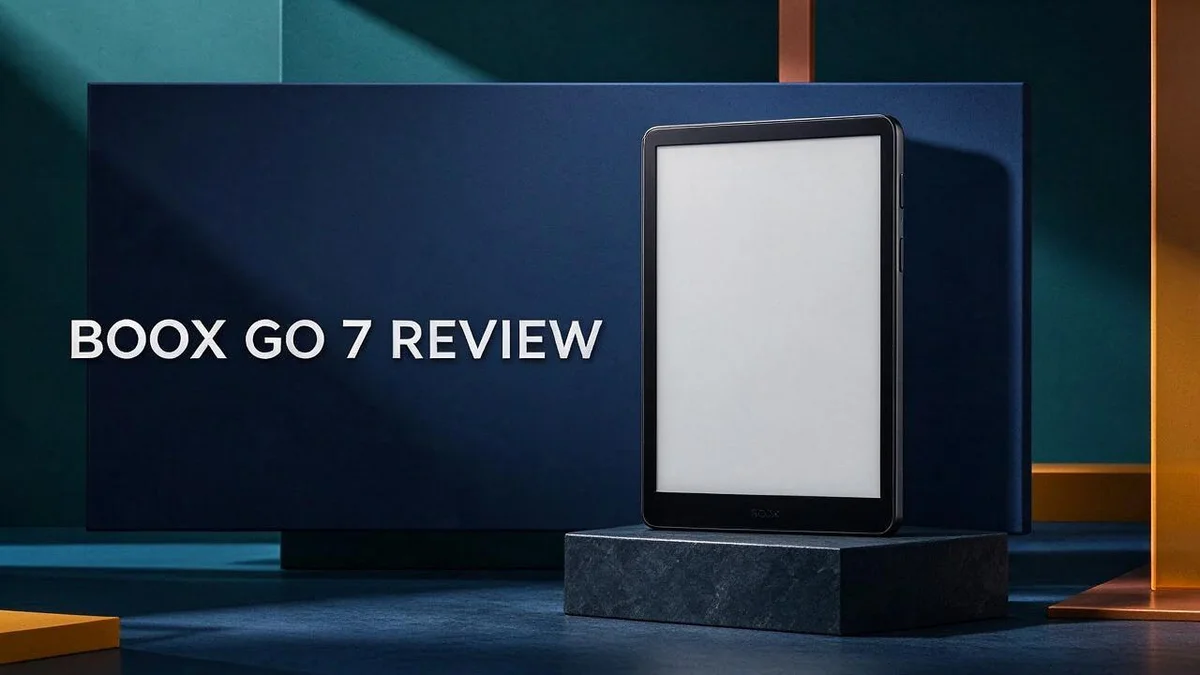
Looking for a small screen that feels like paper? The Boox Go 7 could be your match.
This e-reader packs a 7 inch E Ink display into a compact and lightweight body. You can slip it into a jacket pocket and forget it is there.
Reading feels calm and focused. Pages flip quickly, and the screen stays easy on your eyes for long sessions.
The Color Gen II model adds a bright color screen with 300 PPI sharpness. Covers and images look rich and clear.
Under the hood, you get an octa-core Snapdragon 750G processor and Android. That mix handles web browsing, notes, and light productivity with ease.
Still, no device is perfect. Small text can look rough, so let’s see how the Boox Go 7 performs in daily use.
In a Nutshell
- Quick and responsive: Pages flip fast, and menus respond with ease. You spend less time waiting and more time reading the words you love.
- Flexible for daily tasks: Web browsing and light productivity work well on this device. You can also customize the screen and settings to match your habits and reading style.
- Strong rival options: Kindle Oasis 3 and Paperwhite 4 are popular picks for readers. Onyx Boox Page offers grayscale, while Kobo Libra and Libra Color offer larger screens.
- Hard nibs may tap the screen: Writing with a hard nib can cause small taps during note taking. Many users find this distracting, so a softer tip might feel better.
- Small text can blur: The screen sometimes struggles to show tiny fonts clearly. Increasing the text size helps you read longer articles without eye strain.
- Check pen support and age: No pen comes in the box, and sources disagree on stylus support. Some reviewers also call this model not that new, so compare it with current options.
Display and Reading Experience
No products found.
Reading on the Boox Go 7 feels closer to reading a printed book than reading on a phone. Its E Ink panel reflects ambient light instead of shining it at your eyes. That makes long sessions easier on the eyes.
Text size and spacing stay under your control. You can change fonts, margins, and line spacing until each page fits your taste. Small tweaks often make a big difference for comfortable reading.
Lighting works differently from a tablet. The screen does not glow in a dark room, so a light source helps at night. Light settings let you adjust brightness to match the room.
Color content looks different from black and white pages. Comics, magazines, and maps show more detail on the color model. Novels and text pages still look clean and easy to scan.
Refresh behavior matters too. E Ink screens sometimes flash when pages turn, which clears faint ghost images. Many readers accept this small flicker because the text stays sharp.
Screen size shapes how you read. The seven inch panel shows one comfortable column, so novels and articles feel natural in your hands. Dense textbooks or wide spreadsheets may feel cramped, so think about your main use first.
Outdoor reading works well in daylight. Bright sun can help the screen look crisp, so balconies and parks become cozy reading spots.
Page contrast deserves attention too. Black text on a light background keeps words easy to pick out. Readers who prefer dark mode may find the contrast less sharp, so test both settings first.
Overall, this display suits readers who spend hours with text. Many readers find this setup gentle on tired eyes after a full day at work. If you read mostly books and articles, the screen offers a comfortable home for your reading habits.
Design and Portability
Holding the Boox Go 7 feels natural from the first moment. Its slim frame sits easily in one hand.
You can read while standing on a crowded train. Your thumb rests on the edge without much stretching.
Carrying it around is simple. The device slips into a coat pocket or a small tote bag. You will rarely think about it during the day.
Think about where you plan to read. Bed, couch, cafe table, or park bench all suit this size.
Propping it on a stand also feels stable during longer sessions. Many readers find their hands stay relaxed at a comfortable angle.
Long reading sessions bring a different test. A smaller body means less strain on your wrist and forearm.
Evening chapters feel easier when you can hold the device close to your chest.
Carrying a book for hours can strain the shoulders. This device adds little weight, so your bag stays light.
Stacks of paperbacks take up space. One slim device can replace several books on a short trip.
Bags matter too. A simple sleeve protects the glass from keys and loose coins.
Choose a case that covers the edges. Corners take the most knocks during daily use.
Pick a spot in your bag where it can rest flat. Flat storage protects the screen from pressure.
Pocket fit depends on your clothes. Slim jeans may feel snug, while a larger jacket pocket handles it easily.
The grip also shapes comfort. Some readers prefer a textured case for a firmer hold during page turns.
Travel days make portability even more useful. You can pack it beside a passport, a water bottle, and a phone.
Airport checks move faster when the device stays easy to reach.
Keep it in a jacket for quick access on a walk.
Overall, the design favors people who read on the move. It keeps reading personal, calm, and close at hand.
Performance and Software
Performance often decides whether a reader feels like a joy or a chore. The Boox Go 7 pairs its screen with a Carta 1200 controller. This setup helps the display refresh with less drag.
Memory and storage give you room to grow. The device includes 4GB of RAM. The black and white model offers 64GB of storage, so your library can grow without frequent cleanup.
Color and black and white versions suit different readers. The color version works well for comics and magazines. Books packed with words look best on the grayscale screen.
Software lets you add apps. The operating system accepts reading apps beyond the default reader. You can keep cloud libraries and local files in one place.
Hardware age deserves a check. AppleInsider describes the device as not that new. Look up the release date and recent updates before you decide.
Competitors offer different strengths. The Onyx Boox Page stays grayscale only. Kobo Libra and Libra Color offer larger screens for readers who want bigger pages.
Who should pick this device? Readers who value a compact size and a color option will likely enjoy it. Shoppers who need a full stylus workflow should look elsewhere.
Updates can change the experience. Software updates may add features or fix bugs over time. Check the update history before you rely on the device for years.
Heavy tasks fall outside its purpose. The device suits reading, notes, and light apps. Demanding games or video editing belong on a larger tablet.
Speed is only part of the story. Software tools, storage, and screen behavior work together. Good performance depends on how these parts match your reading habits.
Test before you commit. Try the reader app and browser for a week. Keep notes on anything that feels slow. That short trial shows whether the speed and software fit your habits.
Top 3 Alternatives
Looking for other options? These three ereaders suit many different readers. Each one brings something useful to the table.
Kindle Paperwhite
The Kindle Paperwhite is a favorite for people who read every day. Its screen has no glare, so it feels close to real paper.
It is also waterproof. You can read by the pool or in the bath without worry. The battery can last for weeks on a single charge.
Kobo Clara BW

- 𝗥𝗘𝗔𝗗 𝗖𝗢𝗠𝗙𝗢𝗥𝗧𝗔𝗕𝗟𝗬 𝗔𝗡𝗬 𝗧𝗜𝗠𝗘 - Glare-free...
- 𝗘𝗔𝗦𝗬 𝗢𝗡 𝗬𝗢𝗨𝗥 𝗘𝗬𝗘𝗦 - Use ComfortLight PRO to adjust your eReader’s...
Last update on 2026-11-26 / Affiliate links / Images from Amazon Product Advertising API
The Kobo Clara BW is a simple and light ereader. It has a clear black and white screen with an adjustable front light.
You can read in bright sunlight or late at night. It also supports many ebook formats, so your library stays flexible.
Kobo Libra 2

- BROWSE & READ EBOOKS IN FULL COLOR - Book covers, comics, graphic novels, illustrations, note-taking and more...
Last update on 2026-11-26 / Affiliate links / Images from Amazon Product Advertising API
The Kobo Libra 2 works well for readers who want more control. It has page turn buttons on the side, which help with one handed reading.
It offers a larger screen and a sturdy, waterproof design. This model fits long reading sessions and heavy daily use.
Writing and Note-Taking
Taking notes on the Boox Go 7 feels calm and focused. The E Ink screen shows text without a glowing backlight. This helps you think without distractions.
Hard nibs can tap the glass. A firm pen tip may click against the screen as you write. Slow, light strokes soften the sound and feel.
Tiny handwriting can look blurry. Give your notes extra room and write in larger letters. Zoom in when you need to check small details.
Try a light touch so your hand stays relaxed. Heavy pressure can make lines look uneven and tire your fingers.
No pen comes in the box. Plan to choose one before your first session so you can start writing right away.
Ink feels closer to paper than typing does, which many people find relaxing.
The device runs Android, so note apps are easy to add. Pick one app and stick with it. Switching often can scatter your ideas across too many places.
Blank pages suit freeform ideas and quick sketches. Lined templates help when you need structured notes. Check which templates your app offers before you commit.
Good habits keep notes useful. Create folders for each project, class, or topic. Name files with dates so you can find them later.
Meeting notes work well when you keep them short. Jot key points, action items, and names. Review them later to spot patterns.
Cloud sync depends on the app you choose. Confirm backup options before you store important work. Export key pages when you need them on another device.
Students and writers gain the most. Those who want a simple page for lists, drafts, and sketches will likely enjoy it. People who type long documents may prefer a keyboard instead.
Overall, the Boox Go 7 suits quiet note takers who value focus over flash. It rewards patience and clear habits.
Customization Options
Customization is one area where the Boox Go 7 really shines. You can shape the screen to fit your reading habits. Small changes often make a big difference.
Start with fonts. You can pick a typeface, change the font size, and adjust line spacing. Larger text helps when the screen struggles with small print.
Margins work the same way. Wider margins frame each page and give your eyes a calm place to rest. Narrow margins fit more words on the screen. Try a few settings before you settle on one.
Refresh settings matter too. E Ink screens can flash or leave faint ghost images after a page turn. You can adjust how often the screen refreshes. Pick a setting that balances speed and sharp text.
Contrast controls can also sharpen text on busy pages. Small adjustments may make evening reading feel more comfortable.
Display modes add another layer. Some readers like an inverted look for night reading. Others enjoy classic black text on white paper.
The home screen is flexible too. Move your favorite reading app to the front. Hide tools you never use. Folders can group similar apps together. A simple layout keeps things quick to find.
Sleep screens add a personal touch. Choose an image that appears when the device rests. It makes the Boox Go 7 feel like your own.
Templates give your notes more structure. Pick lined, grid, or dotted pages for writing. Planner layouts can help you track projects or habits. Pick the layout that matches your goal.
Take a few minutes to explore each menu. Small tweaks add up over time. Many people find their perfect setup after a short trial.
Readers who enjoy tinkering will likely love these options. Those who want a quick start can keep the default settings and still enjoy the device. Experiment at your own pace and enjoy the process.
Pros and Cons
Pros
- Pages turn quickly, so reading feels smooth.
- The screen responds well to taps and swipes.
- The compact body is easy to hold for long reading sessions.
- Simple menus make it easy to find books and change settings.
- Web browsing and light work feel practical on this small screen.
Cons
- Small text can be hard to read.
- Reviews disagree on stylus and note taking support, so check the current details.
- The screen may not suit people who want a large, detailed display.
Who Should Buy It
Some readers want a device that stays out of the way. This model suits people who want fewer distractions than a phone offers.
Commuters make a great match. A slim body fits easily into a bag. You can read on a crowded train without pulling out a large tablet.
Language learners can benefit too. Android lets you install a dictionary app. Look up words, save phrases, and review them later in one place.
People who already own a tablet can use this as a second screen. Keep the full color tablet for videos and games. Use this one for long chapters and calm reading.
Night readers may appreciate the paper style display. The screen reflects light like a printed page. Many people find this easier on the eyes before sleep.
Busy professionals can use it for reading reports. Load PDFs and mark them up with notes. Focus on one document at a time with fewer alerts than a phone sends.
Anyone seeking a quieter routine may enjoy it most. Fewer notifications mean fewer interruptions. A short reading session can replace a scroll before bed.
Space matters as well. The compact size works on a crowded desk, a nightstand, or a bag pocket. People with small living spaces often appreciate that.
Who should skip it? Gamers and video fans need a faster, full color display. Heavy multitaskers may also find the small screen limiting.
Think about your daily habits before you decide. If you read in short bursts, this device fits right in. If you prefer long video sessions, another device may serve you better.
Here is a quick check. Write down your three main tasks. If reading, notes, and light browsing top the list, this device is a strong pick.
Choose it if you want a simple tool for reading and writing. Skip it if you want speed and bright video.
Final Verdict
The Boox Go 7 is a strong pick for focused readers. Overall, it balances portability with plenty of flexibility. Think of it as a small notebook that also reads books.
Still, it is not perfect for everyone. Hard nibs can tap the screen during writing, and small text can strain the eyes. Those who need a big, detailed view may want a larger device.
Buy it if you value focus over features. The device works best as a calm companion for reading, light notes, and web browsing. It does not try to replace a tablet or laptop.
Before you decide, check current details about stylus support. Sources disagree on note taking tools, so a quick look at the latest specs helps.
Also compare the Kindle Paperwhite 4 for a similar size, or the Kobo Libra for a larger screen.
Your daily habits will decide the answer. If you read every day and want fewer distractions, this model fits well. If you need a full writing tool or a large display, look at other options first.
Plan on a short setup session. Move your files, test your sync, and read a few pages to see how it feels. After that, daily use feels simple and calm.
Think about your reading volume too. Heavy readers who carry a full library will appreciate the 64GB storage on the black and white model. Light readers may find a phone is enough.
The Boox Go 7 rewards patience. Its strengths show up over weeks, not minutes. Give it a fair trial before you judge the screen.
The color model suits people who read magazines, comics, or guides with photos. Choose the version that matches your reading material most often.
Overall, this device earns a place for calm readers and light note takers. Test it first, then decide with confidence. Your choice should fit your daily life.
Frequently Asked Questions
Does the Boox Go 7 come with a pen?
No, the pen is not included. Check the box contents before you order. You may need to buy a pen separately if you plan to write notes.
Which model should I choose?
The black and white model has a 1680×1264 screen. The Color Gen II model adds a bright color display with 300 PPI. Pick the color version if you enjoy colorful pages.
How much storage does it have?
The black and white model comes with 64GB of storage. That space holds a large library of books and PDFs. Most readers may never fill it.
Does the processor handle everyday tasks?
Yes, the Snapdragon 750G chip runs at 2.0GHz. It also has 4GB of RAM. This setup handles reading apps and web pages with ease.
Why do hard nibs cause trouble?
Hard nibs can tap the screen while you write. This can feel distracting during long notes. Write with a light touch to reduce taps.
How does it compare with the Onyx Boox Page?
The Onyx Boox Page uses a grayscale screen. The Go 7 offers color instead. Choose the Go 7 if color matters to you.

Dillip is the founder and editor of DillipWeb.com, where he simplifies the world of AI software, tech gadgets, and accessories through honest reviews, detailed comparisons, and easy-to-follow guides. With a deep passion for emerging technology, he helps everyday users make smarter, more informed tech decisions.