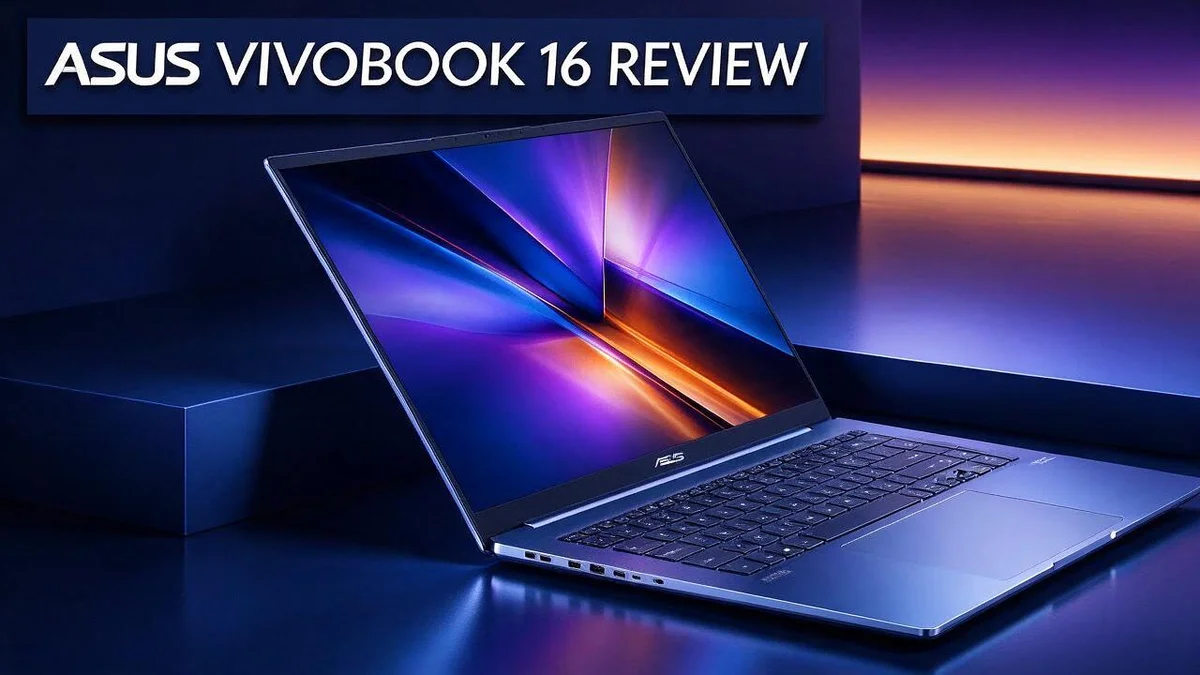
Asus Vivobook 16 Review: Specs, Display, Performance and Battery Life Tested
Need a laptop with plenty of room to work? The Asus Vivobook 16 could be a great fit. Its large 16 inch screen gives you more space for documents, spreadsheets, and browsing.
One popular version comes with an Intel Core i5-13420H processor, 16GB of RAM, and a 1TB SSD. These parts handle everyday tasks with ease.
Battery life is another strong point. The 63 Wh battery helps you get through a full day of work or class. Students and office workers often choose it for that reason.
Of course, no laptop is perfect. The display looks a bit dim, and the speakers are only average. In this review, we will look at what this laptop does well and where it falls short.
Let’s dive in and see if it fits your needs.
In a Nutshell
Here is a quick look at what matters most.
- Larger screen for daily tasks: The 16:10 display gives you extra vertical space. Documents and spreadsheets feel easier to view during long sessions.
- Solid for office work: It handles email, web browsing, and spreadsheets with ease. Light video streaming also runs without trouble.
- Optional gaming power: The V16 model pairs a Core 7 chip with an RTX 5050 graphics card. This version suits casual play.
- Germ resistance: ASUS Antimicrobial protection helps reduce germs on the surfaces you touch most.
- Display and sound limits: The screen looks dim, and colors are not accurate. Speakers sound average, so media lovers may want more.
- Mixed owner feedback: Reviews vary widely. Compare the models and read recent reviews before you choose. Rivals like the MSI Prestige 16 AI Evo may suit creative users better.
Display and Visual Quality

- ASUS Vivobook/BLUE/16.0 WUXGA(WU) non-Touch/X1 26 100/16GB/Qualcomm UMA/512GB/WIN11 HOME
- Stunning 16-inch WUXGA Display Indulge in stunning visuals in breathtaking 1920 x 1200 resolution (16:10) and...

Last update on 2026-11-26 / Affiliate links / Images from Amazon Product Advertising API
The screen gives you plenty of space for everyday work. Text stays sharp enough for long emails and documents. Many people find reading articles and spreadsheets comfortable on it.
Brightness matters most in bright rooms. Sunlight from a window can wash out the picture. Sit with the window to your side instead of behind or in front of the screen. This simple change can make a big difference.
Many users raise the brightness to the top level. This helps, but it can drain the battery faster. Keep the setting high only when you need it, and lower it for quiet tasks.
Look for an eye care mode in the settings. Many laptops include a mode that softens the glow of the screen. Turning it on during evening sessions can make the display feel easier on your eyes.
Viewing angles also affect the picture. Tilt the lid slightly until the image looks even across the screen. Leaning far to one side can make the picture look faded, so keep your head centered.
Creative work needs more than a simple tweak. Photo editing and video work call for accurate colors, and this screen may fall short. In that case, an external monitor can fill the gap. Many laptops in this class include an HDMI port for this purpose.
Who benefits most from this display? Students, office workers, and people who browse the web every day will likely feel at home. Anyone who needs precise color should look at other options first.
Overall, the screen handles routine tasks well. A few smart habits, such as adjusting brightness and placing the laptop away from direct light, can make the visuals feel much better. Give these tips a try during your first week of use.
Performance and Multitasking
Multitasking feels smooth on this laptop. Most daily work runs without much fuss. You can keep several apps open and switch between them with ease.
The 16GB of memory plays a big role here. It gives your browser plenty of room. You can keep many tabs open while a document stays active in the background.
Think about a typical workday. You might join a video call, take notes in a document, and check a shared spreadsheet. The system keeps these tasks moving together.
Heavy workloads need more care. Large photo edits or long video exports can slow things down. Save those jobs for later, or run them when nothing else is open.
The 1TB SSD also helps with speed. Files open quickly, and apps launch without long waits. Copying large folders feels faster than on older storage drives.
Fan noise is another factor. Under light tasks, the laptop stays quiet. When you push it harder, the fans speed up. This is normal for a machine in this class.
Tips for better multitasking: Close apps you no longer need. Restart the laptop once a week. Check your startup programs so unused tools do not load every time you power on.
Some people like to connect an external monitor. This adds more room for side by side windows. It also takes some strain off the built in screen.
Keep the air vents clear of papers and blankets. Good airflow keeps performance steady during long sessions. A cooling pad can help if the base feels warm on your lap.
Gaming on the V16 model works a little differently. Demanding games may need lower settings to keep frame rates smooth. Check each game’s requirements before you install it.
Overall, the Vivobook 16 handles everyday multitasking with confidence. It suits students, office workers, and home users who juggle many tasks at once. Heavy creative projects may call for a more powerful machine.
Battery Life and Portability
The battery is a strong point of this laptop. It packs a 63 Wh battery that supports many hours of light work. Many reviews praise how well it lasts through a regular workday.
Battery life depends on how you use the laptop. Writing, browsing, and video calls use less power. Heavy photo editing and gaming drain the battery much faster.
Screen brightness also changes how long a charge lasts. Lowering the brightness a few steps can add valuable time away from a charger. Keep it at a comfortable level for your room.
Battery saver mode can stretch your time. Windows offers a power saving setting that limits background activity. Turn it on when the battery drops below half.
Carrying the laptop is the next step. The 16 inch frame takes more room in a bag than a smaller 13 inch model. Still, it slides into most backpacks with a laptop sleeve.
Protect the screen and corners with a padded sleeve. Keep the charger in a separate pocket so it never gets lost. A small pouch keeps cables tidy and safe during travel.
Weight matters more than you might think. Check the total load with the charger included. A backpack with a padded laptop pocket close to your back feels lighter on long walks.
Plan your work sessions around outlets. Libraries, cafes, and airports often have seats near power. Ask staff where the outlets are before you sit down.
Charge fully before a long trip. Start each day with a full battery when you can. This habit reduces stress when a power source is hard to find.
Travel days also bring unexpected delays. Pack a short extension cord or a spare charger in your bag. This small step keeps your work going during a long wait at the airport.
The Vivobook 16 suits people on the move. Good battery life pairs well with a practical size for school and office bags. Students and commuters will likely appreciate this balance.
Top 3 Alternatives
Acer Aspire 5

- 【Unleash Powerful Performance】Elevate your experience with the Acer Aspire 5 Laptop featuring an Intel...
- 【15.6" Touchscreen FHD IPS Display】 15.6" FHD IPS (1920x1080) Anti Glare Display with 85% screen-to-body...
Last update on 2026-11-14 / Affiliate links / Images from Amazon Product Advertising API
The Acer Aspire 5 is a great choice for everyday work. It offers a bright display and a comfortable keyboard. Many students and home users like its simple setup process.
It handles web browsing, documents, and video calls with ease. Its battery often lasts through a full workday. Buyers who want a reliable laptop for school or office tasks often find it a solid fit.
HP Pavilion 15
No products found.
The HP Pavilion 15 blends style and performance. It has a slim body and a clear screen that suits movies and streaming. Creators who edit photos or share content online often enjoy its vivid colors.
Its keyboard feels smooth and quiet during long typing sessions. You get a dependable machine for both play and work. Many shoppers choose it when they want a laptop that looks sharp and performs well.
Lenovo IdeaPad Slim 3

- Web vision Including Word, Excel, OneNote, Outlook, PowerPoint, Publisher, Access
Last update on 2026-11-26 / Affiliate links / Images from Amazon Product Advertising API
The Lenovo IdeaPad Slim 3 focuses on portability. It weighs less than many laptops in its class, so it travels well. Students who carry their gear across campus often appreciate this lightweight build.
Its sturdy hinge and keyboard can handle small spills. It is a practical choice for daily commutes and classes. Users who move often find it easy to pack and go.
Build, Keyboard and Audio
The Asus Vivobook 16 feels solid in daily use. The lid and base use a sturdy plastic shell that handles light bumps well. It does not feel as premium as a metal body, though. You may notice some flex when you press the middle of the keyboard deck.
The hinge matters a lot on a laptop this size. The lid opens with one hand and stays steady at most angles. A wobbly screen can distract you during video calls, so this hinge helps.
Typing feels comfortable for most people. The keys have a clear click and enough travel for long writing sessions. Some users find the keys a little soft, so testing them in person helps.
The 16 inch frame also leaves room for a number pad on many models. This suits people who work with spreadsheets or invoices. The palm rest stays wide and cool, which keeps your wrists relaxed.
The backlit keyboard helps in dim rooms. You can adjust the light level with a function key. The keys stay easy to read at night, which makes late emails less of a strain.
ASUS adds an antimicrobial coating to the keyboard area. This can help keep surfaces cleaner between uses. It does not replace regular cleaning, so wipe the keys with a soft cloth each week.
Now the speakers. Sound from the built in speakers is clear enough for news clips and video calls. Bass is weak, though, and volume drops quickly in a noisy room. Music can sound thin at high levels.
Good audio needs a few small steps. Place the laptop on a hard table so sound bounces out instead of getting soaked up by a bed or couch. Wired or wireless headphones give richer sound for films and music.
Overall, the build, keyboard, and audio work well for everyday tasks. The keyboard stands out as the best part of this section. Audio is the weak spot, so plan on headphones if sound matters to you.
Model Variants and Value
The Asus Vivobook 16 comes in several model codes. You may spot M1605, A1605, X1607Q, R1605, X1605VA, or V16 on store pages. Each code can point to a different mix of parts.
Start with the processor. One common setup uses an Intel Core i5 13420H chip. This setup suits people who handle documents, spreadsheets, and streaming.
Choose the gaming variant only if you need it. The V16 model pairs a Core 7 processor with an RTX 5050 graphics chip. That setup leans toward play and 3D tasks, so it fits gamers and hobby designers better than everyday users.
Check the screen details before you buy. Some codes use an entry level IPS panel. Look at the model code on the listing so you know exactly which screen you get.
Compare with sister models. The Vivobook S16 and VivoBook S15 sit close by in the Asus lineup. The Zenbook S 13 is smaller and easier to carry. Each one trades screen size for weight or design.
Consider rival laptops too. The MSI Prestige 16 AI Evo and the 16 inch MacBook Pro M4 Pro aim at people who expect more from their machine. A business ThinkPad also suits anyone who wants keyboards and security tools built for work.
Match the model to your daily tasks. Ask yourself what you do most. Light writing and web browsing need little beyond a standard build. Gaming, video editing, or heavy design work calls for a higher tier model.
Check the model code every time. Listings can look alike, yet small code changes shift the parts inside. A quick look at the processor and graphics chip prevents surprises after delivery.
Read user reviews with care. Owner opinions vary a lot. Some people praise the everyday speed, while others mention the display. Reading both sides helps you decide which model fits your needs.
In short, the Vivobook 16 offers several paths. Pick the code that matches your daily work, and skip the extras you will never use.
Pros and Cons
Pros
– The large 16 inch screen gives extra room for spreadsheets and open tabs.
– Performance feels quick for office work and school tasks.
– The 16:10 display shows more vertical space for reading and scrolling.
– Light video watching looks fine on the panel.
– The laptop runs smoothly without major slowdowns.
Cons
– The display can look dim and dull in bright rooms.
– Colors are not accurate enough for photo or video editing.
– Owner reviews are mixed, so read several before you buy.
Who Should Buy It
The Asus Vivobook 16 suits people who want a big and simple workspace. It works well for many daily tasks. Let’s see who gains the most from it.
Students who write papers and research online will feel at home here. The wide screen fits two windows side by side. Notes and reading material stay easy to reach.
Remote workers who spend long hours on video calls also benefit. The taller screen shows more rows in spreadsheets and chat apps. The keyboard feels steady during long writing sessions.
Home users who watch shows on weekends make a good match too. Light movie nights look fine on the panel. Pair it with headphones, since the built in speakers sound average.
Busy office staff who juggle many open tabs can rely on it. The extra vertical space helps with reports and emails. Performance stays smooth during routine work.
Small business owners who send invoices and quotes will find it useful. Clear document layouts show up well on the larger display. Spreadsheets for accounts also feel easier to read.
Desk users who connect an external monitor can get even more space. The laptop becomes a central hub for a simple home office. Everything stays organized in one place.
Parents who want one machine for the whole household should consider it. Kids can study while adults handle email and online forms. Each user can keep their own folders and logins.
Who should look elsewhere?
Photographers and video editors need more accurate colors than this screen offers. Serious gamers may want a stronger graphics chip for demanding titles. Buyers who need a very thin laptop might prefer a sleeker model from another brand.
The best fit comes down to daily habits. Think about your main tasks before you decide. Take a moment to list your top three uses before you commit. A clear choice now saves time and frustration later.
Final Verdict
The Asus Vivobook 16 earns a good spot on the shortlist. It handles daily work with ease and gives you plenty of room to spread out.
The laptop does its main job well. Emails, documents, and web browsing run smoothly from morning to night. Battery life also holds up through a full day of tasks.
Still, it has clear limits. The screen looks dim in bright rooms, and colors fall short for serious photo or video editing. Speakers stay average, so you may want headphones for movies.
That makes this laptop a strong match for certain buyers. It shines for students, office staff, and remote workers who need space more than visual precision.
Creative professionals should look elsewhere. A display with better color accuracy will serve them far better. Premium rivals like the MacBook Pro M4 Pro or MSI Prestige 16 AI Evo deliver that polish.
Mixed owner feedback also deserves attention. Some users praise the reliability, while others report issues with the panel. Read recent reviews from multiple sources before you commit.
Think about your daily routine first. If you mostly type, research, and manage spreadsheets, this model fits the job. If you edit photos or game often, check the specific model code first.
Battery life deserves another look for travelers. Long unplugged sessions in cafes or on trains feel comfortable with this model. Pack the charger anyway for longer trips.
Support and warranty matter too. ASUS offers a wide service network in most regions. Check local coverage before you buy so repairs stay simple.
Your final choice comes down to your priorities. Put screen size and daily tasks first, then compare alternatives. A quick side by side test in a store can reveal what feels right.
Overall, the Asus Vivobook 16 is a practical and dependable machine. It does not dazzle, but it gets the work done. Choose it when space and steady performance matter most.
Frequently Asked Questions
Which Asus Vivobook 16 model should I choose?
Many versions share a similar name, including M1605, A1605, X1607Q, and X1605VA. Check the exact model number before you buy. Each version may come with different chips, memory, and storage, so compare the listing details carefully.
Does the Vivobook 16 handle gaming?
Only the V16 gaming variant includes an RTX 5050 graphics card. It pairs that card with a Core 7 processor. Standard models focus on office work, school tasks, and everyday browsing. Casual games may run on them, but demanding titles need the gaming version.
What does ASUS Antimicrobial protection do?
This feature adds a layer of hygiene to the laptop surface. It suits shared desks, classrooms, and busy home offices. It does not replace regular cleaning, so wipe the keyboard and palm rest often.
How does it compare with a MacBook Pro or ThinkPad?
The 16 inch MacBook Pro M4 Pro offers stronger color and creative power. A business class ThinkPad suits teams that need a serious work tool. The Vivobook 16 fits people who want a large screen for simple, everyday tasks.
Is there a lighter ASUS option?
Yes, the ASUS Zenbook S 13 is a compact choice. The ASUS Vivobook S16 is another close relative to review. Pick the Vivobook 16 when screen size matters more than portability.

Dillip is the founder and editor of DillipWeb.com, where he simplifies the world of AI software, tech gadgets, and accessories through honest reviews, detailed comparisons, and easy-to-follow guides. With a deep passion for emerging technology, he helps everyday users make smarter, more informed tech decisions.