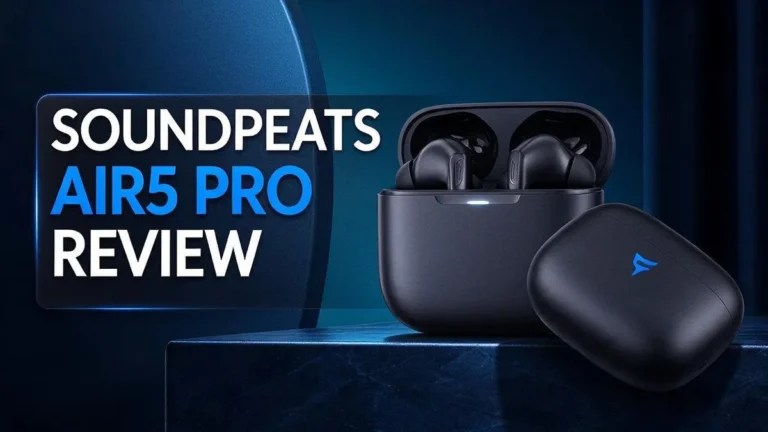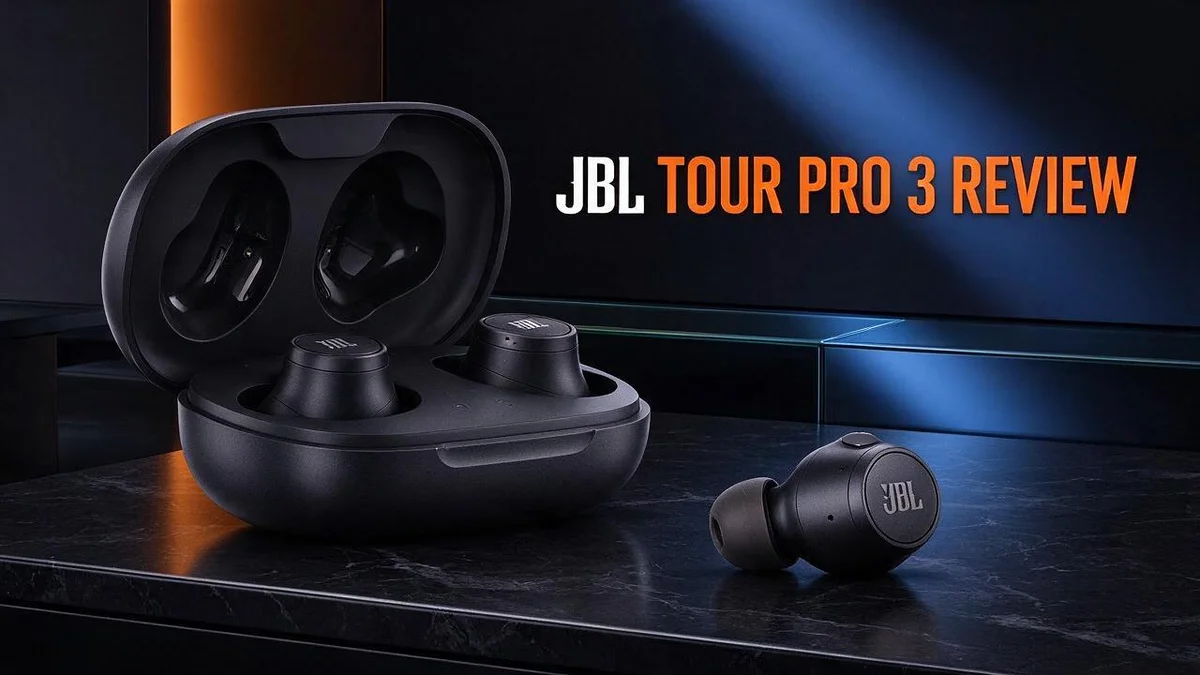
JBL Tour Pro 3 Review: Sound Quality, ANC, Smart Case and Battery Life Tested
Looking for earbuds that sound great and block out noise? The JBL Tour Pro 3 is worth a close look.
It packs strong audio quality and effective noise cancelling into a compact design. Its hybrid driver setup delivers rich bass and clear highs.
Calls sound solid too, since six microphones pick up your voice well. Bluetooth 5.3 keeps the connection steady.
The smart charging case stands out from the crowd. Many listeners also enjoy the equalizer in the JBL app, which lets you shape every sound with ten bands.
The design stays largely the same as the Tour Pro 2, so fans of the earlier model will feel at home. The case runs a bit bulky, though.
Keep reading to see how this pair performs in daily use and how it stacks up against rivals such as Sony’s top earbuds.
In a Nutshell
- Advanced connection: Bluetooth 5.3 and LDAC support work together to deliver steady, detailed sound from compatible phones and tablets.
- Hybrid driver design: A 10.2 mm dynamic driver teams up with a balanced armature, so you get rich bass and clear highs across most genres of music.
- Personal sound control: The JBL app offers a 10 band equalizer, letting you shape the tone to match your taste and favorite playlists.
- Fast noise adjustments: The ANC samples your surroundings 57,000 times per second, which helps keep things quiet on busy trains, planes, and city streets.
- Long listening time: The earbuds last a long time between charges, which makes them a great pick for long flights, busy workdays, or weekend trips.
- Things to consider: The charging case feels bulkier than rivals like the JBL Live Buds 3, and one Reddit user reported units failing soon after purchase, so check the warranty before you buy.
Sound Quality and EQ Tuning

- SMART CHARGING CASE: Leave your phone in your pocket. The 1.57" touchscreen smart case lets you control music...
- ACTIVE NOISE CANCELLING: These true wireless earbuds listen to your surroundings and adapt in real time—True...

Last update on 2026-11-26 / Affiliate links / Images from Amazon Product Advertising API
Sound is where the Tour Pro 3 really earns attention. Every listener hears music a little differently, though. That is why the EQ tools matter so much.
Start with a simple test. Play a song you know well, then open the JBL app. Listen for areas that feel too heavy or too thin.
Try the presets first. Presets give you a quick starting point. Pick one that matches your music style, then adjust from there.
Genre matters too. Rock and pop often benefit from a little extra bass. Classical and jazz usually sound best with a flatter curve that keeps instruments natural.
Next, move the sliders in small steps. A change of one or two decibels can make a clear difference. Big jumps often sound harsh, so keep your moves gentle.
Lower the low bands if bass feels muddy. Vocals may sound boxy in the middle range. Raise the upper mids a little to bring singers forward.
Keep the volume moderate during tests. Loud levels can fool your ears into thinking bass sounds better than it really is. A medium volume gives the most honest picture.
Fit plays a big role as well. A snug seal lets the low end arrive with full force. A loose fit can make bass sound weak, even with the perfect EQ setting.
Source quality matters too. Streaming apps with high quality settings give the buds more detail to work with. Lossless files show off the sound even more.
Save your favorite setup. Create a custom profile for podcasts, another for workouts, and one for relaxed evening listening. Switching takes just seconds.
Take notes on each preset you try. A simple list helps you compare results later and saves time.
Test in different places, too. A quiet room reveals subtle treble detail. A busy street may hide it, so trust what you hear at home.
Give each change a full listen before you decide. Your ears adapt quickly, so a sound that felt strange at first may grow on you. Trust your taste and keep tweaking until the music feels right.
Noise Cancellation and Call Quality
When you pick earbuds, noise control and calls matter just as much as sound. This section shows how the Tour Pro 3 handles both in daily life.
Fit decides how well noise cancelling performs. Try three tip sizes in a quiet room. A tight seal blocks more low hum from buses, fans, and air conditioners.
A loose fit lets noise leak in. Quiet podcasts reveal those gaps fast. Play a voice track with ANC on, then switch it off to hear the difference.
Background noise can still sneak through. Heavy traffic or loud crowds may still break through. Lower your volume when you need to hear your surroundings.
Calls depend on where you speak. Windy streets can make your voice sound distant. Try calling from a quiet corner first, then test outdoors.
Wind is a common call problem. Hold your phone close and speak in a steady tone. Short sentences help listeners follow along when audio dips.
Mic placement matters more than many people expect. Keep the earbud stems clear of hair, scarves, and hats. A clear path helps your voice reach the mics.
Ask a friend for honest feedback. Have them rate your voice on a short call. Note any echo, muffled words, or sudden drops. Repeat the test in a café and at home.
Match the setup to your routine. Commuters often need strong noise control. Office workers may care more about clear calls. Adjust your habits to get the best result.
Rivals like the Sony WF-1000XM5 and JBL Live Buds 3 offer strong options too. Record a short test call with each pair and compare the clarity.
Keep track of what works. Write down the spot, the fit, and the result. Over a week, patterns will show which habits help most.
Good noise control and clear calls make the Tour Pro 3 easy to use every day. Test a few setups, and you will find the one that suits you best.
Design and Smart Charging Case
The JBL Tour Pro 3 keeps the same overall look as its predecessor. The design is largely unchanged from the Tour Pro 2. Owners of the older model will feel right at home.
Many shoppers judge earbuds by appearance first. This model follows a clean and familiar style. It suits both casual outfits and office wear.
The real highlight is the smart charging case. It does more than hold the earbuds. The case aims to keep your earbuds ready for daily use.
Smart cases aim to make daily charging simpler. A good design keeps the earbuds ready when you need them.
The trade-off is size. The case is bulkier than many competitors. A larger case takes more room in a bag or pocket. Shoppers with small pockets should plan for that.
Many buyers compare this model with the Sony WF-1000XM5 and the JBL Live Buds 3. Check the case size in person if pocket space matters most. Pocket space matters most for commuters.
One Reddit user reported that their units failed within a short period. This was a single anecdotal report, so it does not show a clear pattern. Still, gentle handling helps any earbuds last longer.
Try the case before you buy. Open and close the lid a few times. Check how it sits in your hand and your bag.
Design also affects how often you reach for the case. Easy access makes a difference on busy days. Keep the case near your keys or in an easy pocket so you do not forget it.
Matching the case to your routine helps too. Commuters may value a secure fit in a crowded bag. Gym goers may prefer a case that slides into a jacket pocket. Think about where you will carry it most.
Overall, the design offers a familiar look with a smart case. Shoppers who want a smart case will likely enjoy it. Those who want the smallest option may look elsewhere.
Top 3 Alternatives
Sony WF-1000XM5
No products found.
The Sony WF-1000XM5 is a strong pick for people who want top noise canceling. Its small design fits most ears well. Sound quality feels rich and clear. Battery life lasts a long time, so it works well for long commutes.
Bose QuietComfort Ultra Earbuds

- WORLD-CLASS NOISE CANCELLATION: The best noise cancellation of any Bose wireless earbuds is now even better...
- CUSTOMTUNE TECHNOLOGY: CustomTune technology analyses your ears and adapts your in-ear headphones to their...
Last update on 2026-11-26 / Affiliate links / Images from Amazon Product Advertising API
Bose offers excellent noise canceling that blocks out busy streets and office chatter. The fit feels secure during daily workouts. Spatial audio adds an immersive feel when you watch movies. These earbuds suit travelers who want quiet on every flight.
Apple AirPods Pro 2

- PIONEERING HEARING — AirPods Pro 2 unlock the world’s first all-in-one hearing health experience: a...
- INTELLIGENT NOISE CONTROL — Active Noise Cancellation removes up to 2x more background noise.* Transparency...
Last update on 2026-11-26 / Affiliate links / Images from Amazon Product Advertising API
The Apple AirPods Pro 2 work best for people who use an iPhone. Setup takes only seconds. Switching between Apple devices feels smooth and simple. Adaptive audio adjusts to your surroundings. They are a great choice for Apple fans.
Connectivity and Codec Support
The JBL Tour Pro 3 uses Bluetooth 5.3 for its wireless link. This newer standard helps keep the connection steady. You can walk around the house or gym with fewer dropouts.
Connection quality matters more than many people expect. A stable link keeps music flowing without stutters. It also helps video stay in sync with what you see on screen.
The earbuds support LDAC, a codec for high quality audio. A codec decides how sound data travels from your phone to the earbuds.
LDAC can send more data than standard codecs. That extra data helps music keep more detail.
LDAC works best with Android phones that support it. Many Android devices include LDAC in their Bluetooth audio settings. Turn it on, then check that the earbuds show the higher quality mode.
iPhone users cannot use LDAC. Apple devices rely on AAC instead. AAC still sounds good, so most listeners will be happy.
Streaming settings also shape what you hear. Lossless files or high bitrate streams give the codec more to work with.
If LDAC is unavailable, the earbuds fall back to a standard codec. The connection stays active, so you can keep listening.
Pairing is quick with modern devices. Open Bluetooth on your phone, select the earbuds, and wait for the confirmation.
Range is another strength of this Bluetooth link. Your phone can stay in a bag or pocket while you walk. Keep the phone on your body for the most stable signal.
Keep the JBL app installed on your phone. It helps you check for firmware updates and manage connection details.
Overall, the connectivity feels modern and reliable. LDAC and Bluetooth 5.3 give Android users strong audio options. iPhone users still get a solid listening experience.
Durability and Long-Term Reliability
Durability matters more than many people expect. Earbuds travel in pockets, bags, and gym lockers every day. Small knocks and sweat add up over time.
Long term reliability depends on more than the earbuds themselves. The case, the tips, and the battery all age at their own pace. Many owners notice changes after a year or two.
Ear tips wear out first. Silicone can stiffen, tear, or collect earwax. A worn tip weakens the seal and lowers noise control. Replace tips when they look dull or feel hard.
The case needs the same care. Its hinge opens and closes many times each week. Check the charging contacts now and then. Dust and lint can block a clean connection.
Moisture also deserves attention. Dry the earbuds and case before storing them. Trapped sweat can slowly damage the seals and contacts.
Battery wear is normal. Lithium batteries lose capacity slowly over years. Shorter playtime after a long period is expected. Keep the case charged between uses and avoid heat.
Software updates also play a role. The JBL app can help you check for firmware updates. Updates may improve stability and connection behavior over time.
The reported failures deserve a closer look. One Reddit user said their units failed within a short period. That report is only one source, so it does not prove a pattern. Still, it shows why a warranty matters.
Check the warranty length and claim steps before you buy. Keep your receipt in a safe place. Register the product if the brand offers that option.
Simple habits extend lifespan. Wipe the earbuds after workouts. Store them in a dry spot. Avoid dropping the case on hard floors.
Good care helps the JBL Tour Pro 3 last longer. Regular upkeep keeps the earbuds feeling new. Small habits help your earbuds stay reliable for years.
Pros and Cons
Pros
- Strong audio quality from a hybrid driver setup.
- Effective noise cancelling that adapts to your surroundings.
- Clear calls thanks to six microphones.
- Full control with a 10 band EQ in the JBL app.
- Long battery life for busy days.
Cons
- The charging case is bulkier than many rivals.
- The design looks almost the same as the last model.
- Some users report units failing after a short time.
- Best sound needs LDAC, which iPhone users cannot use.
Who Should Buy It
The JBL Tour Pro 3 suits people who like to shape their own sound. Music fans who enjoy tweaking bass and treble will feel right at home.
Frequent commuters are a great match. Noise cancelling helps block out train rumble and busy streets. Long rides feel shorter with full, clear sound.
Remote workers make up a strong audience. Those who spend hours on calls will value steady voice pickup.
Runners may find the fit a deciding factor. A snug seal matters more during runs and jumps.
Listeners who mix genres will find flexibility. Rock, jazz, and podcasts sound different, so custom settings help balance them.
First time wireless buyers can start here. Easy setup makes the switch from wired gear feel smooth.
Tour Pro 2 owners should weigh the change carefully. Many experiences feel familiar, so the upgrade may feel modest.
Shoppers who want a slim carry option should compare first. Rivals such as the Sony WF-1000XM5 and JBL Live Buds 3 deserve a look before buying.
Casual listeners may not need every feature. Someone who streams podcasts now and then might find simpler earbuds enough.
Shoppers who sleep with earbuds may need to compare options. Comfort for side sleepers depends on fit and weight, so test before committing.
Office workers who wear earbuds all day should take breaks. Ear comfort matters more than specs after hours of use.
Gift shoppers can pick this with confidence. Tech fans often enjoy a smart case and strong sound, which feels like a thoughtful present.
Anyone who wants a simple daily companion will like it. Quick use and steady sound fit busy routines well.
Every listener has different needs. Think about your commute, workouts, and calls before you choose. A clear list makes the decision easier.
Final thoughts for buyers. Match the features to your daily habits. Heavy listeners and frequent travelers get the most from this model.
Final Verdict
The JBL Tour Pro 3 earns a strong recommendation for most daily listeners. It feels like a complete package rather than a set of extra features.
Buyers who want control over their listening will feel right at home. Sound, noise cancelling, and app settings work well together.
Compared with the Sony WF-1000XM5, the Tour Pro 3 takes a different path. Sony focuses on polished noise cancelling. JBL focuses on sound you can shape.
Shoppers who want a simpler setup may prefer the JBL Live Buds 3. That model fits people who do not need deep customization.
Think about your daily routine before you decide. Commuters, remote workers, and music tweakers get the most from this model.
Casual listeners who rarely adjust settings may find fewer benefits. They still get good sound, but the extra features may go unused.
Think about how long you plan to keep these earbuds. A model you use every day for several years should justify the time you spend learning its settings.
Learning the app takes only a short time. Once you save your favorite EQ profile, you can switch between songs and podcasts with little effort.
Our bottom line is simple. If you want one pair of earbuds for music, calls, and travel, this model deserves a spot on your shortlist.
Take a few days to test comfort and seal during normal use. A good fit makes every feature shine.
Keep your purchase details and warranty papers somewhere safe.
The Tour Pro 3 does not try to be everything to everyone. It aims for strong sound, useful features, and clear calls. That focus makes it a dependable choice.
In short, this pair suits listeners who value control, clarity, and daily reliability. It may not win every category, but it wins where it counts most for everyday use.
Frequently Asked Questions
Does the JBL Tour Pro 3 work with Android phones and laptops?
Yes, it does. The Bluetooth 5.3 connection works with most phones, tablets, and laptops. Android users can also use LDAC for higher quality audio when their device supports it. Check your device settings to turn it on.
How do I pair the earbuds for the first time?
Open the case and hold the pairing button until the light flashes. Then choose the earbuds from your device’s Bluetooth list. Next, download the JBL app. It helps you update the firmware and adjust your sound settings.
Should I check the return policy before buying?
Yes, this step matters. One Reddit user reported units failing soon after purchase, but this is a single report. Check the return window and warranty terms before you order. That way, you can act fast if a problem shows up.
Is the Tour Pro 3 a good upgrade from the Tour Pro 2?
The design looks almost the same, so the real differences sit inside. Compare the sound tuning, microphone setup, and app controls side by side. Focus on the features you use most to make the choice easier.

Dillip is the founder and editor of DillipWeb.com, where he simplifies the world of AI software, tech gadgets, and accessories through honest reviews, detailed comparisons, and easy-to-follow guides. With a deep passion for emerging technology, he helps everyday users make smarter, more informed tech decisions.