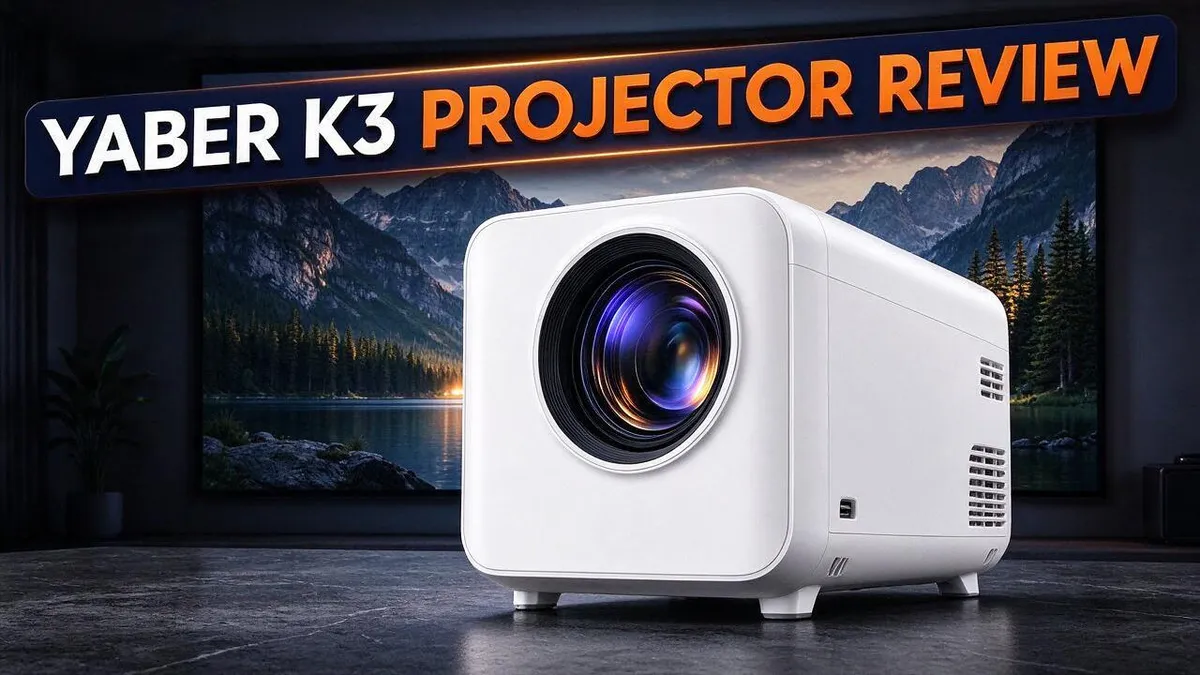
Yaber K3 Projector Review: Brightness, Smart TV Features, Sound and Verdict
Dreaming of a big screen movie night without leaving home? The Yaber K3 projector could be the smart choice you have been looking for.
Your living room can feel like a cinema in minutes. This model runs Android and Google TV, so you can open your favorite streaming apps right away.
It projects images from 40 to 200 inches with 1080p resolution. Its 1600 ANSI lumens give bright output for its class, so the picture stays clear in a well lit room.
Dual JBL speakers come inside the projector, and auto setup helps you start watching fast. Sound and setup both feel simple.
In this review, we look at the key features, real user feedback, and how this projector compares with other popular models. Keep reading to see if it fits your space.
In a Nutshell
-
Best fit: Families and movie fans want a big picture without buying a giant TV. Many buyers like this option for weekend films and shared fun.
-
Easy streaming: Your favorite apps sit right on the device, so you skip extra sticks and boxes. Sign in once and jump into your shows quickly.
-
Room matters: Close the curtains and dim the lights for the sharpest picture. A bright wall or open window can wash out the image.
-
Honest caveat: One online user doubts that projectors can replace a TV over the long run. This view is unverified, so read recent reviews too.
-
Rival check: Compare it with the Acer C200 and PVO mini projector before you decide. Look at screen size, sound, and app support side by side.
-
Bottom line: This model suits casual movie nights, sports, and game time at home. It gives a fun, smart viewing experience for everyday use.
Brightness and Image Quality

- 【Real & Reliable 990 ISO Lumens-Ultra-Bright】Our proprietary NovaGlow technology cuts through ambient...
- 【Built-In Google TV with 7000+ Apps】As a true Google TV projector and portable projector, K3 compatible...
Last update on 2026-11-26 / Affiliate links / Images from Amazon Product Advertising API
Brightness shapes how well you enjoy a projected picture. A projector that looks great in a dark basement can look weak in a sunny living room. Plan your viewing time before you set up.
Think about your daytime habits. Sunlight from large windows can wash out the image. Evening sessions give the best results, so schedule movies after sunset when you can.
Wall color also changes the look. Light walls reflect more light back to the screen. Dark or patterned walls can make colors look dull and muddy.
Your screen choice matters too. A plain white wall works well for casual viewing. A dedicated projector screen can add extra punch and help colors stand out. Place the projector straight in front of the screen when possible. This keeps the image square and sharp.
Expect some limits in dark scenes. Black areas can look gray, especially in a room with light coming in. Space films and night chases show this best. Lower the room light and the blacks look deeper.
Fine details need good source material. Sharp edges look clean in 1080p content. Blurry or compressed streams can soften faces and text, so pick HD versions of your favorite shows when they are available.
Test before you settle in. Play a bright scene and a dark scene from the same movie. Check faces, grass, and sky. Adjust the position or lighting until both scenes look good to you.
Sound and Speakers
Sound matters just as much as the picture. Many people forget this part until movie night starts. A good audio setup pulls you into the story.
The Yaber K3 uses JBL branded speakers. They handle dialogue, music, and casual sports commentary well. Voices stay clear in a quiet room.
Keep in mind that sources report different wattage numbers. One lists dual 15W speakers, while another mentions 30W total sound. Check the official specs before you decide, so you know what to expect.
Speaker placement changes the experience. Place the projector on a stable surface near ear height. Keep it away from walls and corners. Open space helps the sound stay clean.
Volume can distort at maximum levels. Most people find the sweet spot around the middle. Push the volume only when the room feels loud.
Pair headphones or a speaker for bigger sound. The projector supports Bluetooth, so you can connect a wireless speaker or headphones. Late night viewing becomes easy this way. Your family can watch without waking the neighbors. Some Bluetooth links may show a short audio delay, so test the sync first.
Sound tip for small rooms. Hard floors and bare walls create echo. Add a rug, curtains, or a sofa to soften the room. Your ears will thank you.
Consider a soundbar for deep bass. Built in speakers rarely produce deep bass. A soundbar adds punch to action scenes and explosions. Check that your setup offers a matching connection before you buy one.
Test the sound before guests arrive. Play a loud action clip and a quiet talk scene. Listen for crackling, buzzing, or thin voices. This quick check saves you from surprises.
Bottom line: Built in sound works well for casual viewing. Add a separate speaker when you want a true theater feel. Most viewers enjoy it that way.
Smart TV Platform and Setup
The Yaber K3 runs Google TV on Android. This means the projector works like a smart TV rather than a simple screen for your laptop. You see a home menu, app rows, and a search bar right after you power it on.
Your streaming accounts matter most. Sign in with your Google account to bring over your watch history and favorite shows. Then add the apps you use every day so they sit at the top of the menu.
Because the platform is Android, you can install more apps from the store. Test each app before a big movie night. Some apps may look different on a large image, so a quick check helps you know what to expect.
Auto screen adaptation helps with alignment. The projector can adjust the picture to fit your wall with less effort. Still, check the corners and make small changes in the settings menu so the image looks clean.
A steady internet connection makes the biggest difference. The K3 uses a modern wireless connection, so high quality streaming runs more smoothly when your signal stays strong. Place your router within a good range of the projector.
Plan your first setup in the evening. Connect the projector to power and wait for the home screen to load. Then sign in, install updates, and play one show to confirm everything works.
Updates matter more than many people expect. New software can change menus, fix bugs, and keep apps running well. Check the settings now and then so you avoid surprises during game night.
Most people learn the home screen within a few days. Keep your favorite apps in front and move rarely used apps to the back. This simple habit saves time and makes every viewing session feel easy and enjoyable.
Top 3 Alternatives
Looking for a different option? These three projectors offer portable fun without a big setup. Each one suits a different lifestyle.
Anker Nebula Capsule

- Super-Sized Screen, Portable Design: Capsule 3 is an all-new ultra-portable Google TV projector licensed by...
- Take the Big Screen Anywhere: With a max screen size of 120 inches, Capsule 3 delivers a cinema-level...
Last update on 2026-11-26 / Affiliate links / Images from Amazon Product Advertising API
The Anker Nebula Capsule is a compact projector with an Android system. You can open streaming apps without a laptop or phone. It fits easily in a backpack, so it works well for trips and backyard movie nights.
Its picture stays bright enough for a small room. Autofocus and auto keystone correction make setup quick. You can place it almost anywhere and start watching in minutes.
ViewSonic M1 Mini

- For Projection Needs From Cookie Decorating to Movies: Pocket projector produces clear and bright...
- Multiple Wired & Wireless Connectivity Methods: Pico projector built-in Type C/HDMI/AV/Micro SD port and come...

Last update on 2026-11-26 / Affiliate links / Images from Amazon Product Advertising API
The ViewSonic M1 Mini has a smart cover that doubles as a lens cap and a stand. It runs on Android TV, so you can stream your favorite shows right away. Its small size makes it simple to carry.
It also includes a speaker. That makes it a good pick for kids’ videos, quick presentations, or casual game nights at home.
XGIMI MoGo 2

- Multi-angle Rotation: 120° Adjustable Angle. Easily switch your projected image from the wall to the ceiling.
- Seamless Streaming with Google TV: Enjoy smooth access to Netflix and over 5,000 apps via Google TV and the...
Last update on 2026-11-26 / Affiliate links / Images from Amazon Product Advertising API
The XGIMI MoGo 2 is a portable projector with a long battery life. It corrects the image shape and rotates the picture on its own. You can move it from room to room without much effort.
It has a speaker with clear sound. Many people like it for bedrooms and dorm rooms, where space is limited. It also works well for sports nights with friends.
Screen Size and Placement
Screen size sets the tone for your whole viewing setup. The Yaber K3 can project an image from 40 inches to 200 inches. That wide range gives you plenty of freedom.
Start by choosing the size that fits your space. A small desk or bedroom wall suits a smaller image. A large living room can handle a bigger picture that fills the wall.
Think about how far you sit from the screen. Many viewers like the picture to fill most of their field of view. Sit closer for a bigger image and farther back for a smaller one.
Throw distance matters just as much as screen size. The projector needs enough room between its lens and the wall to reach your chosen size. Check the manual for the exact distance before you set it down.
Placement also changes how the picture looks. Center the projector in front of the screen when you can. This keeps the image square and reduces the need for corrections that can soften details.
You have two main setup options. A table or shelf is quick and easy to use. A ceiling mount frees up floor space, but it needs careful measuring and sturdy hardware.
Leave open space around the unit. Projectors produce heat, and airflow keeps the fan quiet. Avoid placing it inside a closed cabinet or on a soft cushion.
Plan your layout on paper first. Measure the wall width and height, then mark where the seats and projector will sit. A simple sketch saves time and avoids a crooked picture on the first night.
Keep the projector steady after setup. A bumped table can shift the image. Secure the unit so the picture stays sharp through every movie night.
Measure twice before you buy any mounting gear. Wall studs, ceiling height, and cable length all affect the final placement. Small details like these often decide how the room feels.
Long-Term Reliability
Many buyers ask one simple question. Will this projector last for years? Right now, strong proof about lifespan is hard to find for the Yaber K3.
A Reddit user argues that this single LCD model may fail within months. That claim is an opinion, not a tested result. Treat it as a warning sign, not a fact.
Heat is the biggest enemy of any projector. Electronics run hot during long movie nights. Good airflow keeps the internal parts cooler and happier.
Check the vents often. Dust builds up over time and blocks the airflow. A soft brush or gentle air blower can clear the vents every few weeks.
Think about your usage habits too. Running the projector for five hours each night wears parts faster than a weekend movie. Give the unit rest days when you can.
Light source life is another key factor. LCD projectors use a bright lamp or light engine that dims with age. Brightness drops slowly, so the change can be hard to notice at first.
Keep a simple log. Write down the date and the hours of use. Compare the picture after six months. This habit helps you spot problems early.
Power matters as well. Use a surge protector with the projector. Sudden power spikes can damage the circuit board over time.
Avoid moving the unit while it runs. Shaking can loosen internal connections. Let it cool down fully before you pack it away.
Warranty coverage tells you a lot. Read the terms before you buy. Save your receipt and the box. Good records make any repair claim much easier.
Reading user reviews over a longer period helps too. Look for comments from owners who used the projector for a year or more. Their experience paints a clearer picture than first week reports.
Lasting reliability depends on care. Clean the vents, watch the heat, and protect the power supply. With steady habits, the Yaber K3 has a better chance to serve you well.
Pros and Cons
Pros
- Sharp 1080p picture fills screens from 40 to 200 inches.
- Dual JBL speakers help voices sound clear during dialogue.
- Auto setup gets you watching in minutes, even on day one.
- Strong app support means your favorite shows run without extra gear.
- Bright output works well in rooms with the lamps on.
Cons
- Bright daylight can wash out the picture on the wall.
- Fan noise may distract during quiet movie scenes.
- Few independent reviews confirm how it performs over several years.
- Some users may want a separate sound system for full cinema energy.
Who Should Buy It
Some people want a simple way to watch movies at home. This model suits those viewers well. It works for first time owners who want a cinema feel without a large television. Many people want that big screen feel without the big setup.
Families with kids enjoy movie nights together. Cartoons and family films look great on a big wall. Kids can also open apps on their own with little help.
Renters and apartment dwellers often lack space for a big television. A projector needs only a blank wall and a shelf or table. Moving it to a new home takes just a few minutes.
Students in small rooms can study and relax in the same space. Lecture videos and shows look larger and easier to follow. A projector can also turn a plain room into a comfortable hangout.
Casual streamers who already own accounts for popular apps will feel at home. They can sign in and start watching right away. Few extra cables or gadgets are needed.
Party hosts love the big picture for game nights and sports viewing. Friends gather around a wall instead of crowding a small screen. Everyone gets a better seat in the room.
Now for the people who should think twice. Home theater fans with high standards may feel let down. Viewers who expect sharp detail beyond full high definition should look at other models.
Long term owners should test the unit carefully during the first weeks. Write down any odd behavior and reach out to support early. This habit helps you spot problems while returns are still simple.
In short, this projector suits casual viewers who want a big screen at home. Think about your room, your habits, and your viewing goals first. Match the model to your habits, and you will enjoy it more.
Final Verdict
The Yaber K3 earns a strong spot on the shortlist for casual home viewing. It packs a bright image and Google TV into one simple unit. Most people will enjoy it from the first night.
Still, no projector is perfect. Think of this model as a smart choice for everyday streaming, not a full replacement for a premium television. Set your expectations before you unbox it.
Compare it with the alternatives first. The Acer C200 and the PVO portable mini projector often appear in roundups. Put them side by side. Check brightness, app access, and sound quality before you decide.
Placement makes a big difference too. Pick a stable shelf or table with clear space around the unit. Position the projector so the light falls on a flat, pale wall for the best look.
Think about your room as well. Measure the wall space before you buy. A clear area at least a few feet wide gives you a comfortable screen size.
Run a short trial at home. Stream your favorite shows for a full weekend. Note how the picture looks, how the fan sounds, and how the speakers handle dialogue. This simple test tells you more than any spec sheet.
Keep the manual nearby. Read the setup steps once before the first use. Connect your streaming accounts early so you can test the apps right away.
Choose the Yaber K3 if you want a large screen, quick setup, and built in app support. Skip it if you need flawless picture quality in a bright room or deep theater sound. Your viewing habits should guide the final call.
Final thoughts: This projector turns a plain wall into a cozy entertainment spot. It works best for relaxed nights, family films, and casual sports. Buy it with clear expectations, and it can become a favorite upgrade for your living space.
Frequently Asked Questions
Can I connect a game console or laptop?
Yes, you can connect most devices with an HDMI cable. Plug in a console, laptop, or streaming stick. Then choose the matching input on the menu.
How do I fix a crooked or blurry image?
Start with the keystone setting. It squares up the picture when the projector sits at an angle. Then turn the focus ring slowly until text looks sharp.
Can I use it for gaming?
Yes, many players enjoy the big screen feel for casual play. Fast action games may look different from a TV, so test a few titles first. Dim the room for the best contrast.
Can I place it in a bedroom?
Yes, it can fit in a bedroom or small room. The image grows as you move the projector farther from the wall. Measure the wall space first so the picture fits comfortably.

Dillip is the founder and editor of DillipWeb.com, where he simplifies the world of AI software, tech gadgets, and accessories through honest reviews, detailed comparisons, and easy-to-follow guides. With a deep passion for emerging technology, he helps everyday users make smarter, more informed tech decisions.