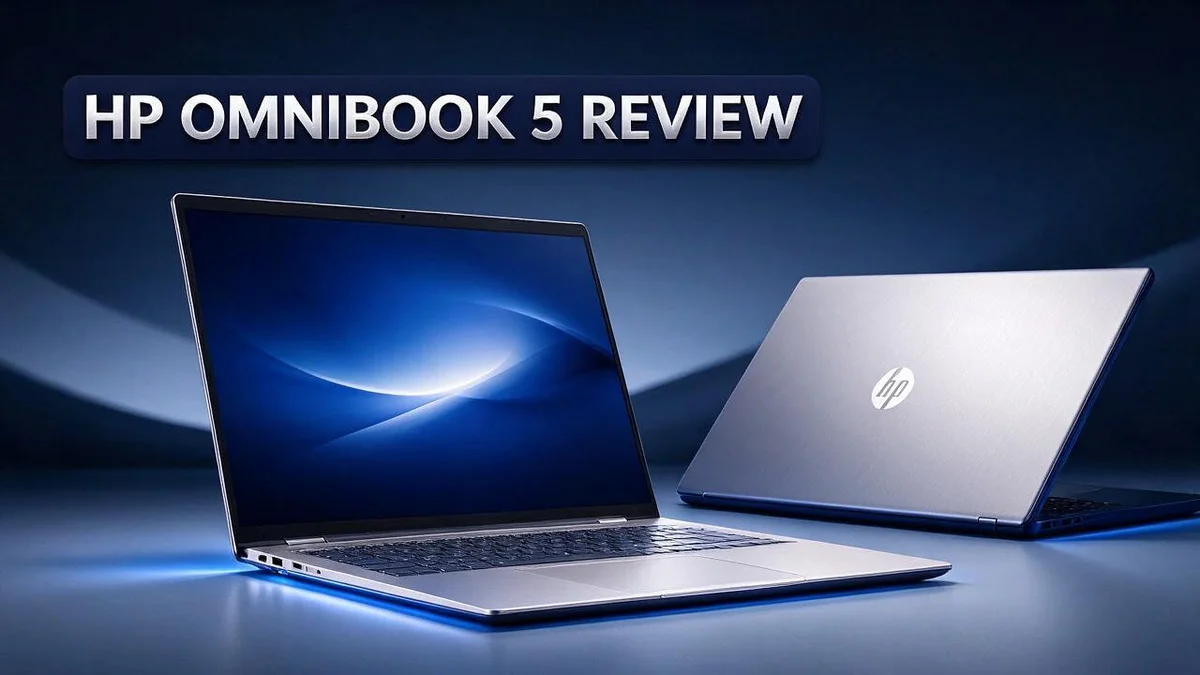
HP OmniBook 5 Review: Performance, Battery Life, Pros and Cons
Are you looking for a laptop that feels fast and fun? The HP OmniBook 5 might be the answer. It comes in two sizes, 14 inches and 16 inches.
Many people use this laptop for work, school, and streaming. It handles multitasking well. Performance feels smooth for daily tasks.
Light gaming also works well. You can play games like Valorant at high frame rates. The keyboard feels responsive, so long typing sessions stay comfortable.
Battery life stands out too. Real use tests show about 10 hours on a single charge. Keep reading to see the specs, pros, cons, and top alternatives. You will learn if this laptop fits your needs.
In a Nutshell
-
Strong chip and AI engine: The Snapdragon X processor runs up to 2.97 GHz across 8 cores. A Qualcomm Hexagon NPU adds 45 TOPS, so smart features run right on the device.
-
Roomy memory and storage: Many models ship with 16 GB of onboard RAM and a 512 GB PCIe NVMe M.2 SSD. This setup keeps apps open and files easy to reach.
-
Two sizes to choose from: Shoppers can pick a 14 inch or 16 inch model. The smaller size is easy to carry, while the larger one gives extra screen space.
-
Sharp screen options: Some configurations feature an up to 3K OLED display. Visuals look bright and detailed, which helps with photos and videos.
-
Quick charging and a Copilot key: HP Fast Charge gets you back to work fast. A dedicated Copilot key opens the AI assistant with one press.
-
Things to know: Boot times feel slower than expected. Some owners remove the preloaded Copilot and AI extras for a cleaner setup.
Design and Build
No products found.
The HP OmniBook 5 has a clean and modern look. Its shape feels simple and neat. Many people like this style for school, work, or home use.
A sturdy frame helps the laptop feel steady on a desk or lap. The surface looks calm and is easy to wipe clean after a long day. Many users place it on a desk, a sofa, or a kitchen table without any trouble.
The keyboard deserves a closer look. Keys sit at a comfortable height, so typing feels smooth. Clear key spacing also reduces typing mistakes during long writing sessions.
The Flip 14 model takes a different path. It folds back into a tablet style device with a light body. This gives you a true two in one experience.
Stylus support adds real value. You can take notes, mark up documents, or sketch quick ideas. Pen input feels natural on the bright screen.
Weight matters more than many shoppers expect. A light body makes it easier to carry to class, a café, or a meeting room. Flip models feel especially nice when you hold them upright.
Rival models follow similar paths. The Lenovo Yoga 7i and Acer Swift Go 16 AI also offer flexible or slim designs. The MacBook Neo sets a high bar for clean looks.
Before you choose, check a few details. Test the hinge with one hand. Look at port placement, since cables can get in the way on a crowded desk.
Clean lines also make packing simpler. Fewer visible bumps help the laptop slide into a bag without snagging on other items.
So, does this design fit your routine? For most people, the OmniBook 5 feels practical, neat, and easy to live with every day.
Performance and Multitasking
Switching between tasks feels smooth on the HP OmniBook 5. You can keep a document open, a video playing, and several browser tabs running at once.
Heavy multitasking shows what a laptop can really do. This machine handles email, spreadsheets, and chat apps side by side with ease.
Many open tabs can slow older machines. This model keeps browsing fairly fluid for most daily routines.
Waking from sleep also feels quick. You can jump back into work without waiting long for apps to reappear.
Video calls and streaming can run together without much trouble. Keep the camera on while you share a screen, and the workflow still feels steady.
Light gaming adds another test. Valorant runs at high frame rates here, which makes quick matches fun after a long workday.
Demanding games may need lower settings. Set expectations before you install big titles, so you know what to expect.
Background clutter can slow things down over time. Some Reddit users remove the preloaded Copilot and AI apps to free up resources.
Removing unused apps takes only a few minutes. A cleaner startup list helps the system focus on the programs you actually use.
Extra headroom also helps when you edit photos while a call runs in the background. Everything stays organized and manageable.
Long work sessions also feel manageable. The laptop handles spreadsheets, notes, and research tabs without constant pauses, so you can stay focused on your goals.
Performance does vary with each task. Heavy video editing or large projects may push the system harder than everyday work does.
Rival machines like the Acer Swift Go 16 AI and Lenovo Yoga 7i also handle multitasking well. Choosing between them comes down to how you work each day.
Close apps you no longer need. This simple habit keeps the system running at its best.
For most people, this laptop keeps pace with daily work. It feels quick, steady, and ready for whatever comes next.
Battery Life and Charging
Battery life often decides whether a laptop fits your day. The HP OmniBook 5 lasts a long time, but a few simple habits can help it last even longer.
Screen brightness makes the biggest difference for most people. Lower brightness saves power, and it still looks clear indoors. Try dimming the display when you work near a window or in a cafe.
Power mode matters too. Balanced mode suits everyday writing, email, and browsing. Switching to a performance mode only when you need extra speed keeps the battery happier over a long day.
Sleep settings deserve a quick check. A laptop that stays awake in a bag can lose charge without you noticing. Setting the lid to sleep right away when you close it avoids that surprise.
Charging habits also shape how the battery feels over time. Many people plug in during lunch or a short break instead of waiting for an empty battery. Short top ups fit easily into a busy schedule.
HP Fast Charge is useful only when you need it. Keep the charger in your bag for trips, meetings, or long days away from an outlet. Carrying a compact charger makes the laptop easier to take anywhere.
Video calls and streaming use more power than browsing. Turn off background video or lower the resolution during long calls to stretch the charge. Closing unused browser tabs also helps.
Travel plans call for a little prep. Check the battery level before you leave home. Pack the charger, even for a short trip, because a quick session at a coffee shop can run longer than expected.
Keep the laptop cool for steady results. Heat from a soft bed or blanket can make the battery work harder. A hard, flat surface gives the fans room to breathe.
Overall, the OmniBook 5 suits people who work away from a desk. Small changes in settings and habits can turn a good battery into a dependable one for daily work.
Top 3 Alternatives
Lenovo IdeaPad Slim 5

Last update on 2026-11-25 / Affiliate links / Images from Amazon Product Advertising API
The Lenovo IdeaPad Slim 5 works well for people who want a slim, light laptop for everyday tasks. It handles email, web browsing, and document editing with ease. Video calls also look clear on its bright screen.
Many buyers like its comfortable keyboard and quiet fans. It fits easily in a backpack, so it suits students and busy professionals who travel often.
ASUS Vivobook 16

- ASUS Vivobook/BLUE/16.0 WUXGA(WU) non-Touch/X1 26 100/16GB/Qualcomm UMA/512GB/WIN11 HOME
- Stunning 16-inch WUXGA Display Indulge in stunning visuals in breathtaking 1920 x 1200 resolution (16:10) and...

Last update on 2026-11-25 / Affiliate links / Images from Amazon Product Advertising API
The ASUS Vivobook 16 gives you extra room to work. Its larger 16-inch display helps when you open several windows at once. Spreadsheets and video timelines feel roomy and easy to follow.
You can also stream shows or play casual games after work. This laptop offers a good balance of screen size and comfort. It suits anyone who wants a big display without carrying a heavy machine.
Acer Swift Go 14

- Ready, Set Go!: Say hi to the all-new Swift Go—your AI ready laptop featuring the latest Intel Core Ultra...
- Indulge Your Eyes: The Swift Go 14-inch WUXGA (1920 x 1200) IPS display with 100% sRGB offers vivid color...
Last update on 2026-11-25 / Affiliate links / Images from Amazon Product Advertising API
The Acer Swift Go 14 focuses on a crisp display and smooth performance. Many models feature an OLED panel, which shows deep colors and sharp contrast. Photo editors and content creators often enjoy this screen.
Battery life is a strong point for this laptop. You can work through a long day on a single charge in many cases. It is a great pick if you want a portable machine that looks sharp in meetings and cafes.
Display, Keyboard and Everyday Use
Your screen shapes how you feel after long hours at work. Some OmniBook 5 models offer an up to 3K OLED display that shows sharp text and rich colors.
OLED panels also show deep black areas. Movies and photo edits look more vivid because dark scenes stay deep instead of turning gray.
A 16 inch version gives you extra room for spreadsheets. Two windows sit side by side without feeling cramped.
Now consider the keyboard. The layout is full size, so every key sits where your fingers expect it. This matters most when you type for a long stretch. Emails, reports, and notes flow more easily.
Some configurations include a dedicated Copilot key near the keyboard. One press opens the assistant, so you skip the menus. That shortcut helps if you use AI tools every day. If you never touch them, the key simply sits there and stays out of your way.
Students often read PDFs for hours. A crisp panel reduces squinting, and a comfortable font size keeps pages easy to scan.
Creative work benefits from strong color. Designers and photographers may notice how skin tones and skies look on the OLED panel.
Keyboard layout also matters for shortcuts. Familiar key spacing helps you copy, paste, and undo without looking down.
Quick replies in chat apps feel natural when keys respond fast.
Everyday use also depends on how you set things up on day one. Sign in with your usual accounts, then choose display and keyboard settings that suit you.
Adjust text size and scaling in Windows settings if small fonts feel tiny on a 14 inch screen. Test both the screen and the keyboard in a store if you can.
Overall, the screen and keyboard work together well for daily tasks. Each feature helps you stay focused on your work, not the hardware.
Pros and Cons
Pros
– The HP OmniBook 5 delivers excellent performance for daily work.
– Real world battery life reaches about 10 hours on a single charge.
– The keyboard feels responsive with a full size layout.
– Casual gaming runs smoothly, such as Valorant at high FPS.
– The Flip 14 model adds an OLED screen with stylus support and a light two in one design.
Cons
– Boot times feel slower than many people expect.
– Preinstalled Copilot and AI apps can feel like bloatware, and many users remove them.
– Specs vary by model, so you should check the exact configuration before you buy.
Who Should Buy It
The HP OmniBook 5 fits a few types of buyers very well. This guide walks you through the best matches. Think about how you spend your day before you decide.
Students are a strong match. Note taking, online lectures, and group projects run smoothly on this laptop. A lightweight body also fits well in a crowded backpack.
Hybrid workers often love it too. You might work from home on some days and from a café on others. The laptop moves between both places without much fuss.
Casual gamers can enjoy it. Light titles and older favorites run well enough for relaxed evenings. However, you should not expect this machine to replace a gaming rig.
Heavy gamers should look elsewhere. Demanding games need a dedicated graphics setup, and this laptop does not focus on that. A dedicated gaming model suits that job better.
Software checks matter for some users. Before you buy, confirm that your key programs run well on Windows on Snapdragon. Ask your school or employer whether they use special tools. This quick step saves frustration later.
Families can share one machine. Separate user accounts keep schoolwork, games, and shopping lists in their own spaces. Parents can also set simple limits for younger users.
Everyday users find a simple fit. Email, photos, online shopping, and family video chats feel easy on this laptop. It suits people who want a dependable machine that just works. Older relatives may also find it easy to learn.
A simple test can help you decide. If your work lives in a browser, documents, and video calls, this laptop suits you well. If you need powerful graphics or specific desktop software, compare other models first.
Your daily routine should guide the choice. Match the laptop to your tasks, not the other way around. Take a few minutes to list your top five tasks each week. Then your decision will feel clear and confident.
Final Verdict
Our final verdict is simple. The HP OmniBook 5 suits people who want speed and long battery life for everyday tasks.
It does not fit every buyer, though. Think about your main tasks before you choose a model.
Shoppers often compare this laptop with the Lenovo Yoga 7i, the Acer Swift Go 16 AI, and the MacBook Neo. Each rival offers a different mix of screen, keyboard, and operating system. Line them up side by side before you decide.
Think about daily travel too. If you move between classes or meetings, a portable frame matters more than raw power.
Look at storage needs as well. The 512 GB drive holds many apps, but large video libraries fill it fast.
Fit matters more than hype. Pick the model that matches your daily routine, not the one with the loudest marketing.
Try before you commit. Visit a store to test the keyboard and screen in person. Your own hands tell you more than any chart.
Check the return policy before you order online. A clear window gives you time to test your apps.
Use sleep mode instead of full shutdowns. This habit keeps startup delays from interrupting your workflow.
Think about how you sit, too. A laptop used on a lap feels different from one placed on a desk.
Set up your favorite browser and password manager early. Early setup saves time later.
Plan for updates as well. Windows and app updates keep your system secure and running smoothly for years.
Overall, this laptop earns a strong place on your shortlist. It works best for everyday users who want balance.
Make your final call with your own routine in mind. Your daily habits will guide you to the right choice.
Frequently Asked Questions
What is the difference between the Snapdragon and Intel versions?
The Snapdragon setup runs Windows 11 Home with 16 GB of memory and a 512 GB SSD. The lineup also includes an Intel Core option, so check the exact configuration before you buy. Each version may offer different features and performance levels.
Which screen size suits travel better?
The 14 inch model feels lighter and fits easily in a backpack. The 16 inch model gives you more room for spreadsheets and split screens. Pick the size that matches how you work each day.
Does the laptop include a dedicated AI chip?
Yes, the Snapdragon configuration includes a Qualcomm Hexagon NPU rated at 45 NPU TOPS. This chip helps AI features run directly on the device. It can also support tasks like background processing and smart features.
Is the OLED display available on every model?
Not always. Some configurations offer an up to 3K OLED display, while others use different panels. Look at the listing for the screen type before you order, especially if you care about color and contrast.

Dillip is the founder and editor of DillipWeb.com, where he simplifies the world of AI software, tech gadgets, and accessories through honest reviews, detailed comparisons, and easy-to-follow guides. With a deep passion for emerging technology, he helps everyday users make smarter, more informed tech decisions.