Trigkey Green G5 Review: Specs, Performance, Networking and Pros & Cons for Mini PC Buyers
Looking for a small PC that does more than you expect? The Trigkey Green G5 might be the one. It packs an Intel N100 chip and room for up to 16GB of DDR5 memory.
Dual 2.5GbE ports make it a strong pick for network heavy tasks. It also drives up to three 4K displays at 60Hz.
Still, it has limits. Graphics are basic, so demanding games need lower settings. Some users also report high temperatures under load.
Want to know if this mini PC fits your setup? Keep reading. We cover the key specs, the pros, the cons, and who should buy it. By the end, you will know if it is the right choice for you.
In a Nutshell
-
Everyday power: The Intel N100 chip handles web browsing, document editing, and video streaming with ease. It suits daily work at a desk, in a classroom, or in a home office.
-
Room to grow: You can add up to 16GB of memory later. Storage expands with an M.2 NVMe slot and a 2.5 inch SATA bay, so your files have plenty of space.
-
Multi screen setup: It drives three displays at 4K and 60Hz. Your desk can show more windows at once, which helps when you multitask.
-
Windows ready: Windows 11 Pro runs on it. Business users get familiar tools without extra setup steps. That makes setup smoother for office teams.
-
Quiet operation: The fan stays low during most tasks. Quiet fans also suit shared spaces. Heavy workloads may push temperatures up, so give the unit good airflow.
-
Clone alert: Reddit users say it looks almost identical to the Beelink EQ12 N100. Compare both models side by side before you choose.
Build and Design

- Before purchasing,please check the fan part number or computer model,
- The fan has several wire sequences,please send pictures of the original fan and the interface cable sequence,
Last update on 2026-11-26 / Affiliate links / Images from Amazon Product Advertising API
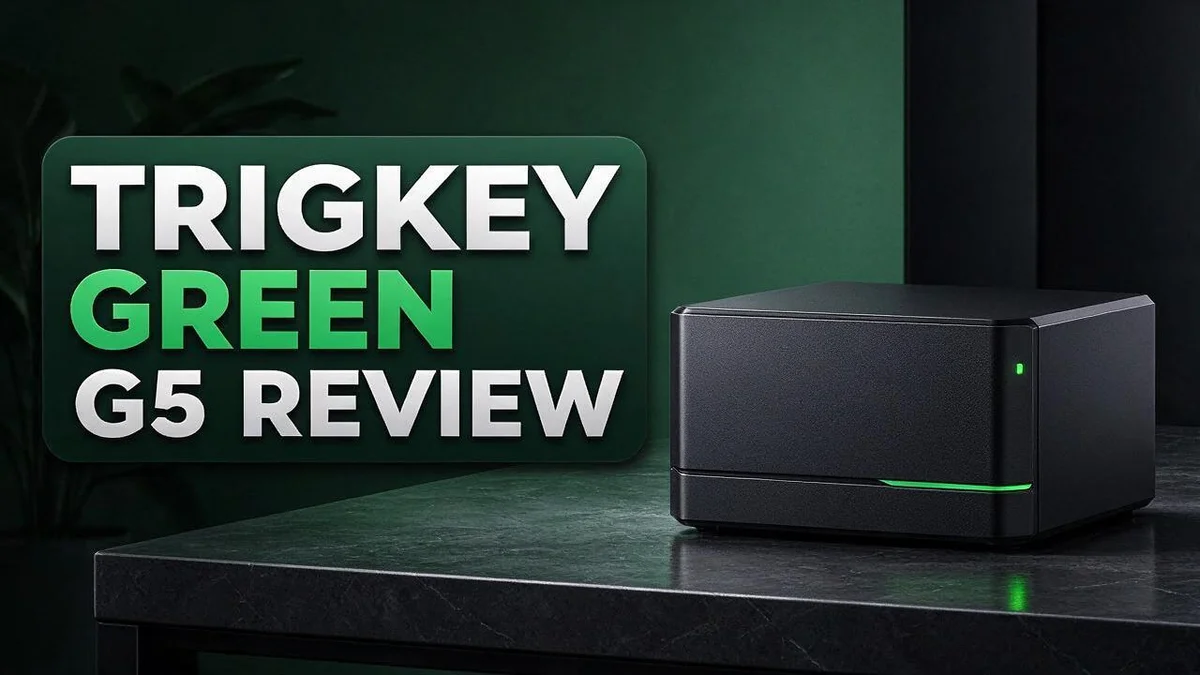
The Trigkey Green G5 looks like a small box that fits almost anywhere. It sits neatly on a desk, behind a monitor, or under a TV. Its compact shape makes it easy to tuck away.
Size matters here. A small case saves space for people with tight desks. It also suits a home office or a media corner where clutter is a problem.
The outer shell feels simple and clean. It uses a plain finish that blends with most rooms. Guests will not think twice about it.
Many people prefer gear that does not draw attention. The G5 keeps a low profile, so it works in living rooms and offices alike.
Daily use depends on easy access. Plugging in a flash drive or headphones should not mean crawling behind the desk. Think about where the ports face before you place the unit.
Cable access matters too. Keep enough space around the connection side so cables bend without strain. Good spacing also helps the unit breathe.
Airflow deserves attention. Reddit users report high temperatures, so the air intakes need clear space. Place the G5 on a flat surface and avoid stacking books on top.
Handling counts for something as well. A compact unit is easy to lift, move, and clean. Dust can build up over time, so wipe the vents now and then.
Upgrade room is a plus. The internal layout supports storage expansion, including a 2.5 inch SATA drive. That option lets you grow your storage later without replacing the whole machine.
Mounting options matter too. Some owners attach mini PCs to the back of a monitor or under a desk. Check that your mount fits the chassis before you buy extra hardware.
A small footprint also helps when you move. You can carry it to a friend’s house or a small office without much trouble. Just pack the power adapter with it.
Overall, the design favors neat setups over flashy looks. It fits quietly into daily life. Most people will value that simplicity more than bold styling.
Processing Power and Everyday Performance
The Intel N100 chip powers the Trigkey Green G5. It has four cores and four threads. That setup keeps daily tasks moving at a steady pace.
Each core handles one task at a time, while threads help the chip juggle more work. Most people will not notice a slowdown when they switch between apps.
Browser tabs show the chip’s skill. Pages open without much delay, and scrolling feels smooth even with several windows open.
Word processing and spreadsheets feel light on this machine. Typing, formatting, and simple formulas run without fuss. Small spreadsheets open quickly, too.
The 16GB memory option gives extra breathing room. More open windows mean fewer slowdowns when you move between work files.
Storage speed matters just as much. The M.2 NVMe drive loads apps and files fast. The 500GB SSD in the reviewed setup leaves space for documents, photos, and downloads.
Restarts after updates feel quick, which saves time on busy days. Light multitasking is where the N100 shines. Music, a video call, and a few open documents can run together with ease.
Heavy jobs push the chip hard. Large video edits, big photo batches, and code builds will take longer. Running several demanding programs at once makes the wait even longer.
Reviewers also shared mixed feedback. One reviewer felt performance was not great during a power over Ethernet test, so results may vary with your setup.
A few habits help. Close background programs and keep the startup list short. That leaves more processing power for the work you care about.
The bottom line is simple. For everyday tasks, the chip feels capable. Think of it as a dependable helper for routine work. For demanding creative or technical projects, a stronger processor makes more sense.
Networking and Connectivity
The Trigkey Green G5 includes dual 2.5GbE LAN ports. This gives you faster wired speeds than standard gigabit ports.
Each port runs at 2.5 gigabits per second. That speed helps when you move large files across your home network.
Many home routers still use gigabit ports. Your network may need an upgrade to see the full benefit.
The mini PC also supports WiFi 6 for wireless links. Wireless works well for light browsing and casual streaming.
Wired connections stay steadier for big transfers and video calls. Use them whenever you can.
Two LAN ports open new setup options. You can connect one port to your main network and use the other for a separate device.
Some people use the second port for a NAS box. This can help separate heavy file traffic from everyday browsing.
Home server projects also benefit from wired speed. Small file servers, backup jobs, and media sharing run smoothly over a fast link.
A PoE note deserves attention. One reviewer described performance as not great when the unit used power over Ethernet.
Check that setup carefully before you rely on it for important work.
Test your speeds after setup. Run a speed test on each port. This shows whether your cables, switch, and router support the full rate.
Cable quality matters too. Cat 6 cables give you more room to reach full speed.
Fast internet plans also benefit from 2.5 gigabit ports. Your modem and router must also support those speeds for the gain to show.
Setup takes only a few minutes. Plug in the cable, open your network settings, and confirm the link speed.
Think about your home network before you buy. Count how many devices need wired access and how fast your files move.
Overall, the networking features suit people who want faster wired links. Wireless support covers the basics, while dual ports add flexibility.
Top 3 Alternatives
Looking for other options? These three mini PCs make strong alternatives to the Trigkey Green G5. Each one offers a different balance of speed, size, and value.
Beelink SER5 Pro

- 【Swift Performance】This SER5 7330U mini PC is equipped with the upgraded AMD Ryzen 3 7330U processor...
- 【Swift DDR4 Memory & Massive NVMe Storage】This Beelink mini PC features 16GB DDR4 memory (upgradable to...
Last update on 2026-11-26 / Affiliate links / Images from Amazon Product Advertising API
The Beelink SER5 Pro packs an AMD Ryzen processor into a compact body. It handles web browsing, office work, and video streaming with ease.
It also runs quietly. This makes it a good pick for a home office or living room.
GMKtec NucBox K6

- VALUE & PERFORMANCE MINI PC - GMKtec Nucbox M6 Ultra Series is equipped with the powerful AMD Ryzen 5 7640HS...
- 32GB DDR5 RAM & 1TB PCIe SSD - Installed with DDR5 32GB RAM SO-DIMM Dual Channel (2x16GB), the Nucbox M6 Ultra...

Last update on 2026-11-26 / Affiliate links / Images from Amazon Product Advertising API
The GMKtec NucBox K6 uses a newer Ryzen chip for faster daily tasks. It handles multitasking and multiple monitors without slowing down.
Light gaming and photo editing also feel smooth on this small machine. It fits easily into tight spaces.
Minisforum UM790 Pro

- 【Powerful Performance】AMD Ryzen 9 7940HS, 8 cores/16 threads (16M cache, up to 5.2GHz), using TSMC 4NM...
- 【DDR5&2 x PCIe4.0】UM790 Pro supports DDR5 5600 SODIMM dual-channel memory, supports maximum 32GB*2, two...
Last update on 2026-11-26 / Affiliate links / Images from Amazon Product Advertising API
The Minisforum UM790 Pro targets users who need more power. Its high-end Ryzen processor supports video editing, coding, and heavier creative work.
Buyers who want room to grow often choose this model. Its strong cooling also helps during long sessions.
Pick the model that matches your tasks. A light user may enjoy the Beelink, while a creator may prefer the Minisforum.
Gaming and Graphics Capability
Gaming on the Trigkey Green G5 needs honest expectations. The Intel N100 uses integrated graphics, so there is no dedicated graphics card. Many players will find it fits lighter games best.
Light titles run well on this machine. Older games, indie projects, and classic retro collections feel smooth. Puzzle games, card games, and simple platformers also suit the hardware.
Demanding games need reduced settings. Modern shooters and open world titles push the graphics engine hard. Lower resolution, medium or low textures, and reduced shadows help frame rates stay playable.
Many games include a benchmark tool. Use it to test settings quickly.
Start with the lowest preset. Then raise settings one step at a time. Watch the frame rate after each change. This method helps you find the best balance between smooth motion and sharp visuals.
Video playback is a real strength. Streaming 4K clips and watching long films feels calm and steady. The chip handles everyday media without much strain.
The G5 also supports three displays at 4K and 60Hz. That setup suits dashboards, research windows, and media walls. It is not a replacement for a high refresh gaming monitor, though.
Cloud gaming opens another option. Services that run games on remote servers send only the video stream to your screen. The N100 then decodes that stream instead of rendering the game itself. A stable internet connection matters most here.
Heat becomes a concern during long sessions. Sustained gaming pushes the processor and graphics to their limits. Reviewers report high temperatures, so short play sessions suit this machine better.
The fan stays quiet, though not silent, during light tasks. Expect more fan noise when games run hard.
Choose this mini PC for casual play, retro gaming, and streamed titles. Serious gamers who want high frame rates should look at a system with a dedicated graphics card. Honest expectations lead to a happy setup.
Pros and Cons
Pros
– Adds room for storage with both an M.2 NVMe slot and a 2.5 inch SATA bay.
– Runs Windows 11 Pro for a familiar work setup.
– Keeps everyday office tasks running with a steady feel.
– Offers a compact box that suits a home office desk.
Cons
– One reviewer said the performance is not great when used with PD and PoE.
– It looks almost identical to the Beelink EQ12 N100, so the brands are hard to tell apart.
– Graphics power stays low, which limits heavier creative apps.
Who Should Buy It
The Trigkey Green G5 suits a few specific types of buyers. Knowing whether you fit one of these groups can help you decide.
Learners who want a safe test machine should take a close look. Many people try new software or a fresh operating system on a spare box first. This mini PC gives you that space without risking your main computer.
Families who need a shared browsing computer may also be happy here. Kids can research school topics, type reports, and check email. The G5 handles these light jobs with little fuss.
Guest room and spare desk owners can use it as a simple extra computer. You can leave it set up for visitors. It needs only a monitor, keyboard, and mouse to get started.
Smart home fans may find a good use for it. Some people run home automation software on small machines like this. It can keep those tools running all day, and small machines often use modest power.
Anyone who wants a wall dashboard can also benefit. You can show calendars, weather, or family photos on a screen in the kitchen or hallway.
Creators and serious gamers should look elsewhere. Heavy video editing, 3D rendering, and high frame rate games need stronger parts. This machine works best as a light workhorse, not a powerhouse.
Shoppers should check the exact configuration first. Memory and storage options can change between listings. Match those details to your daily needs before you order.
In short, the G5 fits people who want a tidy machine for everyday tasks. If your needs stay light, it could be a smart choice.
Final Verdict
The short answer is yes for the right buyer.
The Trigkey Green G5 earns a spot on any shortlist of compact mini PCs. It does not try to be a powerhouse. Instead, it aims to be a tidy machine for everyday life.
Think of it as a dependable daily companion. Its connectivity strengths stand out right away. Its limits show up only when workloads grow heavy. Knowing this split makes the decision much easier. Read the spec sheet with your own tasks in mind.
Start by matching the machine to your routine.
Write down the apps you open each day. Then list the games you hope to play. If both lists stay light, this mini PC feels right at home. If the lists grow long, a stronger processor may serve you better.
Think about your setup too.
Place the box where air flows freely. A shelf or the space behind a monitor often works well. Good airflow keeps the system steadier over time.
Our final take is simple.
The G5 delivers strong results for its intended role. It does not cover every need, and that is fine. Buyers who accept its limits will likely feel satisfied. Buyers who expect top speeds will probably feel let down. Expectations shape every experience with this machine.
The bottom line for most shoppers is clear.
If you want a neat, quiet helper for work, study, and everyday browsing, this mini PC fits well. Trust your own needs over any hype. A good fit now can serve you for years.
Frequently Asked Questions
What does the Intel N100 chip mean for daily use?
The Intel N100 has four cores and four threads. It can reach 3.4GHz when needed. That speed handles many browser tabs, office files, and video calls with ease.
Can I use the two LAN ports for a home network?
Yes, the G5 has dual 2.5GbE ports. One port can connect to your main router. The other can link to a second device or a small file storage setup. Data moves faster than on standard 1GbE ports.
Is the G5 good for streaming 4K video?
Yes, for most streaming apps. The 4K at 60Hz output and light workload make it a solid choice for movies and video calls. Heavy video editing is a different story, so stick to playback and simple browsing.
Should I buy it now or wait for a newer model?
If you need a compact machine today, buy it now. Mini PC models change often, so check release dates first. Waiting makes sense only if you need a faster chip for gaming or design work.

Dillip is the founder and editor of DillipWeb.com, where he simplifies the world of AI software, tech gadgets, and accessories through honest reviews, detailed comparisons, and easy-to-follow guides. With a deep passion for emerging technology, he helps everyday users make smarter, more informed tech decisions.