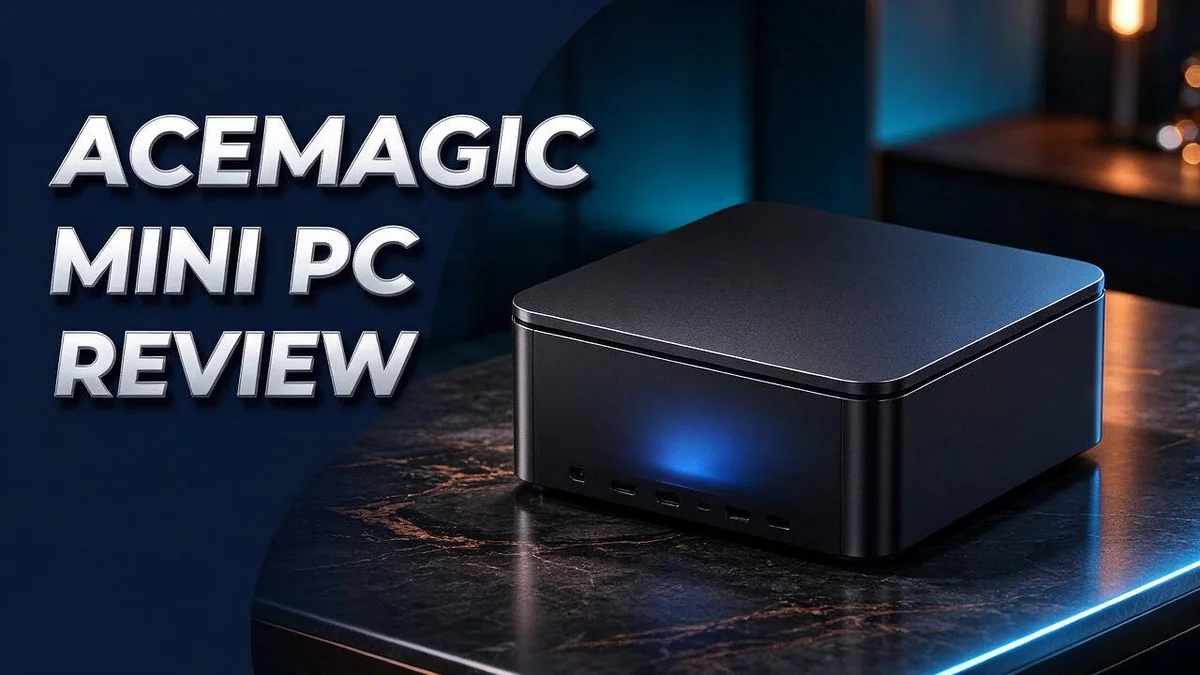
ACEMAGIC Mini PC Review: Specs, Performance, Upgrades and Who Should Buy
Tiny computers have become a smart choice for home offices, media centers, and everyday tasks. The ACEMAGIC Mini PC lineup fits that need well. It packs real power into a small frame.
Many users say this brand gets it right. Owners on community forums often praise the solid cooling and well made build. They also like that the machine ships without preloaded bloatware.
Models range from the V1 with an Intel N150 to the W1 with an AMD Ryzen 7 8745HS. Some versions offer 32GB of DDR5 memory and a 1TB PCIe 4.0 SSD. Others let you upgrade RAM and storage yourself.
Is this tiny PC right for you? This guide walks through the key specs, real pros, and things to know before you buy.
In a Nutshell
Here is what makes this mini PC stand out for everyday use:
- Clean software start: The mini PC ships without preloaded bloatware. You can start working right away without removing extra apps.
- Easy upgrades: Owners can swap the RAM and storage later. This helps the machine keep up as your needs grow.
- Safe delivery: The box uses custom foam packaging. The unit arrives protected from bumps and rough handling.
- Plenty of power for the size: Many buyers say the hardware handles daily tasks with ease. It fits neatly on a desk or behind a TV.
- Options for different needs: The M1 Matrix supports 4K output for sharp displays. The AM20 offers fast LPDDR5 memory for smooth multitasking.
- Model check: Compare the specs of each model before you buy. Choosing the right balance of speed and graphics makes a big difference.
Design and Build Quality

- [AMD Ryzen Pro 7330U Pro which is more powerful than the 5400U/3500U] - ACEMAGIC Mini PC is powered by Latest...
- [K1 Mini Computer - Meet Your Second PC] - Next-Gen Light Office Mini PC comes pre-installed with the Win...
Last update on 2026-11-26 / Affiliate links / Images from Amazon Product Advertising API
Small size changes how a computer fits into a room. The ACEMAGIC mini PC takes up very little desk space. It can sit beside a monitor, hide behind a TV, or slide onto a shelf.
Compact footprint matters more than many people think. A tiny chassis frees room for notebooks, speakers, and coffee mugs. Users with cramped desks often find this shape easier to live with.
A simple look also helps. The clean shape blends with TVs, routers, and other home electronics. Many people prefer that calm style over bulky tower cases.
Good build quality shows up in daily use. Buttons, ports, and the cover should feel firm when touched. Give the unit a gentle press and check for any wobble.
Port layout matters before you mount the PC. Front ports make it simple to plug in a USB drive. Rear ports keep cables out of sight, which gives your setup a cleaner look.
Ventilation deserves attention too. Leave open space around the vents so air can flow freely. A tight cabinet can trap heat and shorten the life of key parts.
Some people mount their mini PC behind a monitor. This saves even more desk space. Check whether your model supports a VESA mount, and confirm that the monitor can hold the weight.
Portability is another practical plus. The compact body is easy to carry from room to room. Moving it for a presentation or a movie night takes only a moment.
Keep the original box for future moves. Good packaging protects the unit during shipping and storage. Store it upright in a dry spot to avoid dust buildup.
The bottom line: a well built mini PC should feel solid, stay cool under load, and fit your space. Check these points, and you can judge the design with confidence.
Performance Across Models
Each model fits a different workload. The lineup covers everything from light daily tasks to heavier work. Matching the chip to your routine helps you get the most from your money and your desk space.
The entry model suits simple jobs. The V1 handles web browsing, video streaming, and document editing with ease. It stays calm when your tasks stay light and steady.
Mid-range models handle multitasking. The M1 Matrix and AM20 bring Ryzen 7 processors into the mix. They keep several apps open at once, including spreadsheets, browser tabs, and photo edits, without much slowdown.
Memory shapes how smoothly a PC runs. The AM20 uses 32GB of LPDDR5 memory, which gives it extra room for big projects. The M1 Matrix offers 16GB, which works well for everyday multitasking and school work.
Storage speed affects daily tasks too. The W1 pairs its processor with a 1TB PCIe 4.0 SSD. This setup helps large files open quickly and keeps app launches fast.
Boost speeds help during short bursts. The Windows 11 Pro model runs at a 2.7GHz base and climbs up to 4.5GHz when needed. That extra power makes a difference during tasks like file compression or software installs.
Display output matters for some setups. The M1 Matrix supports 4K output, so text looks sharp on office monitors. It also works well for watching movies on a large television.
Start with your most common task. Think about how many apps you run at once and how much storage you need. Then choose the model that handles those needs with some room to grow. This approach keeps your setup fast now and useful for years.
Upgradability and Expansion
Room to grow matters for any computer. A mini PC should keep up with your needs for years.
Before you plan any change, check which memory type your model uses. The AM20 uses LPDDR5, so its memory may not swap out the same way as standard DDR5 sticks.
The M1 Matrix and W1 both use DDR5 memory. Check the manual or label for the exact module type before you shop for new sticks.
Storage fills up faster than most people expect. Games, photos, and project files add up quickly.
An external drive plugged into a USB port gives you quick extra space. You can keep older files there and free up the internal drive. Cloud storage can also hold older files when local space runs low.
Processors are a different story. Changing the processor is rarely simple in a small chassis.
Some owners accept that limit and plan a full replacement every few years. Others prefer a machine that can change with them. Think about which path feels right for you.
That is why your first choice matters. A model with more processing power gives you more headroom from day one.
Think about how you work today and in two years. A light user may stay happy with a simple setup. A heavy user should plan for more.
Read the manual before opening the case. Some warranties can be affected by opening the case, so check the terms first.
Keep a small screwdriver set nearby. Label each screw as you remove it so reassembly stays easy. Take photos of cable positions before you disconnect anything, since these photos act as a handy guide.
Operating systems need free space too. Keep some storage open so updates install without trouble.
Good planning avoids rushed decisions later. Write down your needs before you buy.
Good upgrade room turns a mini PC into a long term partner. Pick a model that fits your plans, and it will serve you well for years.
Top 3 Alternatives
Beelink SER5

- ✔️Powerful Performance: The Beelink SER5 Mini PC is powered by the 6-core processor AMD Ryzen 5 5500U. Its...
- ✔️High-capacity Storage: The Mini PC built-in 16GB DDR4, 480GB M.2 2280 NVMe SSD. The Small Computers...
Last update on 2026-11-26 / Affiliate links / Images from Amazon Product Advertising API
The Beelink SER5 is a compact mini PC that fits neatly on any desk. It runs on an AMD Ryzen processor, so it handles daily office work, web browsing, and light media with ease.
Its small body saves space and uses little power. Many people mount it behind a monitor with a simple bracket. It also offers fast storage and dual display support, which makes it a solid pick for home users and students.
Minisforum UM790 Pro

- 【Powerful Performance】AMD Ryzen 9 7940HS, 8 cores/16 threads (16M cache, up to 5.2GHz), using TSMC 4NM...
- 【DDR5&2 x PCIe4.0】UM790 Pro supports DDR5 5600 SODIMM dual-channel memory, supports maximum 32GB*2, two...
Last update on 2026-11-26 / Affiliate links / Images from Amazon Product Advertising API
The Minisforum UM790 Pro suits power users who need more speed. It packs a Ryzen 9 chip and supports up to 64GB of memory.
Video editors and developers will appreciate the extra headroom. Its strong performance also helps with heavy multitasking. It includes USB4 ports for fast external drives.
GMKtec NucBox M5

- Office Gaming Mini PC - UPGRADED GMKtec Nucbox M5 Ultra Series is equipped with the powerful AMD Ryzen 7 7730U...
- 16GB DDR4 RAM & 256GB PCIe SSD - Installed with DDR4 16GB RAM (1x16GB), the Nucbox M5 Ultra mini pc support...
Last update on 2026-11-26 / Affiliate links / Images from Amazon Product Advertising API
The GMKtec NucBox M5 keeps things simple. It offers a small footprint and quiet cooling, so it works well in a living room or bedroom.
Its ports cover most daily needs, including HDMI and multiple USB connections. Setup is easy, and the system boots quickly. If you want a basic, reliable mini PC for everyday tasks, this model fits the bill.
Cooling and Noise
Cooling matters more than many buyers expect. A mini PC packs powerful parts into a small case. Heat has less room to escape, so the cooling system does real work.
Reddit users often describe the cooling as solid. That feedback points to a case that handles heat well during normal desk work. Your results still depend on your room and setup.
Noise is the other side of cooling. Fans spin faster when the processor heats up. A quiet desk helps during video calls, reading, or late night projects.
Think about where you place the unit. A closed cabinet traps warm air and forces the fans to work harder. Leave open space on every side so air can move freely.
Dust is a slow enemy. Over months, dust settles on fan blades and vents. Clean the vents with compressed air every few months. Clean airflow keeps temperatures lower and noise down.
Keep the unit off soft surfaces. Carpets, bedding, and blankets block the intake. A hard, flat desk gives the fans a clear path to pull in cool air.
Watch for heat during heavy work. Video editing, gaming, and large file transfers push the chip hard. If the case feels hot to the touch, check your airflow first. Small changes often fix the problem quickly.
Your workload also shapes how loud the system gets. Light browsing keeps the fans calm. Long renders or heavy multitasking can make them speed up. Plan your setup around the tasks you run most.
Think about the room too. A bedroom or small office with little airflow may feel warmer. A well ventilated room keeps the mini PC running cooler and quieter. Use a fan or open a window if needed.
Good cooling protects your system over time. Heat wears down parts faster than most people realize. A cool, quiet machine stays pleasant to use for years.
Pros and Cons
Pros
– No bloatware: The PC arrives without preloaded apps, so the desktop starts clean.
– Sturdy build: Owners describe the unit as well made and solid.
– Protective packaging: Custom foam keeps the unit safe during shipping.
– Swappable parts: Users can replace RAM and storage later on.
– Brand praise: Reddit users speak well of the brand overall.
Cons
– Mixed signals: One Reddit thread title says “Stay away,” so read the full discussion.
– Many models: The lineup varies a lot, so the wrong pick may miss your needs.
– Few rivals named: Competing models were not identified, which limits side by side checks.
– Limited long term data: Our sources offer little information on reliability over several years.
Who Should Buy It
Are you looking for a small computer that handles daily work well? This mini PC may suit you. Its compact size frees up desk space for other things.
Remote workers often need a clean setup. This unit sits behind a monitor and keeps the desk tidy. It suits email, video calls, and spreadsheet work.
Students can also benefit from this design. Writing essays, joining online classes, and running research tabs fit well on these models. A dorm desk or shared study space can hold it easily.
Living room fans may enjoy the M1 Matrix. Its 4K output connects to a TV, so streaming and photo slideshows look sharp on a big screen.
Renters and people in small apartments often want less clutter. A compact box fits on a shelf, in a corner, or behind a desk.
Small business owners should consider the Windows 11 Pro model. It gives staff a familiar system for office apps and shared files.
Parents may want a shared family computer for homework and learning apps. A small unit keeps the family desk open for everyone else.
Tinkerers often enjoy this kind of machine. They can test different setups and adjust things over time as their needs change.
Photo hobbyists who edit a few images at a time may like the W1. Its Radeon 780M graphics handle light creative tasks with ease.
People who only need a machine for basic tasks may prefer the V1. It suits web browsing, documents, and light video playback.
Not every buyer fits this profile. Gamers who want a full tower with large graphics cards should look elsewhere. Compact units rarely match that kind of space.
The right fit depends on your room, your work, and your comfort with technology. Write down the apps you open most each day. Then compare that list with the model that matches your tasks best.
Final Verdict
The short answer is that this mini PC earns a solid recommendation. It offers a clean desktop, a well made body, and parts you can upgrade later.
Start with your daily work, not the brand. A model with 32GB of memory suits many open tabs and heavy projects. A lighter setup can handle email, documents, and video calls.
Think about how long you plan to keep the machine. Upgradeable RAM and storage give you room to grow. That flexibility can extend its useful life.
Check the model before you commit. The lineup includes very different chips and memory sizes. Read each spec sheet and match it to what you do each week.
Some buyers want more certainty before they act. If that describes you, wait for more owner feedback. A short delay can bring clearer answers about how the unit ages.
Do not stop at the first review you read. Research on this product is limited, and long term reliability data is thin. Look for recent owner reports from several sources.
Read full threads, not just titles. A single headline can sound harsh while the comments tell a different story. Scan the replies to see the common themes.
Here is a simple way to decide. List your three most common tasks. Then pick the model whose processor and memory handle those tasks with room to spare.
Setup choices matter as much as the hardware. Connect the unit to a stable power source. Pair it with a display that suits your resolution needs.
Keep your expectations realistic too. A compact machine gives up some raw power in exchange for its small size. For most everyday work, that difference feels small.
Final thought: this mini PC suits people who want a tidy, capable desktop in a small footprint. Match the model to your needs, check recent feedback, and you can make a confident choice.
Frequently Asked Questions
Does this mini PC come with extra software?
Reddit users report no preloaded bloatware on this mini PC. You can set up only the tools you actually need.
Which model supports a 4K display?
The M1 Matrix offers 4K output. It suits people who connect a large monitor or TV for movies and photos.
How does the W1 differ from the AM20?
The W1 has an ultra slim body and a 1TB PCIe 4.0 SSD. The AM20 comes with 512GB of storage, so the W1 works better if you keep many files.
Does the cooling hold up under heavy use?
Reddit users describe the cooling as solid. Heavy workloads can still push any small machine, so check reviews for your exact model.
How fast is the Windows 11 Pro model?
This version has a base speed of 2.7GHz and can boost up to 4.5GHz. That extra speed helps when you run several programs at once.

Dillip is the founder and editor of DillipWeb.com, where he simplifies the world of AI software, tech gadgets, and accessories through honest reviews, detailed comparisons, and easy-to-follow guides. With a deep passion for emerging technology, he helps everyday users make smarter, more informed tech decisions.