Beelink EQ14 Review: Specs, Performance, and Who It’s Best For
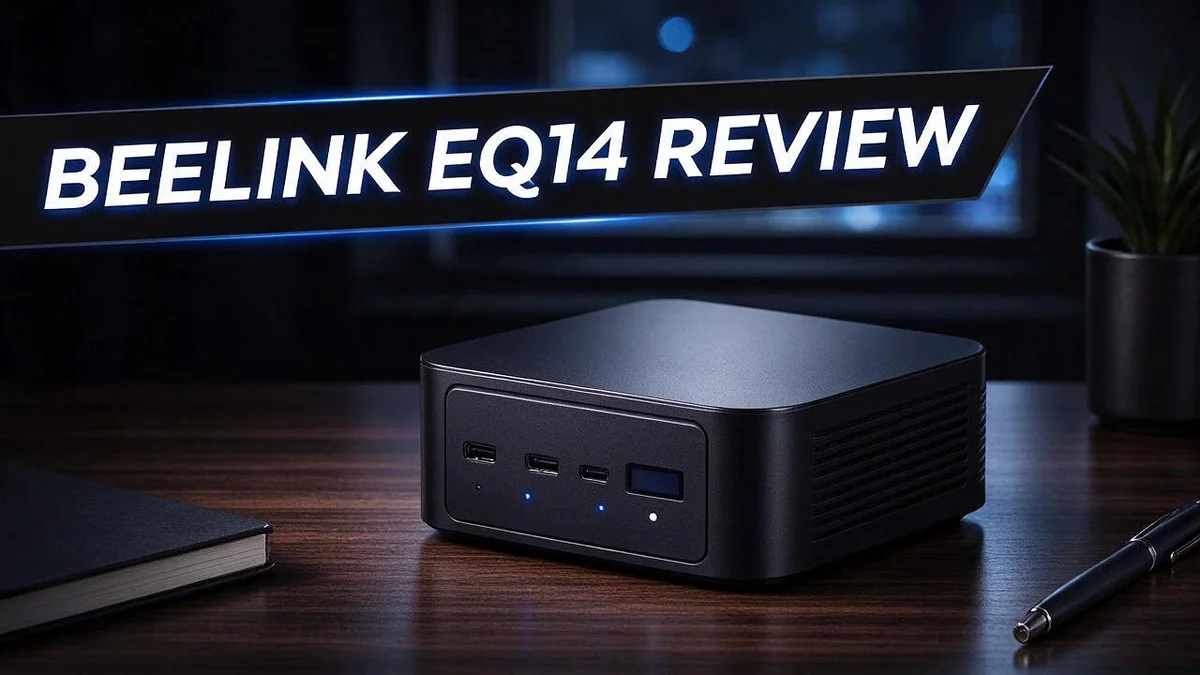
Looking for a small PC that does more than you expect? The Beelink EQ14 might be the answer. This mini PC packs a lot into a compact body.
Under the hood, you get an Intel N150 processor and 16GB of RAM. Storage sits around 500GB, and dual M.2 slots give you room to grow.
Two 2.5GbE LAN ports, WiFi, and Bluetooth keep you connected. Many people use it for light office work and everyday tasks.
It runs quietly, and the cooling stays reliable during long sessions. Its sleek design fits almost anywhere on a desk.
Want a media center that just works? This little box also doubles as a ready to go HTPC. Windows 11 Pro comes preinstalled, so setup feels simple.
In a Nutshell
-
Windows 11 Pro comes ready to use. You can start working right after setup. It handles everyday tasks like email, browsing, and document editing with ease.
-
Dual M.2 slots leave room to grow. You can add more storage later on. This helps when your media library or project files start to pile up.
-
The SATA III SSD may slow down large transfers. Copying big files takes longer than it would on a faster drive. Keep this in mind if speed matters most to you.
-
Light office work feels smooth and simple. Spreadsheets, video calls, and web tasks run without much fuss. Heavy multitasking may still test its limits.
-
The sleek body fits almost anywhere. It takes up very little desk space. You can tuck it behind a monitor or mount it near your TV.
-
Gaming and design work fall outside its strengths. Skip this model if you need strong graphics power. A dedicated gaming or creative machine will serve you better for those tasks.
Design and Build

- ✅【Beelink EQ14 - Intel N150 Processor 】Beelink EQ14 Mini PC has pre-installed with W11 home system...
- ✅【Storage Expansion Options & 2.5G LAN ports】Beelink EQ14 N150 Mini PC built-in 16GB DDR4 RAM and 500GB...
Last update on 2026-11-26 / Affiliate links / Images from Amazon Product Advertising API
Good design matters when a mini PC sits in plain view. The Beelink EQ14 keeps its look simple and clean.
Its small chassis makes it easy to carry. You can move it from a desk to a living room shelf in seconds.
The compact body also tucks neatly behind a monitor. Cables stay out of the way when you place it carefully.
Airflow plays a big role in the build. Vents help warm air leave the case, which keeps internal parts cooler.
A small footprint helps in crowded spaces. You can place it inside a media cabinet or on a narrow shelf.
The exterior stays clean and uncluttered. Few visual distractions mean the box blends into most rooms.
Heat management matters for a device that runs all day. A calm, steady temperature supports consistent performance.
The layout keeps everyday use simple. Most users will find the ports and power connection without any hassle.
Plan your setup before you start. Measure your shelf space so the box fits with room for airflow.
Placement matters more than many people expect. Leave a few centimeters of clear space around the sides. This helps air move freely.
Dust can build up in any small computer over time. Wipe the vents every few months to keep airflow strong.
Keep the box away from direct sunlight and heaters. Heat from nearby items can make the fans work harder.
A stable surface also matters. Place the unit on a flat, firm shelf so it does not wobble or slide.
Think about cable routing early. Short, neat cables look cleaner and keep the desk easy to clean.
Overall, the EQ14 earns its place through simple good looks and practical fit. It suits a home office, living room, or small workspace with ease.
Performance and Everyday Use
Daily tasks feel smooth from the first click. The system wakes up quickly, so you can check messages or a calendar without waiting around.
Web browsing is where this mini PC shines. You can keep many tabs open at once, and they stay responsive during normal use.
Video playback is a strong daily use. The N150 handles common video formats with ease, so movies and shows play without stutter on most streaming sites.
Switching between a spreadsheet, a music app, and a notes program feels natural. Each app gets enough room to run without constant slowdowns.
The box can also act as a light file server. Set up a shared folder, and family members can reach photos or documents from other devices at home.
Keep your expectations realistic for heavy workloads. Opening dozens of large programs at the same time will push the processor hard.
Small habits keep performance high. Close apps you no longer need and remove programs that load at boot. This frees memory and keeps the desktop responsive.
Windows updates install in the background during idle hours. You can schedule them for times when you are away, so your work stays uninterrupted.
Your usage pattern decides the experience. Light tasks feel effortless, while demanding projects call for a faster machine. Match the tool to the job, and you will stay happy with the results.
Browser extensions and ad blockers can also slow down a page. Choose only the tools you use often.
Students and remote workers will find it dependable for research, online classes, and writing reports. The setup handles routine work day after day.
Most users will spend their time in browsers, office tools, and media apps. That mix suits this machine well. Plan your daily routine around these strengths for the best results.
Storage and Expandability
The Beelink EQ14 comes with a 500GB SATA III SSD that covers documents, photos, and a healthy mix of apps.
Storage space is only part of the story. The real strength lies in the dual M.2 slots inside the case.
Each slot gives you a separate place for data. You can keep system files on one drive and move family photos or video archives to another.
This split makes the machine easier to manage. Backups stay cleaner, and a crashed app will not spill into your personal folders.
Think about your file habits before you plan any upgrades. A few questions help. Do you store large videos? Do you keep old projects?
Light users may never fill a 500GB drive. Heavy media collectors will need more room sooner.
Wired networking adds another storage option. The two 2.5GbE LAN ports give you a fast link to other devices. Moving files from a laptop to this mini PC feels smoother than wireless transfers.
External storage is another route. A USB drive or portable SSD can hold archives you rarely open, so your main drive stays free for daily work.
Keep a backup copy of important files on a separate drive. A simple habit like this protects photos and work documents when a drive fails.
Cloud services add another layer of protection. Sync key folders to an online account, and you can recover files even if the box stops working.
Windows 11 Pro also helps with storage management. Built-in tools like Storage Sense can clear temporary files on a schedule.
A quick check each month keeps free space healthy. Delete duplicate photos and old downloads to make room.
Clear space on the drive also helps the system respond faster. Windows runs more smoothly when it has room to write temporary files.
Storage needs shift over time, so start with what you use today.
Top 3 Alternatives
Looking for a different mini PC? These three options are worth a look. Each one offers strong performance in a small footprint.
Beelink SER5 Pro

- 【Swift Performance】This SER5 7330U mini PC is equipped with the upgraded AMD Ryzen 3 7330U processor...
- 【Swift DDR4 Memory & Massive NVMe Storage】This Beelink mini PC features 16GB DDR4 memory (upgradable to...
Last update on 2026-11-26 / Affiliate links / Images from Amazon Product Advertising API
The Beelink SER5 Pro is a compact mini PC with a fast AMD Ryzen processor. It handles web browsing, office apps, and video streaming with ease. Its small body fits neatly behind a monitor or TV. Many home users pick it for quiet, everyday computing. It also gives you plenty of room for multitasking.
GMKtec NucBox M5

- Office Gaming Mini PC - UPGRADED GMKtec Nucbox M5 Ultra Series is equipped with the powerful AMD Ryzen 7 7730U...
- 16GB DDR4 RAM & 256GB PCIe SSD - Installed with DDR4 16GB RAM (1x16GB), the Nucbox M5 Ultra mini pc support...
Last update on 2026-11-26 / Affiliate links / Images from Amazon Product Advertising API
The GMKtec NucBox M5 suits families, students, and anyone who wants a simple setup. It runs everyday tasks without fuss. It works well as a media server for movies and music. Its light frame makes it easy to mount on the back of a display.
Minisforum UM773 Lite

- 【Ryzen 7 Processor】This MINISFORUM UM773 Lite Mini PC comes with AMD Ryzen 7 7735HS Processor, it has...
- 【Radeon 680M Graphics】The UM773 Lite Micro Computer equipped with AMD Radeon 680M Graphics which built on...
Last update on 2026-11-26 / Affiliate links / Images from Amazon Product Advertising API
The Minisforum UM773 Lite brings a good mix of power and value. It supports multiple monitors, so multitasking feels smooth. Its cooling system keeps the machine steady during long sessions. Many users choose it for light gaming and photo editing. Pick the one that matches your daily needs.
Connectivity and Networking
The Beelink EQ14 offers two 2.5GbE LAN ports, which gives you more ways to connect. Most home routers still use 1GbE, so a 2.5GbE link can move large files faster when the rest of your network supports it.
Wired connections keep things steady. A cable carries data without interference from walls or other devices. Use Cat6 cable or better to reach the full speed of each port.
WiFi adds flexibility when cables are not practical. The onboard WiFi module works well for browsing, streaming, and video calls. For heavy transfers or remote desktop sessions, a wired link usually feels more consistent.
The second LAN port opens a few useful options. You can connect the mini PC to your main network on one port and to a separate network on the other. This setup suits people who want to keep a media box apart from a work network.
Bluetooth handles wireless accessories with ease. Keyboards, mice, headphones, and speakers pair quickly. Keep devices within a few meters for the strongest signal. Fewer dongles mean a cleaner desk and fewer cables to manage.
Some setups need a fixed address. Assign a static IP address in your router settings so the machine stays easy to find. Other devices can then reach it at the same address, which saves time when you map network drives or launch remote tools.
Speed tests show what your network really delivers. Run a test on both the wired and WiFi connections. The results reveal which path works best for your daily tasks.
Router capabilities matter as much as the mini PC. An older router may cap speeds below the port rating. Check your router specs before you expect full 2.5GbE performance.
Cooling and Noise Levels
The Beelink EQ14 stays cool during everyday work. Its Intel N150 chip draws little power, so less heat builds up inside the case.
Heat is only part of the picture. Noise matters just as much, especially in a living room or bedroom. Most people want a machine they can forget about.
Light tasks keep the fan calm. Browsing, document editing, and streaming rarely push the processor hard. In those moments, the cooling system often stays quiet.
Longer workloads tell a different story. A large file transfer or a batch of photo exports can raise the temperature. The fan may speed up to keep the chip safe.
Airflow makes a real difference. Give the vents some breathing room on every side. Avoid placing the mini PC inside a closed cabinet or on a soft blanket.
Dust is the hidden enemy. Over time, it clogs the air paths and forces the fan to work harder. A soft brush or a short burst of compressed air now and then keeps things clean.
Position matters too. Keep the unit away from heaters, sunlight, and direct warm air from other devices. A cool spot helps the fan rest more often.
Mounting the mini PC behind a monitor can save desk space. Check that the back vents still receive fresh air. A tight gap may trap heat and raise the noise level.
Think about your room before you set up the machine. A quiet home office suits this system well. A busy family room may still pick up the fan during a long task.
Power settings also shape the sound. Balanced modes in Windows 11 Pro keep the processor from running at full speed all day. This habit lowers heat and keeps the fan calm.
Simple habits help most. Close heavy programs you no longer need. Restart the machine now and then to clear background tasks.
Overall, the cooling works well for daily use. Expect some fan sound under heavy load. Most users will find the noise easy to live with.
Pros and Cons
Pros
– Takes up very little space on your desk
– Works as a home theater PC for streaming shows and movies
– Comes with Windows 11 Pro ready to use
– Handles email, browsing, and video calls with ease
Cons
– The SATA III drive may slow down large file transfers
– Not a good fit for modern gaming
– Not built for heavy design or video editing
Who Should Buy It
The Beelink EQ14 suits people who want a simple computer. It fits well for anyone who wants a machine that works right away.
First time buyers often find this mini PC easy to live with. Setup feels familiar, so there is little to learn. Almost no technical knowledge is needed to get started. New users can also follow simple on screen prompts.
Families who share one computer may also like this model. Parents can create separate user accounts for kids, partners, or visiting relatives. Each person gets a clean space for homework, recipes, or photos.
Students who need a basic machine for writing and research can benefit too. Word processing, online sources, and class portals all run without trouble. It keeps schoolwork organized in one place.
Small business owners can use it at a front desk or counter. It can run a simple booking screen, check email, or display product lists. Its small footprint keeps the counter tidy.
Anyone needing a digital sign or lobby display should consider it. The machine can drive a menu screen or information board for hours. Its quiet fan helps keep waiting areas calm.
Seniors who want an easy computer for daily tasks may find it helpful. Reading news, managing photos, and shopping online all run smoothly. Fewer cables and a compact body also mean less clutter.
Some buyers should look at other options first. People who need more memory for many open programs may compare other Beelink models. Those chasing the fastest storage speeds should also check newer drive types before deciding.
Think about your daily habits first. If your tasks stay simple, this model can serve you well for years. Take a moment to list what you do each week before you buy. Match the machine to your routine, and you will likely feel happy with your choice.
Final Verdict
The Beelink EQ14 earns a solid recommendation for the right buyer. It handles daily tasks well. It also fits neatly into small spaces.
The Intel N150 chip and 16GB of memory give this machine room to breathe. Multitasking across several browser tabs feels smooth. Most people will never feel the need for more power.
Storage deserves a closer look. The 500GB drive holds plenty of documents, photos, and apps. Dual M.2 slots also let you expand later. That flexibility gives the EQ14 a longer useful life.
Compare it with the Beelink Mini S13 before you decide. The S13 pairs a similar storage size with 12GB of faster LPDDR5 memory. Shoppers who want extra memory headroom may prefer that model.
The Geekompc MiniAir 11 takes a different path. It uses a weaker processor, with 8GB of RAM and 256GB of storage. It suits people who need only the lightest tasks.
The Beelink Mini S12 Pro sits lower on the spec sheet. It offers 8GB of RAM and a 128GB NVMe drive. Its faster drive type may appeal to people who value speed over space.
Who should look elsewhere? Anyone planning serious gaming or video editing should skip this machine. Its processor and drive limit heavy workloads. A stronger desktop tower will serve those needs far better.
Long term use also matters. Software grows heavier with each update. The 16GB of memory gives this mini PC extra headroom for years of routine work.
Our final take is simple. The EQ14 is a dependable, quiet, and tidy machine for everyday computing. It may not impress power users. For a reliable daily computer, it deserves a place on your shortlist.
Readers who want a calm, simple computer will likely feel satisfied. The EQ14 delivers exactly what it promises.
Frequently Asked Questions
Can I upgrade the storage later?
Yes, the EQ14 has dual M.2 slots, so you can add more space. This helps when your files start to fill the built-in SSD. Check the slot type before you buy a new drive. A quick look at the specs saves time later.
What wired connections does it offer?
The EQ14 includes two 2.5GbE LAN ports. Wired links keep large downloads and streams steady. WiFi and Bluetooth also come built in, so you can connect in more than one way.
How is a mini PC different from a regular laptop?
A mini PC has no battery and no screen. It stays plugged in on your desk and needs its own monitor, keyboard, and mouse. That setup suits a fixed spot like a home desk or a shop counter. If you need to work on the go, a laptop may fit better.
Will it work with my current monitor?
Most mini PCs connect to standard screens through common video ports. Check your monitor’s inputs before you order. That simple step prevents surprises during setup and helps you get started right away.

Dillip is the founder and editor of DillipWeb.com, where he simplifies the world of AI software, tech gadgets, and accessories through honest reviews, detailed comparisons, and easy-to-follow guides. With a deep passion for emerging technology, he helps everyday users make smarter, more informed tech decisions.