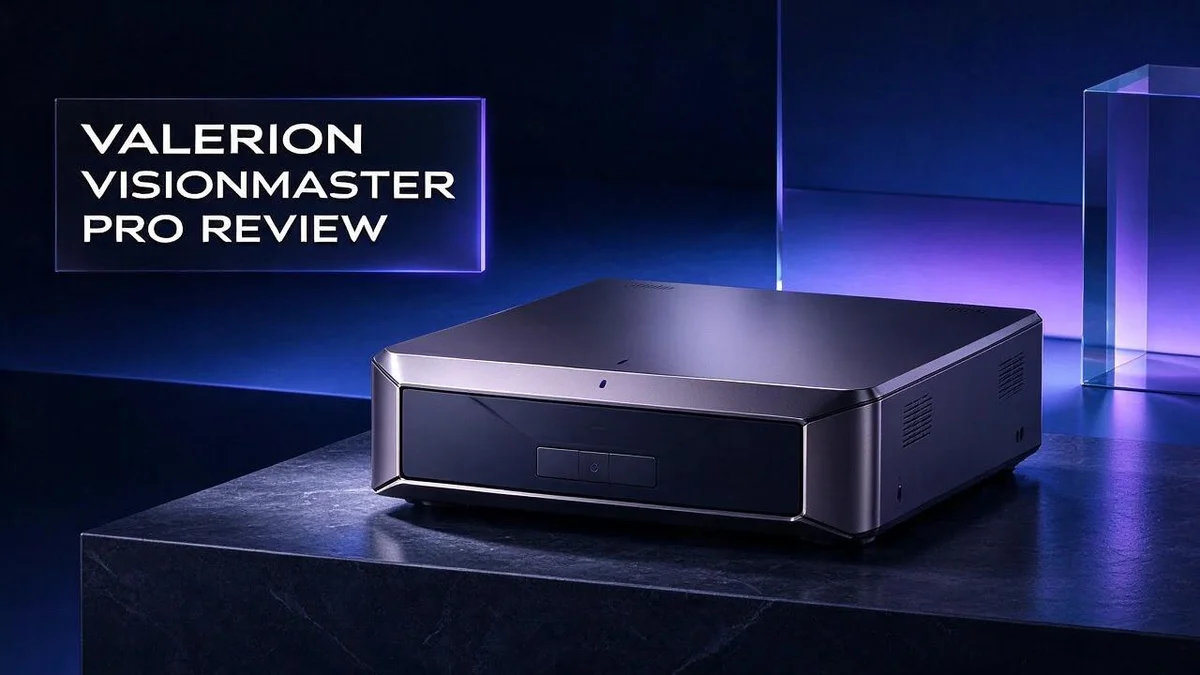
Valerion VisionMaster Pro Review: 4K Triple Laser Projector Tested and Compared
Looking for a projector that can turn your living room into a cinema? The Valerion VisionMaster Pro aims to do just that. It brings 4K resolution and a triple laser RGB light engine to the table.
Brightness is a big selling point here. The projector claims up to 3,000 ISO lumens. It also promises a wide 110% Rec.2020 color gamut, so colors look rich and lively.
Gamers may also feel excited. The listing shows 4ms input latency, which helps fast action stay smooth. The unit also features an OpticFlex lens system.
Still, numbers tell only part of the story. Some owners report that contrast falls short of the claimed figures.
In this review, we look closer at what the VisionMaster Pro delivers in real rooms. We also see how it stands against top rivals.
In a Nutshell
-
Triple laser RGB light gives the projector a vivid base for color. Each primary color comes from its own light source, so images can look lively and natural.
-
4K resolution keeps fine details clear on large screens. Viewers can spot texture and edges without straining their eyes.
-
Color coverage reaches 110% of the Rec.2020 range on paper. This wide palette helps movies and games show deeper, richer tones.
-
ISF certification points to professional calibration support. Owners who care about accurate colors may find this reassuring.
-
Low input lag of 4ms appeals to gamers who want quick responses. Fast reactions matter most in shooters and racing titles.
-
Contrast remains the main question mark. One Reddit user says real results fall well below the claimed numbers, so testing the projector in your own space makes sense. The field also includes the BenQ TK705i and several Epson and XGIMI models, so comparing them side by side helps you decide.
Picture Quality and Contrast

- Color Mastery with 15,000:1 Contrast - Experience a 15,000:1 ultra-high contrast ratio and Enhanced Black...
- Precision Optics for Any Space - With the OpticFlex Lens System (0.9-1.5 throw ratio) and auto-adjusting...
Last update on 2026-11-26 / Affiliate links / Images from Amazon Product Advertising API
Contrast decides how deep the blacks look. When a movie opens in a dark forest, contrast shows whether the shadows look rich or washed out. This balance shapes picture quality more than many viewers expect.
The VisionMaster Pro lists two different contrast figures. An AVS Forum review measured 4,000:1 native contrast. A retailer listing claims 15,000:1. These numbers come from different sources, so readers should read them carefully.
Native contrast measures the projector without extra help from software. Dynamic features can push the number higher on paper. Always check which figure a listing uses before trusting it.
A Reddit user reports that contrast looks well below the claimed figures. That comment reflects a wider issue. Many projectors fall short of their stated contrast in everyday use.
Room lighting plays a big role. A dark room with blackout curtains lets any projector show its best black levels. Light from windows or lamps can make even strong contrast look flat.
Screen choice matters too. A gray or high gain screen changes how dark scenes appear. The right surface helps shadows stay clear and detailed.
Calibration may close the gap. Professional tuning options can adjust gamma and brightness. These small changes often bring out shadow detail in dim scenes.
Sports and daytime viewing place different demands on contrast. Bright scenes depend on strong light output. Night scenes depend on deep black levels. Good balance matters for both.
The best test uses familiar movies. Dark scenes from favorite films reveal the truth quickly. Look for crushed shadows or gray blacks, because those signs show where contrast falls short. Taking a few minutes to test can save regret later.
Color Accuracy and Brightness
Color accuracy shapes how natural a picture feels. A projector can look bright and still show skin tones that seem off. The VisionMaster Pro needs a careful look here.
Laser light sources generally hold their color more steadily than lamps as they age. That helps your favorite movie look consistent over time. Steady color is easy to overlook, but it matters.
Brightness changes how colors appear to your eyes. Too little light makes images look dull and muddy. Too much light can wash out subtle shades.
Screen size plays a surprising role here. A larger screen spreads the same light across more area. The picture may look dimmer than it did on a smaller wall.
Wall color matters as well. A neutral gray or white wall keeps colors true. A tinted wall can shift the picture toward warm or cool tones.
Picture presets deserve attention too. Vivid modes push colors hard, so greens look loud and skin can turn orange. A neutral or cinema style usually gives a more natural result.
Eco modes deserve a warning. They dim the light to save power, which can flatten colors. Switching to a brighter mode often improves the look.
Wide color coverage does not guarantee accurate color on its own. Most streaming and broadcast content uses smaller color standards. The extra range only shows up when the source material was made for it.
A simple test helps you judge colors. Pick three familiar scenes, such as a face, a green lawn, and a clear blue sky. Adjust brightness first, then tweak color so each scene looks true to life.
Good color comes down to balance. Start with a dark room, a sensible preset, and a few trusted scenes. Your eyes will tell you when the picture feels right.
Gaming Performance and Latency
Fast response matters a lot in shooters and racing games. The spec sheet gives one number, but your console or PC also shapes how quick the picture feels. Think of the projector as one link in a chain.
Set your console or PC to its fastest output. Turn off extra post processing on the source device. Motion smoothing can add delay, even when the projector itself responds quickly.
Cable choice matters more than many players expect. Use a certified high speed HDMI cable. A weak cable can cause flicker or dropped frames during long sessions.
Picture mode also changes how games feel. Look for a game preset in the menu and select it before you play. Preset modes often keep processing light, which helps keep timing sharp.
Dark scenes create their own test. Many games hide enemies in shadowy corners, so shadow detail becomes critical. Horror titles and night maps show whether the projector reveals hidden areas or crushes them into black.
Screen size and seating distance play a part too. Sit far enough back to see the whole image. Sit close enough to feel immersed. Fast camera pans can look blurry on a very large screen, so test a few sweeping scenes.
Try a simple gaming check. Play a fast action game for about twenty minutes. Notice whether aiming feels delayed or whether the cursor trails behind your movements. Watch for stutter during quick turns.
Real play beats any spec sheet. Keep short notes on what feels smooth and what feels off. Those notes will guide your settings and help you decide if this projector suits your gaming style.
Top 3 Alternatives
Nikon Monarch 5

- HIGH PERFORMANCE: delivers up to 8x magnification in sharp, crisp detail with a 42mm objective lens to provide...
- BUNDLE INCLUDES: Nikon lens pen, and lens cloth for essential maintenance, carry case, neck strap, and...
Last update on 2026-11-26 / Affiliate links / Images from Amazon Product Advertising API
Nikon Monarch 5 is a strong choice for bird watchers and hikers.
Its lenses use multiple coatings that boost brightness. You get clear views at dawn and dusk.
The focus wheel turns smoothly. You can lock onto a fast bird quickly.
This model suits people who want sharp images without a steep learning curve.
Celestron Nature DX

- THE PERFECT BINOCULARS FOR EVERY ADVENTURE: Nature DX 8x42 offers sharp, detailed views in a compact...
- 8X MAGNIFICATION: Get detailed views of birds, wildlife, and distant landscapes. 8x power strikes the perfect...
Last update on 2026-11-27 / Affiliate links / Images from Amazon Product Advertising API
Celestron Nature DX gives beginners a simple way to start.
Its wide field of view helps you follow moving animals. The body feels light, so you can carry it all day.
The sealed design handles rain, fog, and damp conditions well.
Best for: Families and casual nature fans who want easy, dependable use.
Vortex Diamondback HD

- 8x magnification & 42mm objective lenses, these Diamondback HD binos are optimized with select glass elements...
- Fully multi-coated lenses increase light transmission with anti-reflective coatings on all air-to-glass...
Last update on 2026-11-26 / Affiliate links / Images from Amazon Product Advertising API
Vortex Diamondback HD stands out for its wide, bright view.
The HD glass shows fine color and detail across the whole frame. Its rubber armor protects the body from bumps and drops.
Many outdoor lovers choose it for long trips and changing weather. The eyecups fold down for eyeglass wearers.
If you want a dependable companion for the field, this model deserves a close look.
Setup and Lens Flexibility
Setup often decides how happy you feel with a projector. The Valerion VisionMaster Pro includes the OpticFlex lens system, which helps you fit the unit into your room. Good placement saves time later.
Most living rooms do not have a perfect spot for a projector. Shelves sit too high. Ceilings have beams. Tables block the view. A flexible lens makes these problems easier to solve.
Lens flexibility gives you more choices. You can place the unit on a shelf, a table, or a ceiling mount. A flexible lens can help you find the spot that fits best.
Start with the screen. Measure the width of your wall or screen first. Then decide how far the projector should sit from that surface. This simple step prevents guesswork.
Use the lens controls slowly. Small turns often bring big changes. Move the image in small steps. Check the edges after each change so the picture stays square.
Keystone correction can fix a tilted image. Yet it can also soften detail. Use it only when the mounting spot leaves no other choice. Physical placement keeps the picture sharper.
Ceiling mounts need extra care. Check that the bracket holds the weight safely. Run cables before you tighten everything. Mark the mounting holes with a pencil first.
Focus comes last. Play a sharp test pattern or a clear scene. Turn the focus ring until text and edges look crisp across the whole image.
Save your setup once everything looks right. Take a photo of the layout or note the distance from the wall. Future moves become quick and easy, and a friend can help you repeat the steps.
Moving the projector later is common. A flexible lens lets you rearrange the room without starting over. Keep notes on each position you try.
Noise and Cooling
Fans keep a projector cool, and that cooling matters more than many buyers expect. Laser projectors create heat inside the light engine, so the fan must work hard during long movie nights.
Fan noise is the part most viewers notice first. A quiet fan blends into the room. A loud one can pull you out of a slow scene, especially in a dark room.
Heat also affects how long the projector lasts. A unit that runs hot for hours may age faster, so clean airflow protects the internal parts.
Give the vents room to breathe. Keep a gap around the intake and exhaust. A tight shelf can trap heat, and the fan then spins faster to compensate.
Some models offer a quieter fan profile in the settings menu. Try it and compare the sound. Listen for changes in pitch, not just volume.
Fan speed often changes with the content. Bright scenes can push more heat through the system, so the fan may rise during action films. Dark, slow scenes usually bring it back down.
Test the noise during real viewing. Play a quiet scene with dialogue and a dark scene with soft music. Sit in your usual seat and listen closely.
Speakers can mask a light fan hum. A loud fan will still show through during silent moments, so keep that in mind when you judge the sound.
Room shape plays a part too. Hard walls and bare floors bounce sound around. Rugs and curtains soak up some of that noise and calm the room.
Warm exhaust air can also heat nearby furniture or a wall. Leave a clear path for that air to escape, and check the area after an hour of use.
Watch how the fan behaves over time. Some units speed up as they warm, so the first hour may sound quieter than the third. Write down what you hear.
Quiet operation makes a big difference in daily use. Good placement and a quick sound test will help you enjoy the picture without distraction.
Pros and Cons
Pros
- Triple laser RGB light helps create a wide range of colors.
- The 110% Rec.2020 color gamut covers more shades for vivid scenes.
- Up to 3,000 ISO lumens keeps the picture bright in lit rooms.
- The 4K image pairs with the OpticFlex lens system for flexible placement.
- The ISF certification gives you a trusted path for picture tuning.
Cons
- A Reddit user reports that contrast looks well below the claimed figures.
- Contrast claims differ, with 4,000:1 in one review and 15,000:1 in a retailer listing.
- Many projectors measure below their spec sheet numbers, so check independent tests.
- Most of the headline numbers come from the maker or retailer, not from independent labs.
Who Should Buy It
Gamers are a strong match for this projector. The retailer listing shows 4ms gaming latency. That low lag helps when every frame counts.
Fast games need a screen that responds without delay. Shooters and racing titles feel smoother when inputs show up quickly. Players who notice small delays will appreciate this model.
Movie fans who own a dedicated room can benefit too. Bold animated films and nature documentaries often look striking on a large screen. Dark scenes and bright scenes both get attention.
Families who gather for weekend movie nights may enjoy the big image. A projector turns a plain wall into a shared viewing space. Kids and adults can watch together without crowding around a small TV.
Home theater hobbyists who enjoy tweaking settings will find room to explore. Picture tuning becomes a fun project over time. Each adjustment shows how much control you have.
Casual viewers may want a simpler option. If you mostly watch short clips on a phone, this advanced setup may feel like too much. A basic model could meet your needs with less effort.
Shoppers who like to compare should look at rivals first. The BenQ TK705i ranks first in the Projector Database top 100. Epson, Optoma, and XGIMI also make models worth a look.
Sports fans who watch live games may also like the large image. Fast motion on a big screen makes each play feel closer. Friends can gather around for game day without squeezing into a small space.
Anyone who needs a quick answer should test the product in person. Visit a store to see the image firsthand. Bring a favorite movie and check how it looks in your room. Ask a friend who owns one for honest feedback.
Your room, habits, and goals will decide the best fit for you.
Final Verdict
The Valerion VisionMaster Pro earns a solid place on your shortlist. It offers a bright 4K picture, a wide color range, and low lag for fast play.
The strengths are clear. Bright output, rich colors, and quick response all stand out. The main question is contrast, so verify that claim with independent data before you decide.
Still, the smartest move is to test before you commit. Look at independent reviews that measure real results instead of only trusting the box.
Think about your room first. A dark space with a clean wall will show the best results. A bright living room may need the full brightness, but it also needs careful placement.
Pair the projector with a screen that suits your room. A good surface can lift contrast and color. Pick the screen before you choose the final projector spot.
Your viewing habits matter most. If you game often, the quick response time stands out. If you watch films on weekends, the large image makes movie nights feel special.
Compare it with rivals side by side. The BenQ TK705i sits at the top of one popular ranking, so it deserves a fair look. Check how each model handles your favorite content.
Check the warranty length and support options before you buy. Good support helps if the picture needs adjustments later. Ask about service centers near you.
Ask a store for a live demo. Bring a movie you know well. Watch the dark scenes closely, since they reveal contrast strengths and weaknesses.
Our final take is simple. This projector suits enthusiasts who want a bright, colorful image and enjoy fine tuning. Casual viewers may prefer a simpler setup with less to manage.
Make the decision with confidence. Read the facts, test the picture, and choose the option that fits your space and habits best.
Frequently Asked Questions
How does it compare with the BenQ TK705i?
The BenQ TK705i ranks first in the Projector Database top 100. Put both models side by side in one room. Watch the same movie scene on each one. Notice which picture looks more natural to your eyes.
Does a triple laser design mean less upkeep?
Laser light sources usually last longer than traditional lamps. Lamp swaps are rarely needed with a laser setup. Check the listed light source life before you buy, so you know what to expect.
Can this projector handle live sports?
Fast motion needs a projector that keeps up with quick scenes. Ask a store to play a sports clip during your demo. Watch for blur when the camera pans across the field.
Is it a good pick for a small room?
Room size matters more than many buyers expect. A large image needs enough wall space and the right distance from the lens. Measure your room first, then choose an image size that fits.
What should I check before setting it up?
Look at the ports and cables you already own. Confirm that your streaming device uses a compatible input. Plan a spot near a power outlet so the cords stay tidy.

Dillip is the founder and editor of DillipWeb.com, where he simplifies the world of AI software, tech gadgets, and accessories through honest reviews, detailed comparisons, and easy-to-follow guides. With a deep passion for emerging technology, he helps everyday users make smarter, more informed tech decisions.