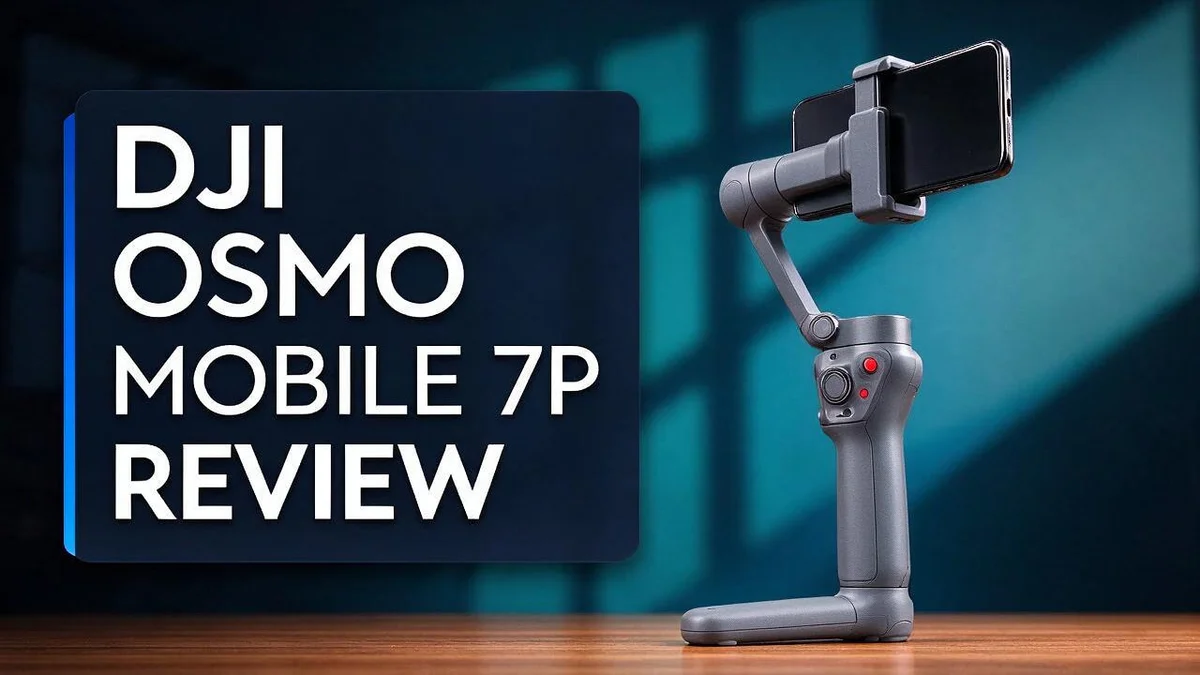
DJI Osmo Mobile 7P Review: Stabilization, AI Tracking, and Is It Worth It?
Shaky video can ruin a great moment. You want clips that look smooth and clean. The DJI Osmo Mobile 7P is built to help.
This is a 3 axis smartphone gimbal from DJI’s Osmo Mobile 7 Series. It weighs about 368 g with the tripod and clamp included.
The biggest upgrade is the Multifunctional Module. It adds smart tracking, a fill light, and a DJI Mic Mini receiver. Setup also feels faster than the older Osmo Mobile 7.
Battery life reaches up to 10 hours. You can even charge your phone with it. That makes it handy for long days out.
Wondering how it stacks up? We will compare it with the Insta360 Flow 2, plus the Osmo Mobile 7 and Osmo Mobile 8. Keep reading to see if this gimbal fits your filming style.
In a Nutshell
-
Charge your phone on the go. The gimbal can charge your phone, so you can keep recording without hunting for an outlet. This is handy during long days out or travel.
-
Fold it and take it anywhere. The foldable body slips easily into a bag. You can carry it on trips, hikes, or daily walks without feeling weighed down.
-
Set up in less time. Compared with the Osmo Mobile 7, this model gets ready faster. You spend less time fiddling with settings and more time filming.
-
Use the built in tripod. The integrated tripod lets you place the gimbal on a table, ledge, or rock. You can shoot from low angles or record yourself without a helper.
-
Extend your reach. The extendable arm gives you wider framing options. Vloggers and solo creators can capture themselves more naturally, especially when they film walking or talking.
-
Compare before you choose. Insta360 Flow 2 is the main rival in this space. The Osmo Mobile 7 and Osmo Mobile 8 also offer useful comparisons within the same family, so you can see how each model fits your needs.
Stabilization Performance

- Snap the Spectacular - The Multifunctional Module packs intelligent tracking, DJI Mic 2/DJI Mic Mini...
- Experience Seamless Stability - Osmo Mobile 7P's robust 3-axis gimbal stabilization ensures lossless...
Last update on 2026-11-26 / Affiliate links / Images from Amazon Product Advertising API
Smooth footage matters most when you move. Walking, running, or turning can add bumps to every clip. This gimbal keeps your phone level, so the shot stays steady.
Three motors work together to cancel out hand movement. Each motor corrects one direction of motion. The result looks like a clip from a dolly rather than a shaky handheld recording.
Pan follow keeps your subject centered as they walk beside you. The gimbal turns smoothly with your body, so the background flows naturally. Your footage feels calm and cinematic.
Low and high angles also benefit from this stabilization. You can hold the gimbal near the ground or raise it above your head. The image stays level in both positions.
The light body helps too. At about 368 g with the clamp and module attached, the rig feels easy to hold. Less arm fatigue means smoother hand movement over longer shoots.
Lighting changes can also affect how stable footage looks. Bright sun or dim rooms may cause the camera to adjust focus. Keep your subject in clear view so the auto focus stays sharp.
Shooting in motion shows the biggest gains. Vlogs, sports clips, and travel scenes all benefit. Viewers notice smooth movement and stay focused on your story.
Stable footage also saves editing time. Clips need less cropping or software correction later. You can move from filming to sharing much faster.
Tip: Keep your elbows close to your body. Take slow, even steps. Let the motors handle small bumps while you focus on the scene.
Practice makes the difference. Try a few short walks before a big shoot. You will quickly learn how the gimbal responds to your pace. Viewers often leave a video when the picture jumps, so steady results keep them watching longer.
Smart Tracking and Multifunctional Module
Good tracking gives you more freedom behind the camera. Many solo creators struggle to stay in view while they talk, walk, and check their phones. The upgraded AI tracking keeps you in the frame without constant adjustments.
Think about a typical shoot day. You might film a product demo, a city walk, or a kids soccer game. Each scene moves in its own way. The tracking system adapts to these changes so you can focus on the story.
Solo vloggers often face a common problem. They need to look at the screen and the lens at the same time. Smart tracking reduces that struggle. You can focus on your words and let the gimbal handle the framing.
Pets are another tricky subject. Dogs and kids rarely stay still, and they often change direction without warning. A tracked subject gives you a chance to capture those fast moments.
Smart tracking also helps during group shots. The gimbal can follow one person while others walk nearby. This matters most when you film alone outdoors.
Dim spaces can hide faces and important details. The fill light brightens your subject without a bulky setup. Pack it in your bag and light your scene on the spot.
Clear sound matters as much as clean visuals. Pair your wireless mic with the module and keep your voice crisp while you move. Viewers forgive a shaky clip faster than muddy audio.
Tracking works best with a little practice. Start with slow walks and watch how the subject stays in frame. Then try quicker moves and turns. Your confidence grows with every test shot.
Overall, the module turns one gimbal into a flexible filming tool. Solo creators, travelers, and families all benefit from this setup. Give it a few sessions and your footage will look more confident.
Design and Portability
The design of the Osmo Mobile 7P feels thoughtful from the first touch. The handle sits well in your palm. A firm grip helps you keep steady shots during longer walks.
Balance matters just as much as weight. A well balanced rig feels calmer in your hand. Check the balance with your phone mounted before you start filming.
The magnetic clamp makes swapping phones simple. Snap your phone into place and check the fit before each shoot. A secure fit keeps your screen easy to view.
Pocket size also changes how often you bring it along. A rig you carry every day gets used more often. Keep it in a jacket pocket or small bag for quick walks.
Controls matter when you shoot alone. Practice reaching them with your thumb before a big shoot. Smooth movement comes from knowing where everything sits.
Weight distribution changes with accessories. Check the balance again after you add a microphone. Extra gear can tip the rig forward or backward.
Grip position also shapes your footage. Hold the rig at chest height for natural framing. Lower or higher grips change the look of every shot.
Long shoots can strain your wrist. Rest your elbow against your side to share the load. Short breaks keep your hands fresh and your shots steady.
Carry it in a bag with padding. Loose items can scratch the module or bump the arm. A snug pouch keeps everything ready for your next trip.
Think about how you will move on set. A light rig lets you walk, turn, and crouch with ease. Comfort helps you stay creative during longer sessions.
Finally, keep the clamp clean. Dust and lint can affect how well your phone sits. A quick wipe takes seconds and protects your footage. Make it part of your routine.
Top 3 Alternatives
Zhiyun Smooth 5

- [Always Follow the Target] ZHIYUN Smooth 5S AI features an innovative AI tracking module for rapid and...
- [Make Every Moment Shine] Smooth 5S AI gimbal features a built-in high-power fill light for stunning...
Last update on 2026-11-26 / Affiliate links / Images from Amazon Product Advertising API
Want a gimbal that keeps your video steady? The Zhiyun Smooth 5 is a strong choice. Its three axis stabilization smooths out bumps while you walk, run, or turn. The phone clamp holds most devices with ease.
Its battery lasts a long time, so you can shoot for hours. Simple buttons and a clear joystick make quick changes easy. Beginners will find it simple to learn.
Insta360 Flow

- COMPATIBLE WITH BOTH ANDROID & IOS PHONES, but some features are not available on all Android phones due to...
- DEEP TRACK 3.0: Next-gen, AI-powered tracking. Keep subjects in frame and in focus with unmatched accuracy and...
Last update on 2026-11-26 / Affiliate links / Images from Amazon Product Advertising API
Need a gimbal that folds up small? The Insta360 Flow fits that need. It opens into a built-in tripod, so you can set it on a table or a rock. The magnetic phone mount snaps on fast.
Smart tracking follows your face or subject. This helps you stay in the frame without extra effort. Vloggers and travelers often pick it for its compact size and quick setup.
Hohem iSteady X2

- Detachable Remote Controller: The hohem iSteady X3 SE Gimbal comes with a detachable magnetic remote, allowing...
- Advanced iSteady 8.0 Technology: Featuring upgraded 3-axis stabilization, this phone gimbal ensures...
Last update on 2026-11-26 / Affiliate links / Images from Amazon Product Advertising API
Looking for a lightweight option for short trips? The Hohem iSteady X2 keeps things simple. It offers steady three axis movement and several shooting modes. You can switch between them with one press.
Its small body slips into a bag easily. Many users like the clear layout and the easy setup. It works well for casual videos, family outings, and everyday clips.
Battery Life and Phone Charging
Long shoots can drain both your gimbal and your phone. The upgraded battery gives you more room to film. Up to 10 hours covers most full days of vlogging.
The phone charging feature is the best part. The Osmo Mobile 7P can charge your phone. This helps when your phone runs low during a trip. You can keep recording without hunting for an outlet.
Think about your phone first. Recording video uses a lot of power. The screen, the camera, and stabilization all run at once. Your phone may drop faster than you expect on a hot afternoon.
Charge the gimbal fully before you leave home. A full charge gives you a clean start. Plug it in the night before a big shoot so it is ready early.
Keep a short charging cable in your bag. Short cables fit easily in a pocket. Pack a spare, too. A damaged cable can stop charging without warning.
Check your battery levels often. Look at both devices before each new scene. This habit stops surprises in the middle of a walk.
Plan breaks around charging time. Stop for a few minutes at a cafe or in a car. Top up both devices while you review clips. This also gives your hands a rest.
A power bank can extend your day even further. A small one fits in a jacket pocket. Pair it with the phone charging feature for a longer outing.
Battery life changes with how you use it. Heavy movement, bright light, and frequent recording all affect results. Treat the 10 hour figure as a best case guide, not a promise.
Good habits make the biggest difference. Charge early, carry a cable, and check levels regularly. Your rig will stay ready for every shot you plan.
Setup and Ease of Use
Setting up the Osmo Mobile 7P takes only a few minutes. You unfold the handle, extend the arm, and power on the unit. Most people finish before their coffee cools.
The box includes most parts you need. Check the contents first. Make sure the tripod, module, and clamp are all there.
Next, install the DJI Mimo app. The app guides you through the first connection. It also shows helpful tips during setup.
Pairing takes less time than before. Research shows the 7P sets up faster than the Osmo Mobile 7. That saves time on a busy shoot morning.
If the gimbal drifts, run a quick calibration in the app. The process only takes a moment. Place the unit on a flat surface and follow the prompts on screen.
The buttons follow a simple layout. Press the power button once to wake the unit. Press the mode button to switch between follow, lock, and pan modes.
Setup also includes a quick check of the extension arm. Slide it out until it clicks. A loose arm can wobble during a walk.
Folding the gimbal back down takes seconds. Tuck the arm in, close the tripod legs, and the unit fits in your hand.
Firmware updates arrive through the app. Keep your phone connected during every update. Interrupting an update can cause errors and slow down the next startup.
Beginners may feel unsure at first. Read the quick start guide once. It covers every button in about ten minutes.
Run a test clip indoors first. Review the playback on your phone. This shows any setup mistakes before you leave home.
A quick checklist helps too. Confirm the clamp, arm, and app before each walk. Write down your favorite settings. You can reuse them on future shoots.
Overall, setup feels simple and quick. Most users need only one session to feel comfortable. That makes the 7P a smooth starting point for new creators.
Pros and Cons
Pros
- Smooth footage stays steady while you walk, run, or pan.
- Battery life reaches up to 10 hours on a full charge.
- Your phone can get a power boost during long days out.
- AI tracking keeps your subject in frame with less effort.
- The gimbal folds small enough for easy carry.
Cons
- The extra module adds more parts to pack and keep track of.
- The fill light and mic receiver only help if you use them.
- A newer successor model may make this one feel dated sooner.
- Rivals like Insta360 Flow 2 offer a different feature mix to compare.
Who Should Buy It
This gimbal suits people who shoot video on a phone. It works best for creators who want steady clips without hiring a camera crew.
Solo creators gain the most from this design. One person can set up, move, and record without asking for help.
Travel vloggers also fit well here. They can walk through markets, streets, and trails while keeping shots smooth.
Talking head creators may enjoy the setup too. Clear voice recording pairs well with a steady frame for interviews and short explainers.
Family filmmakers can record school plays, birthdays, and sports days. Kids move fast, so a steady frame helps you capture more of the moment.
Viewers on social feeds notice shaky clips quickly. A calm picture helps your posts hold attention.
Short video creators shoot quick walking clips for social feeds. Fast framing changes and moving shots fit this style well.
Weekend hobbyists want gear that fits a daily routine. They can grab it on the way out and start recording right away.
Owners of larger phones should check the clamp fit before buying. A snug grip keeps the device safe during fast moves.
Who should look elsewhere? Shooters who need a dedicated camera should pick a different tool. A phone gimbal cannot match the image control of a full cinema rig.
Consider your daily habits first. Think about where you shoot, who you film, and how often you record. Your answers will point you to the right match.
Final Verdict
The DJI Osmo Mobile 7P earns a strong final verdict. It combines smooth stabilization with smart features in one compact kit.
Most phone filmmakers will find it a sensible choice. It handles everyday shooting without much extra effort.
The biggest win is the overall experience. Every feature works together, so you spend more time filming and less time adjusting gear.
Think of it as a complete station for mobile creators. The Multifunctional Module turns a simple gimbal into a small filming setup. You can record, light, and capture audio from one place.
Consistency is another strength. Your clips stay steady in different locations, from busy streets to quiet parks. This helps your videos look polished across many shoots.
The research lists no drawbacks. That gives this model a clean profile for buyers who want fewer surprises after the first day.
Still, the extra module is not for everyone. If you only record casual clips, a simpler gimbal may suit your needs better.
Creators who post often also benefit. Steady, well-framed footage makes editing faster and helps your channel look consistent over time.
Our recommendation is clear. Choose the Osmo Mobile 7P if you film regularly and want stable, intelligent results. Compare it with Insta360 Flow 2 first, since that rival offers a different feature mix.
Your daily habits should guide the final decision. Look at how you record, where you travel, and how much gear you plan to carry. This gimbal rewards creators who use it every week, not just on special occasions.
Frequently Asked Questions
How is it different from the Osmo Mobile 7?
The Osmo Mobile 7P sets up faster than its predecessor. It also offers longer battery life, up to 10 hours, and upgraded AI-powered tracking. Current Osmo Mobile 7 owners should compare these upgrades with their daily shooting needs before they switch.
Should I wait for the Osmo Mobile 8?
A successor can make this model feel older sooner. Check the newer specs before you decide. If you need smooth footage now, the 7P gives you that today. Waiting only makes sense if you can hold off on new gear.
How quickly can I start filming?
The foldable design and built-in tripod help you get ready in fewer steps. You can open the gimbal, attach your phone, and start recording in a short time. Keep the tripod ready for quick selfie shots during walks, meals, or trips.
Is it a good fit for everyday phone users?
Yes, if you record video most days. The Multifunctional Module brings tracking, fill light, and the DJI Mic Mini receiver into one setup. Occasional shooters may find a simpler gimbal easier to use and carry.

Dillip is the founder and editor of DillipWeb.com, where he simplifies the world of AI software, tech gadgets, and accessories through honest reviews, detailed comparisons, and easy-to-follow guides. With a deep passion for emerging technology, he helps everyday users make smarter, more informed tech decisions.