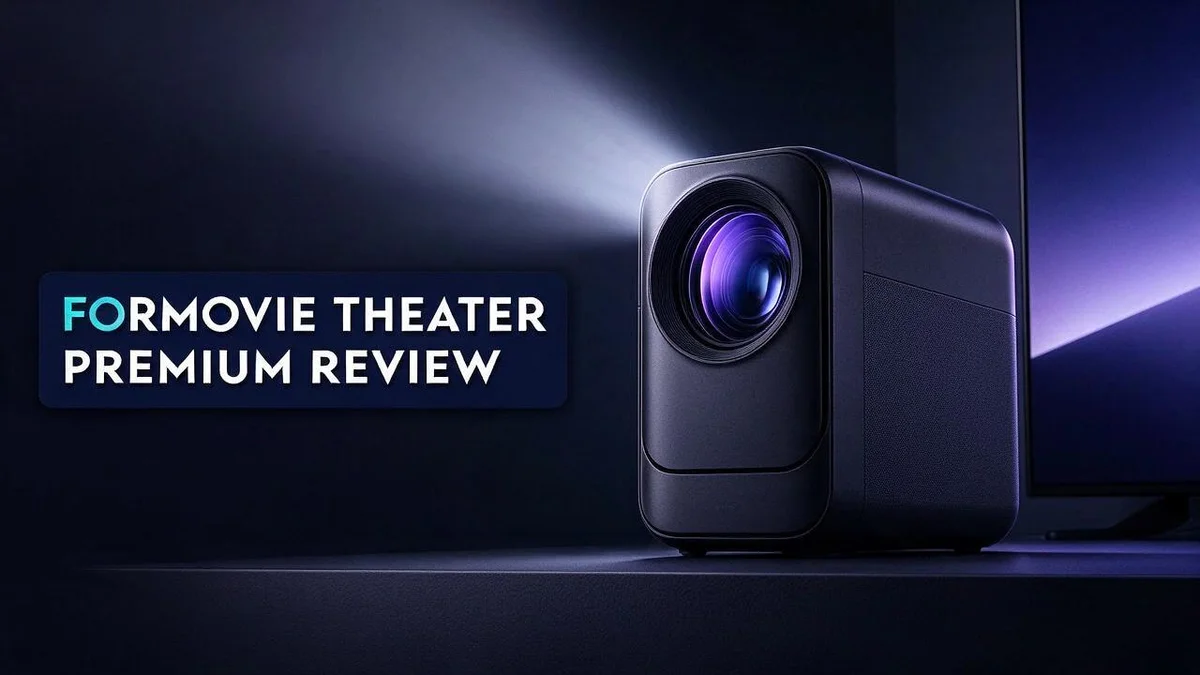
Formovie Theater Premium Review: 4K Laser Projector Brightness, Picture Quality and Smart Features
Want a big screen movie night at home? The Formovie Theater Premium could become your new favorite setup. It brings a 4K UHD picture right into your living room.
This projector uses a triple laser ALPD light engine. It delivers up to 2,200 ISO lumens, which is brighter than the original Theater. Colors look vivid, even when some daylight fills the room.
Sound comes from Bowers and Wilkins speakers. Built in Google TV also gives you Netflix and other apps right away. You can start watching without extra gear.
In this review, you will see how it performs, who it suits best, and how it compares to top rivals like the Samsung Premiere 9 and the Epson LS7500. Keep reading to see if it fits your home.
In a Nutshell
-
Brighter than the original: The Theater Premium reaches up to 2,200 ISO lumens. That beats the 1,800 lumens of the earlier Theater model. Your images stay bright and lively, even in rooms with some light.
-
Sharp native 4K: This projector shows native 4K at up to 60Hz. Your movies, sports, and shows look clean and detailed on a big wall.
-
Strong daytime picture: Many reviewers say the picture looks vivid when the room is not fully dark. This helps if you like watching during the afternoon or on a weekend morning.
-
Better color from the start: Early feedback points to more accurate colors and a sharper lens than the previous model. You may not need to spend much time adjusting settings before your first movie night.
-
Smart apps built in: Google TV comes preloaded, with Netflix ready to open. You can stream your favorite apps without plugging in extra devices.
-
Check the 3D status: 3D support was an upcoming update at launch. If 3D matters to you, confirm the current software before you decide. Rivals like the Samsung Premiere 9, Hisense PL2, and Epson LS7500 also compete for the same buyers.
Triple-Laser Light Engine and Brightness

- ✅ AWARD-WINNING PROJECTION: As 1st place winner & judge's pick at both the 2022 and 2023 Laser TV Showdown...
- ✅ 1800 ISO Lumens, Crisp and Clear Anytime Vibrant and bright colors can be accessed easily during daylight...
Last update on 2026-11-26 / Affiliate links / Images from Amazon Product Advertising API
Every projector needs strong light to create a clear picture. The Formovie Theater Premium handles this with three separate lasers, one for each main color.
Red, green, and blue lasers mix to form every shade you see on screen. When each color has its own light source, the mix stays clean and balanced. Greens in a forest and blues in a clear sky can look more natural.
Laser light also holds its strength for longer. Many owners worry that a projector will slowly dim after a few seasons of movie nights. Laser engines usually keep their brightness far better than old style lamps.
Brightness also gives you more freedom with your room setup. You can keep a soft lamp on or let in some daylight without losing the image. Dark curtains still deliver the richest contrast, so block outside light when you can.
A bright image also works well on bigger screens. Light spreads across more space as the picture grows. A strong light source keeps small details visible near the edges of the screen.
Brightness alone does not make a great picture. Contrast and color work together with light. A bright projector paired with a dim, controlled room often looks better than a dim projector in a bright room.
Your viewing habits matter most. If you watch sports or cartoons in the afternoon, the bright engine helps a lot. Late night film fans may still prefer lower light levels for a cinema feel.
Here is a simple tip. Test the projector at night and during the day. Play a scene with bright skies and deep shadows. Check whether dark areas still show detail. This quick check tells you how the light engine performs in your space.
In short, the triple laser engine gives you steady color and long lasting output. It suits people who want a bright, lively picture that looks good in many rooms.
Native 4K Sharpness and Lens Quality
Sharpness starts with the pixels themselves. Native 4K means every dot on the screen is real, not guessed by software.
This matters more than many people expect. Small details, like subtitles and fine lines on a building, stay clean even on a large wall.
Lens quality plays a huge role too. A sharp lens keeps the edges of the picture in focus. Corners should look just as crisp as the center.
Ultra short throw placement adds a new challenge. The projector sits close to the wall, so the lens must handle a steep angle. Good optics keep the image even from edge to edge.
Viewers should check focus after setup. Turn the focus ring slowly and watch fine text on screen. Sharp edges show when the focus is right.
Distance also changes how sharp the picture feels. Sit at a normal movie distance and the pixels blend together. Sit too close and you may spot the grid, so test a few seats.
Content quality matters as well. Streaming sources at 1080p look softer on a 4K projector. Native 4K discs and 4K streams show the lens at its best.
Sports and nature shows make a good test. Fast motion and thin textures reveal how well the lens handles detail. If the edges stay clean, the lens does its job.
Dark scenes also reveal sharpness. Edges between shadow and light need clean lines, or the image looks soft. A good lens holds these edges well, so credits and night scenes still look detailed.
Your wall matters too. A smooth, flat surface shows every pixel clearly. A textured wall can soften the image, so choose a flat surface when possible.
Take time with the first setup. A few minutes of focus tuning often makes a clear difference in how the picture feels every night.
In short, native 4K and a clean lens work together. Sharp pixels paired with clean optics give a crisp, lifelike image that feels close to a cinema screen.
Sound with Bowers & Wilkins Speakers
Sound matters just as much as the picture. A great movie feels flat without strong audio. The Formovie Theater Premium includes Bowers & Wilkins speakers to fill the room with clear sound.
Bowers & Wilkins is a well known name in audio. Many listeners trust its speakers for clear voices and rich tones. This gives the projector a strong start for movie nights.
Clear dialogue is the first thing to check. When a character whispers, you should still hear every word. Speech stays easy to follow, even during loud action scenes.
Placement changes how sound feels. Try to place the speakers at ear height when you sit down. Keep them away from corners if possible, so the bass does not sound boxy.
Room size plays a big role too. A small room can make sound bounce around. Soft rugs, curtains, and couches help absorb extra echo and keep voices sharp.
Music fans will enjoy the mix. Songs in concert films sound full and lively. Acoustic tracks show how natural the middle tones can be.
Try a simple test. Play a scene you know well. Listen for voices, background sounds, and bass. Adjust the settings until the mix feels right for you.
Sports nights bring a different test. Crowd noise and commentary need to sit at the right level. Balanced sound keeps you focused on the game and the players.
Gaming sessions also benefit from good audio. Footsteps and sound effects help you read the action. Clear sound makes every moment feel closer and more real.
Volume control matters for neighbors and late nights. Strong speakers can fill a room without harsh peaks. Keep the volume at a comfortable level for long viewing sessions.
In short, Bowers & Wilkins speakers add depth to every scene. Pairing solid audio with a bright image creates a cinema feel at home. Your room setup decides how much of that potential you hear, so take time to test it.
Top 3 Alternatives
Looking for a projector that gives you a big screen at home? These three options are strong alternatives. Each one suits a different room and viewing style.
Anker Nebula Capsule

- Super-Sized Screen, Portable Design: Capsule 3 is an all-new ultra-portable Google TV projector licensed by...
- Take the Big Screen Anywhere: With a max screen size of 120 inches, Capsule 3 delivers a cinema-level...
Last update on 2026-11-26 / Affiliate links / Images from Amazon Product Advertising API
The Anker Nebula Capsule is a small, portable projector that fits in your hand. It runs on Android TV, so you can stream shows without extra devices. Its built-in speaker makes movie nights easy in a bedroom or dorm.
XGIMI Halo

- A Whole New World of Entertainment: Google TV and Google Play Store provide seamless access to 5000+ apps like...
- 1080P Super-Bright Image: With Halo+, you get brilliant 1080p FHD and LED-powered hyper-focused 700 ISO lumens...
Last update on 2026-11-26 / Affiliate links / Images from Amazon Product Advertising API
The XGIMI Halo delivers bright, sharp images in a compact body. It includes automatic keystone correction, so you can place it almost anywhere. A built-in battery lets you move it from room to room.
Epson Home Cinema

- EXTRA-LARGE WXGA DISPLAY — Project images up to 300 inches, up to 4 times larger than a 75-inch flat panel...
- ULTRA BRIGHTNESS — 4,000 lumens of color and white brightness delivers vivid images, spreadsheets and videos...

Last update on 2026-11-26 / Affiliate links / Images from Amazon Product Advertising API
The Epson Home Cinema line focuses on true color and strong brightness. It works well in living rooms with some daylight. Many families enjoy its straightforward setup and large screen sizes for group viewing.
Choose the option that matches your space and viewing habits. Each one brings a cinema feel right into your home.
Smart TV and Streaming Experience
The Formovie Theater Premium does more than play movies. It also works as a smart streaming hub.
Google TV is built right into the projector. You do not need a separate streaming stick to start watching.
The home screen shows suggestions from your apps in clear rows. You can spot your next show without digging through menus.
Netflix comes ready to use, so your favorite series load fast. Sign in once, and your watch history follows you.
Setup takes only a few minutes. Follow the steps on the screen, connect to your network, and sign in with your account.
Voice search saves time, too. Say a movie title, and the search finds it across many streaming services.
Adding new apps is simple as well. Open the app store, search for a service, and install it in seconds.
Profiles make shared living rooms easier. Each person keeps their own recommendations, while kids can enjoy shows picked for their age.
Tips for smoother streaming:
Use a strong wireless connection. Streaming in 4K needs steady speed. A weak signal can cause buffering during a big finale.
Turn on automatic updates. Updates bring new features, bug fixes, and better app support.
Keep the remote nearby for quick control. Pause, rewind, and adjust volume with a few taps. Some remotes also include shortcut buttons for popular services.
Sports fans should test their favorite streaming app before kickoff. A quick check saves stress during a close game.
Late night viewers can scroll through trending titles and pick one in seconds.
Software updates may also add new formats. Community posts noted that 3D support was planned as a future update after launch.
In short, Google TV and Netflix turn this projector into a full entertainment center. Your favorite shows stay one click away.
Setup, Placement and Room Requirements
A smooth setup starts with a clear plan. Take a few minutes to measure your room first. Note the wall width, the ceiling height, and the spot near your power outlet.
The projector sits close to the wall, so that wall matters a lot. Check for bumps, holes, or large picture frames. A flat, plain surface gives the cleanest image.
Wall color can change the picture. Dark or bold paint may dull colors and reduce contrast. A matte white wall or a proper screen helps colors look true.
Light control plays a big role too. The brighter model handles some daylight well, yet closing curtains still helps. Less outside light means deeper blacks and richer color.
Airflow needs attention as well. Leave open space around the vents on every side. A closed cabinet with no airflow can make the unit run hot over long movie nights.
Cables need a simple plan. Place the unit near an outlet, then use cable clips to keep wires off the floor. Tidy cords also protect pets and curious kids.
Mounting comes next. A sturdy stand works well in most living rooms. If you plan to mount the unit on a ceiling or shelf, confirm that the bracket and base fit together.
Seating distance shapes the setup too. Mark your couch spot on the floor with painter’s tape. Then check the image from that exact seat before you lock everything in place.
Level the projector before you finish. Small tilts can cause uneven edges. Use the menu tools to square the image, then check each corner for sharp, even lines.
In short, good planning makes setup easy. A flat wall, soft light, open airflow, and a fixed seat spot give the best results. Good planning saves time and avoids frustration later.
Pros and Cons
Pros
- The projector is brighter than the original Theater with up to 2,200 ISO lumens.
- Native 4K at up to 60Hz keeps fine details sharp.
- The triple laser light engine delivers rich, lifelike colors.
- The picture looks vivid, even when you watch in daylight.
- Color accuracy and lens sharpness improve over the predecessor.
Cons
- 3D support was an upcoming update at launch.
- Long-term feedback from independent reviewers is still limited.
- You may need to wait for updates if 3D viewing matters most to you.
Who Should Buy It
Not every home needs a projector like this one. However, certain buyers will get the most from it. Here is who should take a closer look.
Movie lovers who want a big screen should put this on their list. A large image makes an ordinary night feel like a special outing. Films also feel more immersive on a wall than on a small display.
Families who gather for weekend films may also find it appealing. Everyone can sit back and watch together. A large picture gives kids and adults the same view.
Owners of the first model have an easy comparison to make. The newer version offers a clear set of upgrades on paper. A side by side check will show whether those changes matter for your room.
Shoppers who like to compare brands should look at the rivals too. Samsung Premiere 9, Hisense PL2, BenQ V5010i, XGIMI TITAN Noir Max, and Epson LS7500 all compete in this space. Reading about each one helps buyers find the right fit.
People who want a dedicated movie corner can benefit from this model. A spare room or quiet nook can turn into a small theater. Thoughtful planning of the space keeps the experience comfortable and enjoyable.
Careful buyers who prefer long track records may want to wait. Independent reviews of this model are still fairly new. Waiting a little longer gives more real world feedback from owners.
Anyone who wants a simple all in one screen may feel satisfied with this option. A single device handles both picture and sound in one place. Less clutter often means a cleaner look in the living room.
Overall, the best match is a movie fan with a room ready for a large image. This buyer values picture quality and enjoys comparing options before deciding. Take time to measure your space first, then choose with confidence.
Final Verdict
Our final take is simple: this projector suits movie fans who want a big, bright picture in one box. It delivers on its main promise. The built-in features add real value for everyday viewing.
The Bowers & Wilkins speakers mean you can start watching fast. Google TV with Netflix runs right on the device, so you skip extra streaming sticks. Most people will find that convenience hard to beat.
Your viewing habits should shape the decision. People who stream shows most nights will use the Google TV platform often. Those who mostly play discs or game consoles should confirm their connection needs first.
Still, the available research leaves some gaps. No clear downsides appear in the sources we reviewed. That does not mean the product is flawless. Read fresh reviews before you commit.
Think about your must-have features first. If 3D matters to you, check whether the update has arrived. If it has not, you may want to wait or look at other options.
Comparing rivals helps too. Samsung Premiere 9, Hisense PL2, BenQ V5010i, XGIMI TITAN Noir Max, and Epson LS7500 all compete in this space. Place their specs next to your room size and seating plan. The right choice often becomes clear once you see the differences side by side.
Software also matters over time. Updates can add features, fix bugs, and improve app support. Check the release notes after you buy, and keep the system current.
Our recommendation leans positive for the right buyer. The Theater Premium offers a strong picture, easy streaming, and a simple path to a home cinema feel. Pair it with a suitable wall, dim lighting, and a clear plan for placement. The result can feel like a small theater in your own living room.
Frequently Asked Questions
Which rivals should I compare it with?
Five strong options sit on most shortlists. These include the Samsung Premiere 9, Hisense PL2, BenQ V5010i, XGIMI TITAN Noir Max, and Epson LS7500. Compare each model side by side so you can see which one fits your room and viewing habits best.
Where should I place the projector?
The ultra short throw design lets it sit close to the wall. This setup saves floor space and suits smaller living rooms. Measure your wall and seating distance first. That step prevents surprises on setup day.
Should I add a soundbar?
The built-in speakers give you a solid starting point. Some movie fans still want more bass or a wider sound stage. A soundbar is a simple upgrade for anyone who wants a bigger, fuller sound during action scenes.
What should I check before I buy?
Look at your room light, wall space, and streaming needs. Blackout curtains help most during evening movie nights. Write down your must-have features so you can compare each model quickly and confidently.

Dillip is the founder and editor of DillipWeb.com, where he simplifies the world of AI software, tech gadgets, and accessories through honest reviews, detailed comparisons, and easy-to-follow guides. With a deep passion for emerging technology, he helps everyday users make smarter, more informed tech decisions.